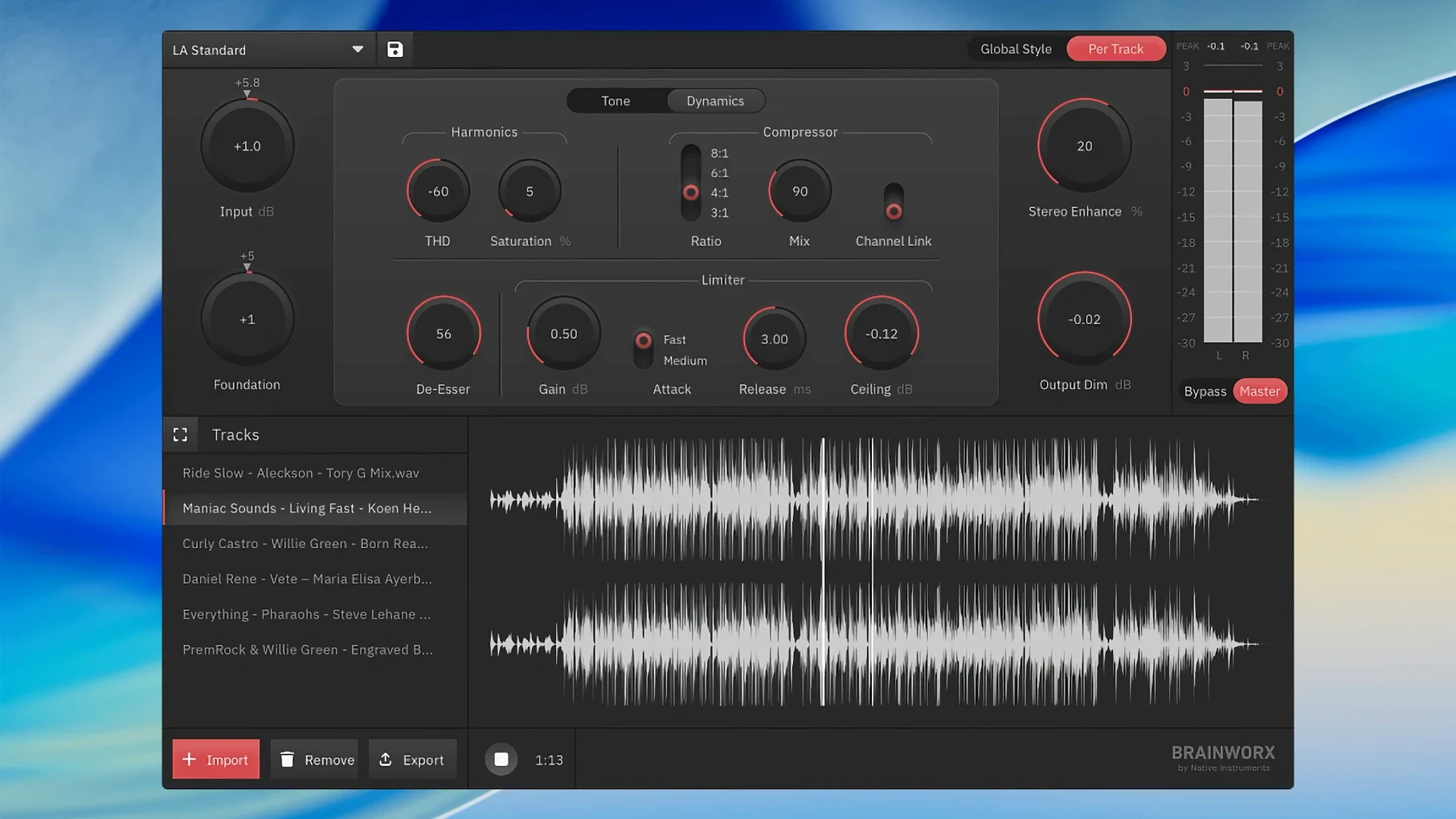
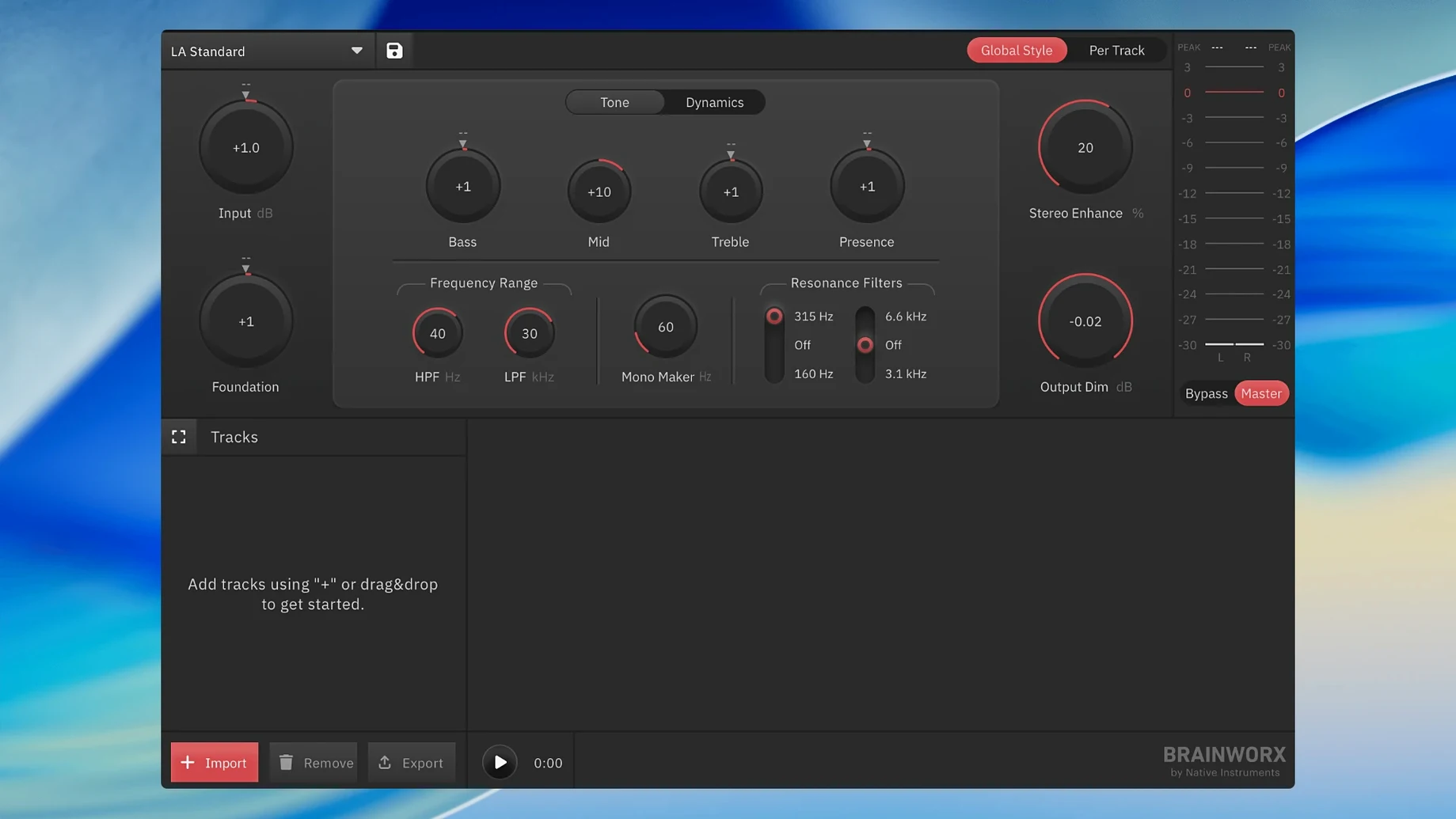
It ships with one core algorithm, but the analysis behind it pulls from thousands of reference masters. Open the app, and you're not staring at a blank session — you're picking a starting point from a built-in mastering style creator. That's the first thing to try: flip through the presets, not as a final sound, but to hear how the engine reads your mix. The processing chain adapts its EQ, dynamics, and limiting based on the style you pick and the signal it's fed.
Good for:
- Quick, streaming-ready masters when you don't want to open a full DAW.
- Learning what a polished chain sounds like on your own material — the styles are built from notable masters.
- Drafting an EP quickly with a consistent tonal footprint from one app.
Keep in mind:
- It's version 1.0.0, so the feature set is focused — no stem mastering or multi-band tweaking yet.
- You're committing to the algorithm's analysis; there's no manual EQ curve editor.
- It runs standalone, so routing audio from a DAW in real time isn't its design.
Dropping a Voiceover Straight Into -16 LUFS With No DAW
I had a 24-bit spoken word file that needed to sit at -16 LUFS for hosting, with a slight presence lift so the voice cut through on phone speakers. No DAW open, no template loaded — just the app and the raw bounce on the desktop.
Step one: drag the WAV onto the interface. The waveform draws in about a second on my M2 mini. Step two: open the style browser and scroll past the music presets until I land on Podcast Presence. It leans on a gentle high-shelf boost and a slower compressor timing than the music styles, which immediately tames the plosives without squashing the natural pauses. Step three: the output panel. I set the target to -16 LUFS, hit process, and the render bar fills in roughly real time for a 22-minute file. The result lands within 0.2 dB of the target — close enough that I don't bother with a second pass.
What I didn't touch: makeup gain, attack, threshold. The style did the shaping; I just picked the destination loudness. If I'd needed a warmer tone, swapping to Vintage Broadcast and reprocessing would take under a minute. That's the workflow loop: pick, render, listen — no knob-tweaking detour.
Four-Second Cold Launch on Apple Silicon
The app launches cold in about four seconds on Apple Silicon, maybe seven on an older Intel machine I keep around. Once open, it sits at around 180 MB of RAM idle and peaks near 400 MB during processing on a stereo 48 kHz file. That's light enough to leave running alongside a browser full of client revisions without the memory pressure light flickering.
Render speed is tied to file length, not complexity — there's no adjustable oversampling or linear-phase mode to bog things down. A four-minute track processes in under fifteen seconds. The algorithm is deterministic; run the same file through the same style twice, and the output nulls perfectly. No random saturation stages or modeled analog drift here. That's a plus for consistency, though someone craving "mojo" on every pass might find it a little clinical.
Stability has been uneventful. I've thrown 32-bit float files, 96 kHz exports, and a few slightly corrupted MP3s at it. The corrupted ones get a clean error dialog rather than a crash. It hasn't beachballed once, even when I queued up eight files back to back. If you're coming from a chain of LANDR Mastering torrent setups or half-configured plugin stacks, the predictability here is a relief.
Drag a File Onto the Dock Icon to Skip the Picker
- Drag-and-target chain. You can drag a file onto the app icon in the Dock — it opens and loads the waveform without clicking through a file picker. Muscle memory from Final Cut works the same way here.
- Style preview on hover. Hovering over a style name plays a two-second processed snippet of your file. You don't have to commit to hear what the EQ curve does to the sibilance.
- Output folder memory. The app remembers the last directory you rendered to, even after a restart. If you're doing a batch of mixes into the same "masters" folder, you never see a save dialog after the first file.
- Undo after processing. There's exactly one level of undo — but it brings back your unprocessed file with the style still loaded. Useful when you realize the target LUFS was wrong for a platform and you want to re-render fast.
- Keyboard shortcut: Cmd+R. That's process. No modifier, no confirmation dialog. One keystroke from style selection to render bar.
Three Vocal Takes, One Coffee, Zero Compressor Fears
09:15. Three vocal takes land in my shared folder from a client who records in GarageBand and doesn't want to touch a compressor. I drag the first one into the app, still holding my coffee. The waveform loads. I hover over Clean Vocal Lift, hear the preview kick up the air band a little too much for this mic, and move to Smooth Dialogue instead. That one softens the 4 kHz edge the condenser picked up.
09:17. I set the output to -14 LUFS — the client's distributor asks for that — and hit Cmd+R. The render finishes while I'm pulling up the second take. I drag the second file in, same style, same target, Cmd+R again. By 09:22 all three are done and sitting in the output folder. I didn't open a single plugin, didn't look at a gain reduction meter, didn't route a sidechain.
09:25. I spot-check the third take on earbuds. The sibilance on "success" is a little sharp — the style's de-esser didn't catch it hard enough. I pull up Podcast Presence, which hits the 6–8 kHz range more aggressively, re-render, and it's fixed. Total time spent in the app across three files and one revision: maybe four minutes of actual interaction.
That's the session. Not a single plugin alliance brainworx bx_mastering studio window cluttered with rotary knobs — just a style browser, a target, and a render button. For someone who's used ableton mastering rack chains and spent twenty minutes A/B-ing compressors, the speed here borders on disorienting. You're not mixing; you're making decisions and moving on. If you've ever downloaded a bx mastering studio free download thinking it was the plugin version, the standalone workflow takes a moment to adjust to — but once you trust the styles, the friction disappears.
- macOS 12 or later
- Apple Silicon or Intel Mac
Questions I actually get
Do I need a DAW to use bx_mastering studio?
No, it's a standalone mastering application for macOS and Windows — you load a mix file directly without any digital audio workstation.
Where do the mastering styles come from?
The styles are created by algorithms that analyze notable masters, letting you apply a similar processing signature to your own track.
Can I fine-tune the EQ or compression manually?
The app adapts its processing based on the chosen style and the incoming signal, but it does not offer manual EQ curve editing at this stage.
Notes from the edit bay · 0
Sign in or get an edit-bay pass to leave a note.
No notes from the edit bay yet. They go up after I read them.