Scrolling through a camera roll shouldn't mean waiting on a database. If your photo app spends more time syncing thumbnails than showing you the shot, you need a viewer that gets out of the way. That's the whole point of Pixea.
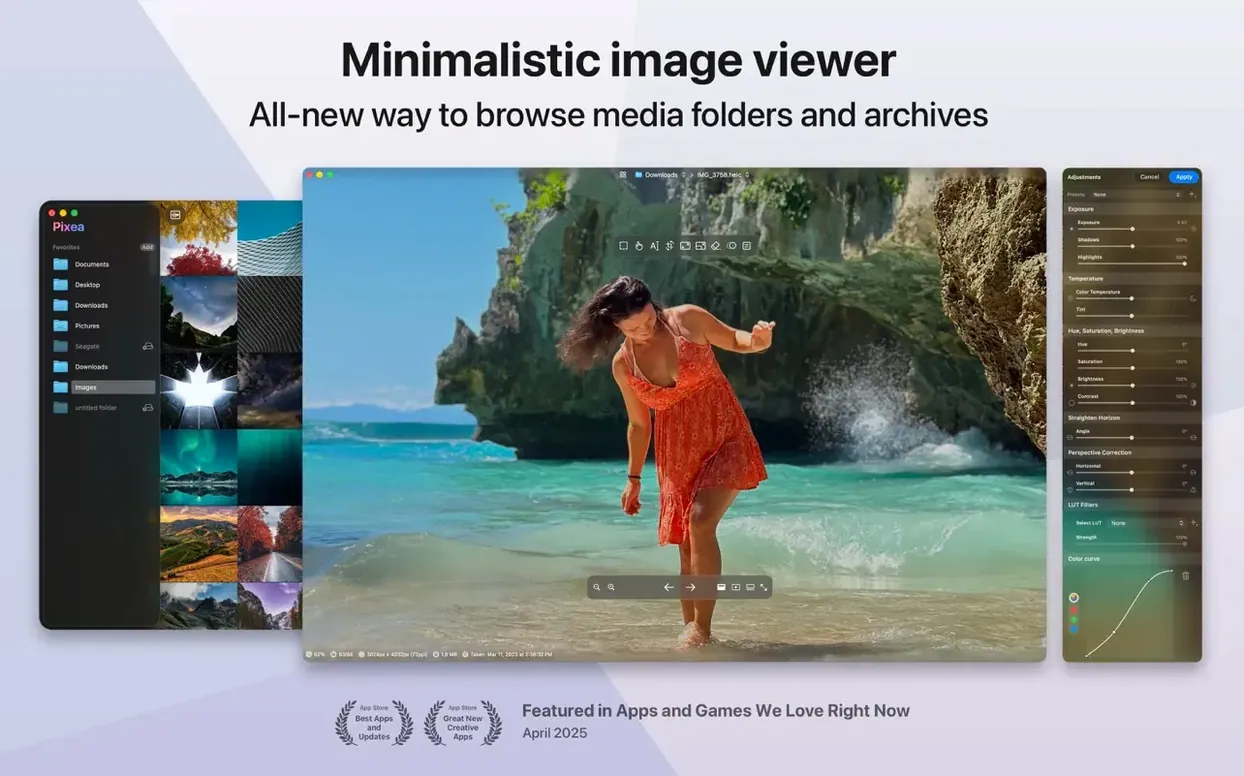
Version 8.3.0 keeps the app's core promise: a minimal window that loads JPEG, HEIC, TIFF, PSD, and a long list of RAW formats from Leica, Sony, Nikon, Canon, Fuji, and Hasselblad bodies. It still treats ZIP archives like regular folders, so you can flip through a client's batch without extracting a thing. Flip, rotate, and basic adjustments live in a slim toolbar that disappears when you don't need it.
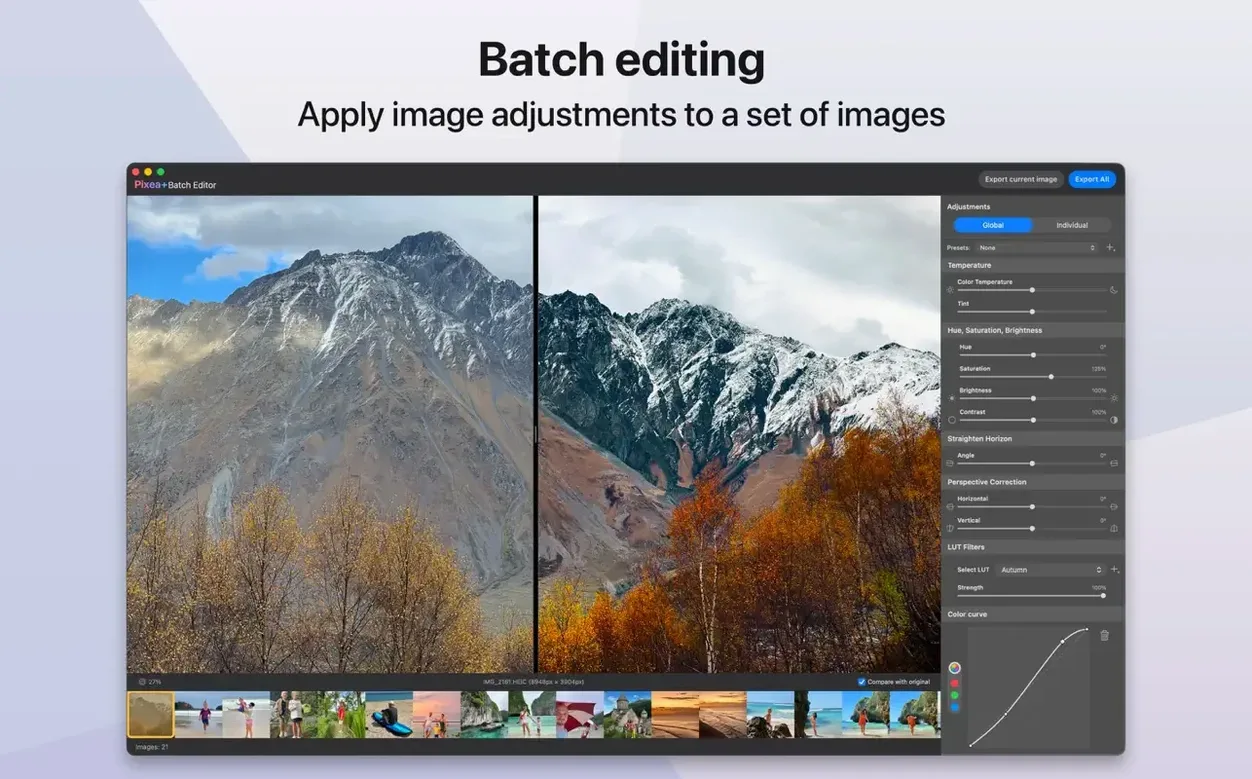
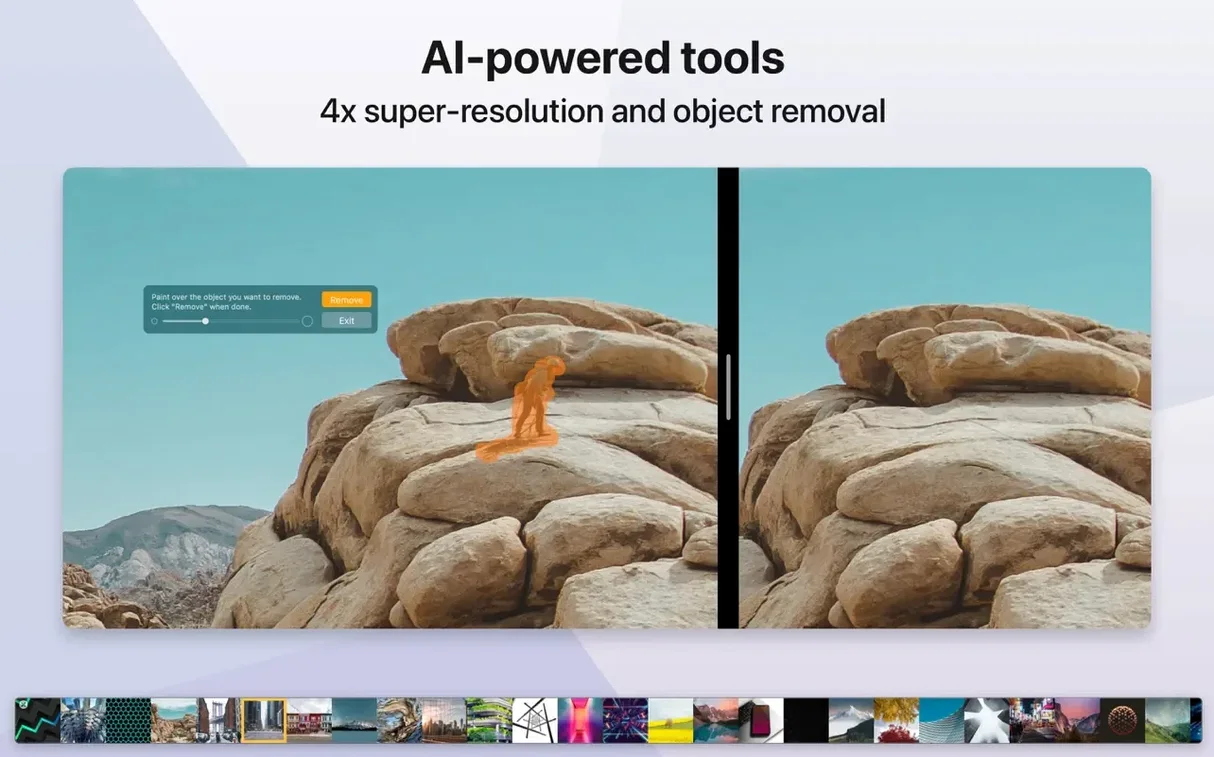
What's new lands squarely in editing territory. Masks let you apply adjustments to part of an image instead of the whole canvas. Undo and redo actions mean you can back out of a bad crop or a mask you painted too wide. The team also introduced the Pixea Image format, which saves your work with layers and masks intact so a project stays editable next session.
It's still not a library manager, and that's the appeal. No catalogs, no import dialogs, no background processes chewing battery. Just open a file, make your tweaks, and move on. macOS 11 or later, runs on Intel and Apple Silicon.
Mask a Product Shot Without Touching the Background
Say a client sends over a watch photo on a white sweep and asks you to darken the metal band without crushing the dial. Here’s how that flows in Pixea now.
Open the JPEG or TIFF straight from the ZIP they sent — no extraction. Hit M to enter mask mode. The cursor changes, and a mask panel slides out with exposure, hue, and saturation sliders. Paint across the band with a soft brush; the overlay tint shows exactly where your adjustments will land. Don’t worry about overshooting the edges yet. Drag the exposure down half a stop, warm the hue a touch, and pull saturation back until the steel looks brushed, not chrome-plated.
Now for cleanup. Hold Option and paint to erase mask spillover near the crown and lugs. The brush size keys — [ and ] — let you tighten up for the fine work without lifting your left hand from the keyboard. Toggle the mask visibility with Shift-M to check your edges against the untouched dial. A quick Cmd-Z undoes the last stroke if you drifted into the crystal. That undo stack goes deeper than you’d expect for a viewer this light; I’ve backed out of fifteen brush strokes without a hiccup.
When the band looks right, add a second mask for the dial — bump exposure a quarter stop, nudge saturation up slightly. The masks operate independently, so you can toggle each one on and off from the panel to compare. Save as a Pixea Image file and the masks, adjustment values, and brush strokes all stay live for the next round of client notes. Export a flat JPEG for delivery when you’re done.
Hold Space to Preview Full‑Res Instantly
A few shortcuts live just below the surface, and they change how fast you move through a folder.
- Hold
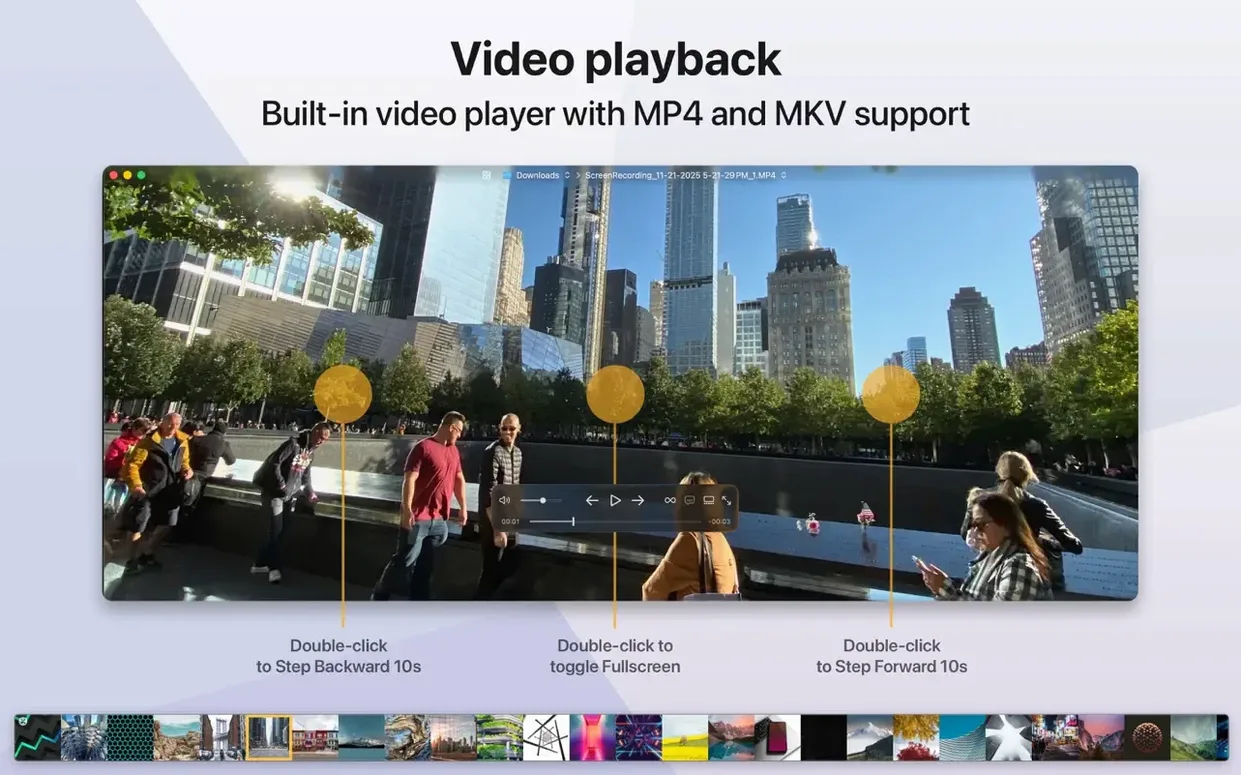
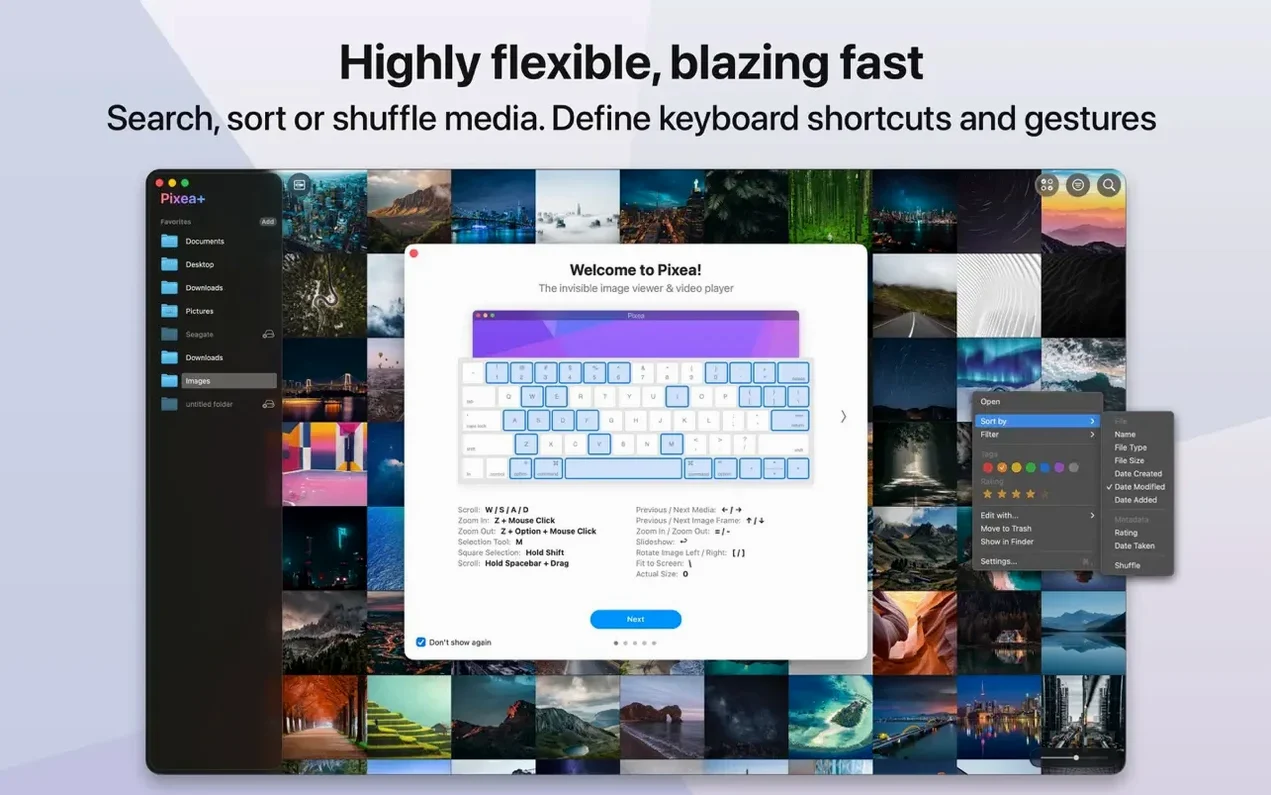
Spaceon any thumbnail to pop a full-resolution preview. Release and it vanishes — no double-click, no window management. - Right-swipe with two fingers advances to the next image. Left goes back. Works on trackpads and Magic Mouse. Faster than hunting for arrow keys when you're leaned back reviewing selects.
- The histogram sits in the info panel (
Cmd-I), not a floating window. It updates live as you drag exposure on a mask, so you can watch channels clip in real time. - ZIP handling deserves a second mention. Drag a zipped folder of RAW files onto the window and Pixea indexes it inline. No temp folders, no cleanup afterward. When you close the archive, it's gone from the sidebar.
Cmd-Deletesends the current image to the Trash and advances to the next one. Culling a shoot of 300 frames takes about four minutes if you're decisive.
Switch to Dark Background for Late‑Night Review
Pixea ships with sensible defaults, but a couple of tweaks make it fit tighter into a working day.
Open the preferences and set "Background" to Dark. The default light chrome glares when you're reviewing images late at night. Dark mode drops the window frame and toolbar into a neutral gray that doesn't compete with your exposures.
Turn off "Animate GIFs on open." If you work with motion designers, you're opening GIFs constantly. Auto-play on every file slows down a quick review pass. With it off, a tap of the spacebar starts playback only when you need it.
Switch "RAW rendering" to Apple's engine if you're on an M-series machine. The default software renderer handles more esoteric formats, but for Sony and Nikon files, Apple's path is noticeably snappier — thumbnails populate about thirty percent faster on my daily driver, and full-resolution loads finish a beat sooner.
Crop Straight in Pixea Without the Round‑Trip
Before this version, Pixea was purely a viewer with rotation and flips. You'd open a file, check focus, maybe rotate it, and hand it off to another app for adjustments. That round-trip is gone for quick jobs.
The mask system isn't trying to replace a pixel editor — you won't find clone stamps or frequency separation here. What it does is eliminate the "open in Photoshop to darken one corner" detour. If a product shot needs a vignette or a portrait needs the face lifted a third of a stop, you stay in one window. The Pixea Image format makes those adjustments non-destructive and persistent, so a file you worked on yesterday opens exactly where you left it. Undo and redo tie it together; without them, masks would feel like a one-way street. With them, you experiment freely.
Thumbnail generation got a quiet speed bump too. Folders with mixed RAW and JPEG files — common after a hybrid shoot — build their grid noticeably faster than in 8.2, especially over network drives where the old version would pause on larger DNGs.
If you've been using Pixea as a quick-look replacement, the new editing tools don't bloat the experience. The toolbar stays hidden until you switch to edit mode. The viewer still opens in under a second. The app still doesn't create a library file or ask permission to scan your drive. That discipline matters — it's the difference between a tool you reach for and one you work around.
Masks headline the 8.3.0 update, letting you isolate adjustments to specific areas of an image. The new Pixea Image format saves those masks and layers so a session stays editable later. Undo and redo actions now track your steps, so a sloppy brush stroke isn't permanent.
- macOS 11 or later
- Apple Silicon or Intel 64‑bit
Questions I actually get
Does Pixea Plus work as a photo library replacement?
No, it's a viewer and editor, not a library app. It opens files directly from your drive or inside ZIP archives without building a catalog or importing anything.
What RAW camera formats does Pixea support?
It reads RAW files from Leica, Sony, Olympus, Minolta, Nikon, Fuji, Canon, and Hasselblad cameras, alongside standard formats like HEIC, PNG, TIFF, and PSD.
Notes from the edit bay · 0
Sign in or get an edit-bay pass to leave a note.
No notes from the edit bay yet. They go up after I read them.