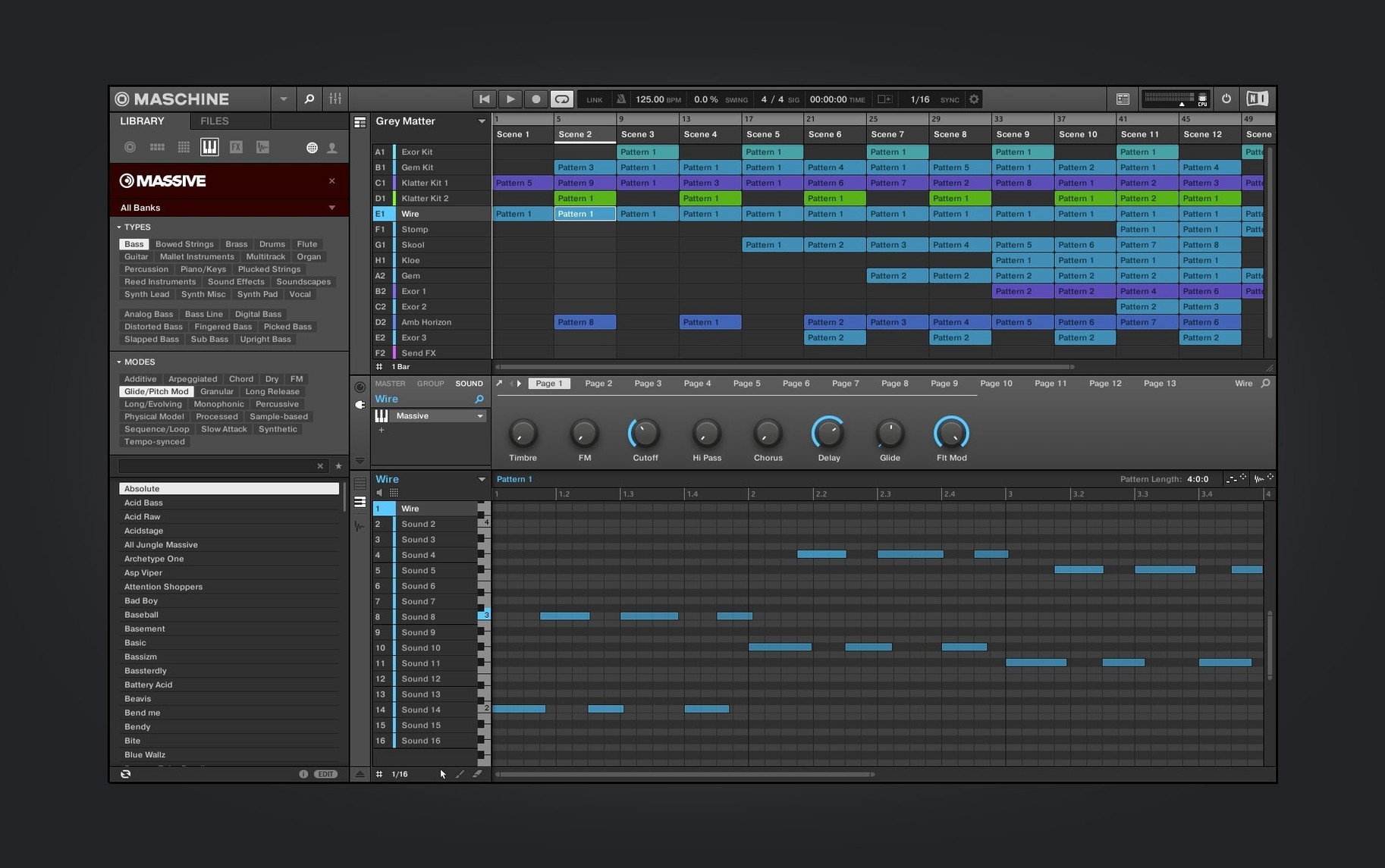
Sixteen pads. That's the grid where a sketch becomes a groove. Maschine is Native Instruments' beat-making system—half software, half the controller sitting on your desk—and it treats sampling and sequencing as one connected act. You browse a kick, tap a pattern, slice a loop, drop an effect, all without reaching for the mouse unless you want to.
1. Find your sounds
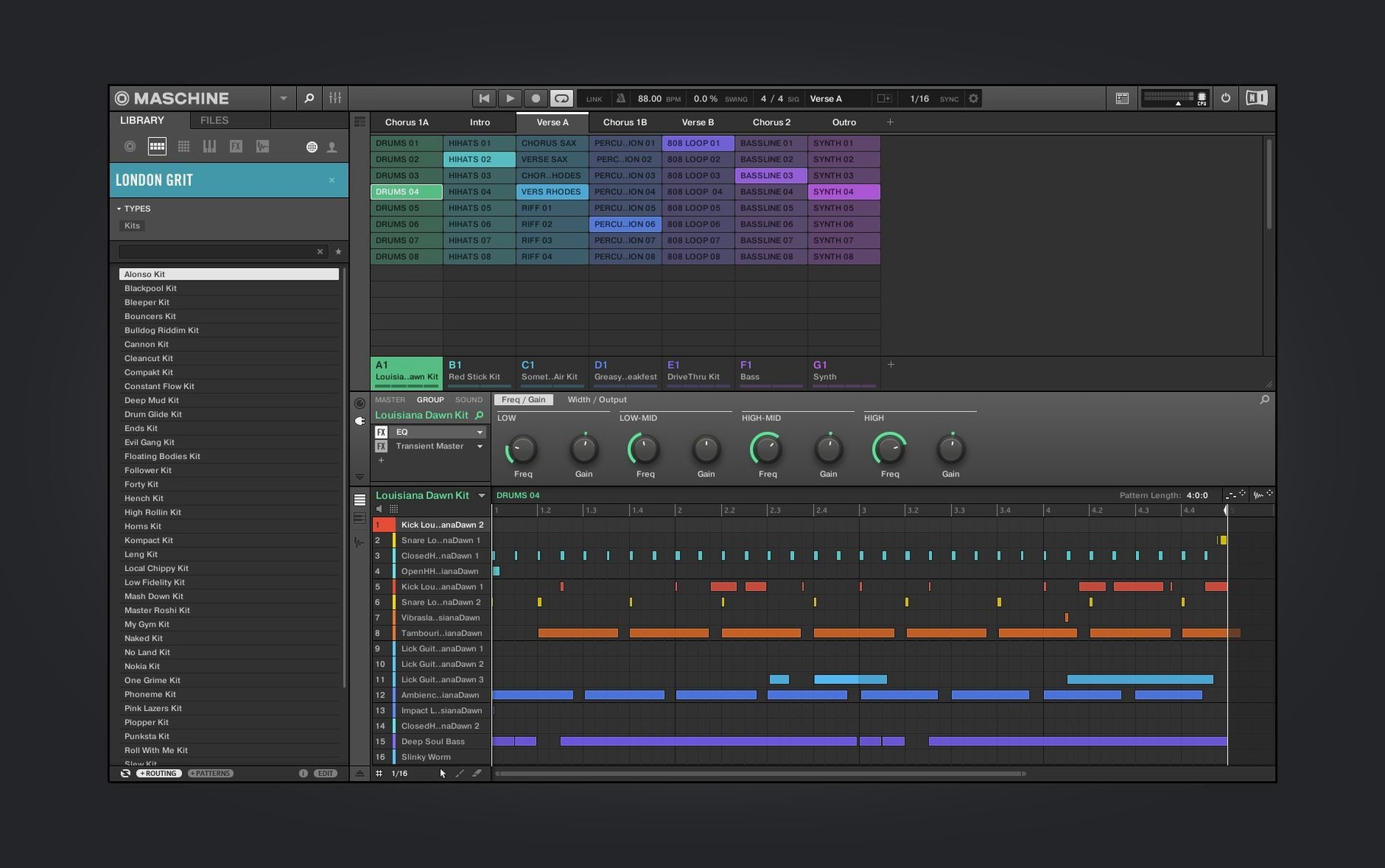
The browser puts kits, one-shots, and loops in front of you fast. Tag-based filtering means you spend less time digging and more time auditioning. The sampler handles slicing duties when you pull in a break, auto-mapping the chops across those pads so you can replay the groove your own way.
2. Build the pattern
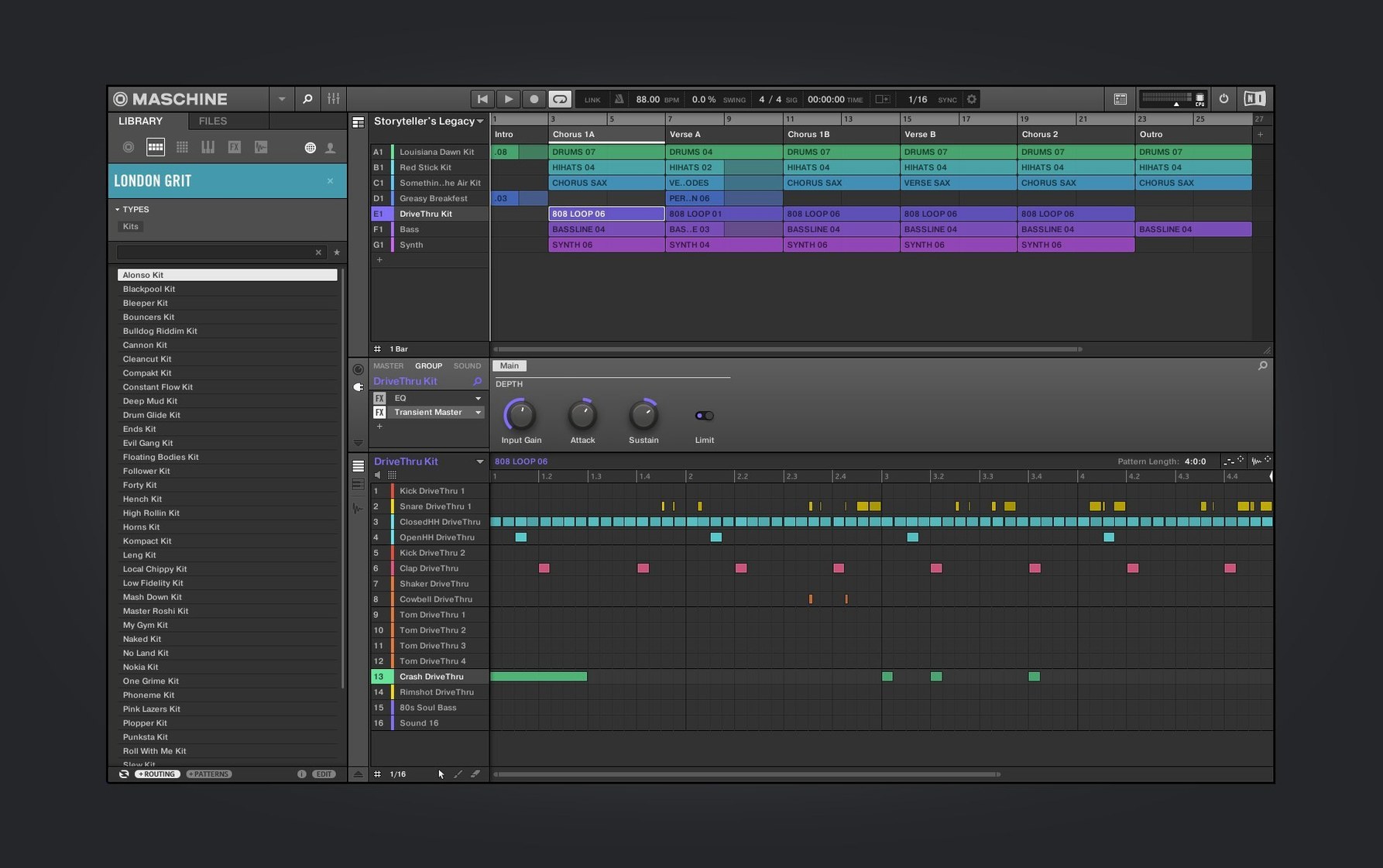
The sequencer runs in scenes. You punch drums on one group, a bass line on another, then chain patterns into a rough arrangement. The redesigned interfaces for the Audio, Poly Synth, and Drum Synth modules in version 3.6.0 make shaping sounds from scratch feel less like menu diving—knobs map to parameters with a clearer visual logic.
3. Shape and mix
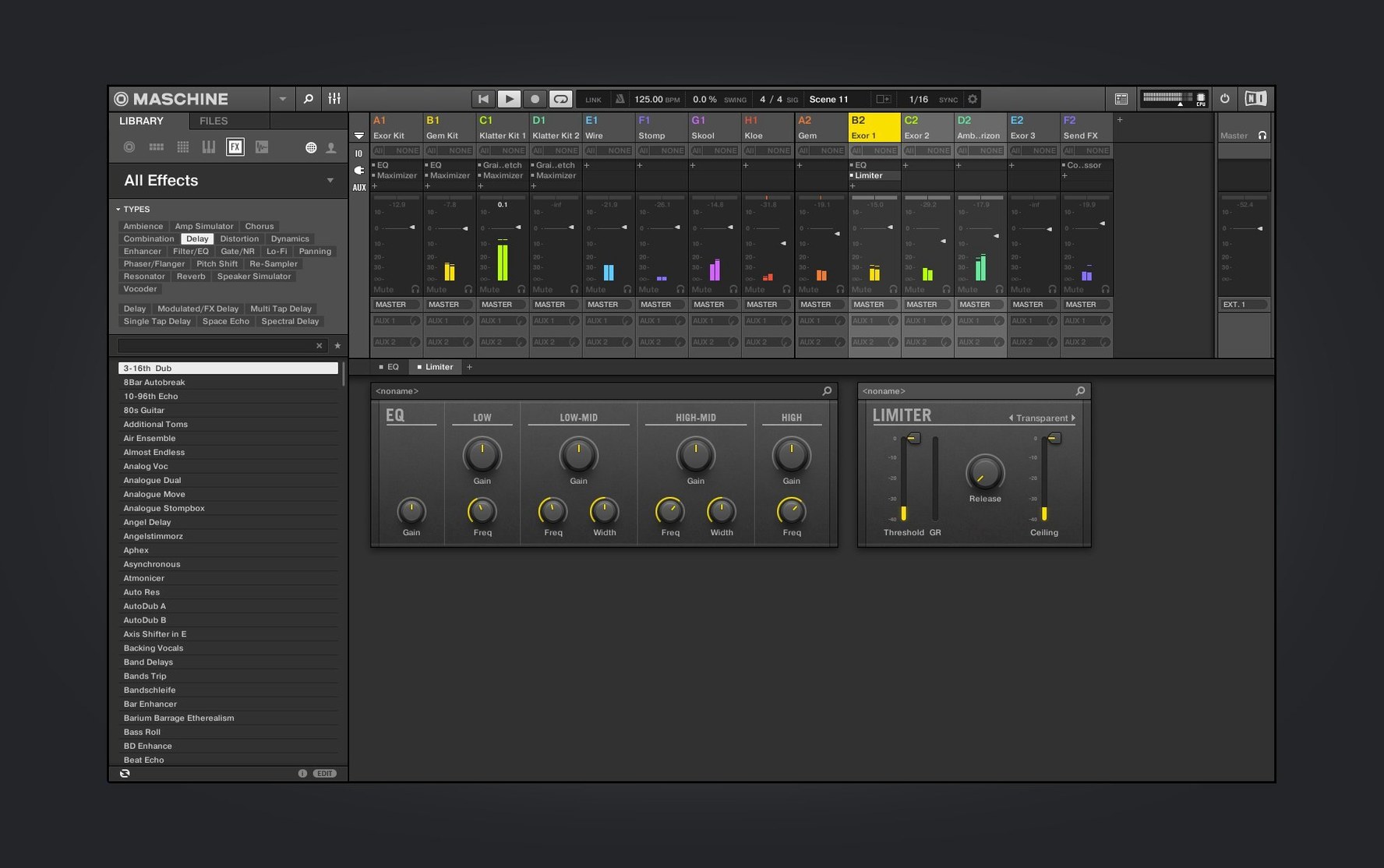
Effects sit right on the sound or group, and the mixer view continued its redesign work in this release, pulling faders, pan, and routing into a layout that mirrors a hardware desk more closely. The software can run standalone or as a plug-in inside your DAW, so the same muscle memory carries over whether you're starting a track or finishing one.
This is a system for people who want the computer to feel like an instrument. If you work best tapping pads rather than drawing notes, it slots right into that space.
The Pad Velocity Fix Nobody Tries First
The pads don't feel right. That's the first complaint in every forum thread, and the fix is almost never the software. Open Preferences > Hardware and check the velocity curve. The default linear curve works for maybe three people on the planet. Switch to Soft 2 or Hard 1, play a few hits, and suddenly the ghost notes appear where you actually finger-drum them.
Audio routing trips up anyone coming from a DAW-first workflow. You've got a kick on Pad 1 and a snare on Pad 2, both in the same Group, and you want separate processing on each. The trick is the Output section on the Sound level—each pad can route to its own output pair before it hits the Group bus. Click the Sound tab, scroll to Output, and pick an unused stereo pair. Now your DAW sees them as individual tracks.
Sample slicing gets messy when automatic transient detection guesses wrong. The algorithm is aggressive by default. After you drop a loop into the sampler and hit Slice, grab the Sensitivity knob before you do anything else. Pull it left until only the real hits trigger a slice marker. Then manually add or delete markers with the mouse—hold Option and click a marker to remove it, or double-click empty space to add one.
Performance mode confusion. You're jamming, scene-switching feels great, then you hit Stop and the arrangement is gone because you were in Ideas view. The mental model is: Ideas view is your sketchpad, Arranger view is your canvas. Nothing records across the boundary automatically. Get in the habit of locking a rough arrangement early by dragging patterns from Ideas into the Arranger timeline, even if you'll redo it later.
Cold Launch in Four Seconds on Apple Silicon
On Apple Silicon, Maschine 3.6.0 launches in about four seconds cold on an M1 or later machine. The redesigned Audio and Drum Synth interfaces feel snappier than the previous generation—knob turns register immediately, and preset browsing doesn't pause for thumbnail loads the way older builds did. The Mixer view redraw still flickers on some external displays above 60Hz, a small thing that Native Instruments has been chipping away at across the point releases.
RAM is the quiet bottleneck. The sampler keeps audio in memory, and a project with fifteen Groups loaded with multi-sampled instruments can swallow 4 to 6 GB without blinking. If you run Maschine as a plug-in inside Logic or Ableton alongside Kontakt instances, 16 GB of RAM becomes the practical floor. The standalone mode is lighter—no DAW overhead—so for pure beat sessions it's the better choice on an 8 GB machine.
Stability under load is solid but not bulletproof. The application rarely crashes during playback. Where it stumbles is hot-swapping audio interfaces. If you unplug your interface mid-session, Maschine doesn't always recover gracefully; a quick save and restart is faster than waiting for the audio engine to sort itself out. Save before switching interfaces and you'll never think about it.
Shift + Pad to Instantly Mute One Sound
Shift + pad mutes a Sound instantly. Not the Group, not the track—just that one pad. It's the fastest way to audition a pattern without the hi-hat or to drop the clap for four bars during a live take.
The Note Repeat button works as a latch. Tap it once, hold a pad, and the repeats trigger at the current tempo division. Tap Note Repeat again while holding the pad and the division cycles—quarter, eighth, sixteenth, thirty-second. You don't need to touch the mouse or look at the screen.
Drag-and-drop audio export is buried in plain sight. Grab the waveform icon in the top-right corner of the sampler and drag it straight to your desktop or a DAW track. It renders the Sound with all its effects baked in, no bouncing dialog required.
Lock states for Snapshot morphing. Right-click any parameter and choose "Lock to Scene." Now that knob position saves with the Scene, not globally. You can have a dry kick in Scene 1 and a saturated, pitched-down version in Scene 2, and switching between them morphs the sound. It's automation without drawing a single envelope.
Drum Rack vs. Hardware Integration: Where Live Falls Short
Ableton Live covers more ground—it's a full DAW with linear arrangement, warping, and a session view that Maschine's Ideas mode only approximates. But Live's drum rack doesn't match Maschine's hardware integration. On Maschine, you browse, load, slice, and sequence without the screen. On Live, the Push controller closes that gap, but the software itself doesn't treat the sampler and sequencer as one fused experience the way Maschine does. If you already finish tracks in a DAW, Maschine slots in as the groove workhorse; Live wants to be the whole stable.
Akai MPC Software is the closest cousin. Both are pad-first, both combine sampling and sequencing, both run standalone or as plug-ins. The difference is philosophy. MPC software leans into its hardware lineage—the workflow echoes a standalone MPC box, and it shows in the screen-centric menus and slightly less fluid DAW integration. Maschine feels more like a hybrid instrument that happens to have deep editing when you need it. The MPC 3.0 update narrowed the gap considerably, but Maschine's tag-based browser and NKS ecosystem give it an edge in sound discovery speed.
Logic Pro's Drum Machine Designer is the built-in alternative that costs nothing extra if you're already on a Mac. It maps samples to pads, integrates with the Step Sequencer, and sounds good. What it lacks is the hardware conversation. Without a controller, Drum Machine Designer is a mouse-and-keyboard tool. With a third-party pad controller, you still don't get the bidirectional feedback—lights, screen labels, knob mapping—that Maschine hardware provides. It's capable, but it doesn't disappear the computer the way Maschine tries to.
The big visual refresh hit the Audio, Poly Synth, and Drum Synth modules—cleaner layouts, fewer clicks to dial in a sound. The Mixer view continued its redesign, pulling the fader-and-pan workflow closer to hardware. Also new: NKS Connect support, starting with the AKAI MPK mini IV, plus NKS Mode integration for compatible controllers.
- macOS 13 or later
- Apple Silicon or Intel (64-bit)
Questions I actually get
Does Maschine work as a plug-in inside other DAWs?
Yes, it runs as a plug-in inside any host that supports AU, VST, or AAX formats, alongside its standalone application mode.
What controllers work with the NKS Connect features added in 3.6.0?
NKS Connect support starts with the AKAI MPK mini IV, and any compatible NKS Connect controller can use the new NKS Mode integration.
Notes from the edit bay · 0
Sign in or get an edit-bay pass to leave a note.
No notes from the edit bay yet. They go up after I read them.