
A development server that lives on your Mac, not in a data center — that's the job MAMP PRO exists to do.
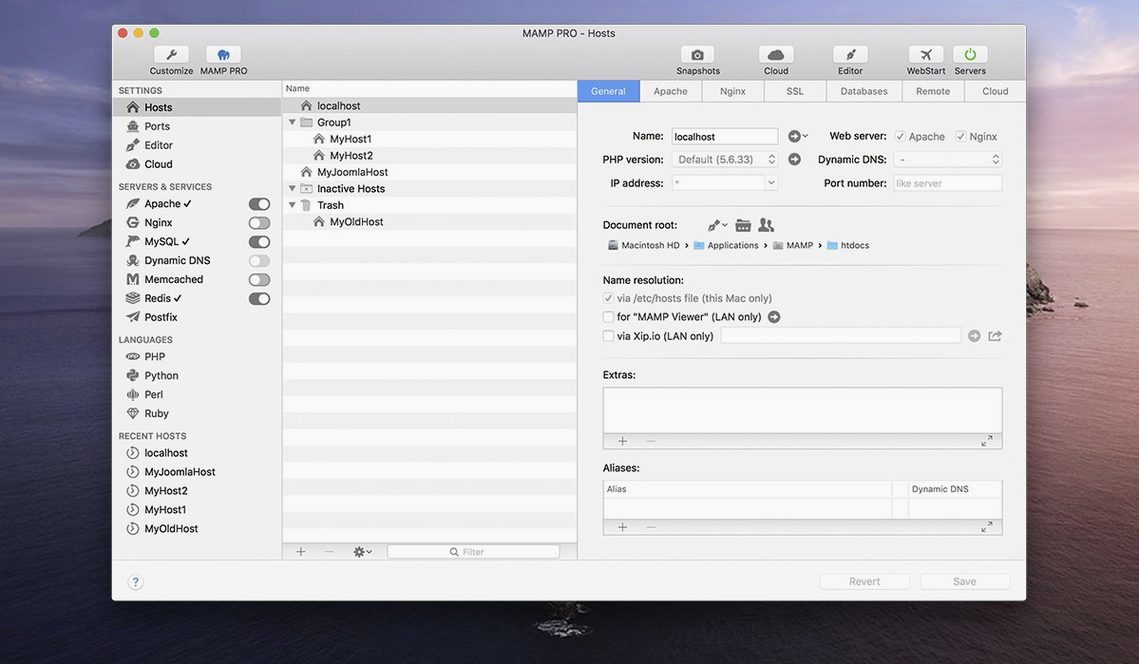
Local Host — A domain you type in a browser like "my-client-site.local" that points straight to a folder on your own machine. MAMP PRO lets you spin one up in seconds, assign a PHP version, and go.
One-Click WordPress — The installer drops the latest WordPress files into your host, creates the database, and hands you the admin login. No unzipping, no wp-config edits.
Live Publishing — When the local build is approved, publish it directly to a remote server from the app. The tool handles the database migration and file sync without a separate FTP client.
Redis Integration — Drop Redis into the stack for object caching. If a client's live site runs Redis, matching that locally means fewer surprises at launch.
MySQL 5.7 — Still the engine under plenty of legacy projects. MAMP PRO keeps it available alongside newer versions so you match the production environment exactly.
Screenshot Capture — Grab a preview of a local site without opening a browser and hitting a shortcut. Quick proof for a client or a commit note.
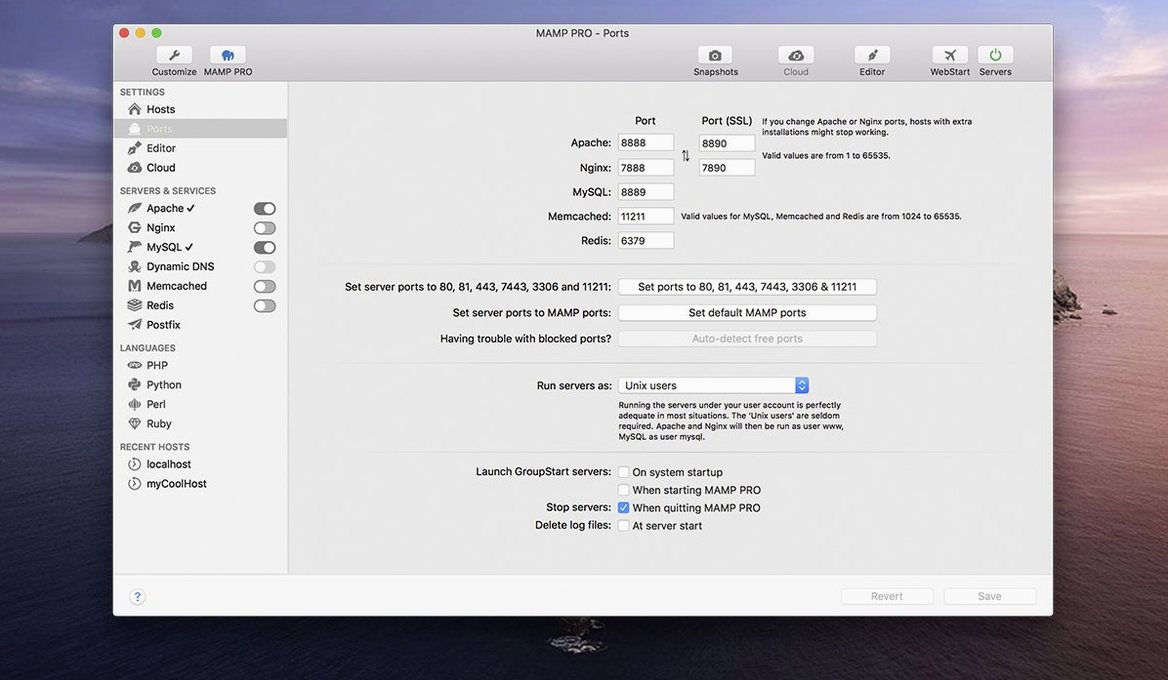
Swap the Default Ports to Standard 80 and 443
Out of the box, MAMP PRO works, but a few quick tweaks make it feel like your own machine.
First stop: the Ports tab. Default Apache and MySQL ports (8888 and 8889) are fine for isolation, but if you want URLs to read clean — project.local instead of project.local:8888 — switch Apache to port 80 and MySQL to 3306. The app will ask for your admin password once, and then every host resolves cleanly. Worth it.
Next, head to PHP and pick a default version. The global setting determines what every new host inherits. If most of your work is modern WordPress or Laravel, set PHP 8.2 as the fallback. You can still override per-host later, but this saves a click every time you create something.
Under Server, pick Nginx if you're deploying to Nginx servers. Apache is the default and works fine, but matching your production web server locally catches rewrite rule issues early. Switch it once and forget it.
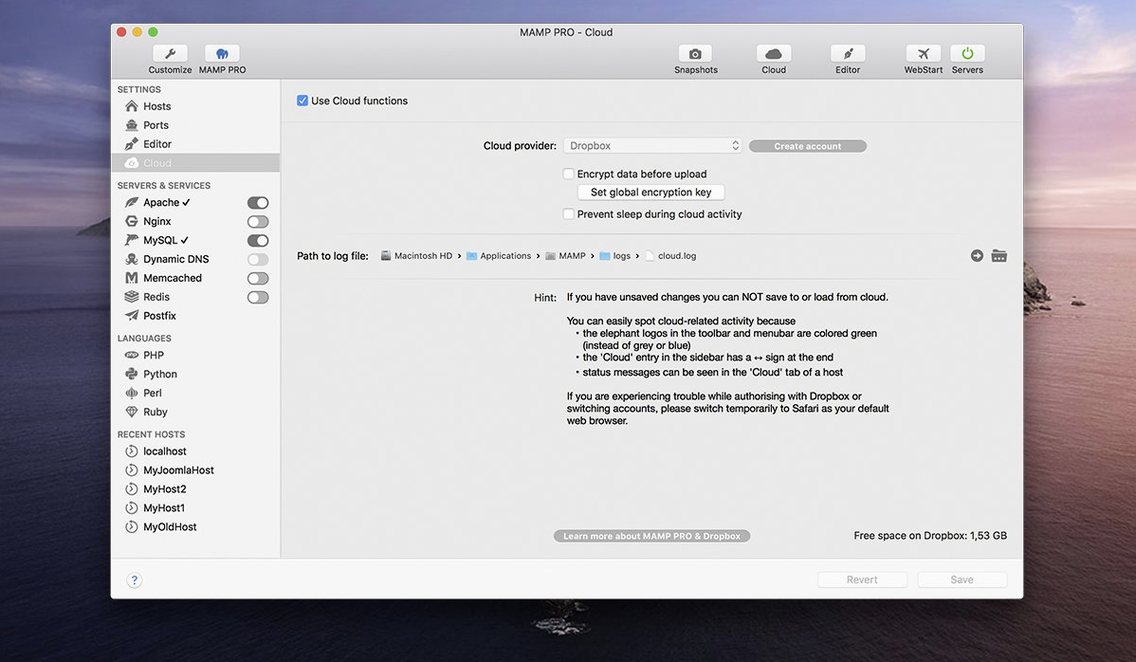
Finally, the Cloud tab. If you plan to publish hosts to a live server, drop your FTP and database credentials in now. The template system lets you save connection profiles — one for a staging server, one for a client's production box. Setting these up on day one means publishing a site later is two clicks, not a scavenger hunt through old emails.
From Servers Already Running to a Live WordPress Preview
Let's walk through a real scenario — building a client's WordPress site from scratch.
9:14 AM. Open MAMP PRO. The servers are already running from yesterday — Apache, MySQL, and the Redis instance I added for a cached staging copy. The toolbar shows green dots across the board.
9:15 AM. Hit the plus button in the host list. The create dialog asks for a host name — I type coffee-roaster-2025. The app auto-fills the document root to /Users/theo/Sites/coffee-roaster-2025. I switch the PHP version to 8.1 because the client's live server runs an older LAMP stack. One click on "Install WordPress," and MAMP PRO grabs the latest zip, writes the database, and hands me a URL and admin credentials. Total elapsed time: under 90 seconds.
9:17 AM. I open the host in a browser, log into WordPress, and start pulling in the theme. While I work, the app sits quietly in the menu bar. CPU usage hovers around 2% on my M1 machine. Fans haven't spun up once.
11:40 AM. The build looks solid. I open the host settings, click the Remote tab, and select the client's server profile I saved last month. MAMP PRO compares local and remote file trees, then pushes the changes. The database migration runs automatically — it detects the URL swap and handles the serialized data replacement without me touching a search-and-replace tool. Forty seconds later, the site is live.
11:42 AM. I grab a screenshot of the landing page using the built-in capture tool, drop it in the client Slack, and ask for feedback. Done.
That's the rhythm: create, build, publish, capture. No terminal, no FTP client, no phpMyAdmin in a browser tab I forgot to close.
Move Your Document Root Outside the Application Folder
After installing MAMP PRO, a few habits make the first week smoother.
Organize your document roots before you start. The app defaults to /Applications/MAMP/htdocs, but I point every host to a ~/Sites/ folder. It keeps project files outside the application bundle, which matters when you update the app or migrate to a new Mac. Set your preferred root in the global preferences, and every new host inherits it.
Name hosts consistently. Use a pattern like client-project for the local domain. The app sorts hosts alphabetically, so a naming convention keeps a long list scannable six months later when a client calls with a change request.
Snapshots are your undo button. Before a big database migration or a plugin audit, take a snapshot of the host. It saves the database and files in one compressed state. If something breaks, roll back in ten seconds instead of rebuilding. I learned this the hard way after a WooCommerce update scrambled a client's product table.
Check the PHP version per host, not globally. The global default is convenient, but overriding at the host level prevents accidents. The host-specific setting is visible right in the main list — a small version badge next to each host name. Glance at it before you start working.
Use the host ordering feature. Drag hosts in the sidebar to group them by client or project type. Active projects at the top, archived ones at the bottom. It sounds trivial, but when you're juggling six WordPress builds, visual grouping cuts the mental load.
If you grabbed a copy via mamp pro mac torrent links, double-check that Apache and MySQL ports don't conflict with other local servers like Laravel Valet or a leftover Homebrew MySQL instance. MAMP PRO's port scanner in the preferences helps spot conflicts before they become 404 errors.
Servers Spin Up in Three Seconds on Apple Silicon
In daily work, MAMP PRO stays out of the way — and that's the highest compliment you can give a local server tool.
Startup time is fast. Servers spin up in about three seconds on Apple Silicon, maybe six on an older Intel Mac. Once running, they stay up for days. I've left Apache and MySQL active through sleep cycles and multi-day stretches without a hiccup. The menu bar icon shows a green light when everything is healthy, and the rare crash — I've seen two in six months — recovers with a single click.
Memory footprint is modest. With Apache, MySQL 8.0, Redis, and two WordPress hosts running, the combined processes sit around 400–500 MB of RAM. That leaves plenty of headroom for a browser with twenty tabs, Photoshop, and Final Cut in the background. On a machine with 16 GB, I never think about it.
Disk I/O is what you'd expect from a database and web server writing logs and caches. If you're on an older Mac with a spinning drive, point the MySQL data directory to an external SSD in the settings. The app lets you relocate it without breaking hosts.
The 6.9.0 build running on an M1 Mac feels snappier than the 6.8 releases, especially when switching between hosts. The toolbar refresh removed some lag that used to hit when clicking from one project to another. The PHP version installer is also smoother — previous versions sometimes stalled mid-download, but the latest build handles the fetch and extraction without babysitting.
Anyone coming from a mamp pro 6 or mamp pro 7 crack mac setup will notice the improved host create dialog immediately. Less clicking, fewer fields to fill out. The WordPress one-click installer alone saves five minutes per project, and over a year of freelance work, that's real time.
For heavier setups — multiple hosts running simultaneously with Redis and Memcached — the app scales without complaint. CPU spikes are rare and brief, typically during a database import or a large file sync to a remote server. Even then, the rest of the system stays responsive enough to keep editing in Premiere or bouncing a mix in Logic without stuttering.
Stability wise, the 6.9.0 fixes matter. The crash when editing host-specific server configurations is gone. The MAMP Cloud networking issues that plagued a few users in 6.8 are resolved. If you rely on the publish-to-live workflow, that alone makes updating worthwhile, whether you found the app through a mamp pro mac crack search or grabbed it directly.
Version 6.9.0 squashes a couple of workflow killers. Editing host-specific server configurations no longer crashes the program — a fix that saves a restart right when you're dialing in rewrite rules. The MAMP Cloud feature got attention too, with several network hiccups smoothed out. PHP version installation is more reliable, and opening phpMyAdmin 5 via an alias finally behaves.
- macOS 10.12 or later
- Intel or Apple Silicon Mac
- Interface languages: English
Notes from the edit bay · 0
Sign in or get an edit-bay pass to leave a note.
No notes from the edit bay yet. They go up after I read them.