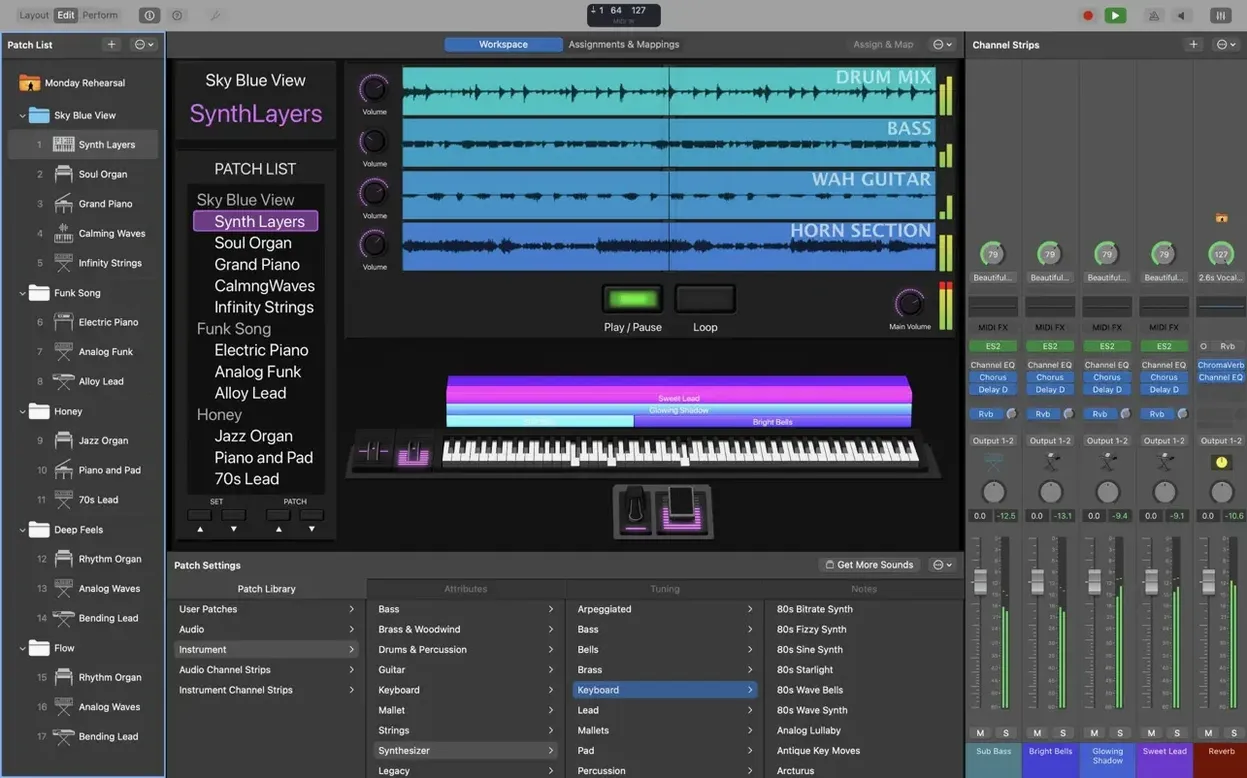
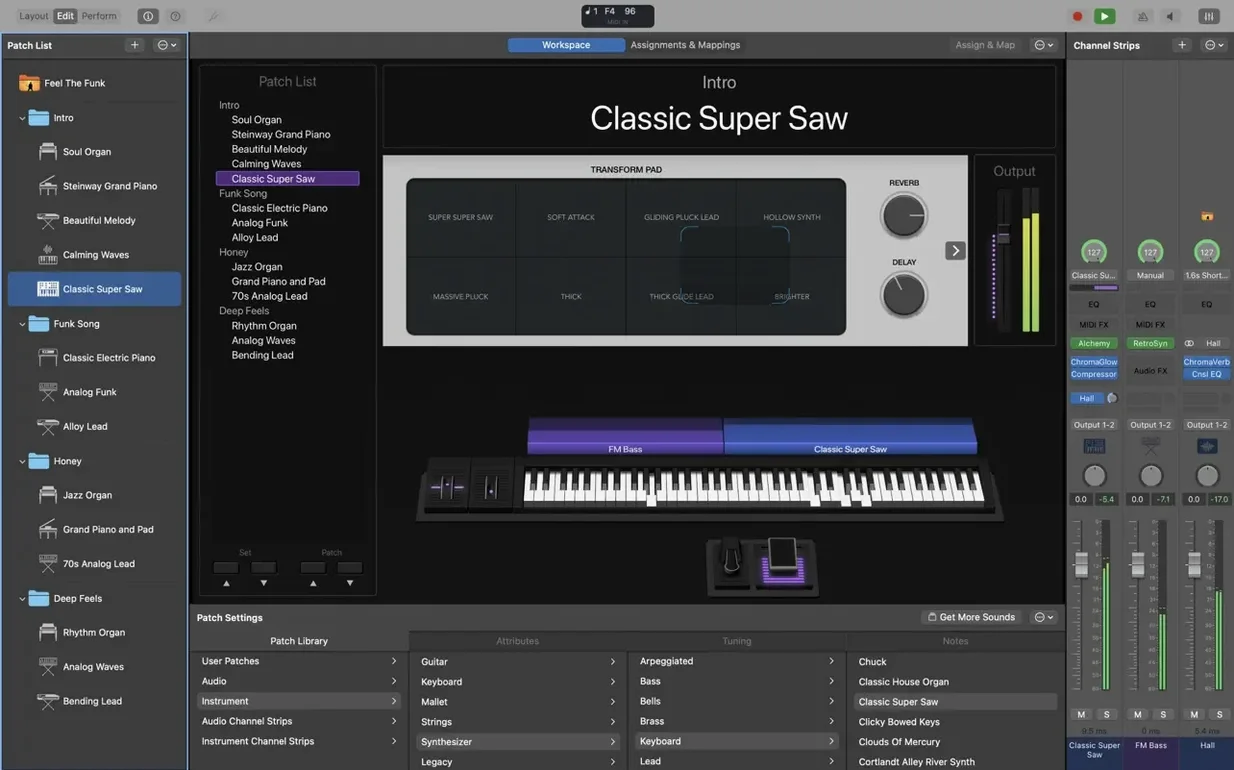
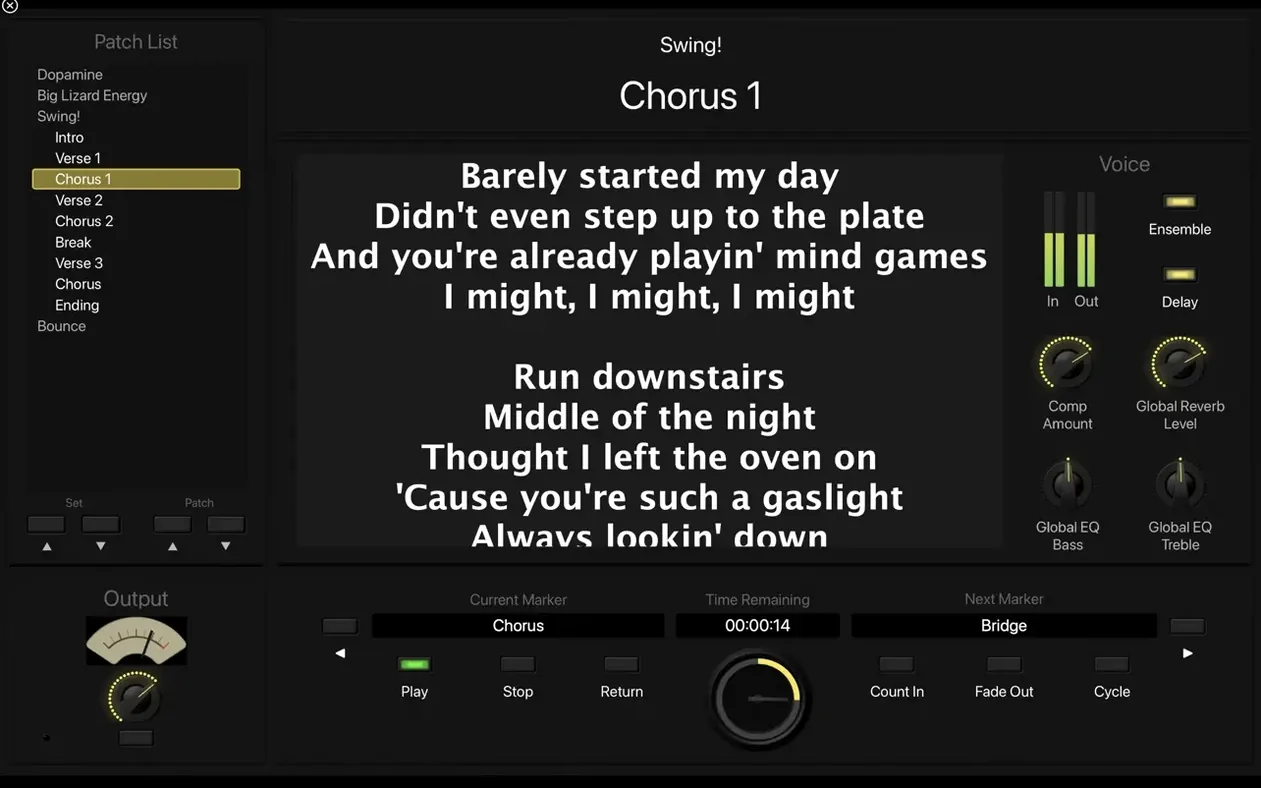
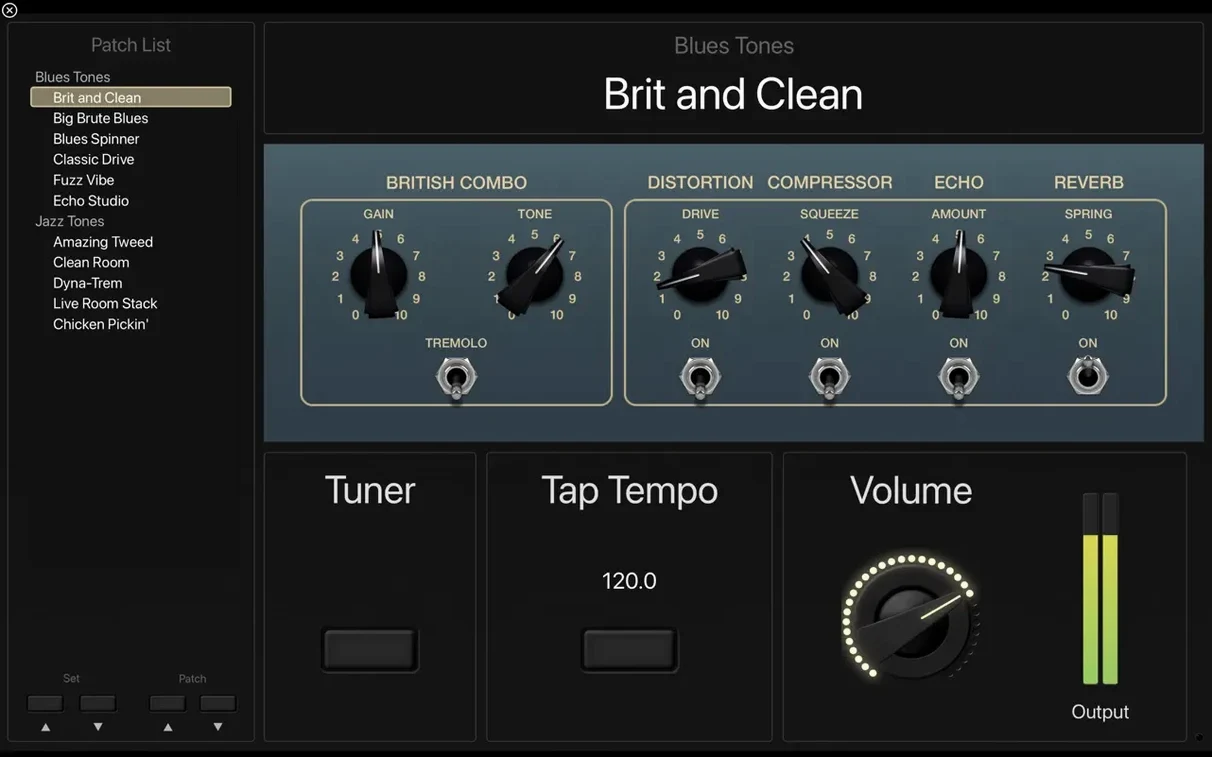
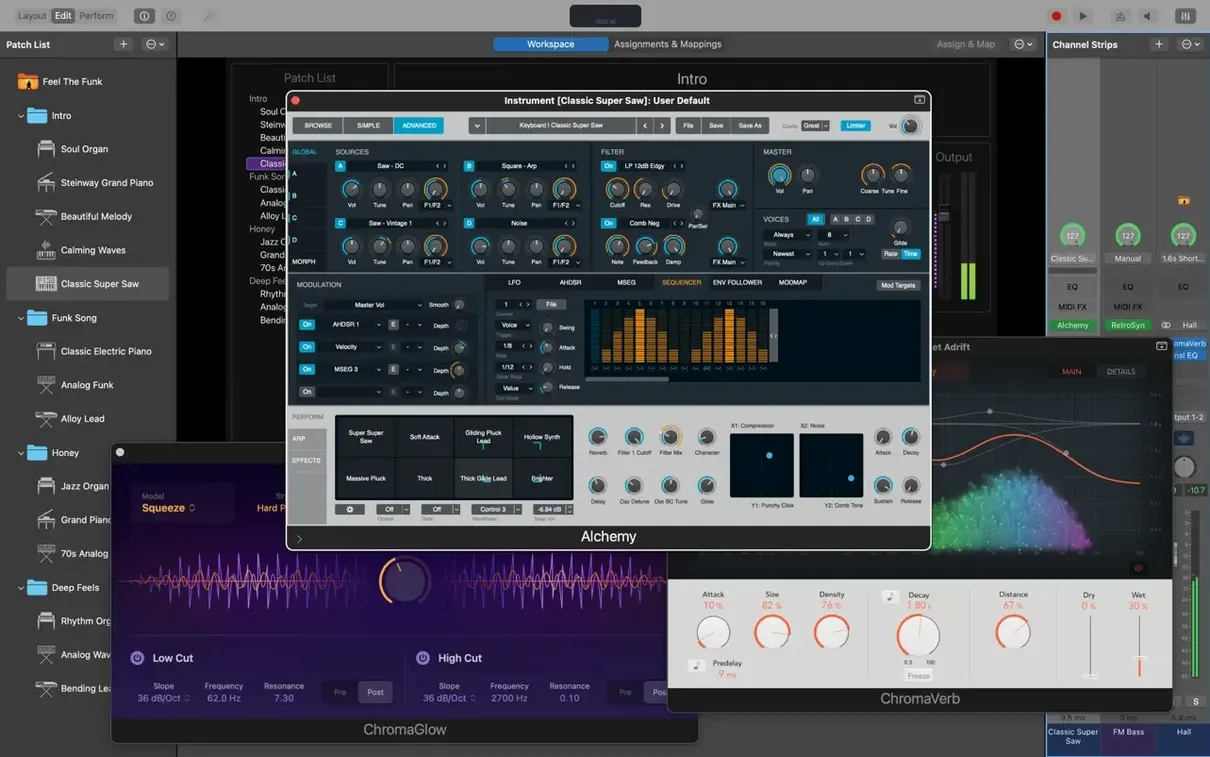
MainStage is a dedicated live-performance app that gives you a full-screen stage for Logic Pro's instruments and effects, no timeline attached.
Build Your Setlist
Organize patches into a Set list and step through them with a foot controller or a single key. Each patch can hold channel strips, splits, layers and MIDI plug-ins like Chord Trigger and Transposer, so one press remaps your entire rig.
Play Over 750 Sampled Instruments
The Sound Library delivers everything from Vintage B3 and Vintage Electric Piano to the analog-modeled Retro Synth. Drag in third-party Audio Units, stack them in a channel strip and save the whole thing as a single patch you can recall mid-song. The Playback plug-in handles stereo or multichannel backing tracks, synced to your tempo or triggered manually.
Shape the Sound with Studio Effects
Space Designer, tape delays and multi-tap delays run live in the full-screen interface. Add an Arpeggiator MIDI plug-in to a synth layer, or route a vocal through compression and reverb without touching a DAW timeline. Everything responds to MIDI mapping, so faders and knobs on your controller stay live throughout the set.
A Wedding Band Keyboardist’s Saturday Night
Imagine a keyboard player covering a three-hour wedding reception — disco, ‘80s pop, a couple of ballads, the inevitable “Uptown Funk.” The setlist changes three days before the gig. MainStage turns that chaos into a single concert file. The keyboardist builds one patch per song: a Rhodes split with a pad on the upper keys for a Whitney Houston ballad, a layered brass-and-clav stack for Earth, Wind & Fire, a straight-up Vintage B3 with a slow-rotor Leslie for the cocktail hour. Each patch gets a MIDI Program Change number. A two-button footswitch advances through the setlist; the hands never leave the keys. Between songs, the singer asks for a lower key on the next tune. The keyboardist drops the Transposer MIDI plug-in onto the patch and dials it down a minor third — the rest of the band never hears the edit.
An Hour Before the Gig, From Scratch
Here’s a working session that plays out every weekend. Open MainStage and create a new concert. The template picker stays empty — experienced users always start with a blank patch. Add a software instrument channel strip and load Vintage Electric Piano. Dial the bell tone back to about 40%, push the drive just enough to bark when you dig in. That’s the core sound for the first four songs.
Next, create a second channel strip at the patch level —this one gets Retro Synth set to a sawtooth pad with a slow-attack envelope. Assign the Rhodes to the lower half of the keyboard, the pad to the upper half. Drag the split point to C4. Now the left hand holds down chords while the right hand plays a melody that cuts through. Name the patch “Song 1 — Rhodes + Pad.”
Map the Mod Wheel to the pad’s filter cutoff. Click the Assign button in the Layout view, wiggle the wheel, and the mapping locks in. Save the patch. Hit Command-N for a new patch, load Vintage B3, set the percussion to second-harmonic, fast decay, and save it as “Song 2 — Organ.” Ten patches in fifteen minutes. The drummer’s still loading in.
Where It Fits Between Logic, GarageBand, and macOS
MainStage doesn’t compete with a DAW — it’s the performer’s half of the Logic ecosystem. Build a sound in Logic Pro on a Tuesday, save the channel strip setting, and pull it into MainStage on Friday. The Sound Library downloads once and serves both apps. GarageBand users who outgrow the live limitations of that app move their favorite Smart Instruments into MainStage as starting points, then layer them with Audio Units like Spitfire LABS or Valhalla Supermassive.
On the macOS side, the app leans on Core MIDI and Core Audio directly. Any class-compliant keyboard or interface that macOS recognizes shows up in MainStage’s MIDI input list without a driver. I/O buffer size lives in Preferences alongside the same 32- to 1024-sample range Logic users know. Audio Unit hosting means the same third-party reverb you use in Logic loads here with identical presets. The Touch Bar on a MacBook Pro switches contexts automatically — tap to arm a tuner, adjust a Smart Control knob, or scroll through patches when the setlist view is open.
Patch Switching No Longer Fires When Editing Plug-in Values
The 4.3.1 update fixed a handful of friction points that anyone doing fast patch switching would hit. Before this version, entering a numeric value in a plug-in field could accidentally trigger a patch change if the Patch List had focus — a disaster mid-song if you were dialing in a delay time during a soundcheck. That’s gone. The Add Channel Strip window once ignored typed numbers; now it responds, which shaves seconds off patch building when you’re adding, say, a third compressor to a vocal chain.
The MIDI SysEx fix is less flashy but mattered to keyboardists running older hardware synths that rely on System Exclusive dumps for preset recall. Previously, incoming SysEx was blocked, so a Nord Stage sending a patch dump would get silence back. Now that conversation works. And the Scripter plug-in finally receives MIDI messages on patch change — small on paper, enormous for anyone who wrote a custom script to reset expression pedal values or send a bank select command the moment a patch loads. Sampler instruments also stopped misbehaving: presets that previously loaded the wrong sample now call up the correct one, which matters when “the correct one” is a multisampled grand piano, not a random timpani hit.
One Concert Per Sunday, Zero Mouse Clicks During the Service
MainStage rewards a specific kind of Mac user. Worship keyboardists live here — they build one concert per Sunday, layer pads under piano, switch to a bright synth lead for the chorus, and never touch a mouse during the service. Tribute band players who need to recreate exact synth patches from three different decades run it on an Apple Silicon MacBook Air, lightweight and dead quiet. Guitarists who hate pedalboards use Amp Designer and Pedalboard inside a single patch, then switch amp models between songs with a MIDI foot controller. Vocalists who want a dedicated reverb and delay chain without buying a hardware processor run a condenser mic into an audio interface, add Space Designer and a stereo tape delay, and save it as a patch they recall with a Bluetooth page-turner pedal.
The common thread: these are performers who need to stop thinking about the computer the moment the first downbeat hits. They spend hours at home in the Edit view, wiring up channel strips and mapping controls, so that on stage the screen is just a giant, readable concert display. A keyboardist with 40 patches for a tour doesn’t touch a trackpad between songs — they step through the setlist, glance at the Smart Controls to confirm the right patch loaded, and play. That’s the deal MainStage makes. Put in the prep work on a Mac, and the gig feels like hardware.
Version 4.3.1 restores MIDI SysEx passthrough and lets you type numbers straight into the Add Channel Strip window. Also fixed: Sampler instruments that previously loaded the wrong sounds now recall their correct samples.
- macOS 15.6 or later
- Apple Silicon Mac
- 64-bit Audio Unit plug-ins required
- 6 GB free disk space for a minimal install; 57 GB for the complete Sound Library
Questions I actually get
Does MainStage work with GarageBand or Logic Pro sounds?
Yes. MainStage loads the same Sound Library as Logic Pro, plus any GarageBand instruments already on your Mac. All 4,600 Apple Loops in dance and electronic genres are available directly from the Loop Browser.
Notes from the edit bay · 0
Sign in or get an edit-bay pass to leave a note.
No notes from the edit bay yet. They go up after I read them.