
Version 11.3.2 landed and the headline is simple: stability improvements. No flashy new modules, just a tighter, cleaner build. If you're hunting a MacFamilyTree 11 torrent for a fresh install, a quiet housekeeping update is the kind of thing you want to know about before you click download.
Does It Lock Me Into a Subscription or Cloud-Only Mode?
- Does this version lock me into a subscription or cloud-only mode? No. Your data stays local by default. You can optionally encrypt it in iCloud for syncing with the companion iPhone and iPad app, MobileFamilyTree. That sync requires an iCloud account, but the desktop app works fine without one.
- What macOS do I actually need? macOS 12 Monterey or later. It runs on both Intel and Apple Silicon Macs.
- Can I still search Ancestry or FamilySearch from inside it? FamilySearch integration is built right in. You can dig into genealogy records without leaving the app, which is a real time-saver during a heavy research session.
- What happens to my data if I publish a family tree website? The MacFamilyTree.com website feature includes password protection, so you control who sees living-person details.
A 3D Tree You Walk Through, Not Just a Database
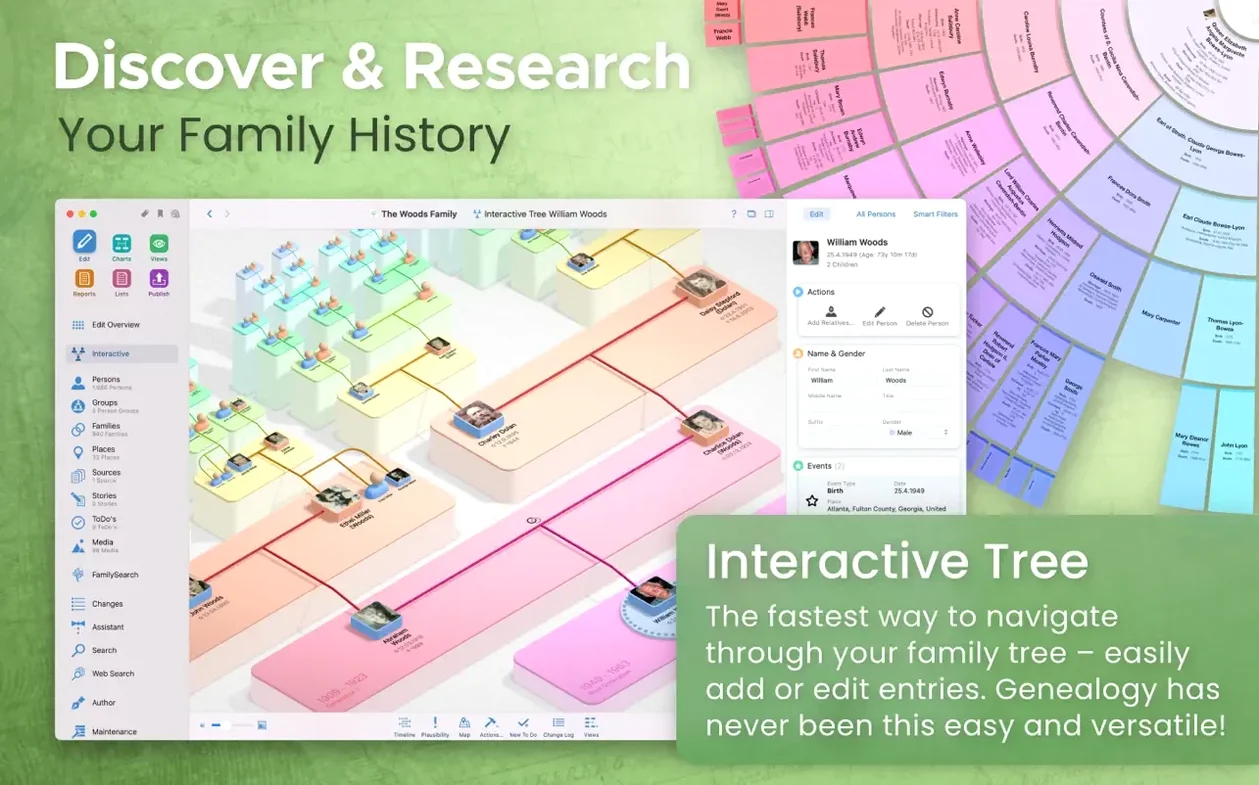
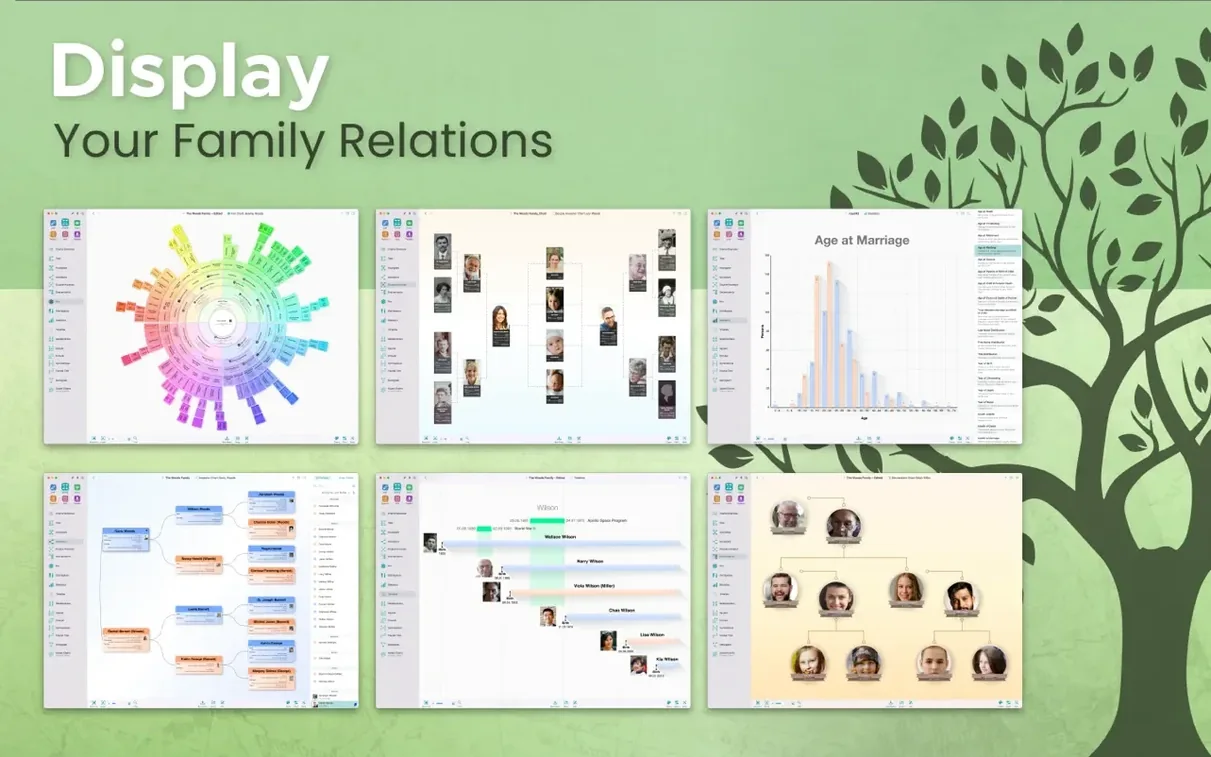
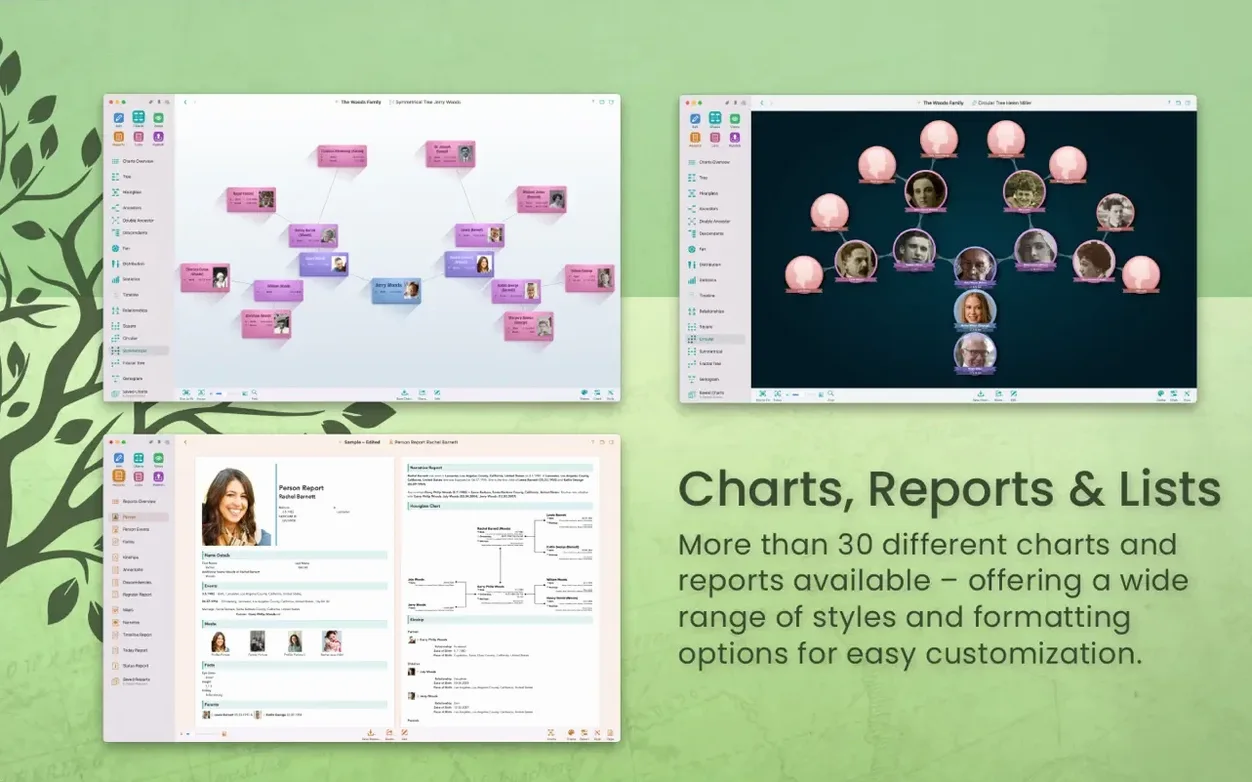
This isn't a barebones pedigree chart. You get a virtual 3D tree view to walk through, plus diagrams, reports, and even book layouts for your research. It's a visual workstation more than a database. The interface comes in sixteen languages, from Danish to Simplified Chinese, so it bends to your setup rather than the other way around. If you're after a MacFamilyTree 11 torrent because you need the full toolbox on a current Mac, version 11.3.2 keeps all of that moving without getting in the way.
First 48 Hours: Practical Setup Moves
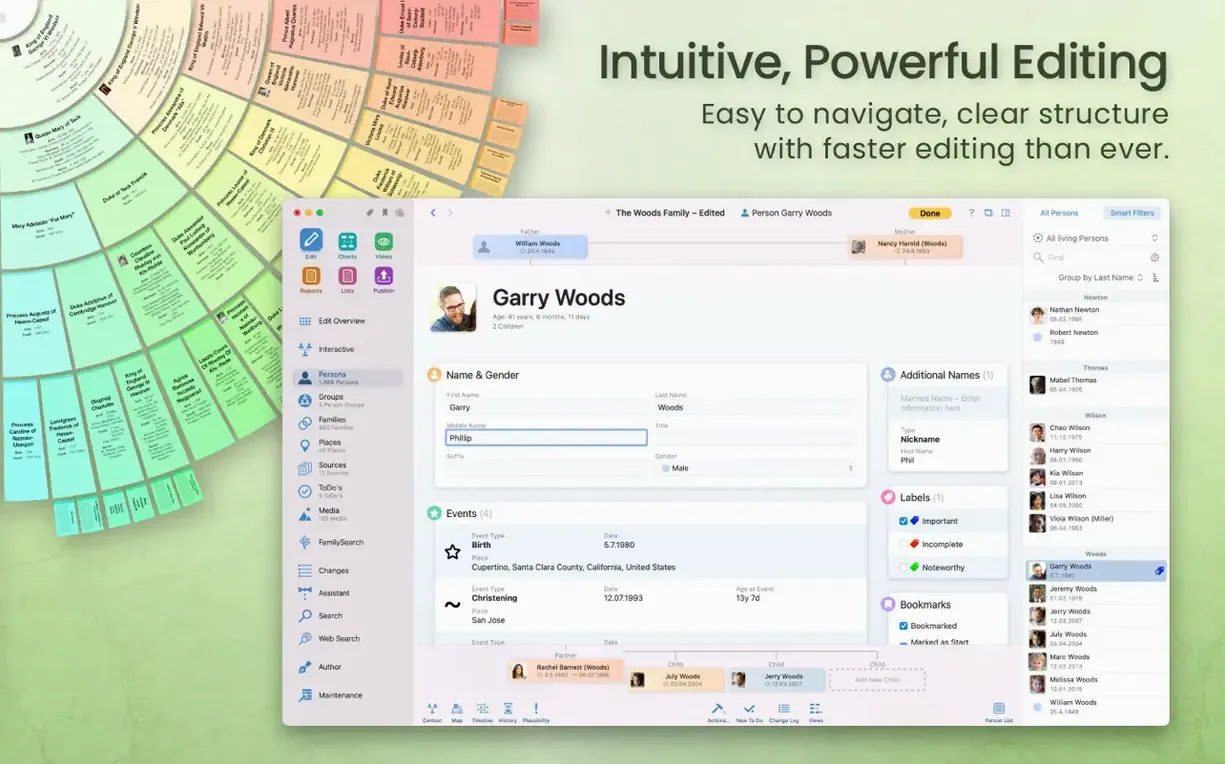
Don't start by typing names. Start by setting your preferred evidence standards in the credibility report settings — it shapes how every source citation looks down the line. Then spend ten minutes customizing the person entry fields. The defaults are sensible, but if you track military service or emigration dates religiously, tick those on now. Retrofitting fields after 200 entries is a chore nobody needs.
Second move: pick one branch of the family and run the narrative report on it immediately. That report reads like prose, and it will expose gaps in your data faster than any chart. A missing marriage date or a child with no birthplace stands out when the software tries to write a coherent paragraph about them.
Third: before you go deep into the FamilySearch integration, download your existing GEDCOM from wherever it lives and import it. Let MacFamilyTree chew on it overnight. The fan chart and the hourglass report become genuinely useful only when the app has enough nodes to show patterns — second cousins marrying into the same town, migration waves, name frequency clusters on the statistical map. An empty tree teaches you nothing about the tool.
Seeing Generations Spread Out Instead of Endless Text Lists
Visual researchers who glaze over at endless text lists. If you think better when you can see generations spreading out in the virtual globe view, or when the 3D tree lets you spin through an ancestor's descendants like branches on an actual trunk, this app rewards that instinct. The genogram chart alone is worth the drive space for anyone tracking health patterns or psychological traits across generations — it encodes relationship dynamics that a standard pedigree hides.
Collaborators working across devices. The iCloud sync with MobileFamilyTree means you can photograph a gravestone on your phone, attach it to the right person in the field, and find it waiting on your Mac when you get home. That loop closes fast, and version 11.3.2's stability improvements make dropped syncs less likely. If you share research with a sibling or cousin, CloudTree Sync & Share keeps everyone on the same version of the truth without emailing GEDCOM files back and forth.
People who will actually publish. The MacFamilyTree.com website export isn't an afterthought — password protection and living-person hiding mean you can put a family history online without exposing your aunt's birthdate to the entire internet. If you know you'll eventually hand something polished to relatives, the book layout tools save hours of manual formatting.
Beginner Traps to Sidestep
Merging duplicates too early. When you import a GEDCOM and then search FamilySearch, you will end up with duplicate entries for the same great-grandmother. Fight the urge to merge them immediately. Compare the source citations first. One record might have a baptismal date; the other might have a census address. Merging before you've reconciled the evidence destroys the trail. Let duplicates coexist until you know which data points are solid.
Ignoring the event-based structure. MacFamilyTree thinks in events — births, marriages, residences, occupations — not just names and dates. Beginners often fill in the person card and move on, missing that the timeline view and the narrative report need those events to build anything useful. Attach a residence event to every census year you find. Add an occupation event even if it's just "farmer." The payoff comes weeks later when the statistical map suddenly shows your family clustering in three counties.
Exporting without checking hidden records. People and records marked as hidden stay hidden on export, which is a lifesaver for privacy. But it's also a trap: you might generate a GEDCOM for a cousin and not realize you left half the living generation invisible. Before any export, flip to the hidden-items filter and make a conscious decision about what stays and what goes.
Skipping the diagram customization. The fan chart, the hourglass, the double pedigree — they all have layout controls most people never touch. Box density, color coding by generation, and the number of ancestor rows are adjustable. A dense fan chart that shows seven generations on one screen isn't readable. Pull it back to four and let the labels breathe. The default settings are a starting point, not the finished product.
Version 11.3.2 is a maintenance release focused on stability improvements. No new features this round—just a cleaner, more predictable experience under the hood.
- macOS 12 Monterey or later
- Runs natively on Intel and Apple Silicon
- iCloud account needed for device syncing
Questions I actually get
Does the app include a way to sync with an iPhone or iPad?
Yes, syncing is handled through encrypted iCloud storage using the companion MobileFamilyTree app, which requires an iCloud account.
Notes from the edit bay · 0
Sign in or get an edit-bay pass to leave a note.
No notes from the edit bay yet. They go up after I read them.