
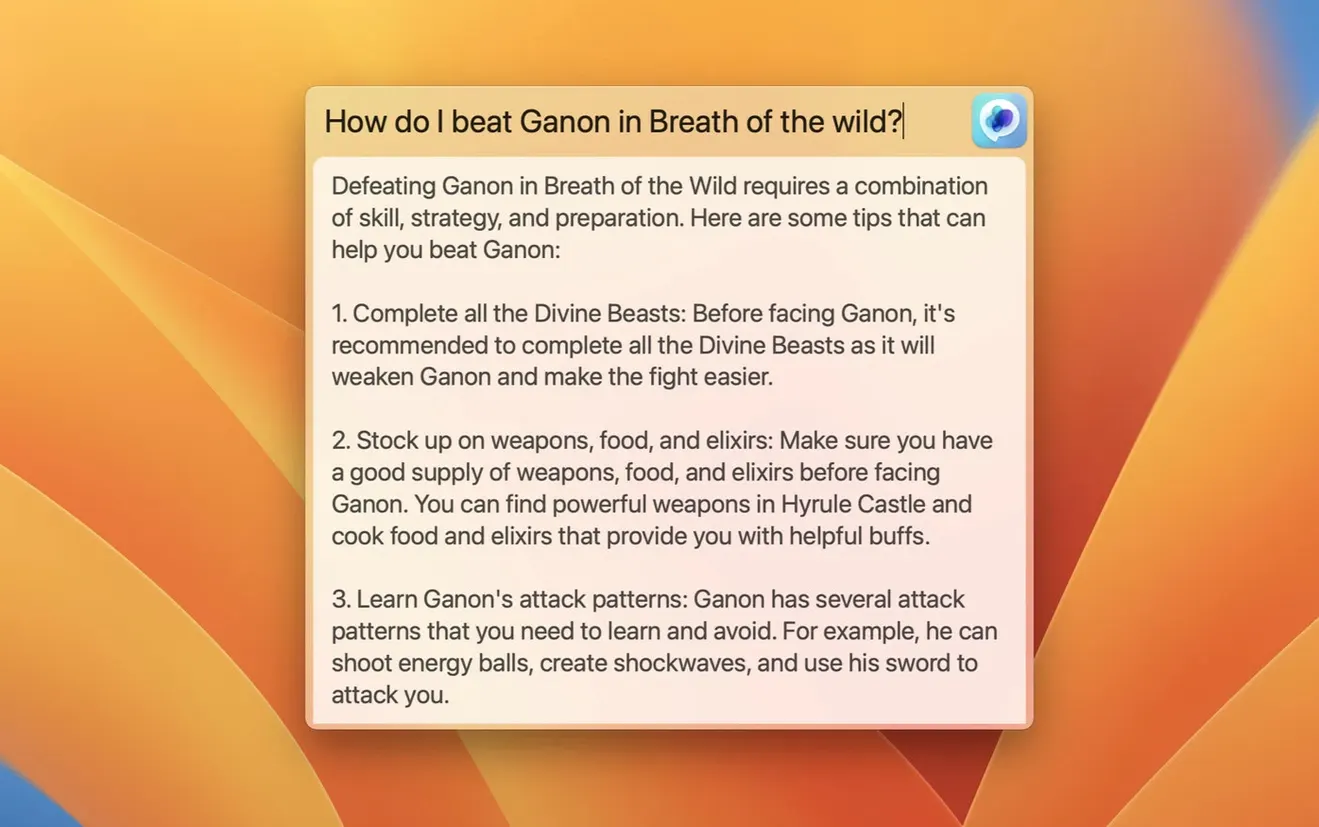
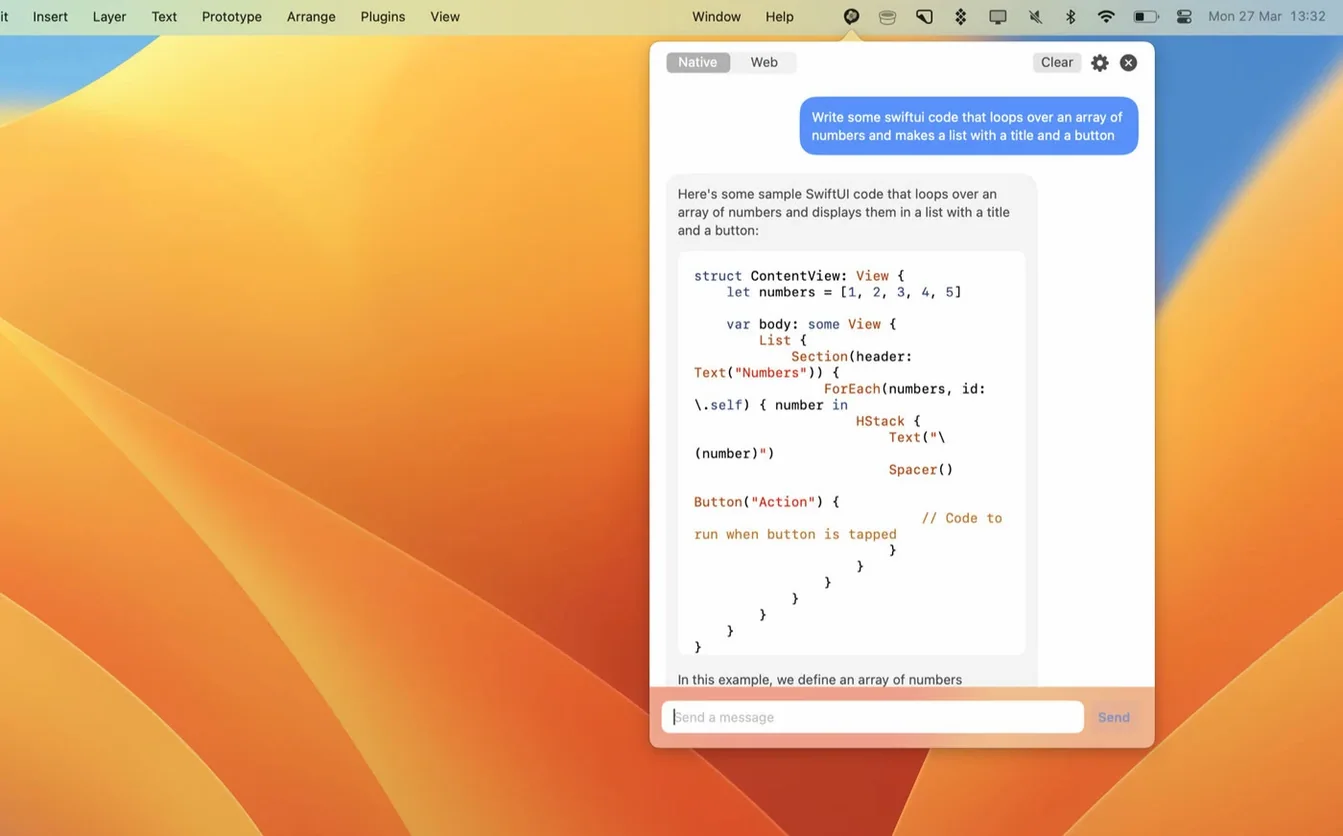
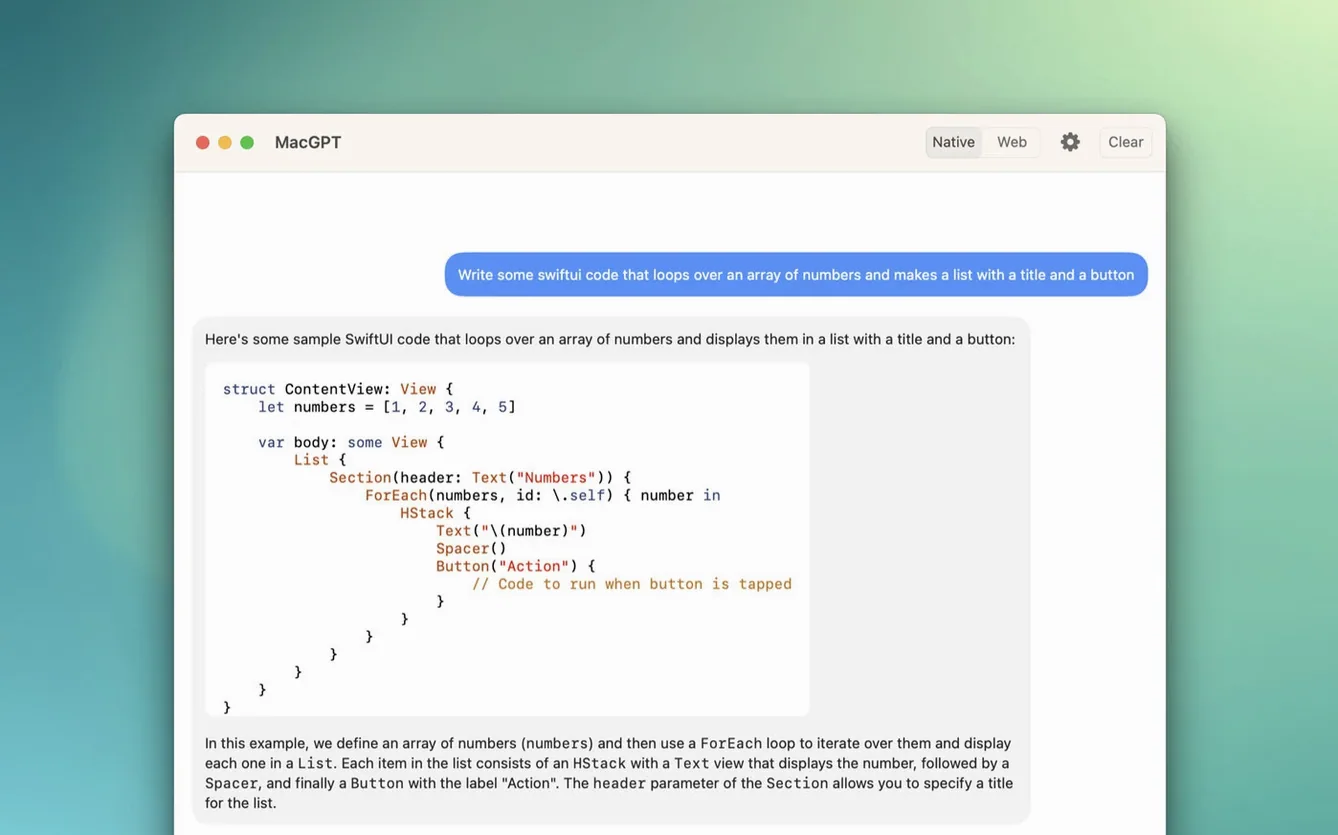
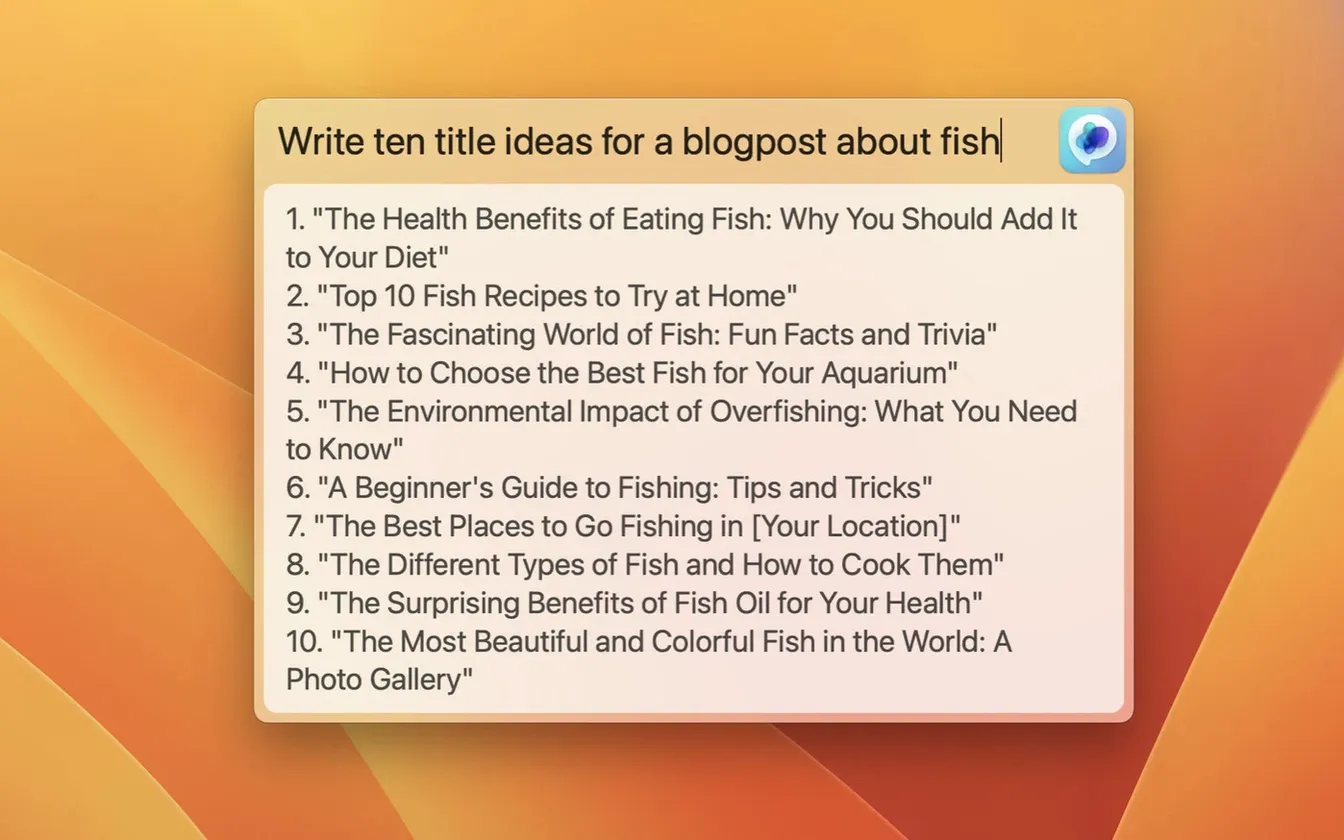
MacGPT is a menu bar app that drops the ChatGPT interface right onto your Mac’s desktop, no browser tab required. It pulls the service into a compact panel you summon with a click or a keyboard shortcut.
Unlock the Inline Superpower with an API Key
- Anyone who lives in the menu bar and wants fast, frictionless AI access.
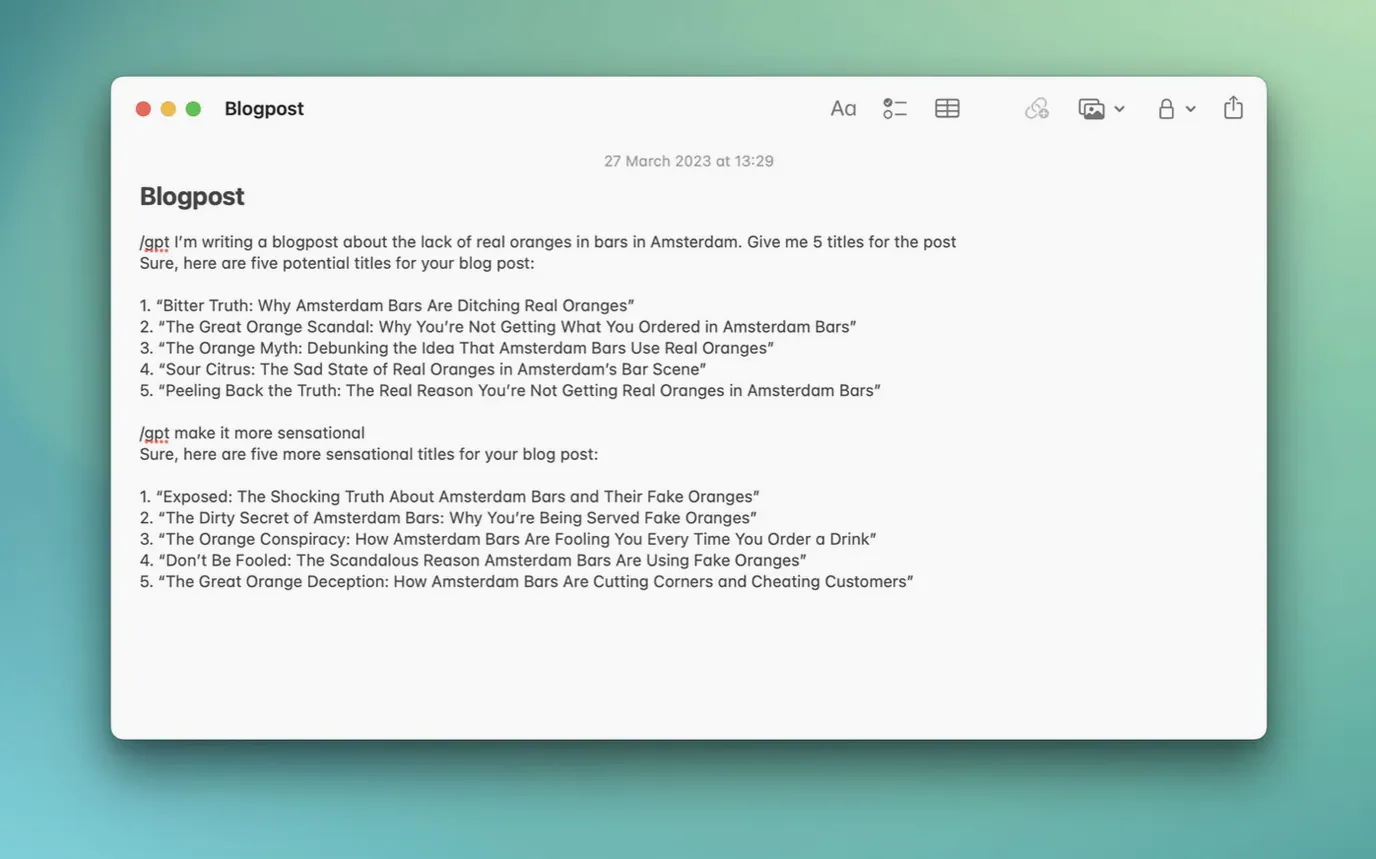
- Pasting an OpenAI API key for a direct line to the model, which also unlocks the Inline feature for generating text inside any text field on your Mac.
- Switching between the familiar ChatGPT web interface and a native-feeling conversation window.
Web Mode Is a Convenience Panel, Not a Full Rewrite
- Web mode essentially loads the ChatGPT site in a panel; it’s convenient but not a fully native rewrite.
- An OpenAI account or API key is a non-negotiable requirement to get past the login screen.
- Official support notes only cover Monterey and Ventura, so your mileage on other versions is uncharted territory.
Global Overlay Stays Silent Without an API Key
Dropping an API key into the settings and expecting the Global overlay to work immediately. The Global shortcut summons a text field, yes, but it routes through the API — not the web interface. If you haven't pasted a key, or the key lacks credits, the field opens and nothing comes back. The app shows clearer error messages in 3.21, but a blank response still confuses people.
Forgetting that Inline mode needs the API and a text cursor parked inside a field. Highlight a sentence in Notes, hit your assigned shortcut, and MacGPT replaces it with the AI output. Highlight nothing and fire the shortcut, and it jumps to the bottom of the document and inserts gibberish you didn't ask for. A small thing, but it wrecks a paragraph fast.
Double-purchasing when they already have an OpenAI account. Web mode uses your standard ChatGPT login — conversation history and all. If all you want is quick access to the web version, skip the API key entirely. Save the API for the Inline and Global features.
Leaving the Global overlay assigned to a shortcut that fights Final Cut's blade tool, Logic's playhead, or any other muscle-memory combo. You'll trigger it accidentally during a render and wonder why a text field stole keyboard focus.
Tighten Lower-Third Copy Without Leaving Your Timeline
Tuesday morning, three hours before a rough cut ships. The director wants the lower-third copy tightened, and the script notes are scattered across a Google Doc and two iMessages.
Click the menu bar icon, drop into web mode. Paste a paragraph from the Doc: "Make this two sentences, active voice, under 40 words." MacGPT returns a lean version. Copy it, paste it into the motion graphics template, done. That's the browser panel doing its thing, same as a tab in Safari but without hunting for it among thirty other tabs.
Ten minutes later, a producer pings about a pitch deck. They need three logline variations for a corporate client. Hit the Global shortcut — Option-Shift-G, because nothing else in my workflow uses it — and a centered text field pops over the timeline. Type the prompt without leaving the cutting room. The response lands in the clipboard. Paste it into Slack, back to trimming B-roll.
The real time-saver shows up during metadata entry. Filling out a delivery spreadsheet, and every "Description" field needs a sanitized synopsis. Place the cursor in the cell, trigger Inline, and MacGPT rewrites the clipboard contents directly into the spreadsheet. No copy-paste, no switching windows. Three keystrokes and twenty cells fill with clean text while the render bar creeps along.
By lunch, the cut is out for review, the pitch deck is with the client, and the spreadsheet is finished. The only time MacGPT broke my rhythm was when I forgot to select text before the Inline shortcut and had to undo a stray paragraph in the Notes app. My fault.
Stay Full-Screen in After Effects Without Breaking Focus
Editors and motion designers who live in full-screen apps. When Final Cut or After Effects owns your monitor, minimizing to find a browser window disrupts focus. The menu bar panel and Global overlay keep the AI one click away without breaking workspace immersion. You stay in the timeline, the tool comes to you.
Writers and content editors who revise inside text-heavy apps. Bear, Ulysses, Google Docs — anywhere you type, the Inline feature rewrites sentences on the spot. If your day involves condensing, rephrasing, or generating copy inside existing documents, the speed gain is real. Not having to cut-paste-edit-paste-back cuts the friction out of iterative drafting.
Developers who already use the OpenAI API and want a lightweight client. You already pay for tokens; MacGPT just removes the browser wrapper. The Global field feeds prompts directly to the model, and responses land fast without loading the full ChatGPT web app. It's a thin layer over the API, which is exactly what many coders want.
Anyone with a packed menu bar who still has room for one more icon. If you already run Bartender or a hidden-icon strategy, MacGPT slots in cleanly. The footprint is negligible, and the keyboard shortcuts mean you can hide the icon entirely and still use every feature.
Master Web Mode First, Then Add a Shortcut Daily
Pick one mode and learn it before enabling everything. Start with web mode — it's familiar territory. Use it for a day. Once the menu bar click becomes muscle memory, add the Global shortcut on day two. Save Inline for day three. Stacking all three at once leads to shortcut collisions and confusion about which mode you're in.
Assign shortcuts that don't overlap with your daily drivers. Avoid Command combinations your main apps already use. Option-Shift plus a letter tends to be free on most setups. Test each shortcut while your primary app is active — not while staring at the Finder — before committing to the key combo.
Keep a small note of the prompts that work best for your repetitive tasks. If you're constantly asking MacGPT to reformat text or generate alt tags, save those prompts in a pinned Notes file. Copy the prompt, trigger Global, paste, get the result. A small discipline that compounds over a week of use.
Check your API usage early. If you plugged in an API key, log into your OpenAI dashboard after the first day and glance at token consumption. The Inline and Global features draw from the API, and it's easy to underestimate how many calls you make when the tool is always available. Most users won't hit limits with casual use, but knowing your baseline spend prevents surprises.
This update brings support for gpt-4o into the model picker.
- macOS 12 Monterey or later
- Apple Silicon or Intel Mac
- An OpenAI account or API key
Questions I actually get
What does the Inline feature do?
It lets you type a prompt directly into any text field on your Mac and have ChatGPT generate a response right there. You'll need to supply your own OpenAI API key in settings to use it.
Does it work with a free ChatGPT account?
Yes, you can log in with your standard OpenAI account credentials in web mode. For API access and the Inline feature, a paid API key is required.
Can I launch it with a keyboard shortcut?
Absolutely. You can assign a global keyboard shortcut from the app’s settings to pop the chat window open without touching the menu bar.
Notes from the edit bay · 0
Sign in or get an edit-bay pass to leave a note.
No notes from the edit bay yet. They go up after I read them.