macOS Mojave is the desktop operating system where Apple drew a line in the sand — the final version to run 32-bit apps without compromise, and the first to pull the Mac’s interface into a proper darkroom. Version 10.14.6 (18G103) arrived as a stability wrap-up, and for editors still nursing legacy codec packs or plug-ins that never made the 64-bit jump, it’s a functional sweet spot.
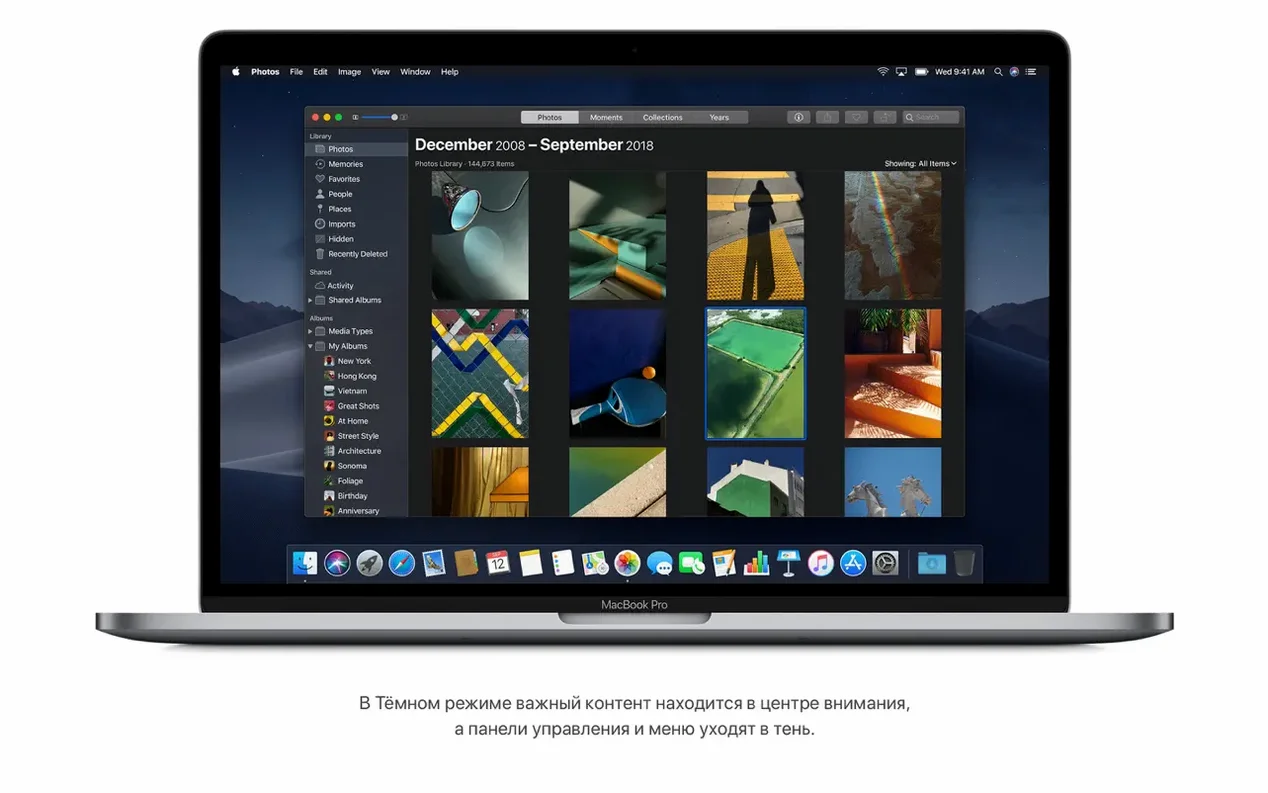
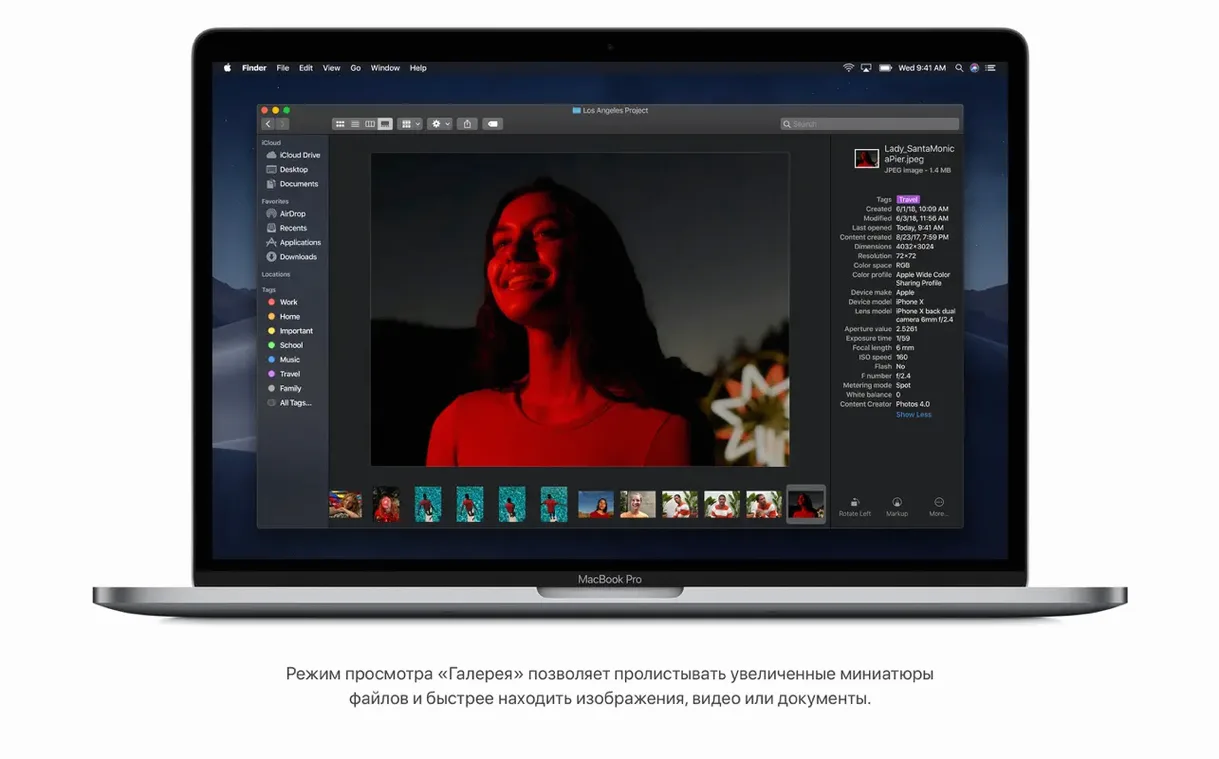
Dark Mode isn’t a novelty when you’re staring at timelines past midnight. System-wide, the chrome recedes and your content stays bright — a small ergonomic shift that reduces eye strain across Finder, Final Cut, and every panel-based app that respects the API. It pairs well with the new Gallery View in Finder, which scrolls through large previews and metadata sidebars. For footage dumps, that beats squinting at tiny thumbnails.
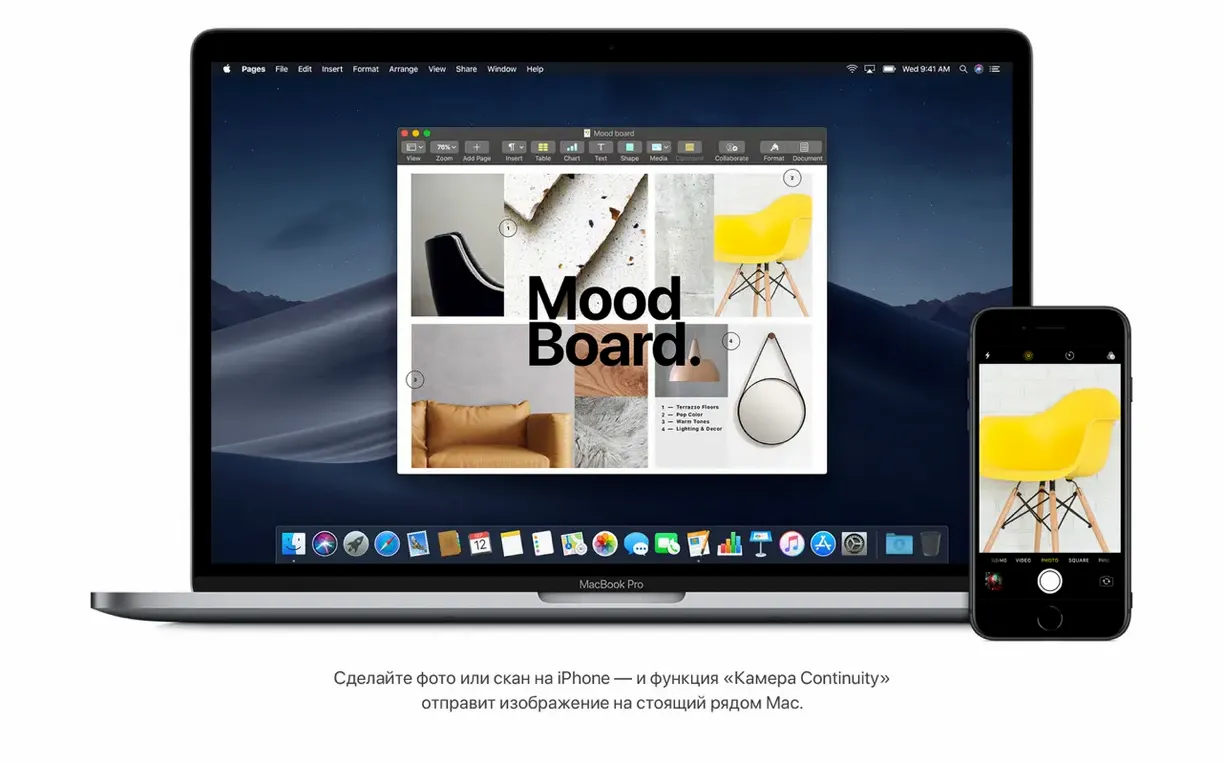
Desktop Stacks are another quiet time-saver. Dump a folder of exports or screen recordings onto the desktop and Mojave groups them by kind instantly — one click expands the stack, another click sends it away. No more grid of chaos before a client handoff. And Continuity Camera puts an iPhone or iPad’s lens directly onto the Mac clipboard: right-click a storyboard sketch, choose “Take Photo,” and the shot lands on your canvas without a sync step in between.
Mojave also keeps the Mac tethered to pre-Catalina realities. It’s the last OS that talks to older audio interfaces over 32-bit kernel extensions, and the last to launch QuickTime 7 without a fight. For a machine dedicated to a fixed toolchain, that backward compatibility matters more than a feature list.
Little Things You’ll Kick Yourself for Missing
Hold Shift while clicking the Gallery View icon in Finder. Instead of a single row of thumbnails with one large preview, the sidebar vanishes entirely — your media stretches edge to edge. Editing clients rarely mention this, but once you’ve scrubbed through a day’s worth of B-roll in full-width mode, the standard pane feels cramped.
Quick Actions in the Preview pane are genuine time-choppers. Select a batch of JPEGs, hit Rotate Left in the sidebar, and Finder processes them without opening Preview or Photos. The same panel trims video clips at the head or tail — rough, yes, but perfect for knocking dead air off a screen recording before it ever touches a timeline. If you’ve ever right-clicked a contract PDF and chosen Create PDF just to password-lock it from the Markup toolbar, you already know this cuts out a whole launch-and-print cycle.
And the screenshot palette — Cmd+Shift+5 — remembers your last save location independently of the old Cmd+Shift+3/4 shortcuts. Point it at a “Stills” folder once, and every frame grab lands there until you change it. Tiny, but on a project with sixty reference stills, it means zero manual filing.
When Double-Clicking an Installer Gives You a Gatekeeper Silent Rejection
The biggest headache on a fresh Mojave install is Gatekeeper’s silent refusal to open unsigned installers. Double-click a disk image, drag the app, and get the “can’t be opened because it can’t be checked” dialog. The fix: right-click the app and pick Open, then confirm in the follow-up prompt. The right-click route forces a one-time exception that the double-click path won’t offer. Do this once per app; it sticks.
If you’re pulling a mac os mojave 10.14.6 download dmg onto a machine that shipped with Catalina or later, the installer will flat-out refuse to run. Mojave won’t install over a newer OS without a wipe, and the bless tool won’t help you sidestep it. The workaround is a bootable USB made with createinstallmedia — but that command only works from a Mac already running 10.14 or earlier. Borrow a friend’s old MacBook for twenty minutes, or spin up a temporary partition if your firmware allows it.
On the Hackintosh side, anyone searching hackintosh mojave download should know that Nvidia graphics are a dead end. Mojave dropped web driver support for Maxwell and Pascal cards back in the early point releases, and no amount of kext patching brings them back. AMD Polaris and Vega cards are the path of least resistance, and even then, Lilu plus WhateverGreen in your EFI are non-negotiable.
Another trap: APFS conversion. Mojave automatically flips SSDs to APFS during install, but spinning hard drives stay on HFS+. If you’re cloning a mechanical boot drive later, Carbon Copy Cloner needs that HFS+ target explicitly — APFS replication from a platter drive is a mess of resource forks and slow directory enumeration. Stick with HFS+ on rotational media unless you’ve got a specific reason not to.
Why Final Cut and Premiere Editors Keep QuickTime 7 Pro on Mojave
Editors parked on Final Cut Pro 10.4.x or clinging to a stable Premiere CC 2019 build are the obvious winners. The 32-bit app support means QuickTime 7 Pro still launches for reference files and ancient codec playback, and Avid Media Composer 2018 runs without the sandboxing gymnastics Catalina demands. If your income depends on a RAID that uses a 32-bit kernel driver — think older Promise or G-Technology arrays — Mojave is the last OS where that driver loads without a developer-signed kext.
Anyone pulling a macos mojave download iso or mac os mojave 10.14.0 download dmg for a dedicated offline machine fits the profile perfectly. A Mac mini bolted to the back of a grading monitor, never touching the internet, running Resolve 15 and a calibrated decklink — that box doesn’t need Sidecar or Catalyst compatibility. It needs to boot every morning and see the same I/O hardware it saw yesterday.
Music producers who live in Logic Pro X 10.4 uncover a similar sweet spot. Older FireWire interfaces that relied on the 32-bit AppleFWAudio driver stop working cold in Catalina, but on Mojave they’re plug-and-play. The same goes for Native Instruments hardware with driver installers that predate the notarization requirement. If your studio rack includes a decade-old audio interface that still sounds great, this OS is its retirement home.
Developers and tinkerers pulling a mac os mojave 10.14 0 download dmg for a virtual machine get one more gift: VMware Fusion and Parallels Desktop both treat Mojave as a guest without the Metal acceleration headaches that plague later macOS versions under virtualization. A Mojave VM can compile 32-bit targets natively, run legacy Xcode 10, and build against SDKs that Apple pulled from newer toolchains — all inside a window on a modern Mac.
- macOS 10.8 or newer for the initial download environment
- Intel processor
- 2 GB of memory
- 12.5 GB of available storage
- MacBook Early 2015 or newer
- MacBook Air Mid 2012 or newer
- MacBook Pro Mid 2012 or newer
- Mac mini Late 2012 or newer
- iMac Late 2012 or newer
- iMac Pro (2017)
- Mac Pro Late 2013, or Mid 2010/Mid 2012 with a recommended Metal‑capable graphics card
Questions I actually get
Which Macs can run macOS Mojave?
It supports iMac Pro (2017), MacBook models from early 2015 onward, and most Macs introduced from mid-2012 with Metal‑capable graphics.
Notes from the edit bay · 0
Sign in or get an edit-bay pass to leave a note.
No notes from the edit bay yet. They go up after I read them.