You’ve finished the upgrade, the progress bar has vanished, and the familiar desktop settles in — just a little snappier. High Sierra isn't about a radical visual overhaul. It's the release where Apple swapped the plumbing and gave a few everyday apps smarter tools. If you're poking around for the first time, these are the corners worth clicking into immediately.
| Fact | Detail |
|---|---|
| Developer | Apple |
| Architecture | 64-bit Intel |
| Key Media Format | HEVC video playback |
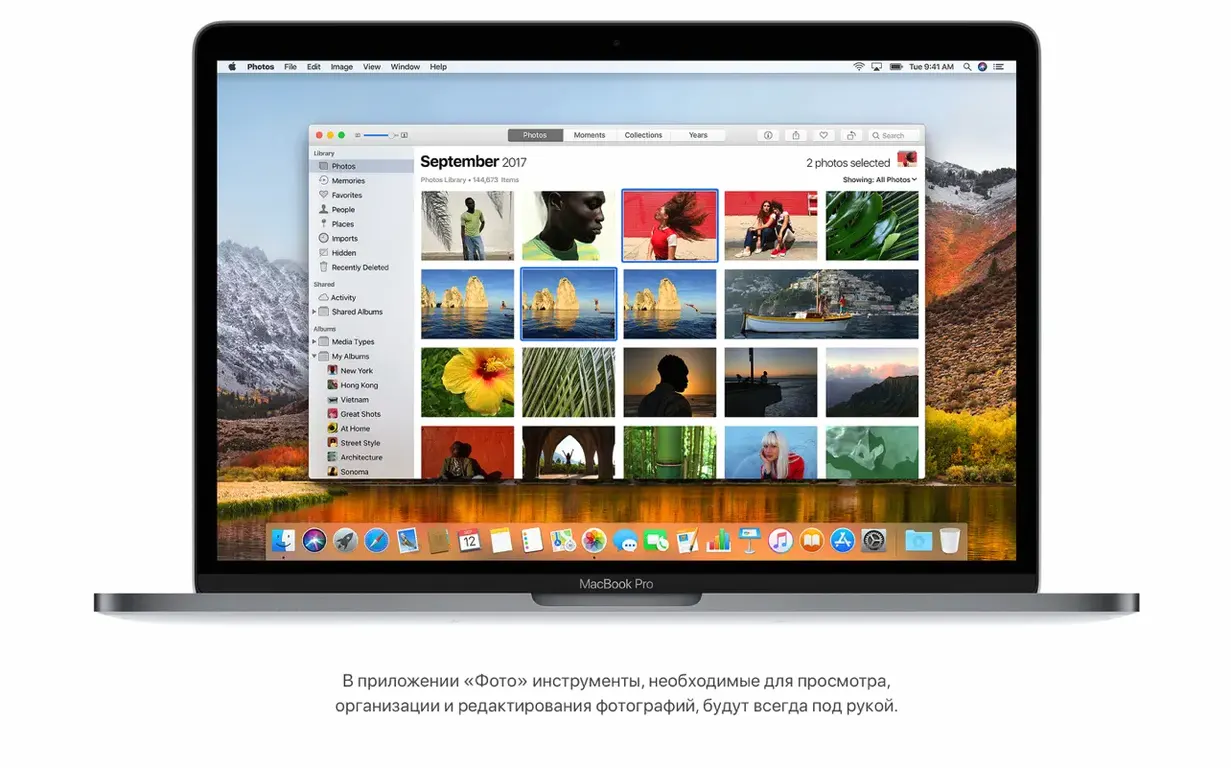
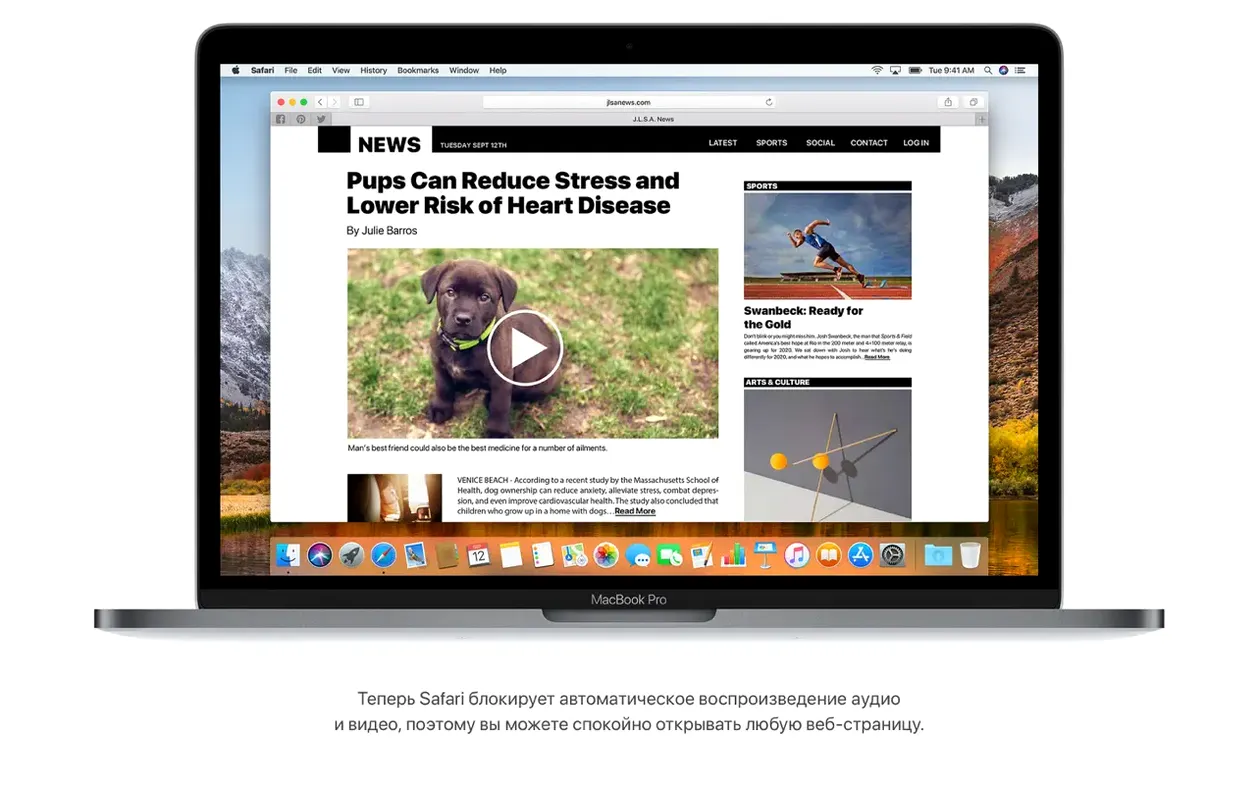
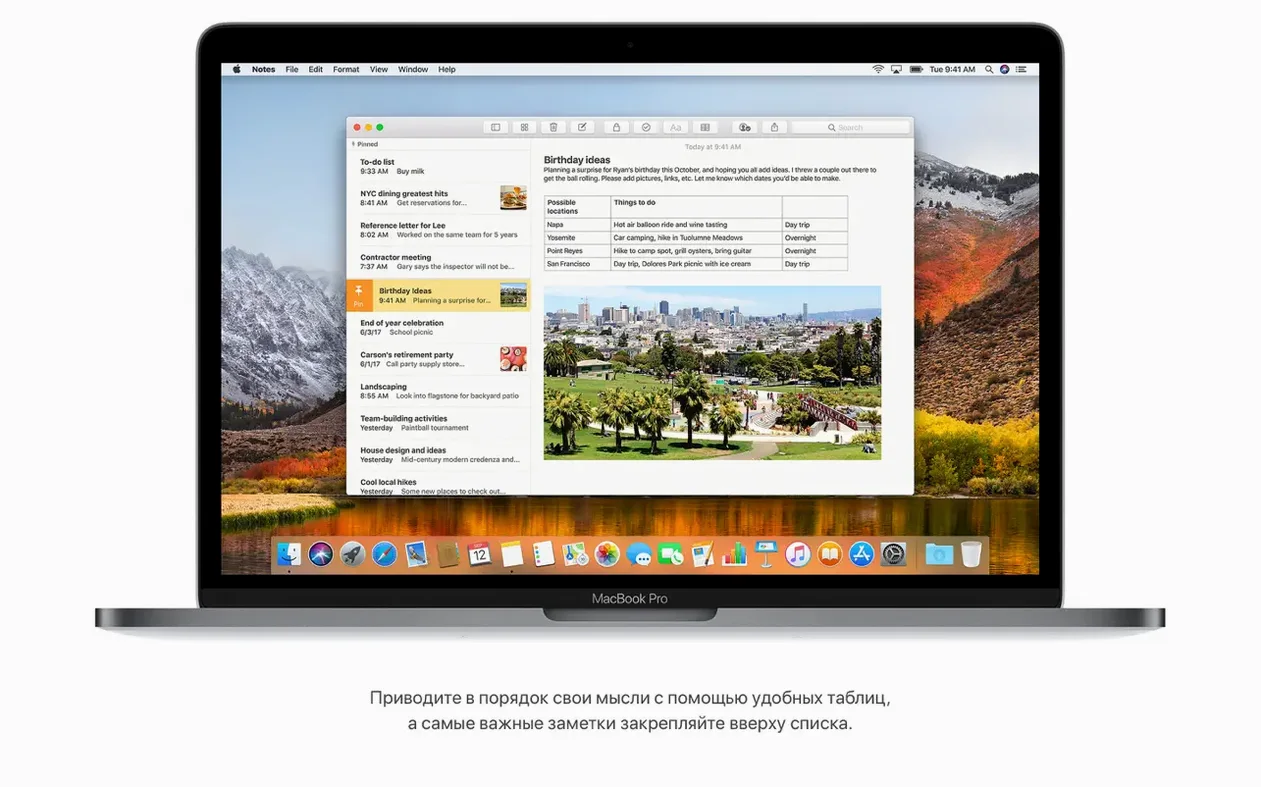
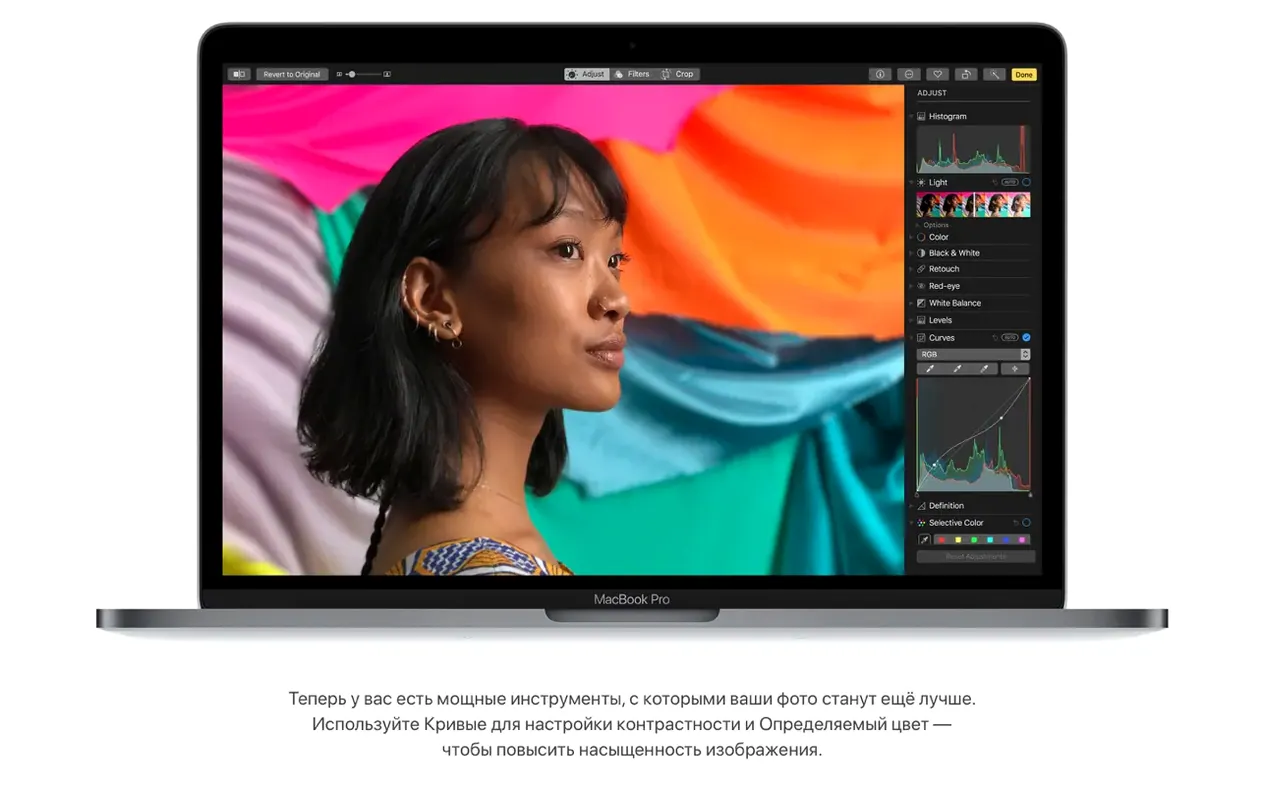
Open Photos and you’ll find an edit panel that finally means business. The new Curves and Selective Color tools put fine-grained color grading right inside the stock app — no plug-in required. The fixed sidebar keeps albums and sorting controls visible, so your library stops feeling like a shuffled deck. Over in Safari, hold down the Reader button and you can set it to fire automatically on supported articles. It’s a tiny checkbox that strips out cruft before you even notice it. Notes gets a quiet upgrade too: tap the table button to drop a simple grid into your scratchpad. Behind the scenes, the move to Apple File System means your drive handles snapshots and native encryption without the overhead of a legacy file system. And if you’re streaming to speakers around the house, iTunes now talks AirPlay 2 for synchronized multi-room audio. None of this shouts for attention — but once you use the Curves adjustment on a flat sunset shot or let Reader mode just happen, it’s hard to go back.
Turn Off the Recent Apps Divider in the Dock
The system will feel familiar, but a few defaults are worth flipping before you settle into a groove. Head to System Preferences > Dock and uncheck "Show recent applications in Dock" unless you genuinely use that little divider. It eats horizontal space and rarely surfaces the app you want. Next, kick the tires on APFS by opening Disk Utility and just looking at your startup volume — you'll see it listed as APFS now, and the space reporting is noticeably more accurate than HFS+ ever was.
Spotlight gained flight tracking in High Sierra, and it's one of those features nobody tells you about. Tap Command-Space, type an airline code and flight number — say, BA238 — and you get departure time, gate, terminal, a live map, and delay info without touching a browser. It pulls from the same data the airlines use, so the ETA updates as the plane crawls across the map. Save yourself the trip to FlightAware.
If you grabbed this mac os high sierra torrent for a clean install on an older machine, give the system a few hours to finish its background indexing before judging battery life or fan noise. Spotlight and Photos both rebuild their databases from scratch, and the fans will spin while they churn. Grab a coffee, let it finish, then assess.
Why Gmail Messages Vanish During Account Moves
Mail's new Top Hits search is genuinely useful — it bubbles up the messages you actually open — but it has one quirk. If you use Gmail with the stock Mail app and try to move a message between accounts, the 10.13.6 update quietly fixes a bug that would silently fail on the move. Before that patch, the workaround was dragging the message to a local folder first, then moving it. If you're on an earlier build and seeing drafts vanish or moves stall, that's the culprit.
Another headache: some AVCHD cameras (think older Sony or Panasonic models) would produce files Photos simply refused to recognize. The 10.13.6 update sorts it, but if you plug in a camera and nothing appears, check your build number under About This Mac. Build 17G66 is the one you want. A quick workaround in the field is to use Image Capture to grab the .mts files directly and drop them into Photos manually.
HEVC playback is smooth on any Metal-capable Mac, but encoding is another story. If you're trying to crunch a long timeline into HEVC for archiving, expect the render to punish an older Intel chip. Hardware acceleration for HEVC encoding landed mainly on Kaby Lake and later, so a mid-2010 MacBook Pro will do it in software and the fans will scream. For watching, it's fine. For creating, know your hardware.
Tab to Auto-Create Rows in Notes Tables
Tables in Notes get their own button, but the real speed trick is typing a word, hitting Tab, and watching Notes auto-create a new row with the same column structure. It turns a grocery scratchpad into a quick and dirty spreadsheet without touching Numbers. Hit Tab in the last cell to add a row; Shift-Tab to move backward.
Safari's Reader mode is one checkbox away from being automatic on every article you open. Right-click the Reader button in the address bar (or long-click it), choose "Use Reader when available on this website," and Safari remembers the domain. For sites you visit daily — news, long-form blogs — you never see a sidebar or an autoplay video again. The autoplay blocking itself works at the browser level: a tab playing audio shows a blue speaker icon, and clicking it mutes the tab instantly. Hold Option and click it to mute everything except that tab. Useful when you're juggling a tutorial and a music player.
AirPlay 2 in iTunes isn't just about whole-house audio. Select a speaker in one room, Shift-click a second speaker, and both play in lockstep with no drift. It works best on wired Ethernet or a solid 5GHz Wi-Fi connection — Bluetooth introduces a tiny lag you'll hear as a slapback echo. For parties, plug the Mac into Ethernet and let the AirPort Express units handle the wireless side.
A Music Video Editor's Day with High Sierra
Picture a freelancer cutting a three-camera concert shoot. The raw footage is HEVC from a pair of newer mirrorless bodies, plus an AVCHD stream from a fixed wide-angle camera. On High Sierra, the HEVC files scrub in Final Cut's browser without transcoding — Metal 2 keeps the timeline responsive even with the multicam clip open and a LUT applied. The AVCHD angle needs a quick detour through the Photos import fix in 10.13.6, but once ingested, it's ready.
While the render chugs, they drag a reference mix into iTunes and AirPlay 2 it to a pair of speakers in the next room for a quick vibe check with the director. No cables, no patching, just Shift-click two outputs and hit play. The director watches the timeline through a Blackmagic card while the audio follows in the lounge. Notes holds the tracklist as a simple table — song title, start TC, notes on color — and Spotlight finds the old cut notes from a year ago by searching the gig name plus "delay." The whole setup, from ingest to review, runs on a 2015 iMac that a torrent high sierra upgrade kept relevant. Not bad for a release most people wrote off as a maintenance update.
iTunes now supports AirPlay 2 multi-room audio, and the whole system gets a round of stability and security refinements. Also fixed: an issue that blocked Photos from recognizing AVCHD media off certain cameras, and a Mail bug that stalled moving a Gmail message to another account.
- macOS 10.13.5 or later
- Intel 64-bit processor
- 2GB of memory
- 14.3GB of available storage for the upgrade
Questions I actually get
Which Macs can run macOS High Sierra?
It supports MacBook (late 2009 and later), MacBook Pro and Mac mini (mid 2010 and later), MacBook Air (late 2010 and later), iMac (late 2009 and later), and Mac Pro (mid 2010 and later).
What does the Photos update actually add?
Photos gains Curves and Selective Color for precise editing, plus a fixed sidebar that keeps albums and sorting tools always visible.
Does High Sierra handle newer video formats?
Yes, the system includes native support for HEVC (H.265) video playback and streaming, which delivers better quality at smaller file sizes.
Notes from the edit bay · 0
Sign in or get an edit-bay pass to leave a note.
No notes from the edit bay yet. They go up after I read them.