
HitPaw Watermark Remover is a desktop utility that scrubs unwanted logos, date stamps, and objects out of your pictures and video frames. It's for people who need a clean result without round-tripping through a full editor.
Remove a watermark from a video
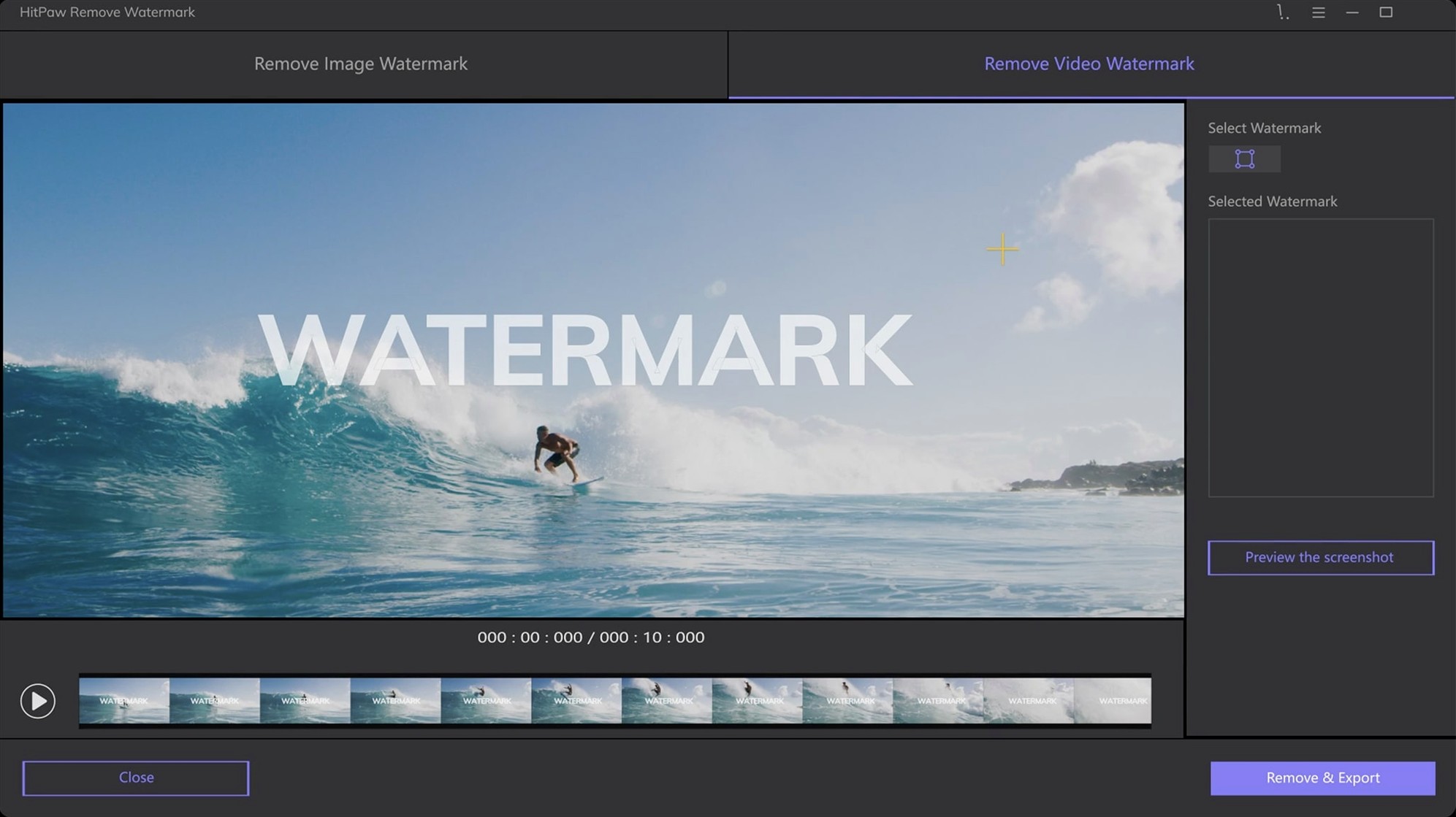
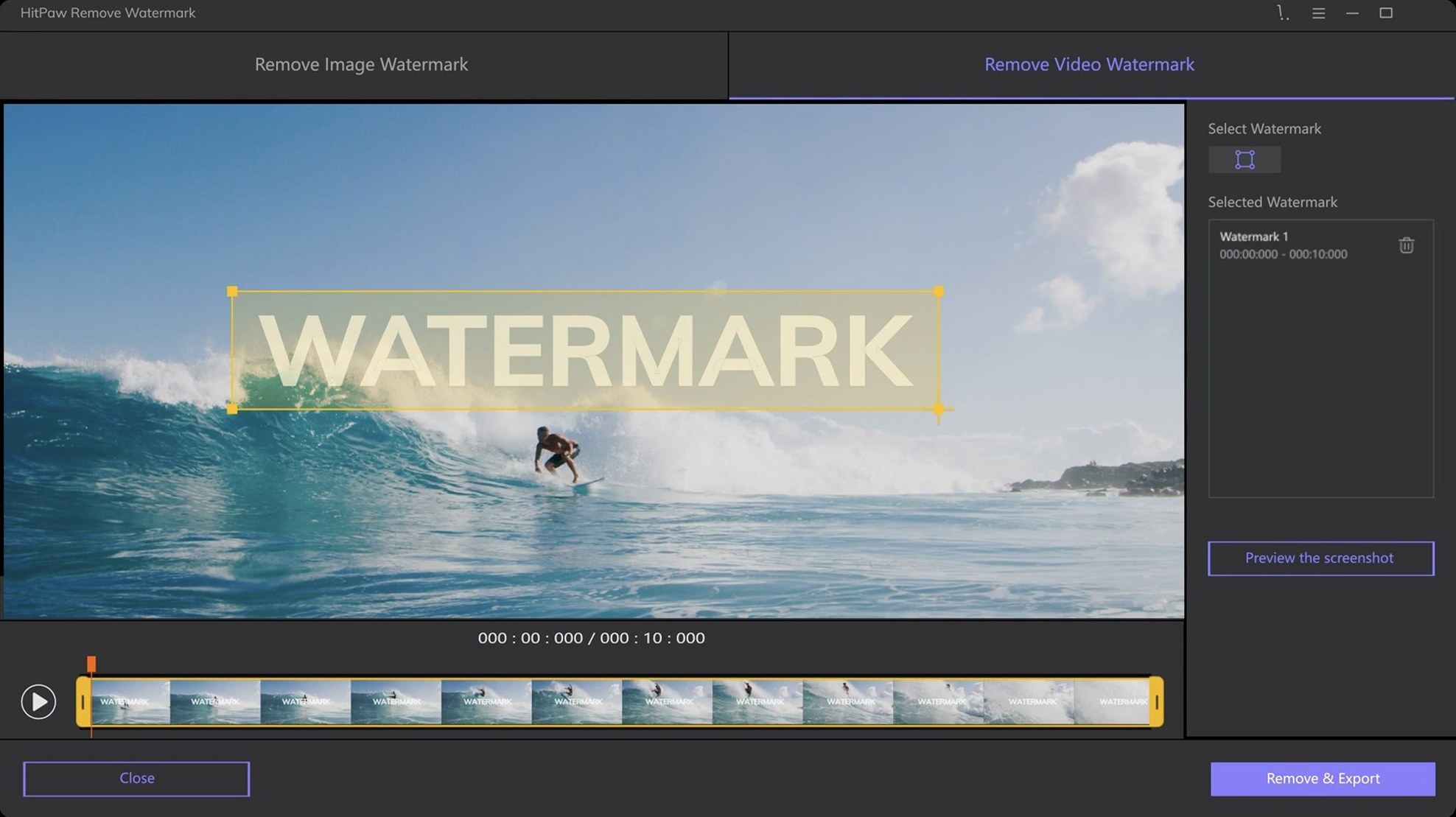
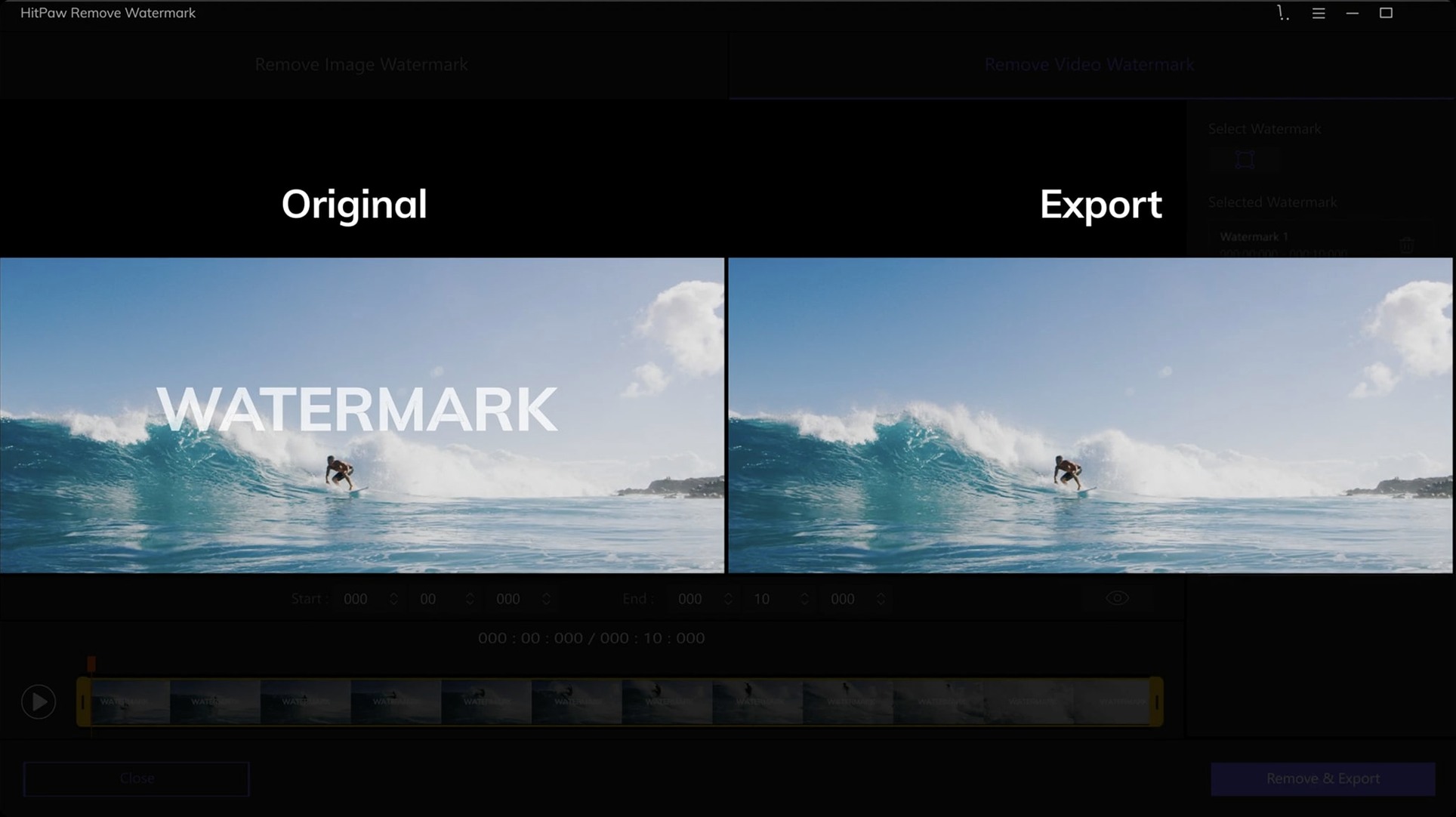
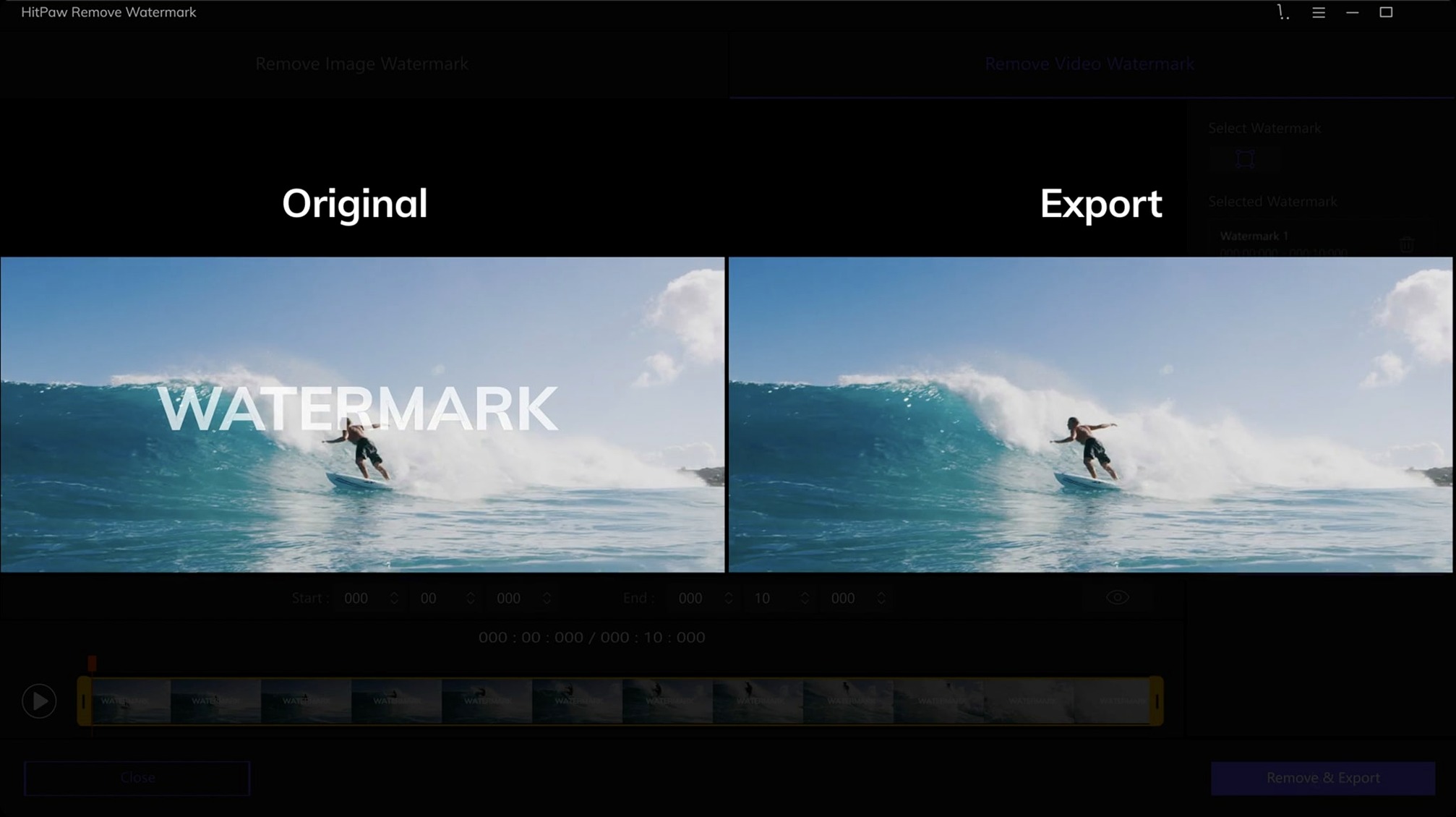
Import a clip, drop a selection rectangle over the bug, and let the app process the frame range. It works on the Intel Mac sitting on your desk right now.
Erase a date stamp from a photo
Open a JPEG, PNG, WebP, or BMP, switch to the freeform lasso to trace around the timestamp, and hit export. Drag-and-drop importing keeps things moving when you have a batch of product shots to clean.
Pick a selection shape that fits the mark
Sometimes a simple rectangle covers a corner logo. For odd-shaped watermarks, the polygon and freehand tools save you from selecting more pixels than you need to.
Beginners almost always grab the rectangle tool for every job. That works for corner logos, but a rectangular selection over a curved watermark pulls in background texture the app then has to rebuild. The result is a visible smudge. Take the extra twenty seconds to switch to the freeform lasso and trace closer to the mark. The fill algorithm has less guesswork to do, and the repaired area blends better.
Another early mistake: leaving the removal mode on the default for everything. HitPaw gives you three — smooth filling, edge filling, and texture repair — and they do different things. Smooth filling works on flat skies and solid backdrops. Edge filling holds its own when a watermark crosses a hard line, like the edge of a building against the sky. Texture repair is the one you want for grass, fabric, or anything with grain. If you run texture repair on a plain gradient, you waste render time. If you run smooth filling on a brick wall, the patch looks airbrushed and fake.
People also skip zooming in. A watermark that looks like a tight selection at fit-to-screen size often has two or three pixels of bleed you only see at 200 percent. Those leftover pixels show up as a ghost outline in the exported file. Zoom, nudge the selection points, then process.
A music video editor's crutch
A freelance music video cutter in Austin gets a call from a band that changed labels. The old label's logo is burned into the corner of every master file from a three-camera shoot. Reshooting isn't an option. The editor needs those masters clean for a re-release.
She opens HitPaw Watermark Remover, drops the first MP4 onto the timeline, and drags a tight rectangle around the logo. The bug sits over a dark stage background with moving stage lights — not an easy fill. She flips the removal mode to texture repair because the stage floor has scuff marks and grain that need to carry through the patched area. A quick preview shows the repair holds across a ten-second test span. Satisfied, she queues up all three camera angles and lets the batch process run while she starts building the new edit in Final Cut. By the time her proxy files finish transcoding, the clean masters are ready to relink.
The One-Task Cleanup App You Pull Stills Into
HitPaw isn't trying to replace your NLE or photo editor. It handles one task that those apps do clumsily or not at all, then gets out of the way. You pull a still from Final Cut or Premiere, clean it in HitPaw, and bring it back as a patch layer. You could try to add a watermark in iMovie, but removing one in iMovie isn't built in — you'd need to crop, blur, or cover it with a solid shape, which changes the composition. HitPaw removes the mark and leaves the frame intact.
For photographers, the app sits between a raw converter and a retoucher. Cull a batch in Lightroom, spot a date stamp you missed in-camera, export a JPEG, and run it through HitPaw before the final pass in Photoshop. It's faster than Content-Aware Fill for objects that sit on complex backgrounds, because HitPaw's texture repair handles repeating patterns well. Some people search for an Adobe CC remover tool inside the Creative Cloud suite itself, but none of the Adobe apps are built specifically for this — they offer content-aware patches that work on stills, not across video frames.
macOS Quick Look integration means you can scrub through a cleaned video right in Finder without launching a player. Select the file, hit the spacebar, and check your work. That little workflow saver matters when you're processing a dozen clips and don't want to open each one in a viewer.
Five Logo-Free Clips Before the Conference Reel Deadline
Theo wakes up to a text from a corporate client. They need five talking-head clips cleaned for a conference reel — each has a sponsor bug in the top right that wasn't supposed to make the final cut. Deadline is noon.
He drags the first MOV straight from a Finder window onto HitPaw's import area. The clip pops open in the preview pane, and he scrubs to a frame where the sponsor logo is fully visible. The bug sits over a plain white wall — easy terrain. He draws a rectangle around it, sets the mode to smooth filling, and hits preview. Two seconds of processing later, the wall looks untouched. He marks the in and out points for the full clip and starts the export.
While the first file renders, he loads the second one. This bug overlaps the speaker's shoulder, which means the fill area crosses from jacket fabric to a blurred background. He switches to edge filling so the boundary between the two textures stays sharp. A quick preview shows the jacket weave holds, so he queues it up.
The third clip is the problem child. The watermark sits on a bookshelf with dozens of spines at different angles. Freeform lasso time. He traces tight around the bug at 150 percent zoom, avoiding the book edges, and selects texture repair. The preview takes a few seconds longer — the algorithm is working harder — but the result is clean. No smeared titles, no ghosted shelf edges.
By 11 a.m., all five files sit in a folder on his desktop, named and ready. He checks the last one with a Quick Look preview, thumbs up, and uploads the batch to the client's server. HitPaw didn't need to do anything else. It just removed the one thing that shouldn't have been there.
- macOS 10.13 or later
- Intel Mac
Questions I actually get
Does the Mac version work on Apple Silicon?
The current Mac build is for Intel Macs and requires macOS 10.13 or later.
Notes from the edit bay · 0
Sign in or get an edit-bay pass to leave a note.
No notes from the edit bay yet. They go up after I read them.