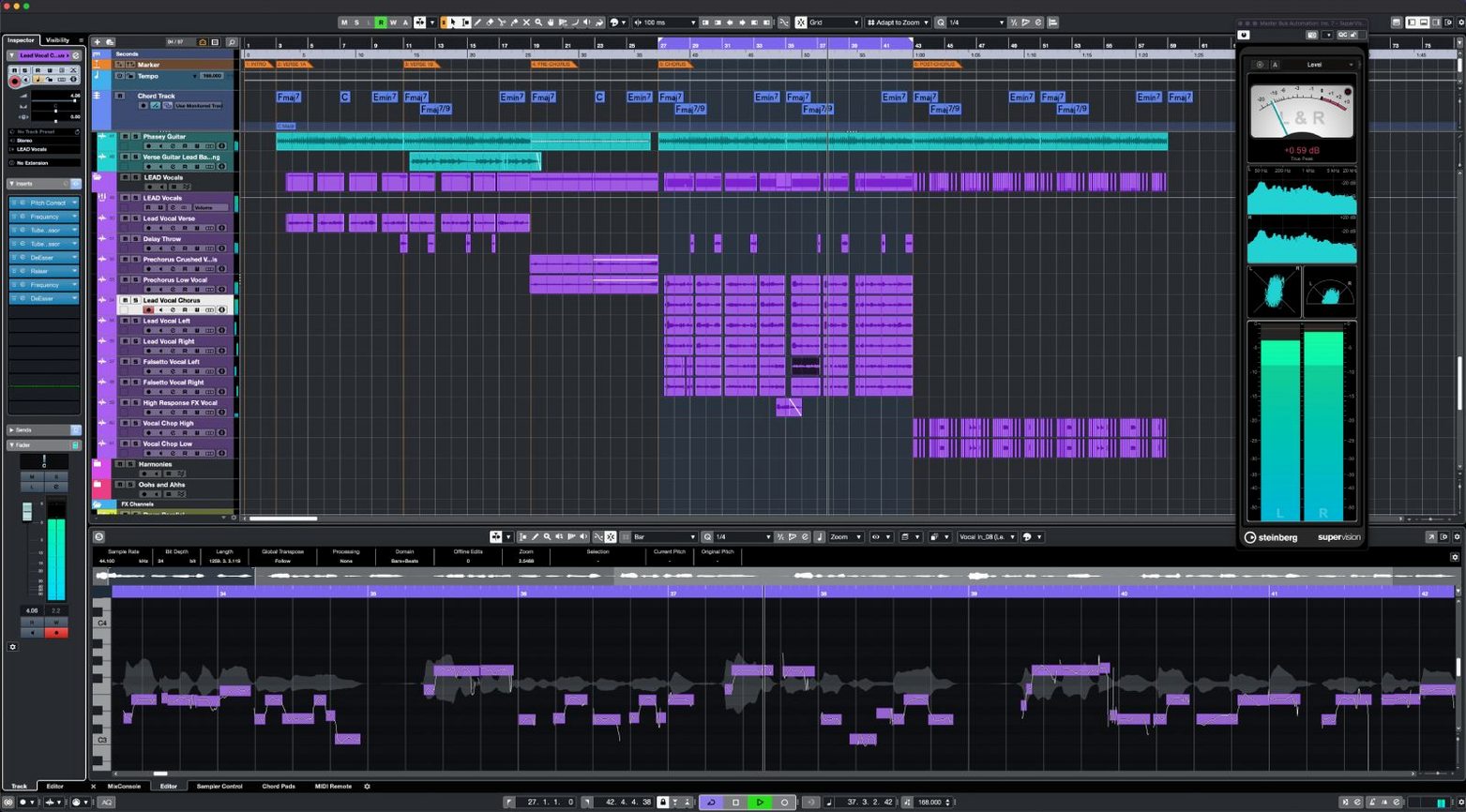
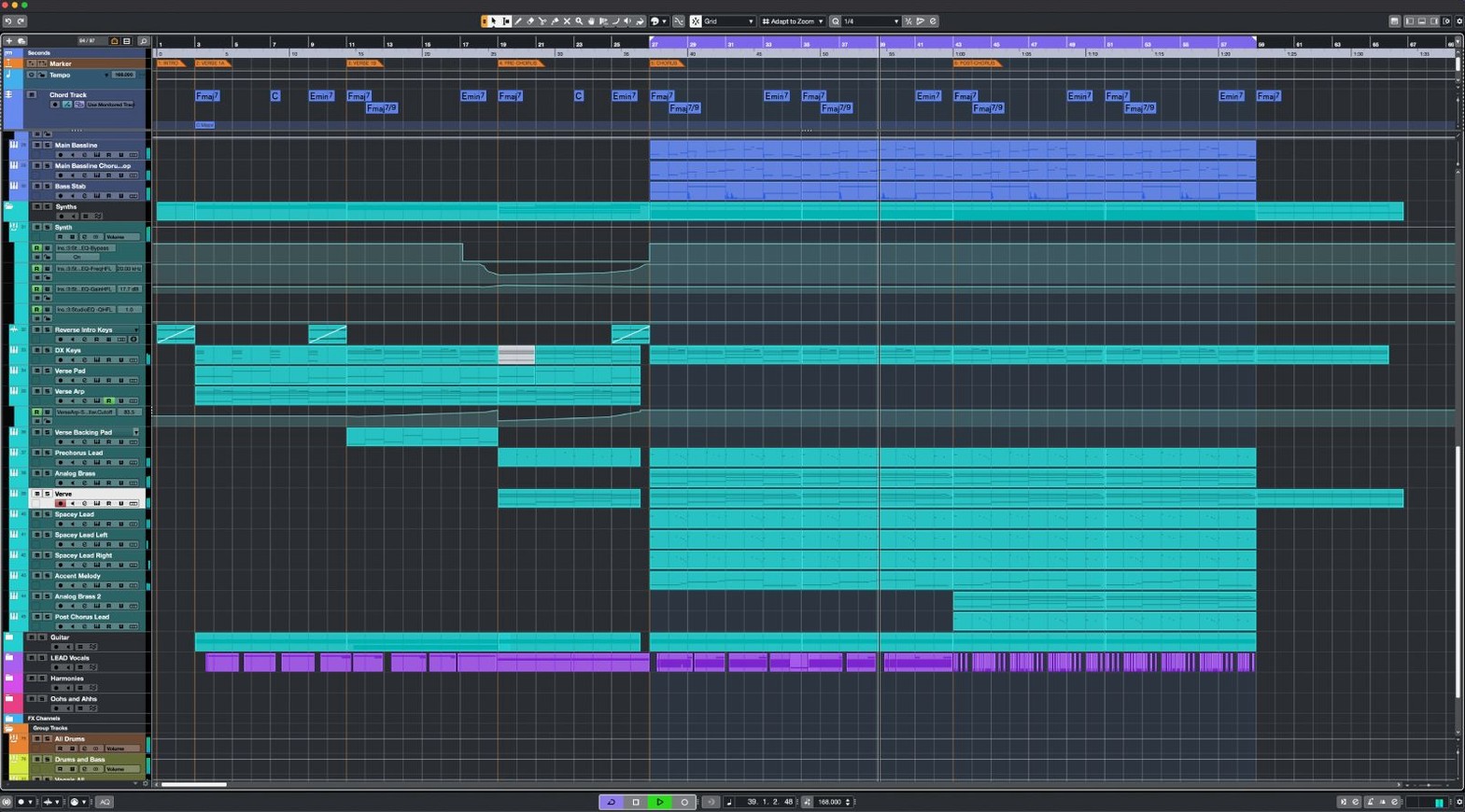
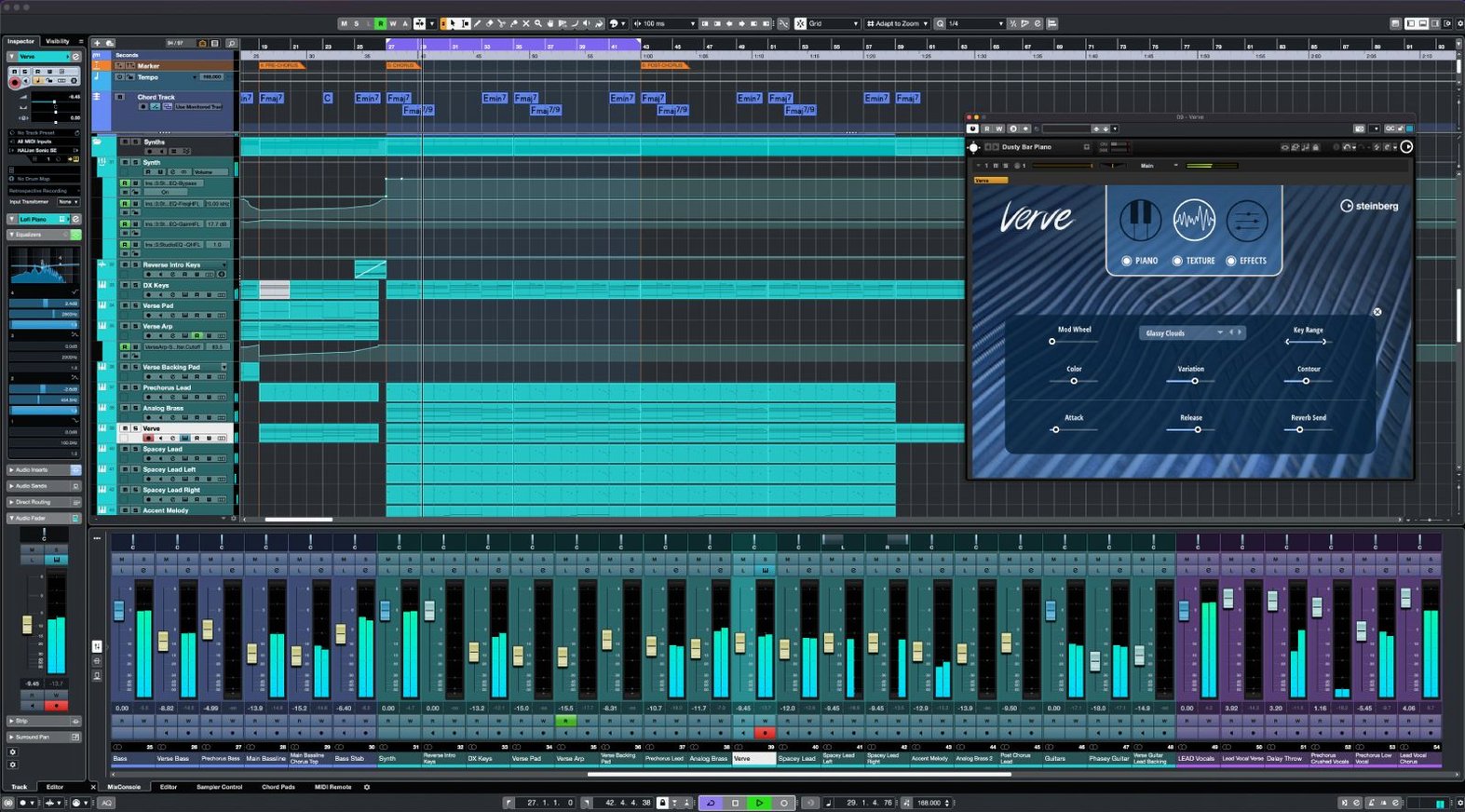
Cubase 15 doesn't try to reinvent the wheel — it just made the ride smoother. The 15.0.30 update brings MIDI Remote API 1.3 into the fold and adds direct support for the Novation Launch Control Series 3, so custom controller mappings snap into place with less menu-diving. If you work across hardware and software every day, that alone saves a fistful of minutes per session.
- Unlimited audio, MIDI, and instrument tracks. Throw another choir at it — the track count doesn't blink.
- VariAudio sits right in the project window for pitch correction and timing tweaks without leaving the arrange page.
- AudioWarp stretches and squeezes audio to match tempo changes, keeping drums and dialogue locked to the grid.
- Sample rates up to 192 kHz. Overkill for a demo, but exactly right when a film mix demands it.
- The macOS package clocks in under 1.3 GB, so you're not sacrificing a chunk of your drive before you record a single note.
It's a workstation built for professional composers and engineers who need a deep toolset, but the straightforward interface means you're arranging, not decoding menus. From a scratch vocal idea to a full orchestral session, Cubase stays out of the way until you need the heavy tools.
Drag a Clip to the Desktop to Save It Instantly
The loud features get the headlines. The quiet ones save you at 2 a.m. when a revision lands. Here are a few I reach for constantly that nobody demoed on day one.
Drag a clip to the desktop. Grab any audio event from the arrange window and pull it outside Cubase. It renders as a file right there — no export dialog, no bouncing in place. I use it when a client wants a dry stem of one line and I don't want to break flow.
Constrain fade handles. Hold Shift while dragging a fade on an audio event. The curve flattens into a linear ramp instead of the default logarithmic shape. Tiny detail, but it makes crossfades between percussion hits feel tighter without opening a fade editor.
Right-click the transport bar. There's a hidden menu that lets you swap the primary time display between bars-and-beats, seconds, timecode, and samples. I flip to samples when I'm aligning sound design to a frame edge, then back to bars for composition. No preferences window required.
Project logical editor presets. Under the Edit menu, the Logical Editor ships with a handful of presets most people ignore. One selects every MIDI note below velocity 20 — perfect for cleaning up ghost triggers from a finicky controller. Another selects muted events across the whole project so you can bulk-delete before archiving.
Channel strip reorder. The channel strip modules — gate, EQ, compressor, saturator — can be dragged vertically into any order. Processing flows top to bottom. I put the saturator before the compressor for a darker glue sound, and swapping back takes one drag. Not buried in a menu. Just grab and move.
Universal Binary Installs ARM and Intel Together
Launches Without Rosetta on M-Series Macs
Yes. Cubase 15 installs a universal binary that covers ARM and Intel from the same package. On an M-series Mac, it launches without Rosetta. The audio engine, stock plug-ins, and VariAudio all run native. Third-party VSTs need to be native themselves to follow suit — if you're dragging old x64 plug-ins along, those will bridge, but Cubase itself isn't the bottleneck.
Is the interface really as dense as people say?
The reputation comes from its depth, not its clutter. Out of the box, the project window shows tracks, an inspector, and a transport bar. You add panels — mixer, MIDI editors, control room — as you need them. Steinberg kept the default workspace lean in version 15, and you can save workspace presets that strip everything down to a single screen. I switch between a tracking workspace with just faders and a composing workspace with the key editor full-height. Neither feels overwhelming.
Can it open old Cubase projects without breaking them?
Projects from Cubase 9 and later open directly in 15. Older formats need a stop through a middle version, but that's rare territory. Plug-in migration is the real variable — if a session from 2018 references a VST2 that never got a VST3 replacement, you'll see a placeholder. The project itself loads. Nothing corrupts. I've opened archive sessions from 2020 on the 15.0.30 build without a hiccup.
How's the Dolby Atmos integration actually work?
The renderer can be embedded inside Cubase or connected externally. The built-in renderer handles up to 7.1.4 beds and 118 objects, with a binaural headphone output for monitoring without a speaker array. You configure the output bus as an Atmos bed, route tracks through the Atmos panner, and the renderer produces a master file. It's not a slimmed-down version — it's the full ADM export path, same as the standalone Dolby renderer.
Pull the Auto-Save Interval Down to 5 Minutes
Fresh install, blank project. Before you record a single take, flip these. They're small changes that compound across a hundred sessions.
Auto-save interval. Preferences > General. Default is 15 minutes. I pull it down to 5. Cubase writes auto-saves silently in the background — no beach ball, no pause. On a deadline, losing 4 minutes of work instead of 14 matters more than it sounds.
Record file format. Preferences > Record > Audio. The default bit depth is 24-bit, which is correct. The default sample rate follows the project, but the record file type sometimes defaults to Broadcast Wave. I confirm it's set to .wav with iXML chunks — no extra software needed to read the timestamp later, and any video editor can spot it.
Constrain delay compensation. Under Studio Setup > Audio System, there's a checkbox for "Constrain Delay Compensation." Leave it off unless you're tracking through heavy plug-in chains. When it's on, Cubase disables delay compensation on record-armed tracks to keep monitoring latency tight. I toggle it before tracking a vocalist and off again during mixing. It's not automatic — you control it.
MIDI chase events. Preferences > MIDI > Chase. By default, Cubase chases notes and controllers. I add Program Change to the list. If you use hardware synths that switch patches mid-project, nothing's worse than playback starting on the wrong sound because the PC message sat behind the playhead.
Metering ballistics. Right-click any meter in the mixer and switch from the default to "Digital Peak + K-20" if you're mixing music, or "Digital Peak + EBU R128" for broadcast. The peak reading alone doesn't tell you loudness, and the extra scale sits right there without opening a plug-in.
MIDI Remote Scripts Can Now Query Track Names and Colors
Cubase 15 arrived as a major release, and the 15.0.30 update tightened things that actually affect a working day. MIDI Remote API 1.3 is the headline — it lets controller scripts query Cubase for track names, colors, and parameter states instead of just dumping CC data. For anyone with a Novation Launch Control Series 3, the new integration means page names on the controller screen match the Cubase mixer banks you're controlling. No more Sharpie-on-tape labeling.
Beyond the release notes, a few behavioral fixes landed. Multiple users on forums noted that the Quick Link function — which links the MixConsole and Project window track visibility — stopped desyncing after switching between workspaces. Small annoyance, gone. The Range Selection tool also got a quiet refinement: copying a range that spans tempo changes now preserves the tempo track data correctly when pasted elsewhere. For composers working with meter and tempo maps in film cues, that's a fix that prevents corrupting a session.
The single-installer approach is worth knowing about. One package installs Cubase 15. The license key determines whether Elements, Artist, or Pro opens. If you downloaded the Cubase torrent Mac package, you get the full bits on disk regardless — nothing to reinstall if you change license tiers later.
Impressions from the Daily Grind
I've had Cubase 15 open alongside Final Cut and DaVinci Resolve on an M1 Max with 64 GB of RAM, and it doesn't flinch. At idle with 40 tracks and no plug-ins, the process sits around 1.2 GB of memory. Load a dense orchestral template with 200 tracks, Kontakt instances, and a handful of convolution reverbs, and RAM climbs to 12–16 GB — reasonable for the workload. CPU hit stays low until you stack heavy synths. Serum, Diva, and a few instances of Raiser on drum busses can push a single core near 80%, but the audio engine distributes across efficiency and performance cores without audible dropouts at a 128-sample buffer.
Project load times are fast. A 60-track mix session with 90 plug-ins opens in about 8 seconds from an NVMe drive. Auto-saves write in under a second — I never feel them. The only time I catch a progress bar is when it's scanning a plug-in folder after a fresh install, and that's a one-time event.
Stability on macOS 13 and later is boringly consistent. In two months of daily use across 15.0.0 and 15.0.30, I've had one crash — caused by a third-party VST that didn't survive Apple's code-signing changes. Cubase caught it, grayed out the plug-in, and kept playing. The session recovered on relaunch with the offending plug-in bypassed. That's the kind of crash behavior you want: a seatbelt, not an airbag deployment.
Export performance is where the Apple Silicon silicon shows off. A 5-minute stereo 48 kHz WAV bounce with active plug-in chains finishes in roughly 12 seconds. The same export on a 2020 Intel i9 MacBook Pro took closer to 30. Offline bounce speed matters when you're printing stems for a mixer and need to re-export three times after client notes.
If you came here looking for the Cubase 14 torrent, the jump to 15 is one of those rare major updates that fixed more than it broke. The MIDI Remote improvements alone shift how fast you can build a custom controller setup. And with the torrent download sitting under 1.3 GB, it's a straightforward grab. Whether you're building a template from scratch or picking up a Cubase 14 Pro free download to test the waters, version 15.0.30 is where the rough edges got sanded down.
The 15.0.30 update tightens things up with fixes across the app, plus it rolls out support for the Novation Launch Control Series 3. MIDI Remote API 1.3 is now on board, so custom controller scripts get a little more breathing room.
- macOS 13 or later
- Intel or Apple Silicon Mac
Questions I actually get
What is Cubase 15.0.30?
It's the latest point update for Cubase 15, a DAW from Steinberg, released on 2026-06-03 with fixes and new controller support.
What kind of user is Cubase intended for?
Cubase is designed for professional producers, composers, and sound engineers working across music production and audio post.
Notes from the edit bay · 0
Sign in or get an edit-bay pass to leave a note.
No notes from the edit bay yet. They go up after I read them.