
Open a Built-In Tutorial
Max's interactive help is where the real learning happens. Right-click any object in a blank patcher and choose "Open Help" to launch a working demo. Tweak the dials, break the patch, then undo — this is the fastest way to understand what a component actually does.
Build a Simple Synth
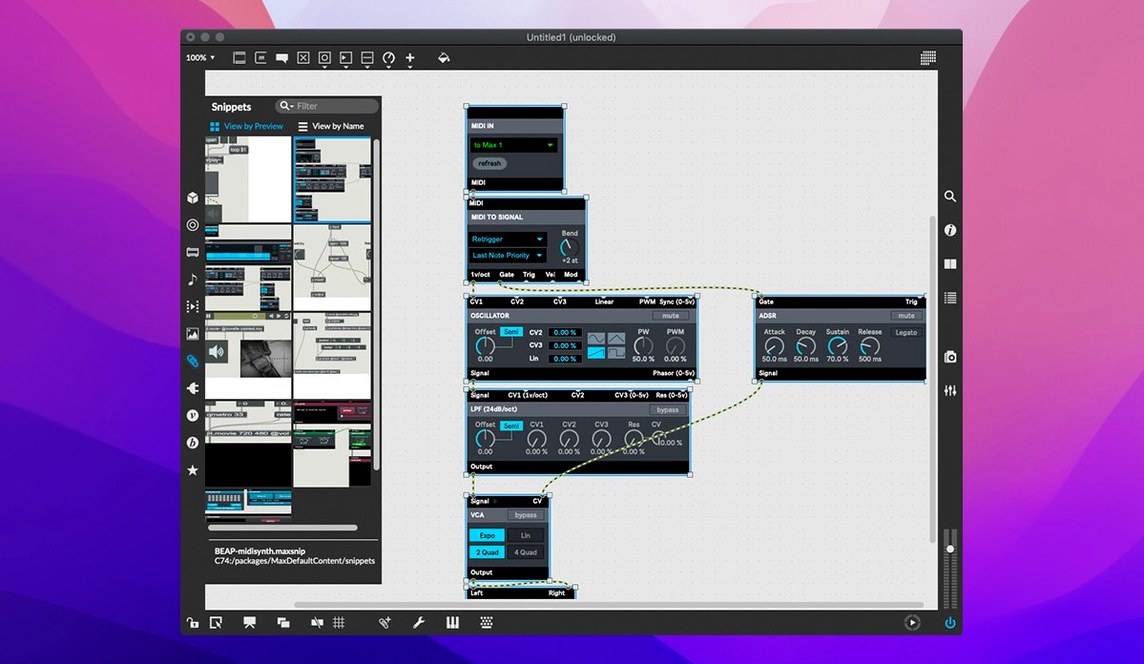
Create an oscillator object, connect it to a DAC output, and link a MIDI keyboard notein to the frequency. You get sound in under ten objects. It feels like wiring hardware, and the instant feedback makes the logic click.
Load an RNBO Export
With RNBO v1.3.5 bundled, you can export your patch as code and run it anywhere. Open a sample RNBO project, export it as a VST or a web app, and hear the same patch outside Max. It's a clear view of how a sketch becomes a standalone tool.
Max vs. the Rest of the Rack
Pure Data (Pd) is the obvious cousin — Miller Puckette created both, and the object-and-cord DNA is identical. Pd is open-source and runs on a Raspberry Pi without blinking, but its interface feels like a time capsule. Max wraps the same concepts in a proper native Mac shell: resizable panels, a real inspector, snappier graphics. If you spend hours inside a patch, the polish matters.
Reaktor blocks are a different animal. It ships with a library of finished synth modules that sound fantastic out of the box. Building from scratch, though, means wiring at the signal level inside a single ensemble. Max gives you a blank canvas and a deeper toolbox — MIDI routing, video processing, serial port control — without the assumption that you're making a synth. For pure DSP experimentation, Reaktor is faster to a result. For a system that connects a game controller to a lighting rig to a spatial audio renderer, Max is the only one of the three that doesn't flinch.
Node-based tools like TouchDesigner overlap on the visual side, but Max's audio engine and timeline model still make it the reference for real-time sound. A musician patching a generative drum machine hits fewer walls in Max than in a tool built primarily for projection mapping.
Building a MIDI Delay That Evolves
Say you want a delay that shifts its feedback pitch and pan each repeat, controlled by an expression pedal. Start with a blank patcher and drop a notein object. Connect its pitch and velocity outlets to a pack set to two integers. That bundle feeds a pipe object — the core of any delay in Max, since pipe staggers message output by a set time.
Next, wire the pipe output to a makenote pair that reforms the MIDI note-on and note-off, then onward to a noteout. Play a few notes. You have a static slapback.
Now the fun. Add a ctlin object mapped to your pedal's CC number. Scale its 0–127 range with scale to map it to 40–800 milliseconds, and patch the scaled value into pipe's right inlet as the delay time. While you're at it, route the same pedal value through a second scale that outputs 0.8 to 1.2, multiply it with the incoming pitch, and add a tiny random offset with random and + before it reaches makenote. Pan is just a third scale pushing a pgmout or a MIDI pan message.
Wrap the whole mess in a patcher object, add a few live.dial UI elements for dry/wet and feedback count, and save it. In under forty objects you've built a performance delay that no off-the-shelf plug-in replicates — and you can open the hood on any of it mid-gig.
Before You Download
Does Max require an internet connection to run?
No. A fresh install works completely offline. Authorization is local; the bundled help files, tutorials and RNBO examples sit right on your drive. The only time Max phones home is if you explicitly check for updates or download community packages through the Package Manager.
Is Max 9 a CPU hog on older Intel Macs?
It depends on what you patch. A modest synth with a handful of oscillators and filters runs fine on a 2018 MacBook Pro. Audio-rate vector processing and heavy Jitter matrix operations will push any machine. The key is Max's scheduler — you control the signal vector size and I/O buffer, so you can trade latency for headroom. RNBO exports are a lifeline here: compile the heavy part once and run it as lean C++ code inside your patch or a DAW.
Can I open patches from a max 8 crack mac era without breaking them?
Max 9 opens Max 8 projects and converts them on first save. Most objects behave identically. A few deprecated externals might need a re-download from the Package Manager, but the compatibility patcher flags those during load so you're not hunting blind. The same goes for patches shared around the community years ago — they almost always fire up.
Command-Drag Cords, Option-Click Toggles
Command-drag from an outlet to an inlet auto-creates a patch cord without clicking the outlet first. It's a one-hand move that becomes muscle memory by day two.
Hold the Option key while clicking a toggle or button to cycle through its display modes — some show a cross, some a circle, some a labeled state. Useful when you're cramming UI into a tight performance panel.
The comment object does more than display text. Right-click it and enable "Set Font" and "Background Color" from the Inspector, then lock the patcher — you've built clean, readable section headers without touching a single graphic file.
Hit Shift-Command-I to open the Inspector for the selected object instantly, no menu dive needed. And when debugging, turn on "Watchpoints" from the Debug menu to monitor any cord's data flow without scattering print objects through your patch.
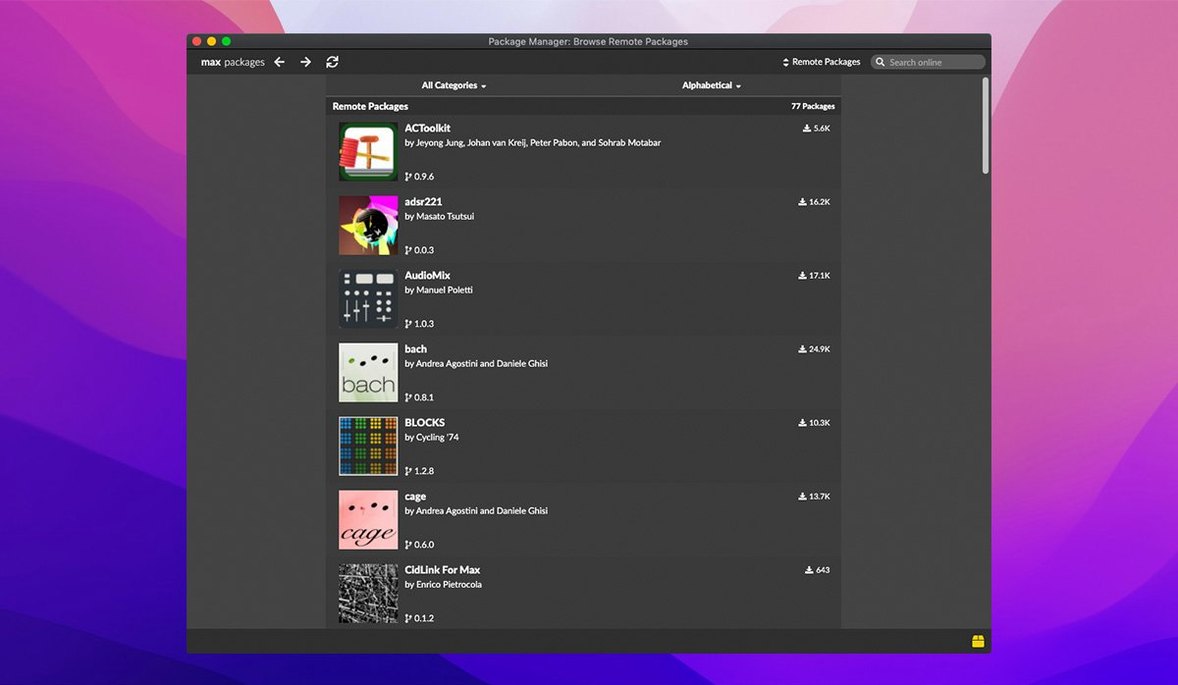
If you've ever hunted through a max 9 download looking for the obscure external someone recommended on a forum, the Package Manager inside Max (File > Package Manager) lists hundreds of free add-ons — OSC routers, granular engines, hardware controllers — installed in two clicks and ready in your next session.
live.banks now supports button assignments for parameter banks, giving controllers more direct mapping. RNBO v1.3.5 is bundled with the update. Also fixed: an Inspector crash when editing or closing a text field.
- macOS 11 or later
- Intel or Apple Silicon Mac (64-bit)
Notes from the edit bay · 0
Sign in or get an edit-bay pass to leave a note.
No notes from the edit bay yet. They go up after I read them.