
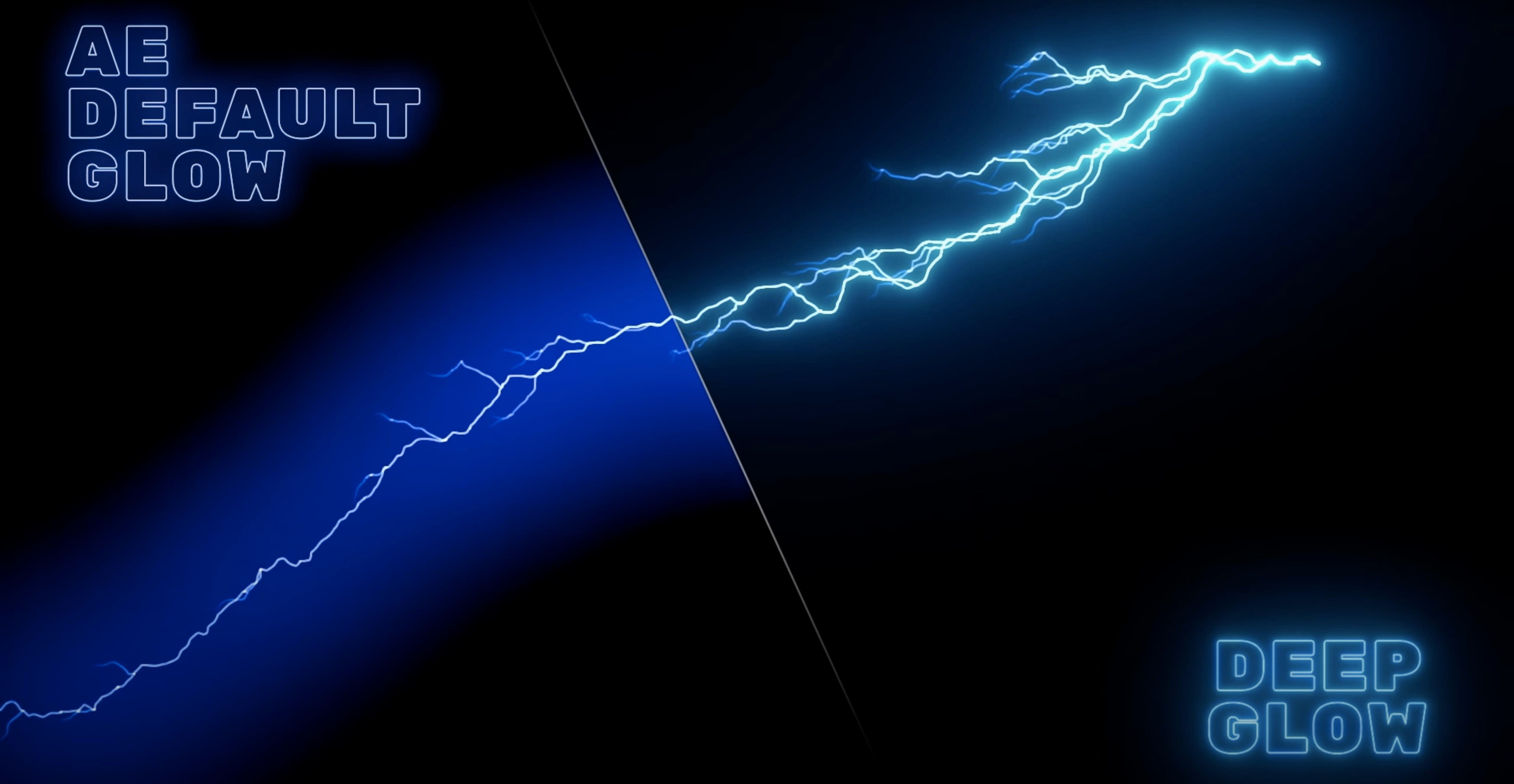
If you’ve ever pushed After Effects' built-in Glow effect and watched your frame rate crawl, you know the pain. Deep Glow from Plugin Everything steps in as the replacement that actually respects your deadline. It hands you the same ethereal, blooming light—without requiring a pre-comp tree of mattes and blurs to make it look right.
Compatibility and Core Tech
- Runs natively on Apple Silicon and Intel Macs.
- GPU acceleration keeps render times short, even on complex comps.
- Renders directly in After Effects—no round-tripping to another app.
- Downsampling and quality controls let you dial back precision for real-time playback or crank it for final export.
Compositing Choke and Falloff for Natural Blending
Deep Glow isn't just a one-click flash. The compositing controls let you refine how the glow sits over your footage, blending it naturally instead of just blowing out the highlights. You can choke the source, tweak the falloff and manage color bleed, all from a single effect. Version 1.6 continues that refinement, and the release history shows a steady cadence of updates. When the built-in tools feel like a science project, this plugin keeps you moving toward the render queue.
First Days: Settings That Stick
Drop Deep Glow onto a layer and the defaults look decent—but you're leaving speed on the table if you stop there. The first thing I do after installing is pin down a few presets that match my machine and my typical shot length.
Open the effect and immediately check the Quality slider. On an M1 Max, I can leave it at High for most client work. On an older Intel Mac, Medium still gives a clean result and keeps the comp viewport responsive. Next, look at Downsample. A value of 2x drops the internal resolution of the glow calculation in half, which is barely visible on soft light blooms but cuts render time noticeably. I save a "Preview" preset at Medium/2x and a "Final" preset at High/1x—flipping between them becomes muscle memory.
The Composite menu deserves attention early. The default "Add" mode works for neon and sci-fi glows, but switch it to "Screen" when you're blending into skin tones or bright skies. Screen preserves more of the original luminance falloff and avoids the clipped, nuclear look that Add can introduce. Spend fifteen minutes duplicating a shot, applying different composite modes, and toggling the glow on and off. You'll learn which mode reads as "natural bloom" versus "stylized effect" for your own footage.
GPU Setup Check
Deep Glow uses GPU acceleration automatically, but After Effects can sometimes route effects through the software pipeline if project settings are odd. Go to File > Project Settings > Video Rendering and Effects and confirm Mercury GPU Acceleration is active. If you see "Mercury Software Only," the plugin still works but you're leaving frames on the floor. A restart of After Effects usually fixes a stuck renderer.
Building a Title Card Glow from Scratch
Here's a task I run into constantly: a white text layer over dark footage needs a warm, cinematic bloom that looks like a practical lens filter, not a plugin preset. Deep Glow can pull this off in a single effect instance if you sequence the controls right.
- Create your text layer and pre-compose it with the "Move all attributes" option. The glow needs a solid source to read from, and pre-comping prevents matte edges from confusing the falloff calculation.
- Apply Deep Glow to the pre-comp. Crank Radius up to around 180–220 so you can see the spread clearly while dialing in the core settings.
- Drop Exposure to something low—try 0.6. A dim, wide glow is easier to shape than a hot one.
- Open the Falloff section. Drag the curve so the glow fades gradually from the text edges, then drops off sharply near the outer radius. You want the letterforms to feel wrapped in light, not floating in fog.
- Now pull Radius back down to 60–90. The curve shape holds, so the glow tightens around the text without becoming a uniform blur.
- Go to Color and shift the tint slightly warm—maybe a golden amber. Use the color picker's eyedropper on a practical light source in the background plate so the glow feels motivated.
- Switch Composite to Screen. Add mode can blow out thin letter strokes; Screen preserves the text edge while the bloom pushes outward.
- Finally, animate Exposure with a gentle ease-in over the title card's duration. A glow that breathes on reads as intentional, not bolted-on.
Keyframe the Radius too if the title scales up. A larger type element needs a wider bloom to maintain the same proportional look. Two keyframes, ten seconds of work, and the motion feels cohesive.
What the 1.6 Generation Changed Day to Day
The jump through the 1.6.x versions didn't overhaul the interface, but the under-the-hood work shows in everyday sessions. The releases page traces a line from 1.6.0 through 1.6.9, and the pattern is clear: stability fixes and render consistency got the attention.
Before these updates, a few edge cases could trip the plugin. Heavy stacking—three or four Deep Glow instances on overlapping layers—sometimes produced flickering during RAM previews. The later 1.6 releases smoothed that out. I can now stack multiple glows for complex light wrap setups without babysitting the cache. The render bar stays predictable, which matters when a client is watching over your shoulder.
Another quiet improvement lives in the Grain controls. Earlier versions could introduce banding at low grain amounts on 8-bit footage. The 1.6 line tightened the grain distribution, so a value of 0.3–0.5 actually breaks up banding instead of adding visible noise on top of it. For projects shot on mirrorless cameras with internal 8-bit codecs, this alone saves a round-trip to a denoiser.
Color space handling got more transparent too. Deep Glow was designed from the start for non-linear color, but the 1.6 updates made it more tolerant of project color management mismatches. If you work in Rec.709 but receive a clip tagged as sRGB, the glow doesn't shift toward magenta the way it occasionally did before. You still want your project color settings correct, but the plugin forgives the small mistakes that happen at 2 AM.
Fifteen Glows in a Show Open Without the Crawl
Motion designers cutting broadcast packages are the obvious fit. A show open with fifteen glows across logo reveals, lower thirds and transitions runs at a crawl with the stock effect; Deep Glow keeps the timeline scrolling. The downsampling controls mean you can work at half quality while blocking out timing, then switch to full quality for the client review export without changing a single keyframe.
Compositors doing light wrap and atmospheric integration get just as much value. The inverse-square falloff behavior—where the glow intensity drops off like real light, not a Gaussian curve—means a window blowout or a headlight bloom sits in the scene rather than on top of it. You don't need to build a multi-layer fake with blurs and blend modes. One effect instance, properly tuned, reads as photographic.
Music video editors who lean on After Effects for stylized treatments are the third camp. The grainy glow options let you push into film-print emulation territory without leaving the host app. A gritty, high-grain glow on a backlit performance shot feels like a practical filter, and because it's all GPU-accelerated, you can iterate fast while the director is in the room.
Even one-off gig workers benefit. A freelancer cutting a sizzle reel who needs a single logo sting doesn't want to spend forty minutes building a glow rig. Deep Glow gives a polished result in five minutes, and the compositing controls mean it blends with whatever stock footage the client provided. That's the through-line: the plugin slots into existing workflows without demanding you rebuild them around it.
Five Layers of Neon: A Scenario
A motion designer at a boutique studio in Austin gets a rush job: a 15-second social cut for a synthwave music festival. The brief calls for neon pink and cyan typography over night footage of the city skyline, with the text glowing like actual glass tubes filled with gas. The deadline is tomorrow morning.
She builds the type layout across five separate text layers—headliner name, date, venue, ticket info, and a decorative underline element. Each layer gets its own Deep Glow instance. She works at Medium quality to keep the timeline responsive while she animates the type on in staggered cuts.
The headline uses a tight radius with the Falloff curve pulled steep, so the glow reads as a sharp tube edge. The underline element gets a wider, softer bloom in cyan to create a wash of ambient light across the bottom third. She checks the composite mode on each layer—Screen for the bright pink text, Add for the dimmer cyan wash so it punches through the dark sky.
With the animation locked, she selects all five glow instances, holds Shift, and bumps Quality to High. The render queue estimate shows 90 seconds for the 15-second spot. She exports a ProRes master, drops it in the delivery folder, and clocks out before midnight. The festival team posts the spot the next afternoon. Nobody on the client side knows what plugin she used—and that's exactly the point.
Version 1.6 refines the core glow engine and compositing controls. Also fixed: the release archive notes steady improvements across the 1.6.x cycle, including point releases 1.6.9 through 1.6.3.
- Apple Silicon or Intel processor
- Adobe After Effects
- Interface: English
Questions I actually get
Does Deep Glow work on Apple Silicon Macs?
Yes, Deep Glow runs natively on both Apple Silicon and Intel-based Macs.
What host application does Deep Glow require?
Deep Glow is a plugin designed exclusively for Adobe After Effects.
Notes from the edit bay · 0
Sign in or get an edit-bay pass to leave a note.
No notes from the edit bay yet. They go up after I read them.