Clean mixes can sound sterile. When a track lacks personality, or a loop feels frozen in time instead of lived-in, you need controlled chaos. RC-20 reminds you that some of the best sounds come from slightly broken equipment.
I dial it in as a deliberate process:
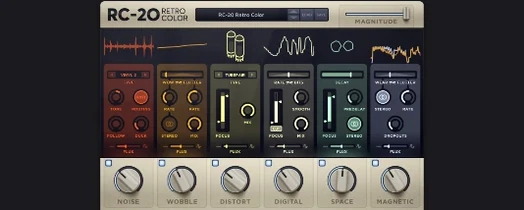
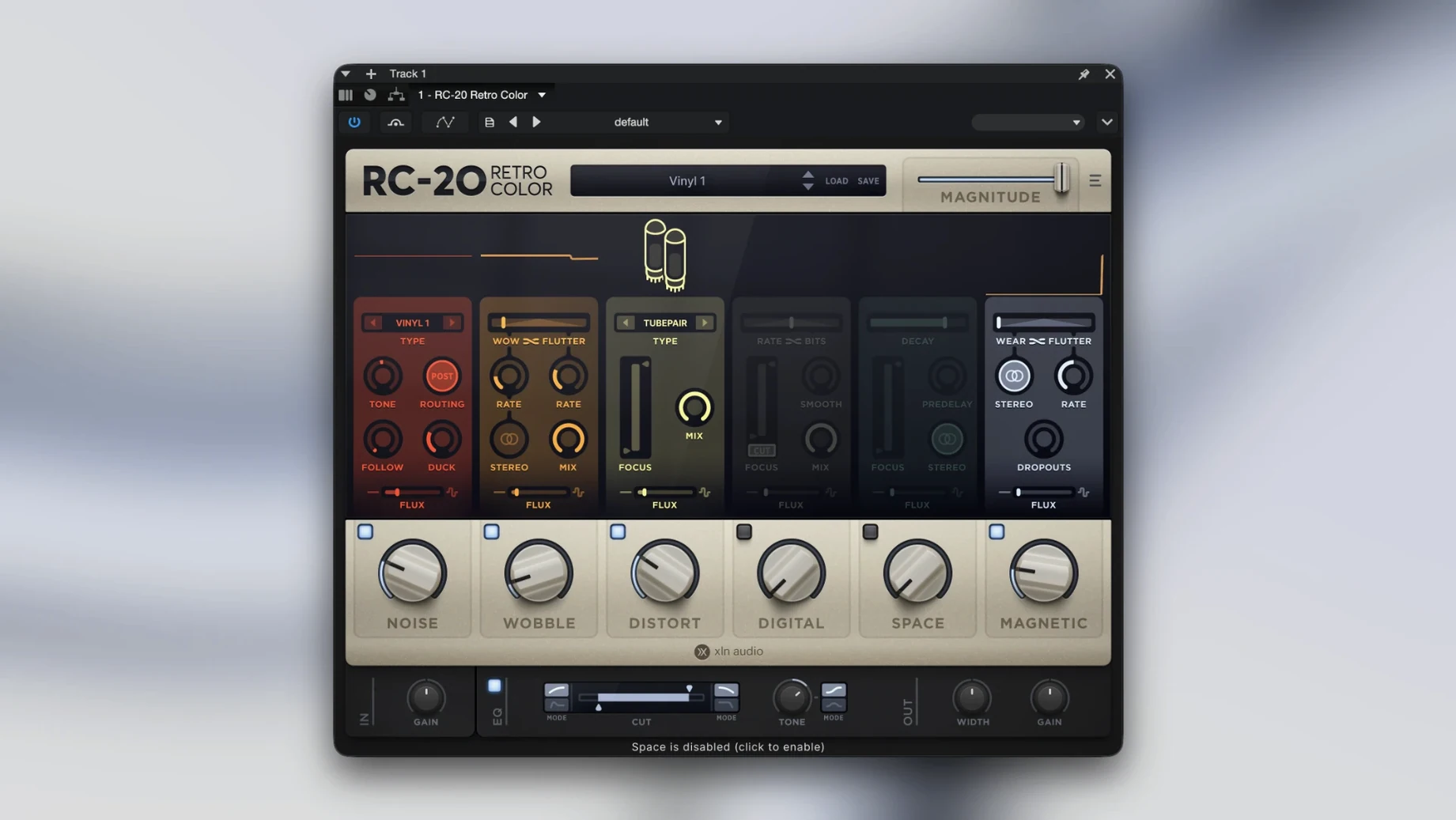
- Noise. Lay in the hiss, vinyl crackle, or electrical hum. It’s the background texture that glues a sample into a physical space.
- Wobble. Pitch instability. Slow and drunk, or fast like a warped cassette deck that’s about to eat your tape.
- Distort. From warm saturation to crushed bit-crunch. Good for making a soft synth feel like it passed through a dusty console.
- Digital. Old sampler grit. Drop the bit depth, reduce the sample rate, and you’re in early MPC or SP-1200 territory instantly.
- Space. A reverb that sounds like a haunted room or a broken spring tank. Not lush—more like a utility closet.
- Magnetic. The sound of tape. Head bump, wear, and gentle signal loss that rounds off transients.
Each module has a magnitude slider, but the real secret is the Flux engine. It introduces randomness over time so that noise floor and pitch drift never loop identically. Static becomes a performance. The presets are solid starting points—from subtle aging to total destruction—but the point is to tweak. It’s a texture machine that respects your render bar, running natively on Apple Silicon.
When Your Chopped Samples Still Sound Too Clean
Beatmakers who pull samples from old records, YouTube rips, or field recordings. You already have the source material, but it sounds too clean after you chop it. A few clicks in the Noise and Digital modules and that vinyl rip finally sits in the mix instead of floating on top of it.
Synth programmers tired of pristine virtual analog. A Serum or Diva patch can sound fantastic on its own, then vanish the moment you add drums and bass. Run it through Magnetic at 30% and suddenly the low end softens, the highs tuck in, and you stop EQ-fighting a sound that was never the problem.
Podcast and voice-over editors working with dry booth recordings. A touch of Space—barely wet—and some gentle wobble on a background music bed makes a corporate voiceover feel less like a text-to-speech demo. I've seen it save VO tracks recorded in treated closets that sounded too dead.
Sound designers who need quick degradation without chaining five plugins. One instance, one window, six modules that talk to each other. When a deadline says you don't have time to build a cassette emulation from scratch, RC-20 is the answer.
Why the Noise Module Doesn’t Just Stop at Vinyl
RC-20 vs. iZotope Vinyl. Vinyl does one thing and does it free—vinyl simulation with warp, dust, and a year slider. It's a great entry point. But it stops at vinyl. RC-20 covers that ground with the Noise module and then adds tape, digital degradation, reverb, and bit-crushing in the same interface. If you just want crackle on a lo-fi beat, Vinyl works. If you want to age a synth, crush a drum bus, and wobble a piano in one plugin, RC-20 earns its spot.
RC-20 vs. D16 Group Decimort 2. Decimort focuses entirely on bit-crushing and sample-rate reduction with surgical precision. Its anti-aliasing filters are gorgeous, and it models specific hardware samplers. RC-20's Digital module covers similar territory but with broader strokes—less surgical, more immediate. The difference: Decimort is for engineers who want to pick the exact ADC chip. RC-20 is for producers who want the vibe in thirty seconds and don't care which chip delivered it.
RC-20 vs. Baby Audio TAIP. TAIP is a dedicated tape emulation that sounds lush and musical. The Magnetic module in RC-20 isn't trying to be a pristine tape machine—it's the sound of a cassette that's been in a hot car since 1997. TAIP sweetens; RC-20 degrades. Different goals. If tape warmth is all you need, TAIP might be enough. If tape is just one layer in a larger texture, RC-20 keeps everything under one roof.
Six Modules at Full Tilt Don’t Sound Vintage
Cranking every module to 100%. Six modules at full tilt sounds less like vintage character and more like a broken signal chain. The magic lives between 15% and 40% on most sliders. Stack small moves across modules and let them compound. A little noise, a little wobble, a little tape wear—that's where believability lives.
Ignoring the Flux engine entirely. Flux is on by default in many presets, but new users often turn it off because they don't understand why the sound keeps changing. The whole point is that it should change. Static degradation sounds like an effect. Moving degradation sounds like a recording. Leave Flux on, set it low, and trust it.
Putting RC-20 on the master bus without thinking. It can live there for a lo-fi track or a specific aesthetic, but defaulting to it on every mix bus is a fast way to muddy transients you spent hours shaping. Use it on individual tracks or groups where the texture belongs—drums, keys, vocals—not as a blanket over everything unless the whole production calls for it.
- macOS 10.13 or later
- 64-bit only (Intel and Apple Silicon supported)
Questions I actually get
What does the Flux engine do in RC-20?
The Flux engine adds non-repeating, random variation to parameters over time so effects like wobble and noise feel organic rather than looped.
How many effect modules are in RC-20 Retro Color?
There are six effect modules: Noise, Wobble, Distort, Digital, Space, and Magnetic, each designed to recreate a specific flavor of vintage hardware degradation.
Does RC-20 work natively on Apple Silicon Macs?
Yes, the current version supports Apple Silicon natively, so it runs efficiently without Rosetta translation on modern Macs.
Notes from the edit bay · 0
Sign in or get an edit-bay pass to leave a note.
No notes from the edit bay yet. They go up after I read them.