Software 3.0.2c keeps things steady — a maintenance bump that lets you get back to work without a second thought.
1. Fire It Up as an Idea Pad
Patch browsing in standalone mode is a legitimate writing tool. Scroll through the library, hold a chord, and commit to a vibe before your DAW even opens. The multi-synthesis engine means one patch can stack sampled textures, wavetable grit, and virtual analog warmth without touching a mixer.
2. Drop It on a Track
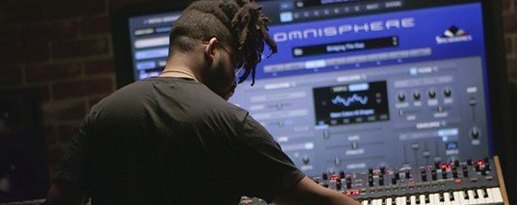
When a song needs a focal point, Omnisphere lands on an instrument track. A single instance can fill a verse with a rhythmic arpeggio and a chorus with a lush pad using part layering. Hardware Synth Integration lets real knobs control parameters directly — no MIDI mapping busywork.
3. Send It Through a Bus
This is where the instrument gets dangerous. Route audio from a vocal or drum bus into Omnisphere’s effects section. Granular processing and the Innerspace pedal turn a dry snare into a reverb throw that moves with the tempo. The STEAM folder brings the factory library along for the ride on any ARM or x86 Mac running macOS 11 and up.
Bump the Streaming Buffer to 128 or 256 Samples for Faster Loads
Out of the box, a few defaults hold you back. Hit the System pane and bump the Streaming buffer to 128 or 256 samples if you have the RAM — patches load faster and sustained pads breathe without glitching. The factory setting plays it safe, but you are probably not running a 2015 machine.
Next, kill Velocity Curve linearity. The stock curve feels stiff on weighted keys. Try the "Soft" preset or draw a gentle S-shape. Your dynamics open up immediately, especially on the acoustic instrument patches where a light touch should whisper, not disappear.
Under the Browser tab, turn on Auto-Audition. Scrolling through sounds with one hand on the keyboard beats clicking every patch name. Set it to a two-second delay so previews do not stack into a wall of noise while you skim. While you are there, tag your first five favorite patches as Favorites — Omnisphere does not ship with any starred, and building that shortlist now saves ten minutes of re-scrolling tomorrow.
Focus on One Category: Pads, Textures, or Arps
Do not load the entire STEAM folder and start auditioning at random. The library is massive, and patch names like "Bowed Metal Whispers" do not tell you what the sound actually does. Pick one category — Pads, Textures, or Arps — and live inside it for an afternoon. Learn its corners before moving on.
Hardware owners: plug in your synth before launching Omnisphere. The Hardware Synth Integration handshake happens at startup, and re-scanning mid-session is hit-or-miss. Once linked, save a Multi with the hardware mapping intact. That becomes your template, and you never map a cutoff knob twice.
Create a scratch DAW template with Omnisphere on track one, audio input routed into track two, and a MIDI Out channel feeding a third track. This setup takes three minutes and turns the plugin into a sampler, an effects processor, and a synth simultaneously — all armed and ready before the coffee kicks in.
Set aside twenty minutes to open every effect rack slot on an Init patch. Just click through the reverb algorithms, the delays, the EZ-Verb types. Knowing what is in the toolbox beats scrolling during a deadline. The Innerspace pedal alone is worth the detour.
Workflow: Vocal Chop Pad from Scratch
Here is a concrete task: turn a dry vocal phrase into a rhythmic pad that follows your track tempo, all inside one Omnisphere instance.
Start with an empty Multi. On Part 1, load an Init patch. Open the Sample Browser tab, click "User Audio Import," and grab a four-bar vocal clip from your session folder. Omnisphere maps it across the keyboard automatically, but it sounds raw — time to shape it.
Engage the Granular engine on Layer A. Set Grain Density to about 40 percent and increase Grain Size until the vocal fragments blur into a smear. Enable Speed Sync and dial in a dotted eighth note. Now the grains move in time with your DAW, and that vocal chop breathes rhythmically.
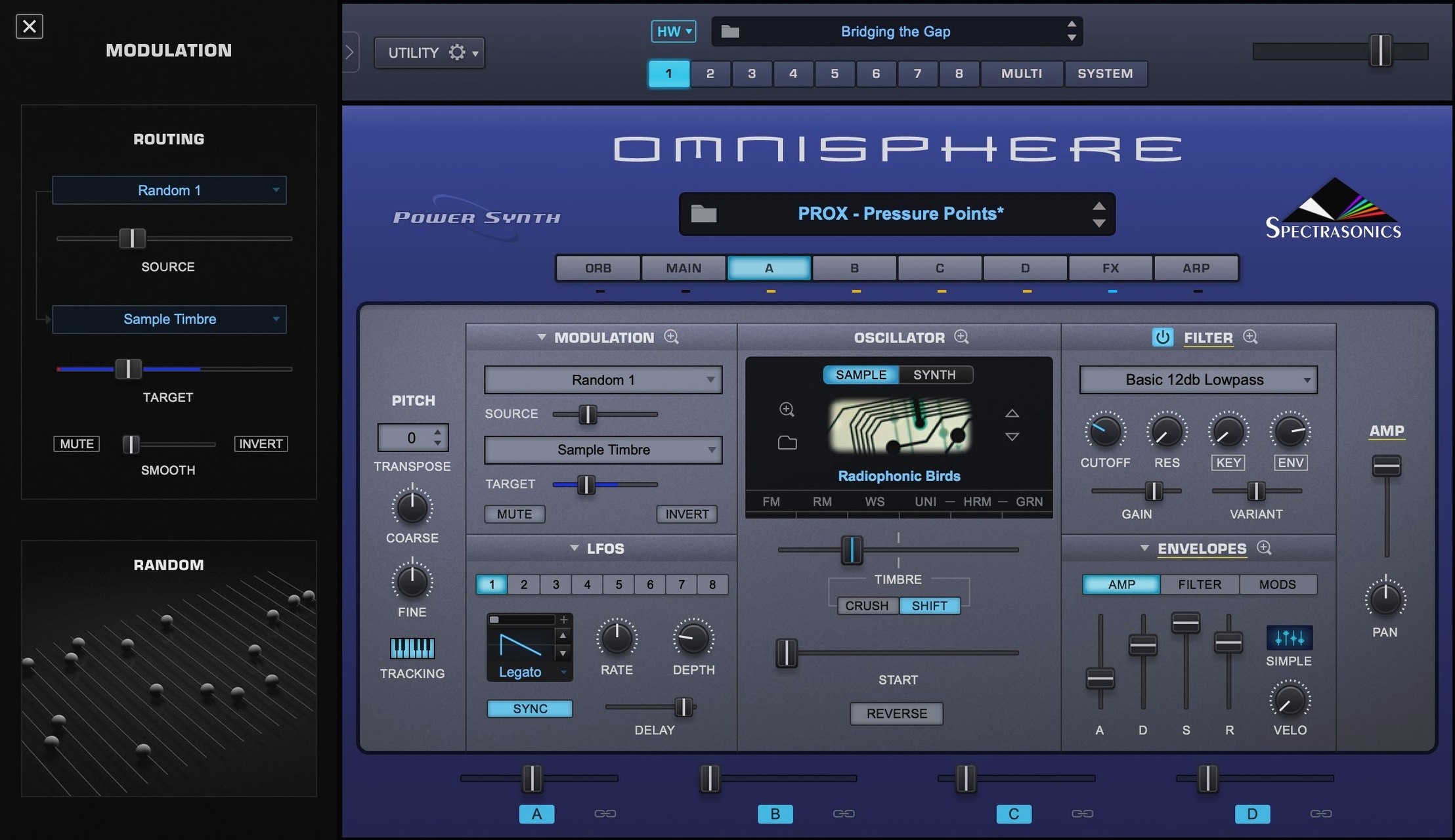
Stack Layer B with a wavetable oscillator — something glassy from the "Digital" category works. Tune it up an octave and mix it to about 30 percent. The vocal carries character; the wavetable adds air and pitch definition. Route both layers through a shared Filter, set to a low-pass with key tracking around 50 percent, then modulate the cutoff with an LFO synced to quarter notes.
Send the whole thing into the effects rack: a plate reverb at 12 o'clock wet, the Innerspace pedal pushed to the edge of self-oscillation, and a touch of tape saturation from the "Vintage" compressor slot. Hold a chord, and the vocal phrase becomes a pad that pulses with your project tempo, no audio slicing required.
Standalone Runs as a Live Sound Module, No DAW Required
Does it run standalone or do I need a DAW? Both. The standalone application works as a sound module for live performance or patch browsing. Load it, pick a sound, and play — no host required. When you want to record, the AU, VST, and AAX plug-ins slot into whatever DAW you already use.
How heavy is the STEAM library to manage? It lives in its own folder, separate from the application. You point Omnisphere to it once, and it remembers. The factory library covers sampled acoustic instruments, synthetic textures, and sound design material, so you are not hunting for third-party expansions on day one.
Will my hardware synth actually talk to it? If your synth is from a supported brand — Korg, Moog, Sequential, Roland, and several others — then yes. Omnisphere recognizes it and maps parameters to physical controls automatically. The synth surface becomes a dedicated hardware controller for the plugin, no generic MIDI CC assignments needed.
Does Apple Silicon work or is this Rosetta-only? Native ARM support is here. The installer runs on x86 and Apple Silicon Macs without translation, as long as you are on macOS 11 or newer. Patch loading is snappy, and CPU load stays reasonable on M-series chips even with multiple layers active.
Skip the DAW Entirely — Standalone Mode Loads Fast
You open Omnisphere standalone around 9 p.m., guitar in the corner, headphones on. The goal is texture — something tense and evolving for a soundtrack cue due Friday. You skip the DAW entirely. Standalone mode loads fast, so you start scrolling the "Textures Playable" category with Auto-Audition humming in the background. A patch called "Metallic Shimmer" catches your ear. The Orb animation is moving in the center of the interface, and you drag it clockwise. The sound darkens, loses the high-mid clang, and settles into something moodier.
You switch to the Layer pane. Two layers are active: a sampled bowed cymbal and a granular cloud derived from a bell. You mute the bell layer for a moment to study what the cymbal is doing — it is looped and crossfaded, with the position tied to the mod wheel. Good. You bring the bell back, drop its volume 6 dB, and pan it slightly right. Three minutes of tweaking, and the patch is no longer a preset — it is your sound.
Now you want movement. On the Arpeggiator tab, you turn on a simple up-down pattern at sixteenth notes, but you set Gate to 40 percent so the notes are short stabs rather than a wash. You assign the Filter cutoff to the Orb's Y-axis, giving you real-time tone shaping from the trackpad. A slow LFO modulates the wavetable position on the bell layer, and the whole thing starts to breathe like a living drone.
At this point, you open your DAW, create an instrument track, and load the plug-in version. You drag the Multi you have been building straight from the standalone patch browser into the DAW instance. The MIDI region you recorded earlier — a simple two-chord figure — plays through the new sound. It sits perfectly against the dialogue and the room tone.
Twenty minutes total. No audio bounced, no external samples lost. Just a patch, shaped from a preset into something that fits the cue, saved as a Multi for tomorrow's recall. That is what a typical session with Omnisphere 3 looks like — start fast, tweak deep, and export nothing until the idea is finished.
Software 3.0.2c lands as a quiet stability update. Also fixed: reference guide documentation now matches the build.
- macOS 11 or newer
- Apple Silicon or Intel 64‑bit processor
Questions I actually get
Which hardware synths does Omnisphere's integration support?
Hardware Synth Integration extends to major synthesizer brands and MIDI controllers, letting you use physical knobs and keys to control Omnisphere's engine directly.
Notes from the edit bay · 0
Sign in or get an edit-bay pass to leave a note.
No notes from the edit bay yet. They go up after I read them.