You're 60,000 words into a manuscript. The binder is packed with character sketches, location photos, and three different outlines for the third act. You need to find the note about a secondary character's dialect—right now—without losing your place.
Drag-and-Drop Restructuring for Non-Linear Thinkers
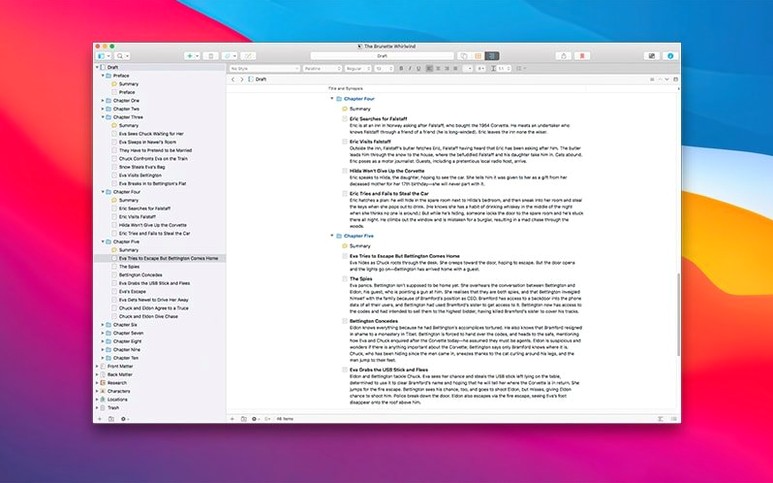
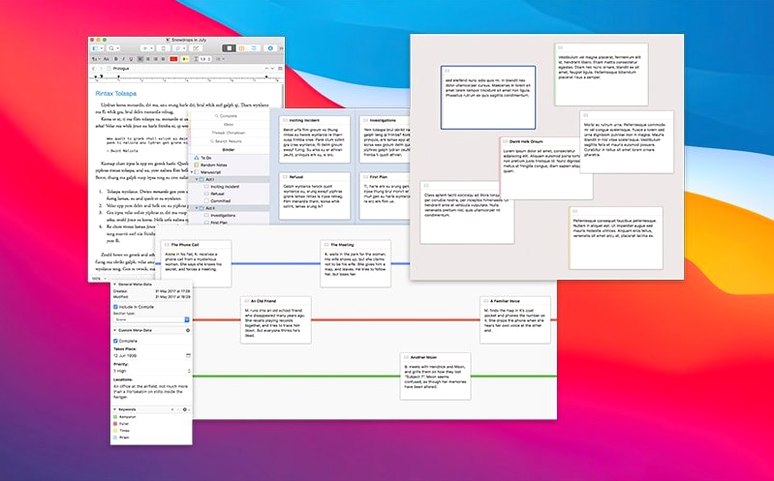
- Non-linear thinkers. Write a scene, then drag it to a new position. The corkboard and outliner make restructuring a novel feel tactile, not terrifying.
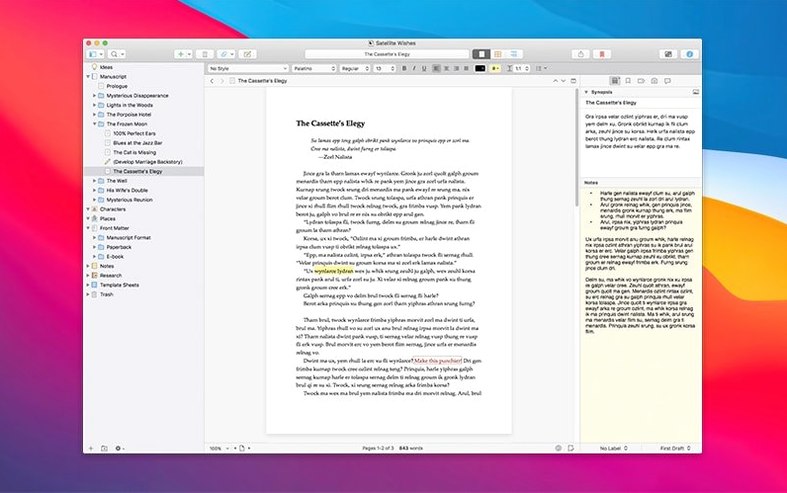
- Deep research integration. The Research folder eats anything you throw at it: PDF interviews, reference images, ambient audio, and text notes. Everything lives beside your draft, not in a separate app.
- Snapshotting with confidence. Take a snapshot of a chapter before a brutal rewrite. You can roll back individual documents, not the entire project.
English-Only Menus and a Bug-Fix Focus
- Version 3.5.2 is a bug-fix release, not a feature drop. It tightens existing tools rather than adding new ones.
- The interface is English-only, which matters if collaborators need localized menus.
Tiny features you’ll wish you found sooner
Scrivener buries some real time-savers in plain sight. Here are a few I lean on when the render bar is blinking in my head.
Typewriter Scrolling. Found under Scrivener → Preferences → Editing, this pins your active line to a fixed position vertically. Instead of chasing your cursor to the bottom of the screen, the text scrolls so you always type at the same comfortable spot. If you came from a terminal or old-school word processor, this feels instantly right.
Project Bookmarks. In the inspector’s third tab, you can bookmark any document—not just web links. That scene you keep cross-referencing? Drag it into the bookmarks pane. It stays one click away regardless of where you wander in the binder.
Collections for ad-hoc grouping. A collection is not a folder. It’s a saved search or a hand-picked list of documents that belong together only for a specific task. Filter every scene where a particular character appears, save it as a collection, and flip through them without touching your binder structure. The underlying documents stay put.
Writing History. Navigate → Writing History shows your last several editing positions. It’s an undo for your cursor location. When you accidentally jump to chapter twelve while checking a detail, Writing History walks you back to the sentence you were halfway through.
Why Your Project File Seems to Vanish
Even a stable build like 3.5.2 has friction points. Most aren’t bugs—they’re habits and assumptions clashing with how Scrivener stores data.
“My project file is missing.” Scrivener projects are actually packages—folders that macOS displays as a single file. If you synced a project through a cloud service that doesn’t respect package structures, the contents may have scattered. Check the File → Back Up → Back Up To location. A fresh backup is a flat ZIP, so it survives file-system misunderstandings.
Compile preview looks nothing like the editor. The editor shows you a writing-friendly view with your preferred font and spacing. Compile uses its own formatting rules. Open File → Compile, pick a format, and click the Preview button before you panic. If you need your manuscript to match the editor exactly, assign a section layout that pulls from the document’s own formatting rather than overriding it.
Spell check ignores a word I add. Scrivener uses Apple’s spell checker but maintains its own learned-words list. If a term stays underlined after you right-click “Learn Spelling,” quit the app and check whether ~/Library/Spelling/LocalDictionary has the entry. Sometimes an aggressive system cleanup tool removes it.
Snapshots balloon the project size. Taking a snapshot of a 25,000-word manuscript five times a day adds up. Use File → Save and Compact occasionally. It trims redundant snapshot data. You won’t lose anything visible.
Does It Feel Like Word?
People digging into a scrivener torrent or a scrivener mac torrent usually have the same handful of questions. Here are the answers without the fluff.
Does it feel like Word? No. If you expect a ribbon toolbar and a blank page that stretches infinitely, you’ll squint at the binder for a solid minute. Scrivener’s mental model is closer to a project notebook than a typewriter. The trade-off is that rearranging a 40-scene screenplay takes seconds, not an afternoon of copy-paste.
Can I bring in my existing work? Yes. Drag a DOCX, RTF, or plain-text file into the binder. It becomes a Scrivener document. The original formatting mostly survives; stray fonts from old word processors sometimes need a quick re-style, but nothing catastrophic.
Will a scrivener 3 torrent run on Apple Silicon? Version 3.5.2 ships as a universal binary, so it runs natively on both Intel and ARM Macs. No Rosetta translation layer involved. The same build works on macOS 10.13 through current releases.
Is the research folder just a file dump? It’s way more useful than that. You can open a PDF in the split editor and type notes in the other pane—Scrivener remembers the pairing. Audio files play inline, images get thumbnails, and text notes are full editable documents. You’re not shelfing reference material; you’re working inside it.
A workflow: assembling a research-heavy article
Suppose you’re writing a longform piece about a historical event. You’ve gathered five PDFs, a dozen photos, interview transcripts, and a rough outline. Here’s how I’d move from blank project to first draft using the tools in 3.5.2.
Set the binder skeleton. Create three folders: Outline, Draft, and Snippets. The Outline folder gets a single document per article section—just a working title and a two-line summary. The Draft folder holds the actual manuscript chapters. Snippets is a scratchpad for lines you’re not ready to place yet.
Feed the Research folder. Drag those five PDFs into Research. The photos go in a subfolder called Images. Each interview transcript becomes a text document inside a Transcripts subfolder. Use the inspector’s synopsis card for every research item—write a one-sentence summary so you don’t have to open a PDF to remember what’s in it.
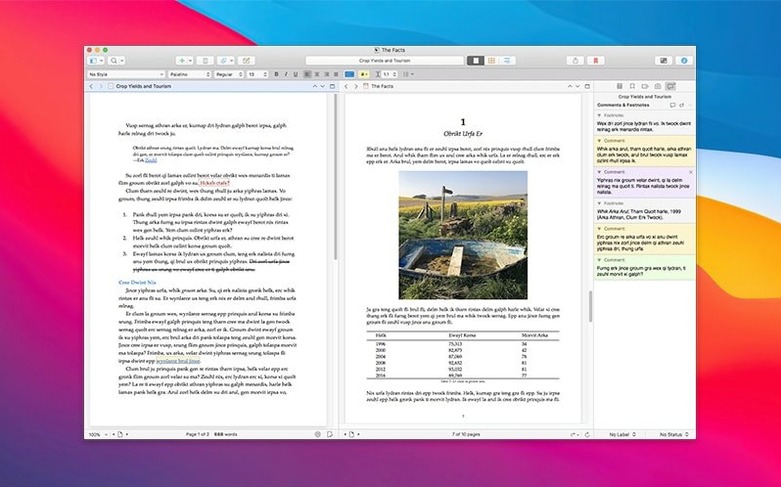
Split and annotate. Open a PDF, then hit the split-toggle in the top-right corner of the editor. Put your Snippets document in the other pane. Read the PDF and type quotes, observations, and page references into Snippets as you go. Scrivener keeps the two panes linked to the same research item until you change it manually.
Label by status. Right-click any document and assign a label. I use a custom label set: Needs Source, Rough, Polished, Final. In corkboard view, label colors paint each card, so a chapter that’s still mostly unverified jumps out as a red stripe across an otherwise blue board.
Build the draft from the outline. Switch the Outline folder to corkboard mode. Drag cards into a logical order, then select them all and choose Documents → Merge. The merged document lands in Draft with each section’s title as a heading. Now you write into a structured document instead of a blank page.
Snapshot before the structural edit. Once the merged draft exists, take a project snapshot via Documents → Snapshots → Take Snapshot. That’s your safety net. Then cut, rearrange, and rewrite. The snapshot sits in the inspector with a timestamp, invisible until you need it.
Compile for reading. When you want a clean copy for a second reader, hit Compile, select the Manuscript (Times) format, and output a PDF. The custom compile format strips out your annotations, synopsis notes, and labels. What your reader gets is a finished-looking document.
The 3.5.2 release lands as a pure bug-fix round, polishing the rough edges from the previous build. Also fixed: a handful of stability hiccups reported since 3.5 launched.
- macOS 10.13 or newer
- Apple Silicon and Intel Macs
Questions I actually get
What media can I store in the Research folder?
You can store text notes, PDF files, audio recordings, and images directly inside the Research folder of your project.
Notes from the edit bay · 0
Sign in or get an edit-bay pass to leave a note.
No notes from the edit bay yet. They go up after I read them.