
One task can spawn twelve sub-actions before you even start. That is where most to-do lists buckle and OmniFocus Pro stays upright.
One Engine for Errands and Multi-Phase Projects
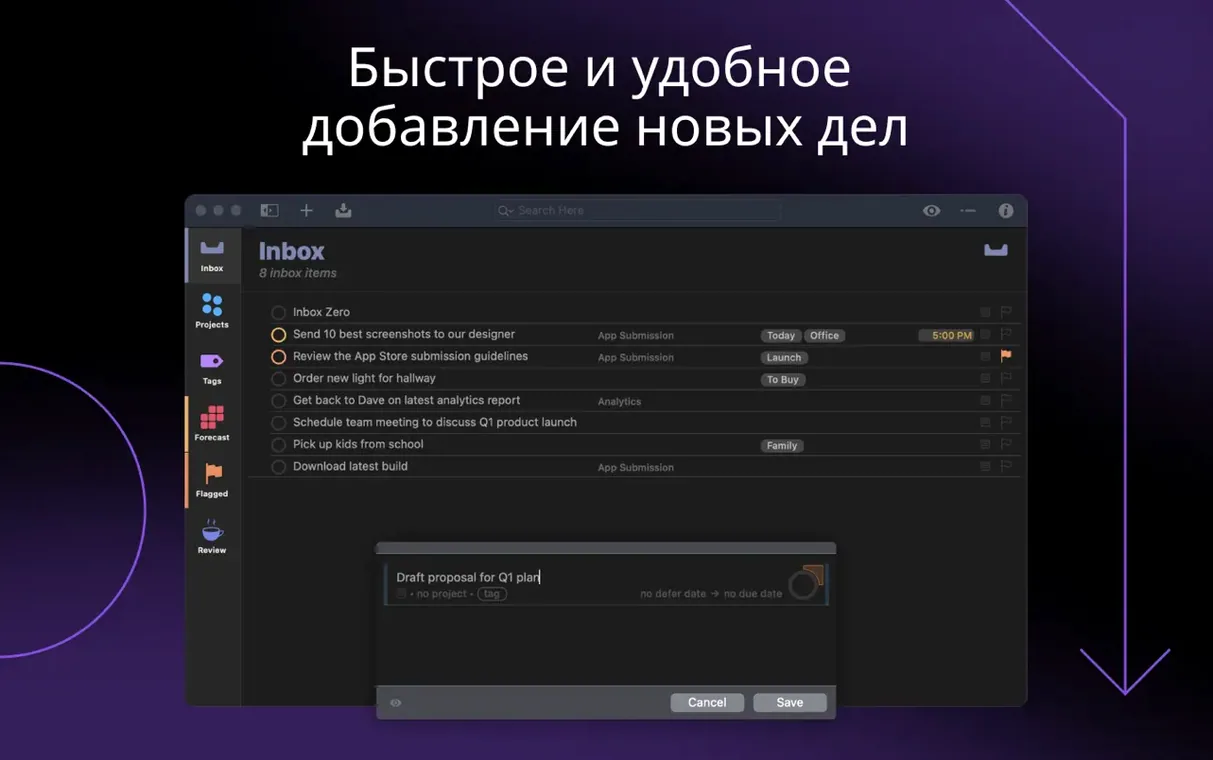
It handles a single errand and a multi-phase project with the same engine. You type a thought, hit return, and it becomes something you can organize later instead of losing.
How Do You Take a Vague Goal and Make It Actionable?
Drop an intention like “fix porch rail” into the Inbox. Then break it apart: measure the gap, find the matching spindle profile, buy epoxy, clamp overnight, sand flat. Each line gets its own note, tag, and defer date without ever leaving the keyboard.
What Happens When the Plan Shifts Mid-Week?
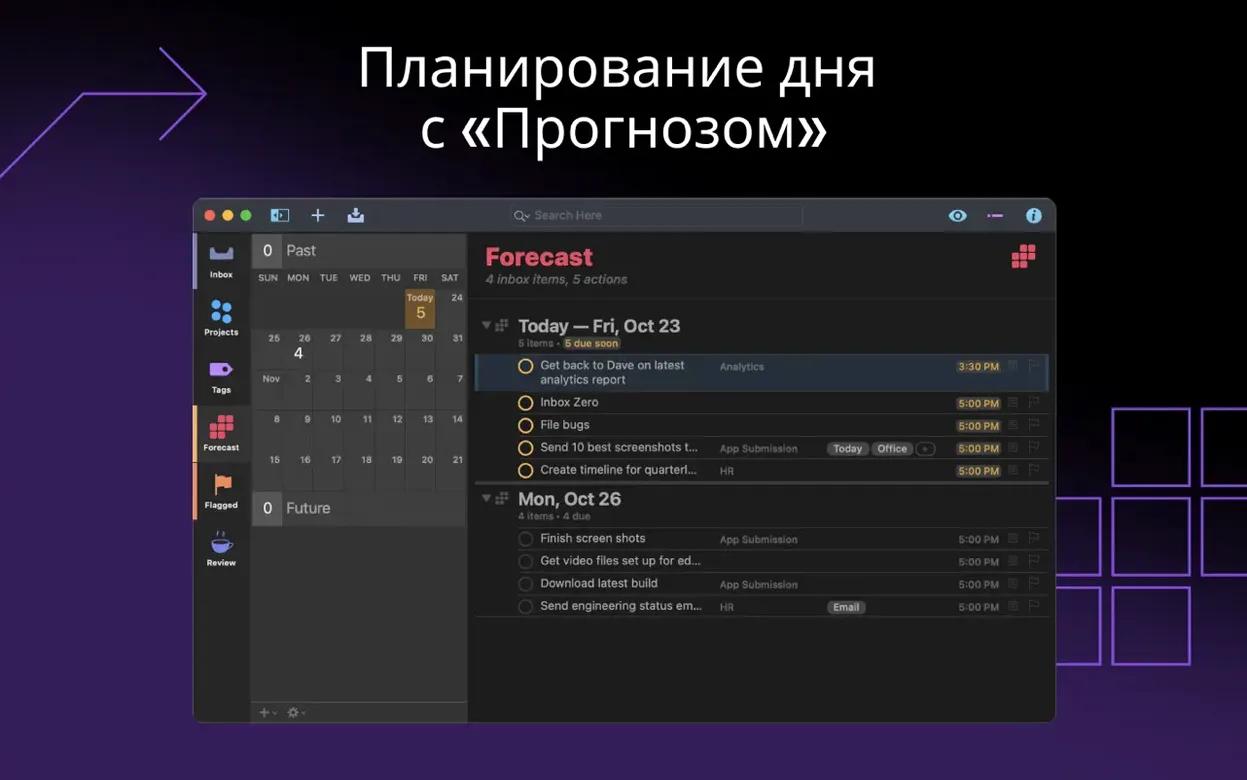
Drag the sanding step under a new “weekend” tag. OmniFocus re-sorts your forecast instantly. You are not rebuilding a system—you are just moving a piece.
When Commitments Arrive Faster Than You Can Finish
Anyone juggling commitments that arrive faster than they can be finished. The Mac app syncs with iPhone, iPad, and Apple Watch, so the plan you shaped at the desk follows you to the hardware store.
Clear Yesterday's Wins From Your View Instantly
Open Preferences on day one and hit the Organization tab. Flip the clean-up setting to Both—it clears completed items from your view and from the database, so you are not staring at yesterday's wins when you need to see what is left.
Under Notifications, kill the badge count for anything except due or overdue items. A red dot with 147 tasks is just noise. A red dot with three items you actually need to touch by 5 p.m. is a signal you will listen to.
Switch the Dates & Times default defer time to 8 a.m. from midnight. Tasks that appear at 12:01 a.m. sit ignored for eight hours and feel stale by breakfast. A morning arrival keeps them fresh and actionable.
First Days: Build the Skeleton Before You Fill It
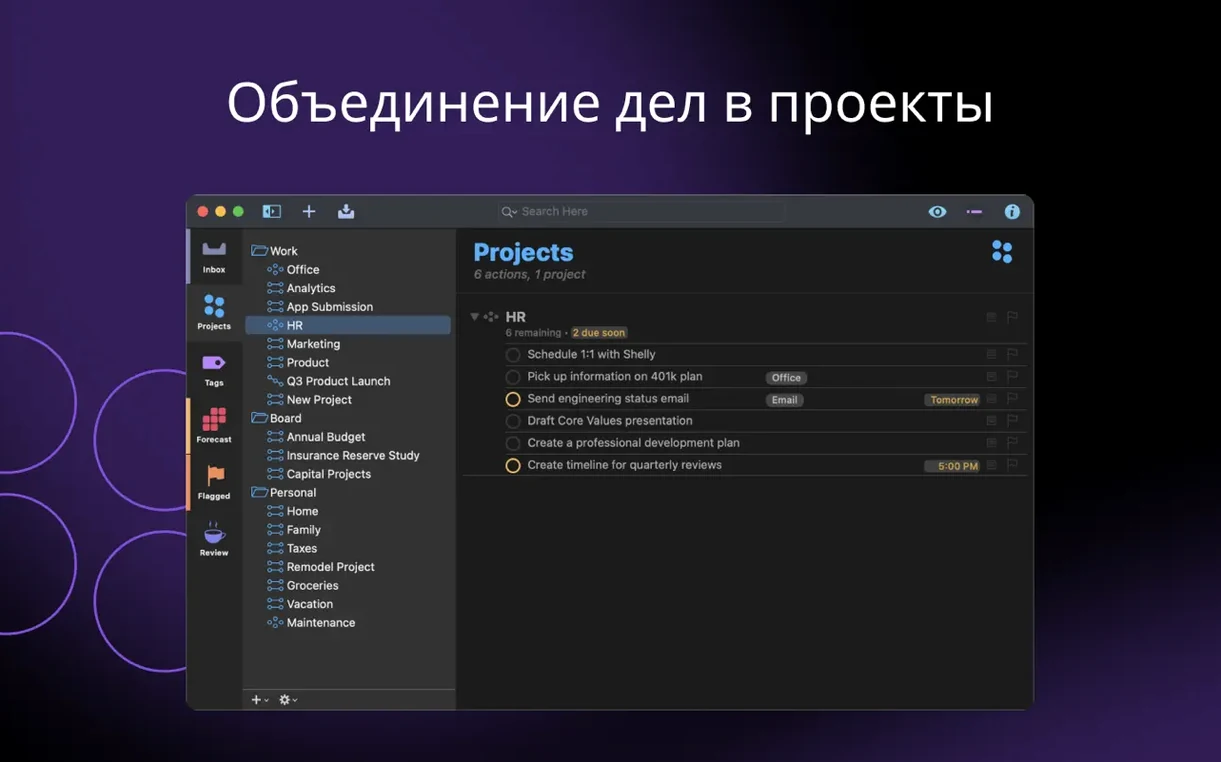
Resist dumping every task you own into the Inbox on day one. That is a recipe for overwhelm, not organization. Instead, build three folders first: Work, Home, and Routines. Then add five projects you touch every week. The structure feels thin for about fifteen minutes, then it clicks.
Set a ten-minute daily review window and guard it. OmniFocus Pro does not require GTD orthodoxy, but a quick morning scan of the Forecast view catches tasks that slid past their defer date and need a new home. Skip this for three days and the system starts to feel like a guilt list instead of a tool.
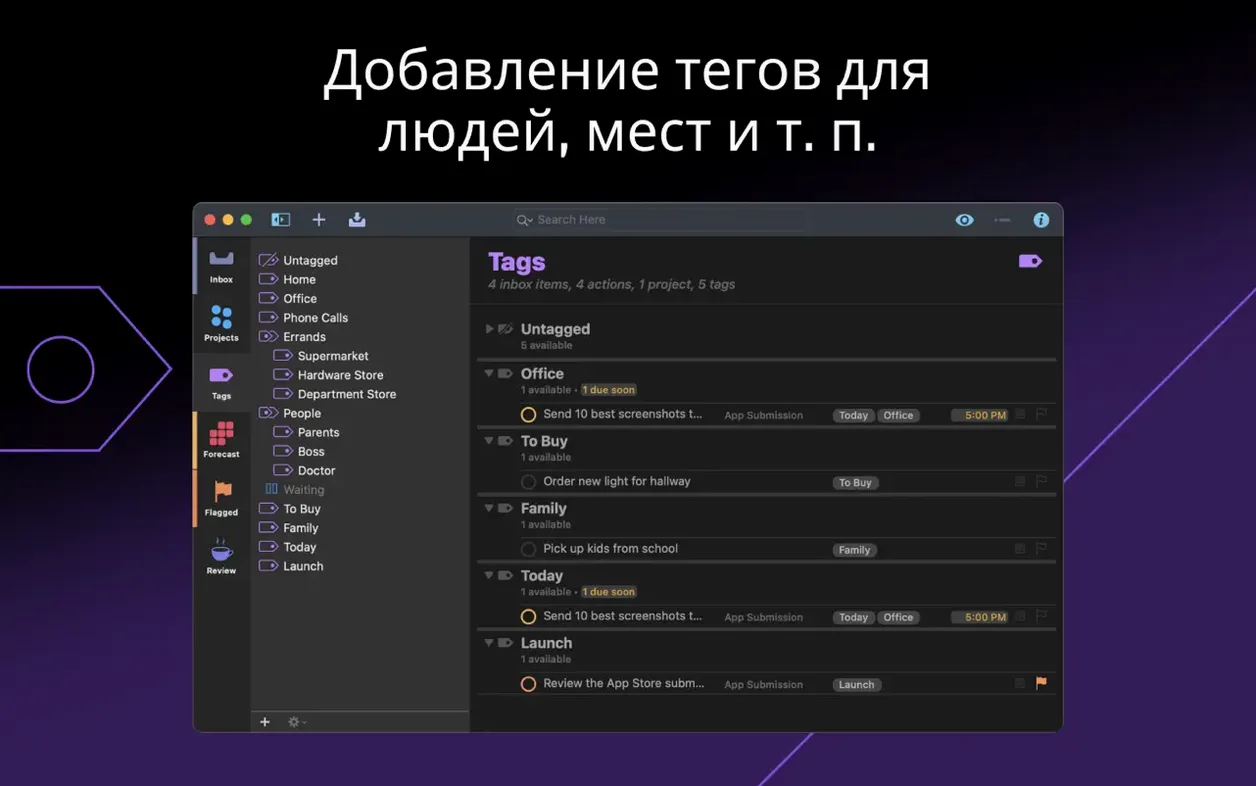
Tag early, tag lightly. A 5min tag and a phone tag let you grab a quick win while waiting for a render. Dozens of tags with color-coding and nested hierarchies—save that for month three.
Easy-to-Miss Shortcuts and Conveniences
- Quick Entry fires from anywhere. The default Control-Option-Space shortcut opens a floating text field. Type a task, assign a project with a colon—
porch rail :Home—and it lands where it belongs. Your hands never leave the keyboard. - The Inspector reveals hidden fields. Select any task and hit Shift-Command-I. You get a side panel with repeat rules, estimated duration, and a notes field that accepts dragged images and files. Most people discover this panel three months late.
- Custom perspectives are the long-term play. Save a view that shows only tagged
5mintasks available today, then pin it to the sidebar. That is your “waiting for an export” list, persistent and one click away. - Drag an email into OmniFocus. It creates a task with a link back to the original message in Mail. The title auto-fills from the subject line. This alone can replace a dozen “flag for follow-up” habits.
- Hold Option while checking a repeating task. It completes only this occurrence instead of advancing the repeat cycle. Useful when you did the thing a day early and do not want next week's instance to shift.
If you are hunting for a smooth way to get the Pro feature set running on a new Mac, you can grab an OmniFocus Pro Mac torrent that includes version 4.9.1 with the TNT activation applied—straightforward install, no gatekeeper wrestling beyond the usual terminal bypass.
The in-app Help got a refresh, and the Open Folders Shortcuts action now shows a flat list of existing folders—no more hunting through nested menus. Also fixed: attachments added via the Add Actions Shortcut always keep their file extension, so nothing arrives as an unknown blob.
- macOS 14 or later
- Intel or Apple Silicon Mac
Notes from the edit bay · 0
Sign in or get an edit-bay pass to leave a note.
No notes from the edit bay yet. They go up after I read them.