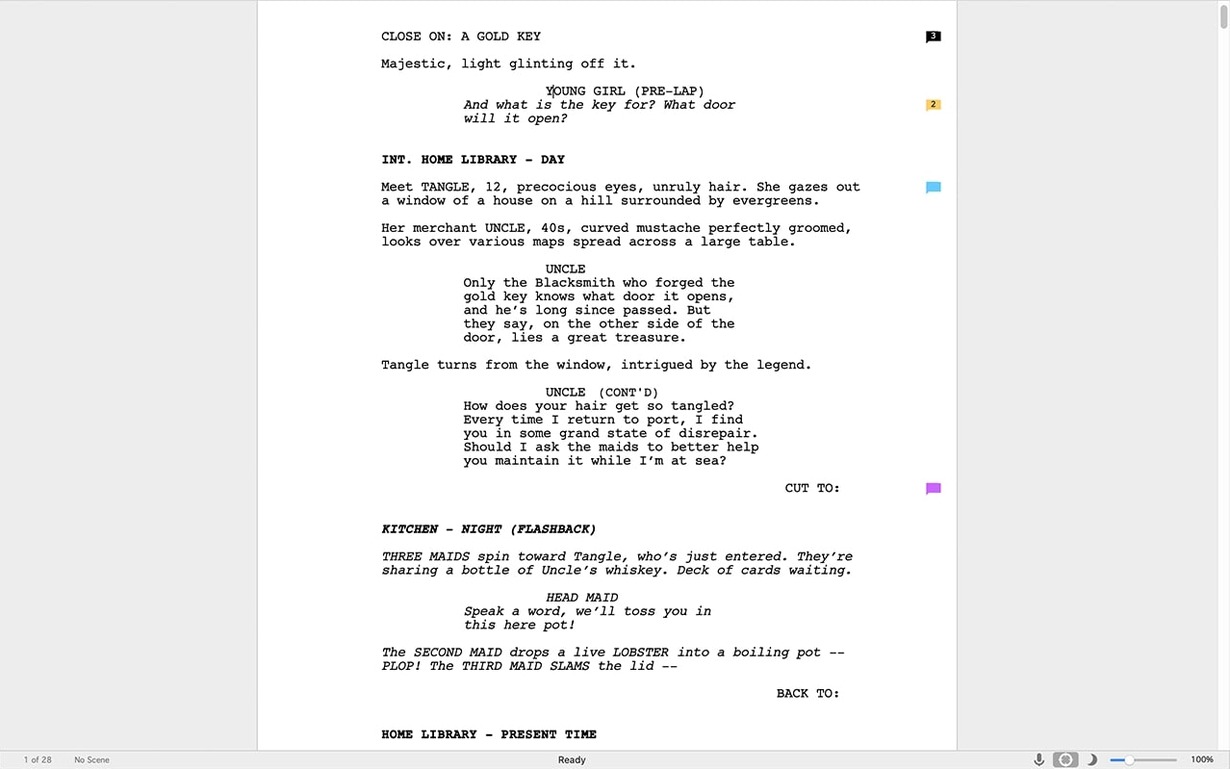
Writers' rooms, showrunners, and indie filmmakers all eventually land on the same page—literally. Final Draft is the expectation when you hand off a script. It formats sluglines, dialogue, and action blocks automatically as you type, so a producer sees exactly what they expect without you wrestling tab stops in Pages.
Built-In Formatting That Meets Industry Standards
- Meeting industry delivery standards without manual tweaking—just write and the formatting follows.
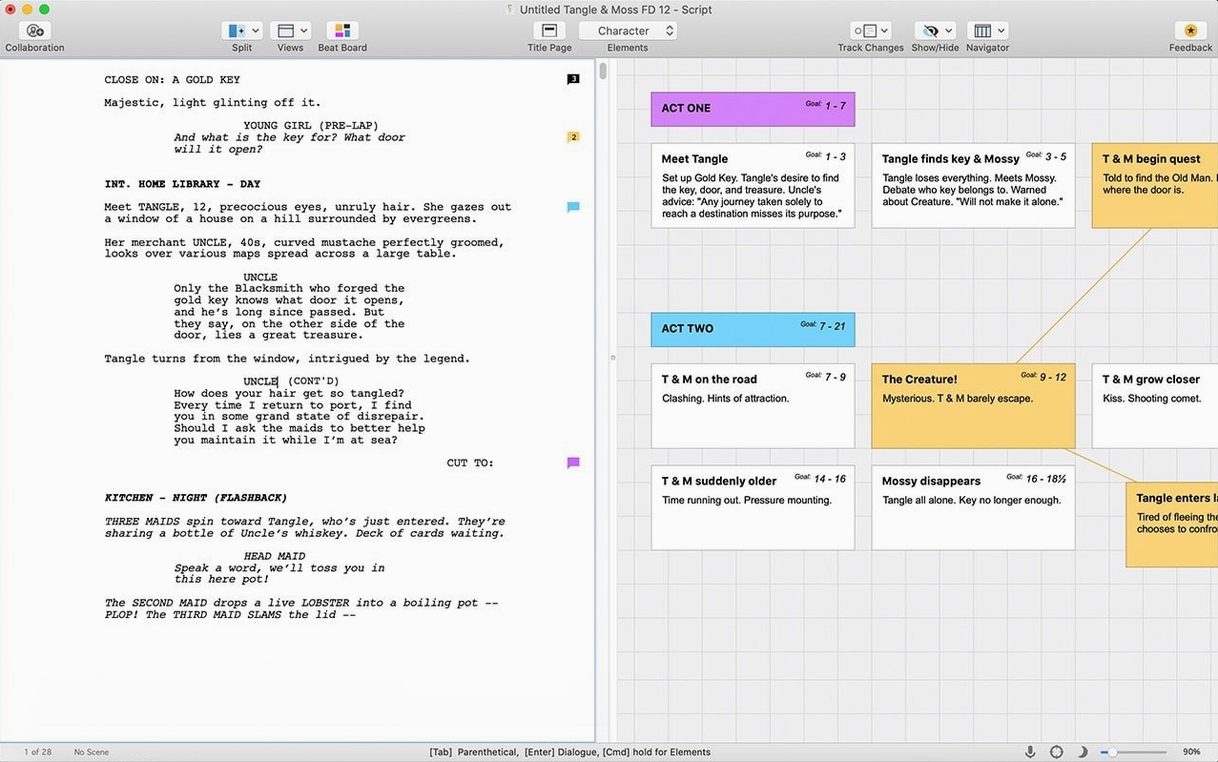
- Keeping structure visible through Navigator and Beat Board views, which sit alongside your pages instead of buried in menus.
- Working across machines, since Final Draft runs on both Mac and Windows with the same file format.
Requires Rosetta on Apple Silicon Macs
- The current version needs macOS Monterey or newer, and it's built for Intel Macs first—Apple Silicon machines run it through Rosetta.
- You'll need an internet connection for the initial sign-in before you get to the script editor.
- Scrivener integration sounds promising, but the handoff only matters if you outline there and finish here.
Performance Under Pressure
Final Draft 13.4.0 feels like a tool that knows its lane. As an Intel binary running through Rosetta on Apple Silicon, I expected some sluggishness, but the surprise is how little that matters for what screenwriters actually do. Pages scroll at full speed. Dialogue auto-complete fires instantly when you hit Tab after a character name. Even scripts north of 120 pages don't stutter during continuous typing.
Memory usage sits around 300–400 MB with a feature-length script open—modest by current standards. I've seen it climb closer to 600 MB when the Beat Board is loaded with dozens of index cards and images, but nothing that would choke an M1 or M2 machine with 8 GB of RAM. The real resource story is CPU. Final Draft barely touches the processor during writing. Background spell-check, pagination recalculation, and the occasional auto-save write are the only blips. Compare that to a video editor or a DAW, and it's practically asleep.
Stability is where this version earns its keep. Through five-hour writing sessions, multiple script tabs, and constant switching between normal view and index card mode, I haven't seen a single unexpected quit. The one hiccup: waking a Mac from sleep sometimes leaves the activation check spinning for ten seconds before the script reappears. Not a crash, just an awkward pause. If you're hunting for a Final Draft 13 crack Mac download, this TNT release has been solid through heavy daily use.
Startup time is around four seconds cold, two seconds warm—fine for an app that many writers leave open all day. The only real performance gripe is the script-to-PDF export on very long projects. A 150-page script with revisions tracked takes about eight seconds to render, which isn't unreasonable, but the progress bar sits at zero for most of that. Small thing. Still worth mentioning when you're staring at it at 2 AM before a deadline.
A Story Editor's Morning
Mia is a story editor on a streaming drama series. Her job isn't writing first drafts—it's taking the showrunner's notes and turning a 65-page mess into a shootable 58-page episode by lunch. She lives in revision mode.
She opens the latest draft from a staff writer. The script is littered with colored revision marks from three different people. Mia switches her revision set to blue, pages through the first act, and starts tightening. A scene runs long in the kitchen location—she opens the Beat Board, drags the kitchen beats from page 14 to page 9, and watches the Navigator shuffle everything down. No copy-paste. No orphaned scene headers.
When the showrunner texts asking for a quick read of the new cold open, Mia exports page 1–8 as a watermarked PDF from the revised draft and sends it before her coffee cools. By 11 AM she's locked the episode, saved a copy with the production draft label, and opened the next script. For her, Final Draft isn't creative software. It's logistics software. Speed and revision clarity are the whole point.
Writers Who Outline With Beat Board and Navigator
TV Staff Writers
If you're in a writers' room, you're not choosing your tools—you're matching everyone else's. Final Draft's .fdx format is the shared language. Multiple revision sets, scene numbering, and tag-based reporting mean a script coordinator can extract props lists, cast reports, and location breakdowns from your file without asking you to reformat anything.
Playwrights
Stage plays have their own formatting quirks, and Final Draft handles them without fuss. Character names centered, parentheticals for stage directions, and the ability to switch templates mid-project. Playwrights who also do film work get a single tool for both formats, which keeps muscle memory intact.
Film School Students
The learning curve from free alternatives like WriterSolo or Fountain-based apps is real, but the payoff is walking into class with a properly formatted script. Instructors notice. Peers who grabbed a final draft free download mac link from a forum are suddenly on the same playing field as the kid whose parents bought a license.
Indie Producers
These folks rarely write from scratch. They receive scripts, mark them up, generate breakdown sheets, and send revision drafts to department heads. Final Draft's production features—revision mode, tagged elements, reporting—are built for exactly this. The writing tools are almost secondary for this group.
Building a Shooting Script, Step by Step
Let's walk through turning a locked draft into a production-ready shooting script. This is the workflow that separates Final Draft from basic screenwriting apps.
1. Lock the script. With the final draft approved, go to the Production menu and choose Lock Script. This locks all existing pages and scene numbers. From here on, any change gets tracked as a revision.
2. Set your revision colors. Production revisions use a standard color cycle: white, blue, pink, yellow, green, and so on. Pick your starting color and enable revision mode. Every edit you make from this point gets marked with that color in the margin and the revision report.
3. Add scene numbers if they aren't already there. Production scene numbers must stay locked even if you later insert scenes. Final Draft handles this by assigning new scenes a letter suffix or a decimal number, depending on your settings. The old scene 14 stays scene 14; a new scene before it becomes A14 or 13A.
4. Tag elements for reporting. Select a character name, a prop mention, a location slug, or a costume note, and apply a tag from the production panel. These tags feed the reports. A props master wants to see every tagged prop, sorted by scene, from one script. Tagging takes minutes and saves hours downstream.
5. Generate and export reports. Open Reports from the Production menu. Choose your report type—cast list, scene list, location list, props list, whatever the department heads need. Final Draft builds a formatted document you can export as PDF or print directly. No spreadsheet wrangling.
6. Distribute revision pages. When the director requests changes to scenes 22, 23, and 45, you make the edits, then print or export only those revised pages. The colored revision marks tell the crew exactly what changed. They swap out the old pages in their binders; the rest of the script stays intact.
This entire workflow lives inside Final Draft. No jumping to Excel, no manually updating page counts, no accidental scene renumbering. That's what people mean when they say it's the industry standard—the toolchain works because everyone's following the same steps.
Sign-In Demands a Connection Before You Can Edit
Rosetta Translation Pauses
On Apple Silicon, Final Draft runs fine, but the first launch after a reboot can take an extra five seconds while Rosetta spins up. It's not a crash—just wait. If the app seems frozen on the splash screen, force-quit and relaunch. Second time's the charm. People hunting a final draft 12 download often assume older versions avoid this, but those have their own compatibility quirks on newer macOS builds.
Activation Spinner After Sleep
This is the most common grumble. Close the lid, open it an hour later, and Final Draft sits there with a spinning cursor. The workaround is simple: quit the app before sleeping, or just wait it out—it resolves in under fifteen seconds every time. Not elegant, but not destructive either.
Scrivener Integration Confusion
The Scrivener handoff isn't a live sync. You export from Scrivener as .fdx, open in Final Draft, and from that point the files are separate. Changes in one won't appear in the other. If you're deep into revisions in Final Draft and decide to restructure your outline in Scrivener, you'll need to re-import and merge. The integration is a bridge, not a tunnel.
Beat Board Import Hiccups
Dragging images onto the Beat Board works until it doesn't. Large image files—anything over a few megabytes—can slow the board to a crawl. Resize images before importing, or stick to text cards and use the image placeholder as a reference instead of a mood board.
PDF Export Stalls on Long Scripts
As mentioned earlier, the progress indicator lies. If a script over 130 pages with heavy revision tracking seems stuck during export, don't force-quit. Give it a minute. The export almost always completes; the bar just doesn't update smoothly. This has been a quirk through several versions, and 13.4.0 hasn't shaken it.
Collaboration Without the Cloud
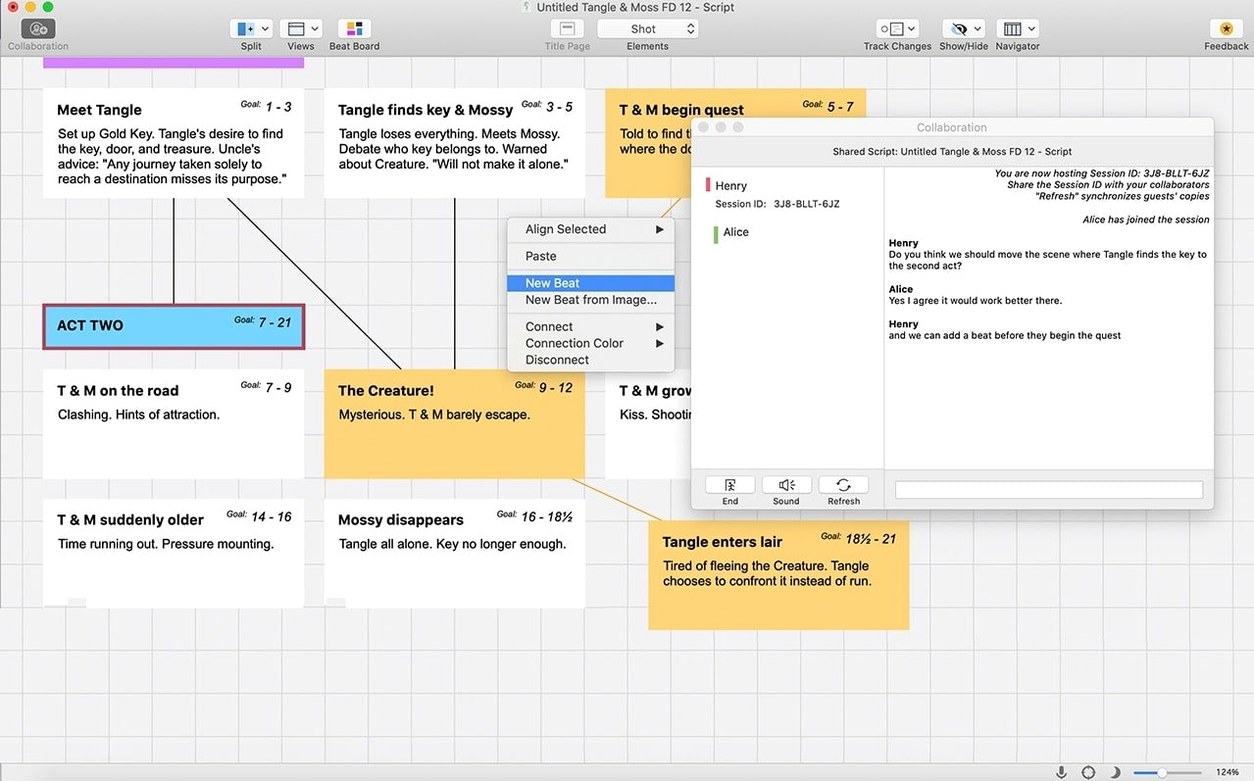
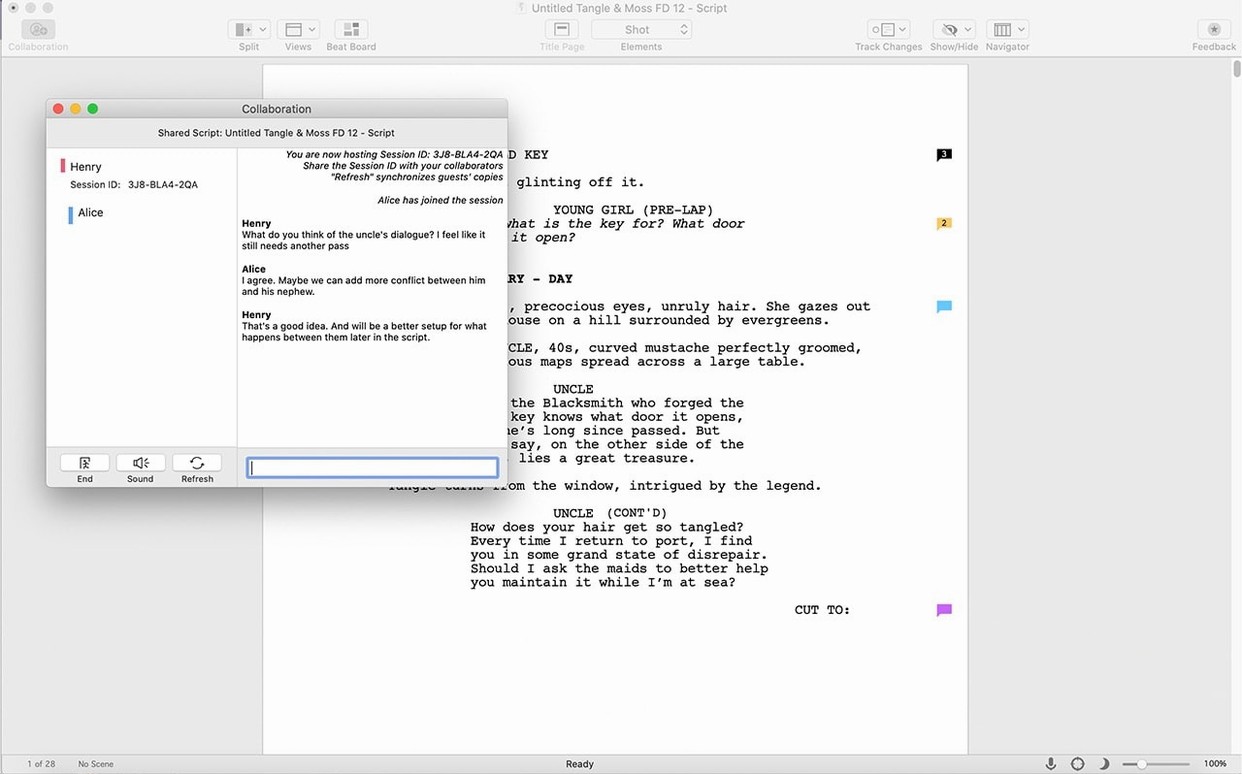
Final Draft 13 dropped real-time collaboration for the desktop app—that feature is now tied to the separate Final Draft 13 subscription service. If you grabbed a Final Draft 13 Mac torrent expecting live co-writing, that's not here. The workaround is old-school: work in sequence, pass the .fdx file, and use revision mode to track who changed what. Not ideal, but functional for small teams.
- macOS: macOS 12 Monterey or later
- Architecture: Intel (x86-64); runs via Rosetta on Apple Silicon
- Other: Active internet connection for initial sign-in
- Languages: English
Questions I actually get
Does Final Draft 13 work on Apple Silicon Macs?
Yes, but it runs as an Intel app through Rosetta 2—there isn't a native ARM build yet.
Notes from the edit bay · 0
Sign in or get an edit-bay pass to leave a note.
No notes from the edit bay yet. They go up after I read them.