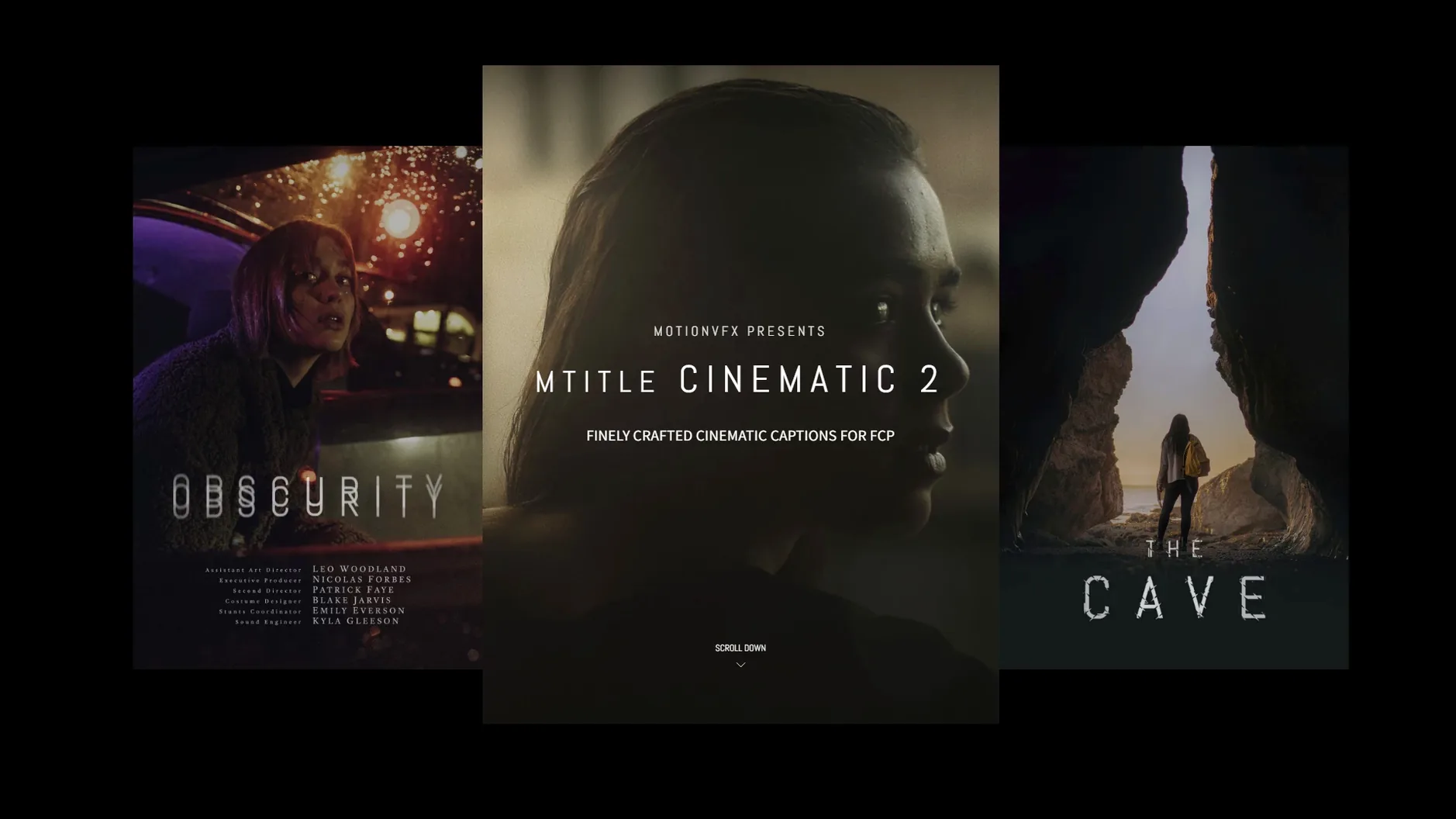
Fifty animated titles, one job: making an opener, a caption or a credit roll feel cinematic. mTitle Cinematic is a motionVFX pack for Final Cut Pro, built in a horizontal aspect ratio for film-style cards rather than social verticals. Every title is a template that drops straight onto an FCP storyline, so you type your text, tweak the published parameters in the inspector, and keep cutting. No round-tripping, no pre-render trickery, and no activation step.
| Good to know | |
|---|---|
| Developer | motionVFX |
| Set size | 50 titles |
| Style | Cinematic openers, captions, credits |
| Host | Final Cut Pro 10.4.6 or Motion 5.4.3 |
Where does it fit? This isn't a workhorse for talking-head captions. It's what you reach for when the cut needs a film-out moment or a title sequence that feels shot, not typed — a featurette cold open, a stylized credit sequence on a music video.
Tweak These Settings First
Drop a title onto the timeline, select it, and open the inspector. The first thing I do is pull back the default scale. Some of these templates arrive at 120% or more, which looks great on a clean hero shot but chokes on a busy background. Knock it to 95–105% and the text breathes. Next, check the Blur In/Out sliders — they control the rack-focus feel that sells the cinematic promise. A value of 4–6 frames gives you that soft glass pull without the audience noticing the trick.
Color tags are buried in the title parameters under a dropdown usually labeled Style or Grade. Flip through them before touching the color board. The teal-and-amber preset gets you 80% of the way to a blockbuster look in one click; the monochrome options sit well under interview audio. If you plan to reuse a look, park a modified title in a library of custom templates so you're not rebuilding the grade at 2 a.m.
Where Short-Form Narrative Gets Room to Breathe
Editors cutting short-form narrative — music videos, branded docs, festival bumpers — feel the hit immediately. These titles are paced for a timeline that breathes, not a social cut that slams information in the first eight frames. If your gigs revolve around corporate explainers or YouTube talking-head content, the pack is over-dressed for the room. You'd spend more time dialing back the drama than cutting.
The sweet spot is the Final Cut Pro user who already builds their own title stacks in Motion but wants a starting point that doesn't look like a template. Someone who knows how a lens blur interacts with a light leak and just needs the bones. If you've ever pulled a PNG dust overlay into a compound clip and spent twenty minutes keyframing opacity, mTitle Cinematic shortens that entire afternoon. The search terms mtitle cinematic 2 and mtitle cinematic surface for good reason — editors keep sniffing out the next version because the base pack covers so much ground.
Crafting Chapter Cards for a Whiskey Brand Film
Picture this: a three-minute brand film for a whiskey distillery. The timeline has copper stills, slow-motion pours, drone passes over barley fields. The director wants chapter cards — "The Grain," "The Still," "The Cask" — that feel like title cards from a theatrical documentary, not lower-thirds. I pull up the mTitle browser in Final Cut Pro, skim the thumbnails with the playhead, and land on a centered opener with a horizontal light sweep.
Drag it above the first drone clip. Type "The Grain" into the text field. The default font is too polite, so I swap it for a serif with some weight — something that holds the frame against the wide landscape. In the inspector I dial the light sweep intensity down to 40%, nudge the sweep angle 15 degrees so it follows the drone's movement, and set the blur-in to five frames. Play it back. The card lands before the audience consciously registers it. That's the goal.
Copy the title to the next two chapter points, change the text, and tweak the sweep direction for each shot so it never repeats the same motion twice. Total time invested: under twelve minutes for all three cards. Export a ProRes master. The director asks if I composited them in a separate pass. I didn't — and that's the whole point of a pack that slots into an FCP storyline without breaking the playback pipeline.
First Days: Tips That Stick
Before you cut a single frame of a paid project, throw five titles onto a scratch timeline with mixed media — dark footage, bright exteriors, interview close-ups. Flip through every style preset on each title. You'll build a mental index of which templates choke on fine detail and which ones punch through a backlit window. That fifteen minutes saves you from auditioning effects while a client watches over your shoulder.
Build a favorites folder inside the Motion Templates directory. Not every title deserves a spot, but the six or eight you'll actually use should be one click away. Name them by function — "Cold Open Fade," "Credit Roll Wide" — not by the template number. Future-you at deadline will thank present-you.
If you're hunting for the pack through the usual channels, motionvfx torrent and mtitle mega pack dvr pop up in searches, but the single-pack mtitle cinematic 2 free download queries tell you something: people want the updated version because the original set covers enough ground that editors want the sequel. Install goes the same way either route: the files land in /Users/username/Movies/Motion Templates/Titles, Final Cut Pro sees them on relaunch, and you're cutting with them immediately. No activation dialog, no license key field — just templates that appear in the browser like any other title.
- macOS 10.14.4 or later
- Final Cut Pro 10.4.6 or Motion 5.4.3
Questions I actually get
Does mTitle Cinematic work in DaVinci Resolve or Premiere Pro?
No. The package is built for Final Cut Pro and needs Final Cut Pro 10.4.6 or Motion 5.4.3.
Does it support vertical video?
The titles use a horizontal aspect ratio, so they suit standard widescreen timelines.
Notes from the edit bay · 0
Sign in or get an edit-bay pass to leave a note.
No notes from the edit bay yet. They go up after I read them.