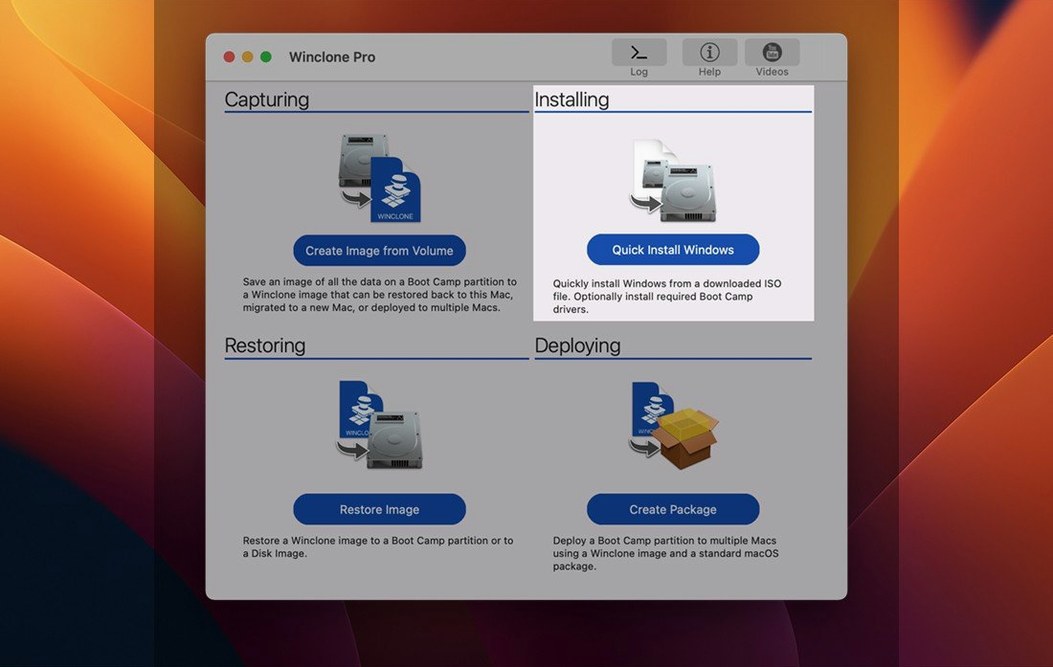
10.5 is the build that adds Tahoe compatibility and tightens the OS floor to Catalina. For anyone shuffling Windows installations between Intel Macs, that version number means a tool that still handles the messy work of sector-by-sector cloning so you don't have to.
Clone the Boot Camp partition
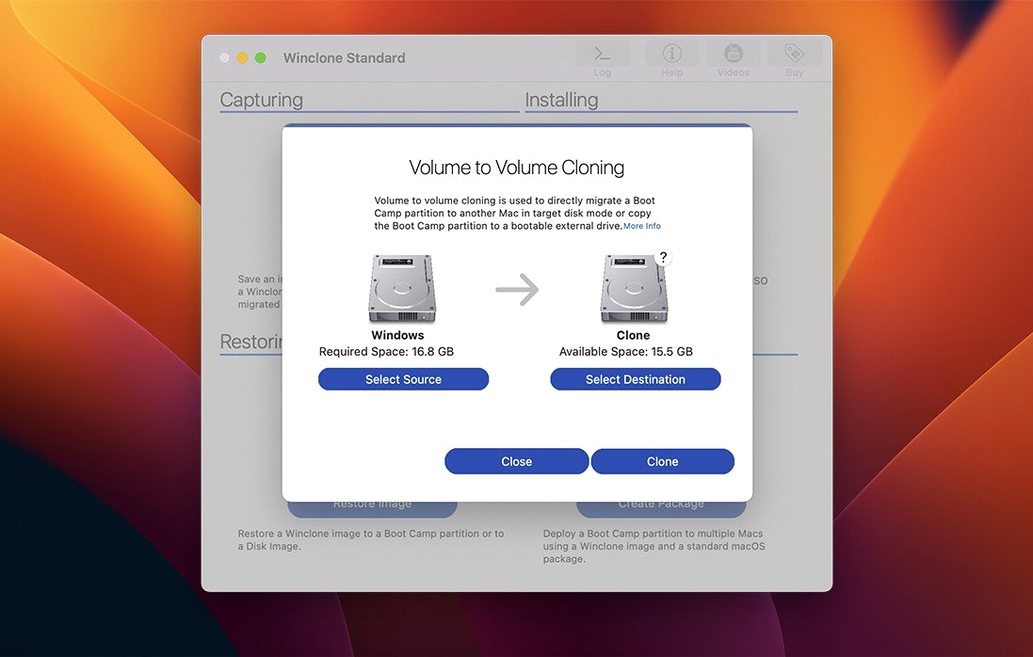
Select your Windows volume, point Winclone Pro at an external drive or a network share, and let it pull a block-based image. The incremental option kicks in on subsequent runs, so you are only moving changed blocks — a real time-saver when a 120 GB partition needs a quick refresh before a hardware swap.
Restore to a new drive
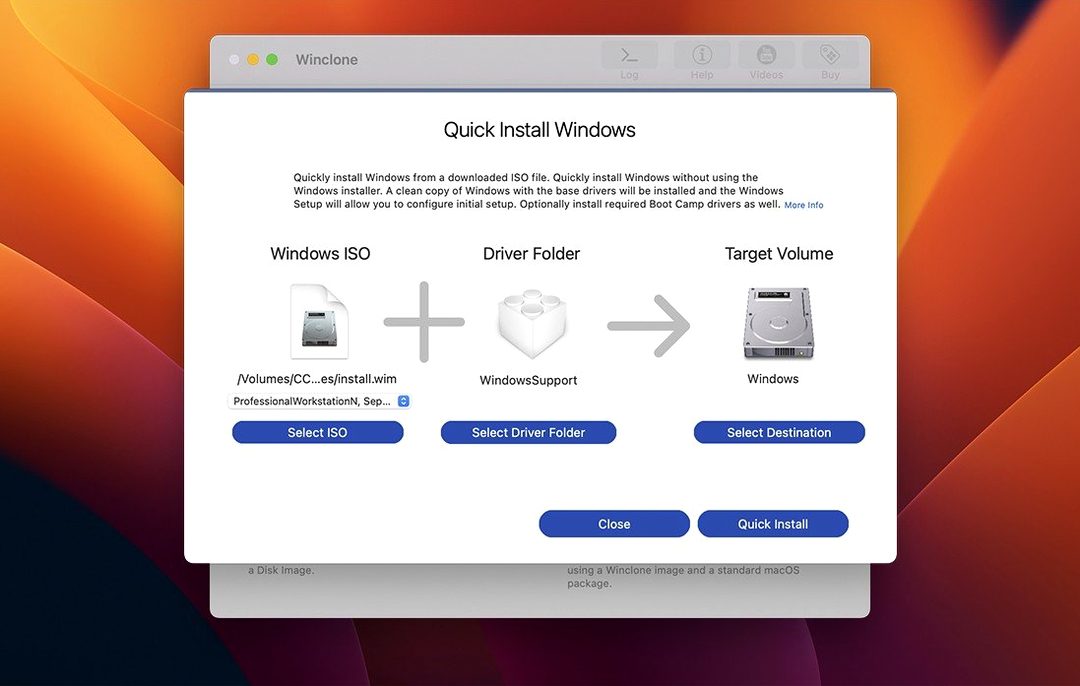
Winclone Pro writes images back to DOS-FAT32, ExFAT, or NTFS volumes. During the restore you can toggle between making the target EFI-bootable for Windows 7 and later or creating a legacy installation, depending on what the hardware expects. The app also flags inconsistent GPT and MBR boot records before they cause a black screen at startup.
Build a package installer
This is the feature that shifts the tool from a personal utility into something an IT bench can use. Winclone Pro wraps a Boot Camp partition and a restore routine into a single package installer — deploy it across a lab of iMacs without touching each machine individually. A sound notification chimes when the job finishes or fails, so nobody has to babysit a progress bar.
Can It Restore From a Dead Mac?
Most people want to know if Winclone Pro can rescue a Windows install from a Mac that is already dead. The answer depends on whether the drive still mounts. If you can see the Boot Camp volume in Disk Utility or connect the drive externally, Winclone Pro can usually pull an image from it. If the drive does not mount at all, no cloning tool will help — that is a data recovery job, not a migration job.
Another common one: does the image only work on the same Mac? No. Winclone Pro handles local disk-to-disk migration, so you can move a Windows partition from a 2019 iMac to a 2020 MacBook Pro without reinstalling anything. The app adjusts partition size during restore, shrinking or expanding the file system to fit the target drive. That alone saves a full afternoon of driver updates and Windows reactivation phone calls.
People also ask whether they need to keep the Boot Camp partition around after cloning. Not necessarily. Once you have a verified image on external storage or a network share, you can reclaim that space on the Mac and restore later when you need Windows again. Just make sure the image is not your only copy of anything important.
Silent Deployment for IT Labs
Lab managers and school IT staff are the obvious audience. Packaging a single Windows image and deploying it to a dozen student iMacs beats configuring each one by hand, and the sound notification means a tech can start the job and walk across the room without checking the screen every two minutes.
Freelancers and small studios also benefit when a client requires Windows-only software for a specific project. Instead of dedicating an entire Mac to Boot Camp permanently, you can keep a clean Windows image on an external SSD and restore it when the gig starts, then archive it again when the project wraps.
Anyone who has ever rebuilt a Windows partition from scratch after a failed macOS update will understand why having a current image matters. Winclone Pro turns that rebuild into a ten-minute restore instead of an evening of installing Windows updates one at a time.
Fast Startup Breaks Your Clone
The biggest one is cloning a partition while Windows is running with hibernation enabled. Boot Camp Windows often defaults to fast startup, which leaves the file system in a half-suspended state. The clone might complete, but the restored system can boot into a repair loop. Shut Windows down fully before imaging — no sleep, no hibernate.
Another classic: restoring an image to the wrong volume. The target selection is clear, but people in a hurry have wiped the wrong external drive more than once. Label your drives before you start, and double-check the destination path in the restore window.
Beginners also forget to verify the image after cloning. Winclone Pro reports completion, but a quick restore test to a spare volume or external enclosure is the only way to know the image actually boots. Skip that step and you might discover the problem exactly when you need the backup most.
Finally, do not treat the incremental image feature as a replacement for a full image. Incremental runs save changed blocks, but over many sessions the chain can get long. Keep at least one complete, standalone image on separate storage so you are never depending on a chain of fragments to rebuild a system.
Winclone 10.5 locks in support for macOS Tahoe and trims the requirements so Catalina is the oldest OS it runs on. Also fixed: the package installer flow and detection of inconsistent GPT/MBR records got attention under the hood.
- macOS 10.15 or later
- Intel-based Mac
Questions I actually get
Does Winclone Pro work on Apple Silicon Macs?
No, Winclone Pro requires an Intel-based Mac and macOS 10.15 or later.
What file systems can Winclone Pro restore to?
It supports restoring images to DOS-FAT32, ExFAT, and NTFS-formatted volumes.
Can Winclone Pro create incremental backups?
Yes, after the initial full clone it can capture only the changed blocks to save time and storage space.
Notes from the edit bay · 0
Sign in or get an edit-bay pass to leave a note.
No notes from the edit bay yet. They go up after I read them.