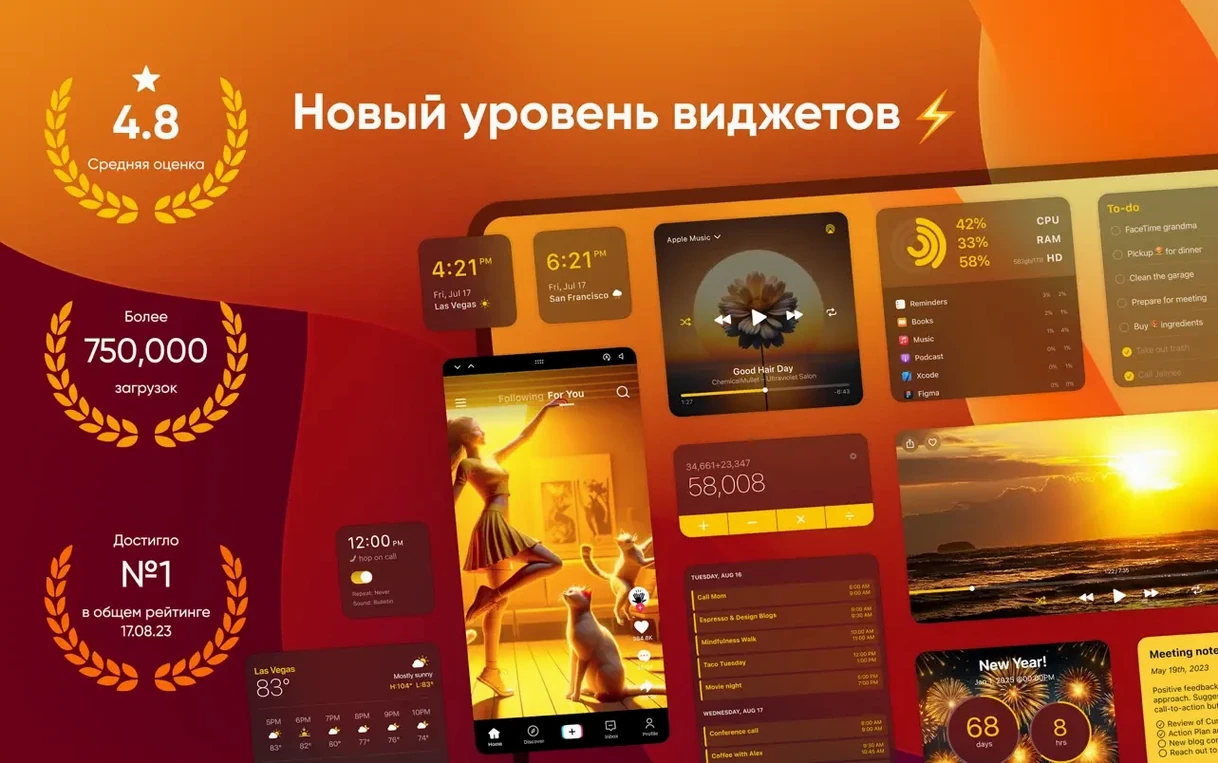
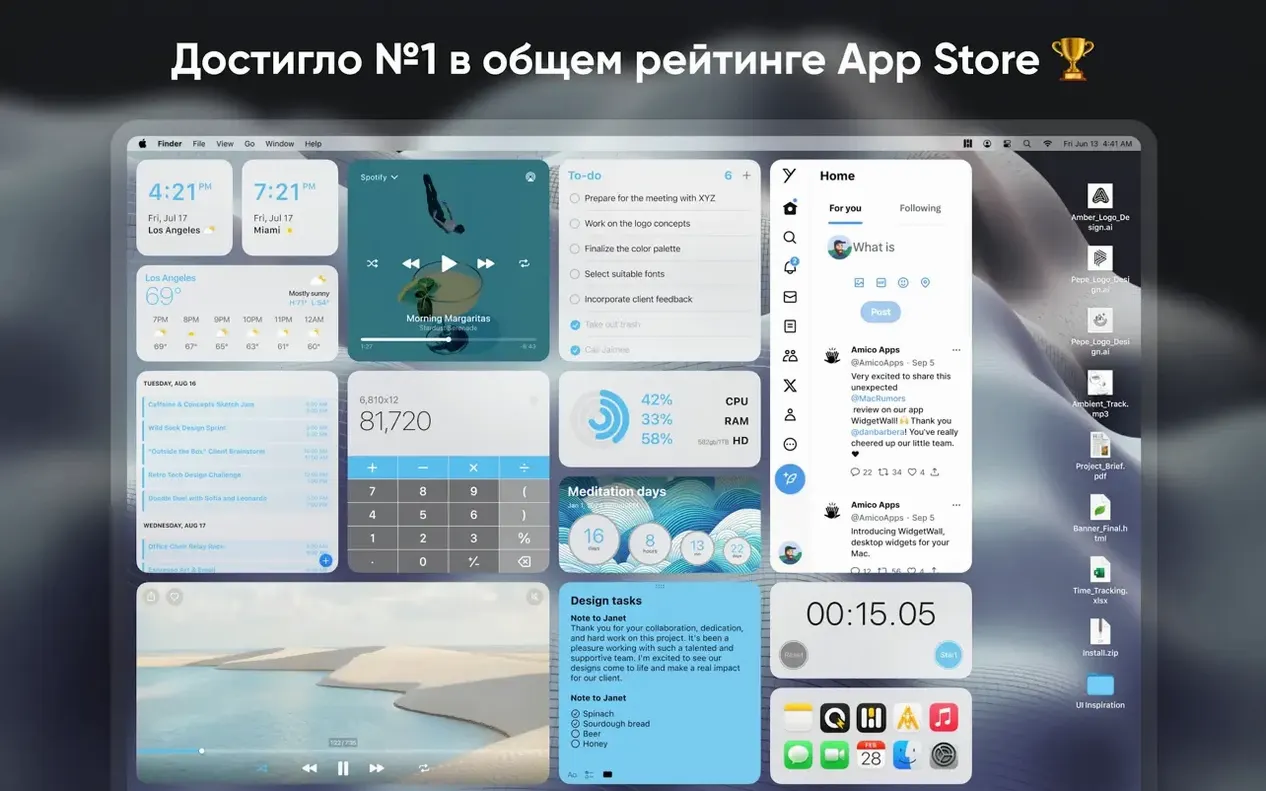
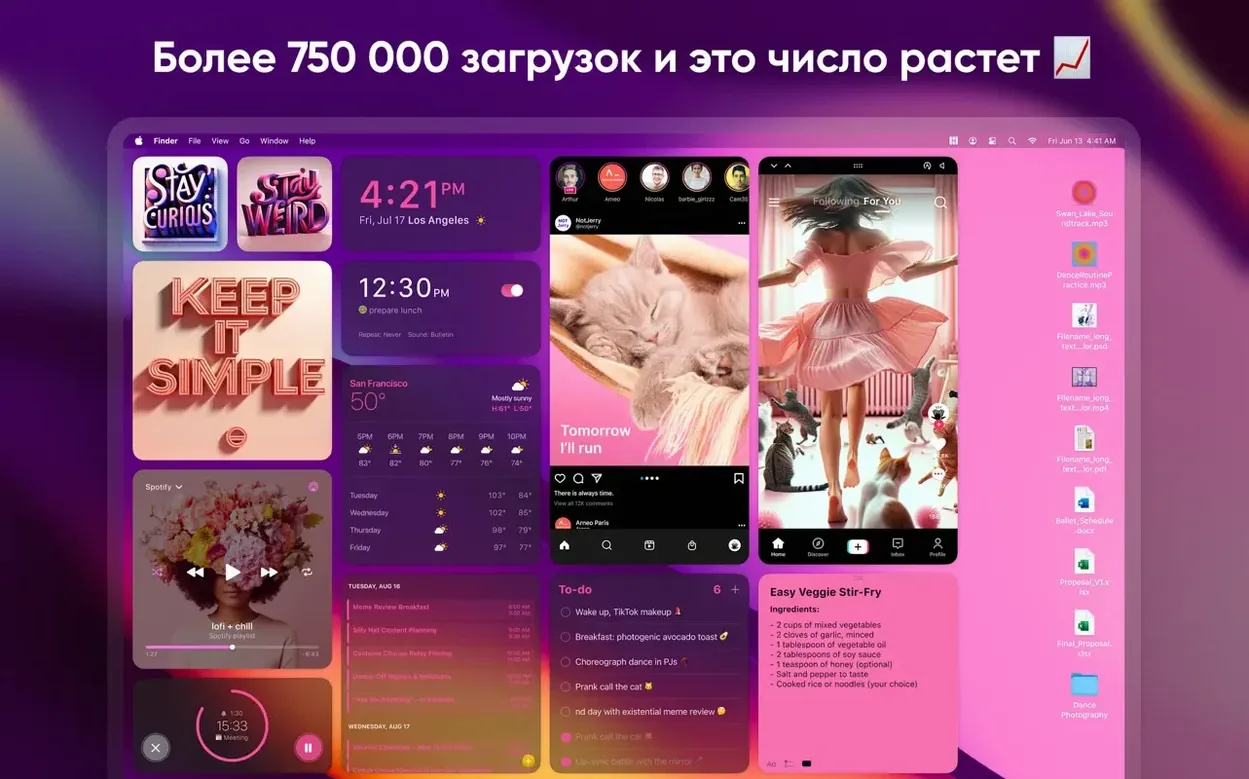
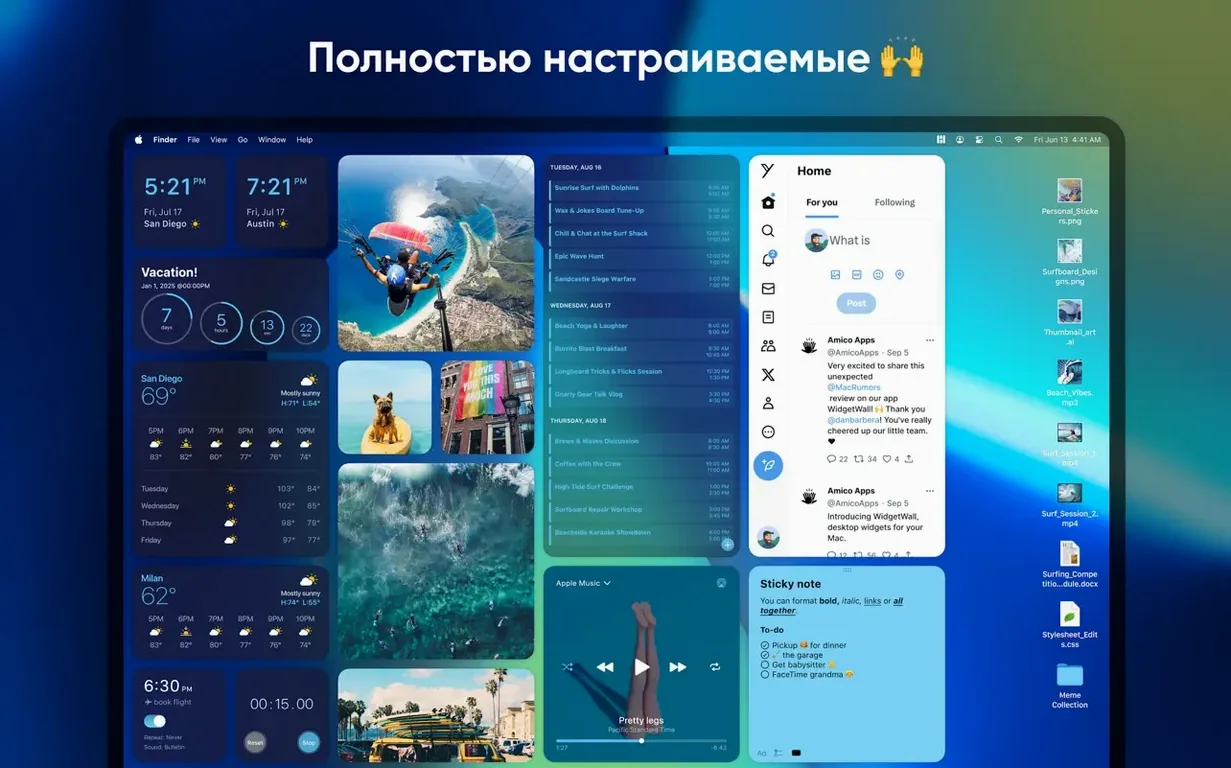
Notification Center widgets are fine until you have to swipe to see them. WidgetWall takes that same idea and pins it straight to the desktop, where a glance actually works.
Pick a widget and size it
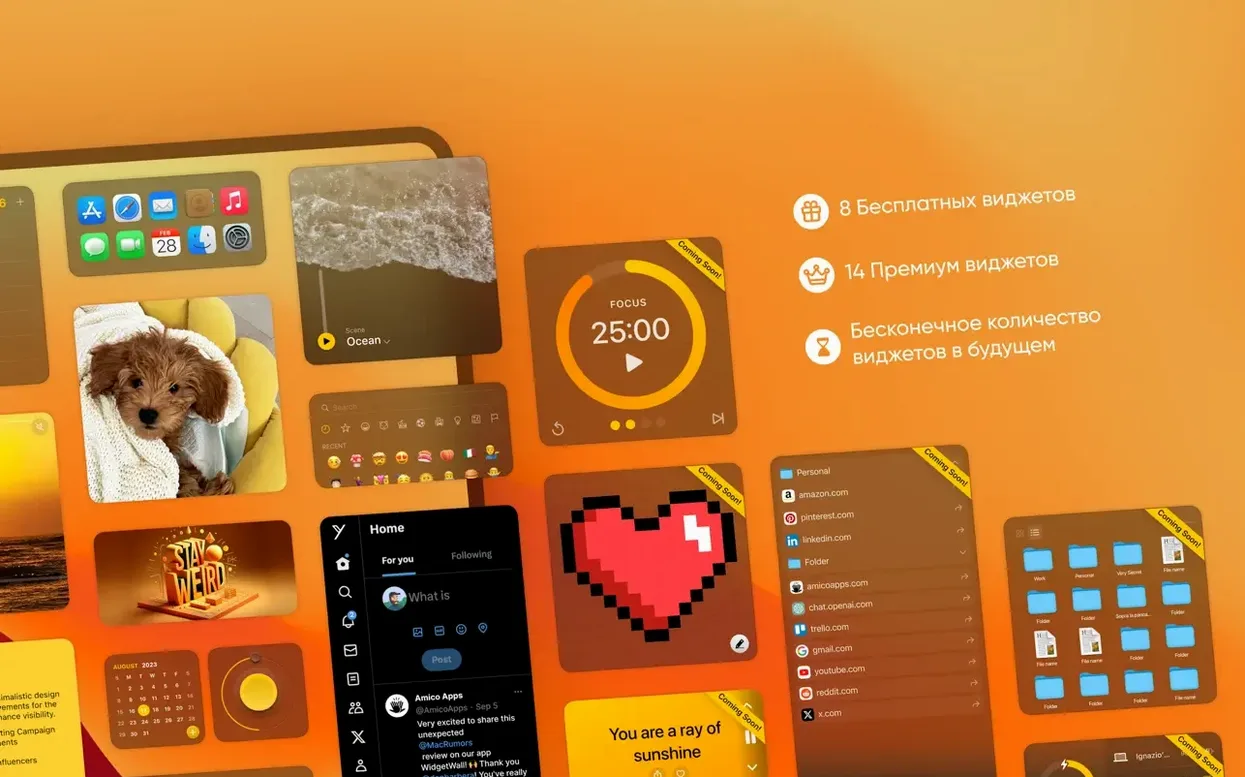
Drag any widget out of the gallery. Small, medium, or large — each one snaps to a preset grid so things stay tidy. I land on the large clock and a medium calendar to anchor the right edge of my screen.
Place it for your workflow
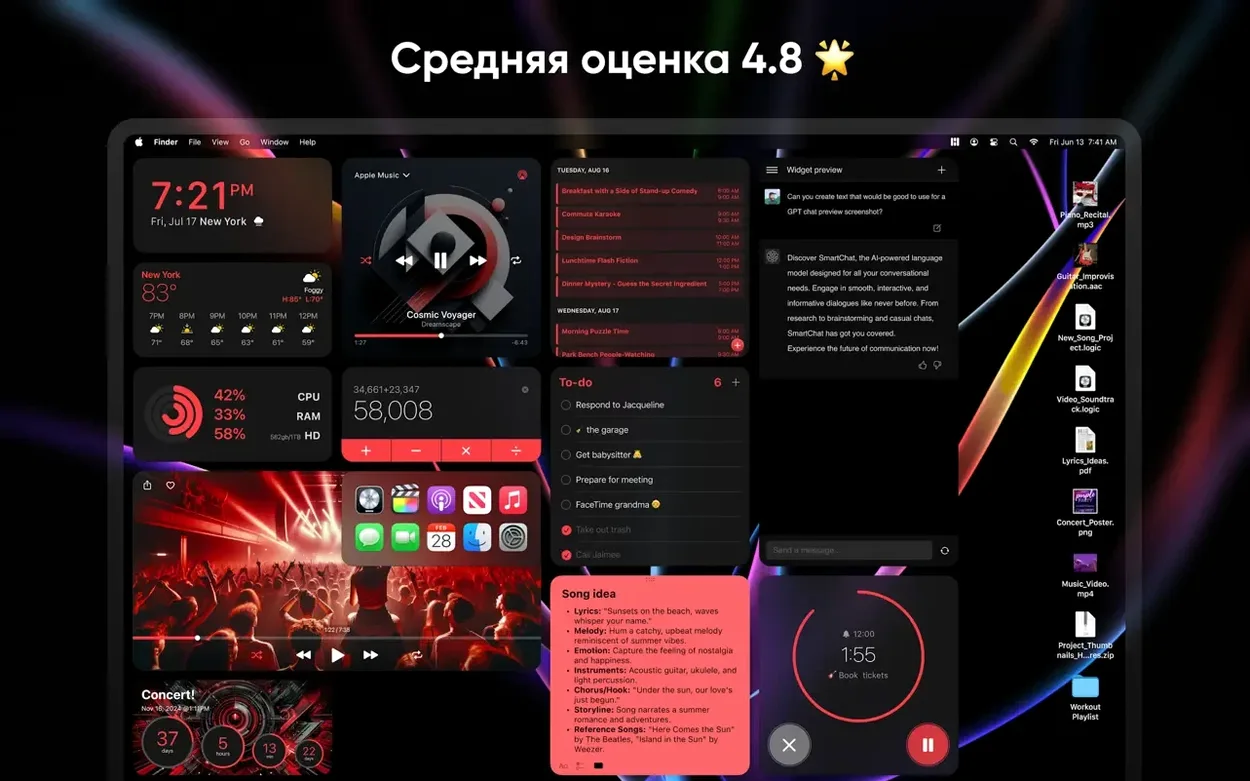
I keep system monitors tucked low near the Dock, where a flick of the eyes catches CPU and RAM. The sticky-note widget sits top-left because that's where my brain expects a to-do list.
Set it and stop thinking about it
Once the widgets are placed, WidgetWall stays out of the way. No dock icon clutter, no daily re-configuration. The wallpaper peeks through, and the widgets behave like part of the desktop, not another window to manage.
Cold Brew, Raw Footage, and the Clock Ticking Down to a Client Call
I start the morning with cold brew and a project folder full of raw footage. The desktop already shows me what I need. The large clock widget sits top-right — I know I have twenty minutes before the client call. The Reminders widget shows three items left from yesterday, carried over automatically.
I need a countdown for a render deadline. Right-click the desktop, pick Countdown Timer from the gallery, set it to two hours. It lands in medium size just below the clock. No window to open, no menu-bar app to hunt for. The timer starts ticking, and I get back to the timeline.
Mid-morning, I drag a White Noise widget onto the left edge. Rain sounds. I tap it once to start, once to stop. It stays visible so I remember it's running — a small thing that saves me from wondering why my headphones are hissing an hour later.
By afternoon, the Stats widget tells me memory pressure is yellow. I quit a few background apps, watch it drop to green, and keep cutting. The whole day, I never opened Notification Center. WidgetWall ran the session without a single beach ball.
Turn a Reference Stills Folder into a Passive Mood Board
Some widgets do more than you'd guess from the icon. The Photos widget cycles through a folder you pick — point it at a reference stills folder, and it becomes a passive mood board. The Calculator widget works inline; you type numbers without leaving the desktop. No equals button hunting, no separate app.
The App Shortcuts widget deserves a look. Drop your six most-launched apps into it, and they sit as tappable icons. I keep Final Cut, Compressor, HandBrake, Music, Notes, and Safari there. It beats digging through the Dock or Launchpad when you're deep in a project.
Hold Option while moving a widget, and it disables the snap grid — helpful when you want things nudged just a few pixels off alignment for a looser layout. Double-click any widget to cycle through small, medium, and large sizes without reopening the gallery. These aren't documented in a splash screen; you find them by poking around.
Right-click a widget and choose Lock Position. I lock everything once I'm happy, because nothing breaks focus like accidentally dragging the clock while grabbing a file off the desktop.
Seven Widgets Active, Lighter Than One Electron App
On an M1 Mac mini with 16 GB of RAM, WidgetWall idles at around 120–150 MB of memory with seven widgets active. That's lighter than running a single Electron-based notes app. CPU use stays near zero unless a widget like Video or White Noise is actively playing — and even then, the hit is tiny.
It launches in under two seconds after a reboot, and widgets repopulate before I can finish typing my password. I have not seen a crash in daily use across two macOS point updates. The app respects Dark Mode and wakes from sleep without redrawing glitches. Widgets don't flash or reposition when you plug in an external display, which I've seen other overlay apps fumble badly.
The TikTok and Browser widgets load web content, and those are the only ones that occasionally hitch — a network lag spike, not an app fault. If you stick to local widgets, the experience stays fluid even with a dozen items scattered across two screens.
Unlike Sonoma’s Shy Widgets, These Never Vanish
macOS Sonoma brought desktop widgets natively, but they live in a separate layer — click the desktop, and they appear; click anywhere else, and they vanish. WidgetWall keeps them visible always, which changes how you use them. I treat native widgets as a peek; I treat WidgetWall widgets as a dashboard.
Übersicht gives you raw HTML and JavaScript widgets with deep customization, but you write or download code to get anything working. WidgetWall skips the scripting. You drag, you drop, you're done. Übersicht rewards tinkerers; WidgetWall rewards people with a render bar and a deadline.
GeekTool is even more bare-metal — shell scripts, image outputs, log files. Incredibly powerful if you want a custom system monitor that parses top output. But setup takes an afternoon. WidgetWall takes five minutes. The two apps aim at opposite ends of the patience spectrum.
If you've searched for a widgetwall mac download or looked into a widget wall download free alternative, you have probably run into both of those names. They each have a niche. WidgetWall sits in the middle ground — more polished than GeekTool, less code-dependent than Übersicht, more persistently visible than Apple's own widgets. For quick information that lives on the desktop instead of behind a gesture, it hits the sweet spot.
- macOS 12 or later
- Apple Silicon or Intel Mac
Questions I actually get
Does WidgetWall work on Apple Silicon and Intel Macs?
Yes, it runs natively on both Apple Silicon and Intel Macs as long as you're on macOS 12 or later.
What languages does WidgetWall support?
The interface is available in Russian, English, Spanish, Traditional Chinese, and French.
What sizes can I make a widget?
Every widget comes in three sizes — small, medium, and large — so you can dial in the right information density for your desktop.
Notes from the edit bay · 0
Sign in or get an edit-bay pass to leave a note.
No notes from the edit bay yet. They go up after I read them.