
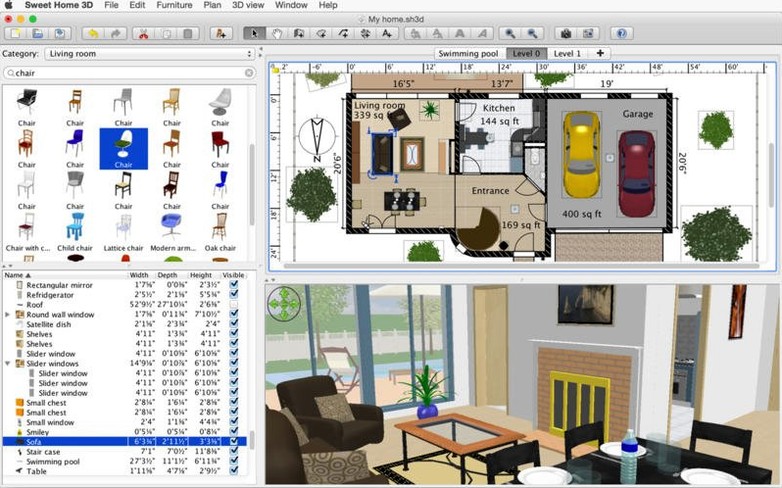
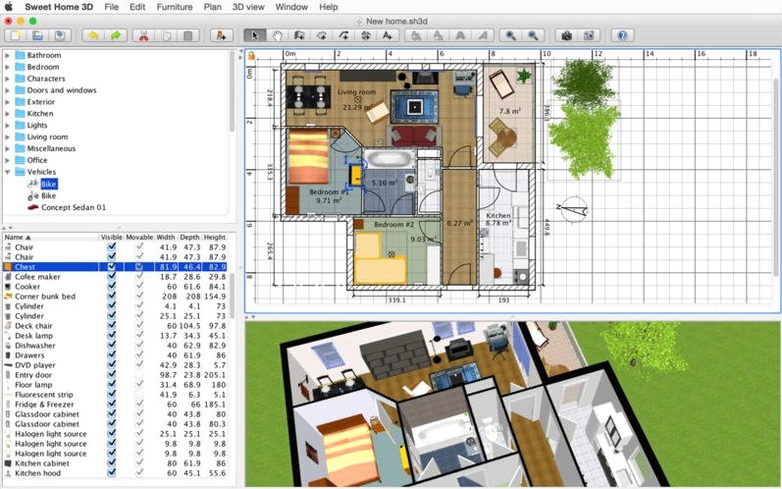
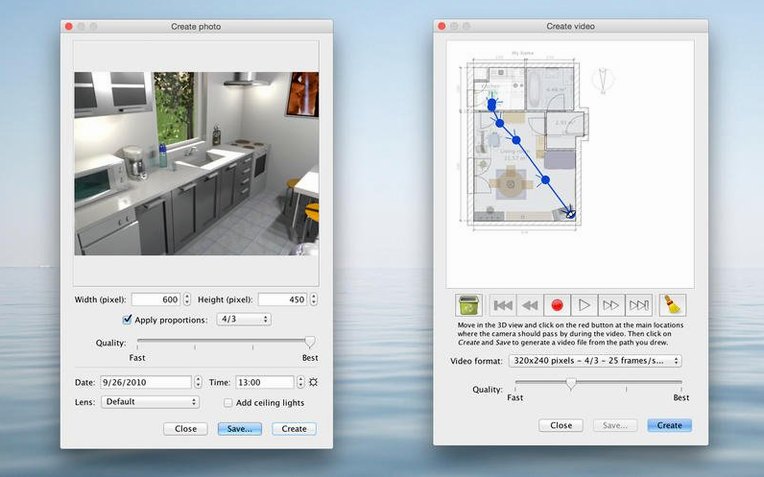
Homeowners mapping out a renovation and landlords testing furniture layouts reach for the same tool. Sweet Home turns a 2D floor plan into a 3D house you can walk through, and version 7.5.7 keeps that core loop snappy on modern Macs.
You draw walls on a flat canvas, then drag doors, windows, and furniture from a catalog of more than 1,400 objects. Every item bends to your room — change its size, spin it to face a different wall, or swap the fabric on a couch until it matches the rug. The 3D view updates in parallel, so you catch a misplaced lamp from an aerial angle or a visitor’s eye line before you move anything in real life.
The latest release tidied up a few rough edges. The standalone 3D window stays in sync with your floor plan now, underground levels render at the correct elevation, and the Thai interface got its fonts back. It’s a maintenance pass that keeps the app feeling light, even on older hardware all the way back to OS X 10.9.
Twenty-nine interface languages and a catalog that covers everything from IKEA-style shelving to patio sets make it genuinely useful, not just a toy. It won’t replace an architect’s BIM suite, but for the weekend project where you need to see if a king bed fits, it’s exactly the right weight.
Picture a couple in a 1960s bungalow, staring at a load-bearing wall they're itching to open up. One wants a breakfast bar with stools, the other wants a banquette. They trace the existing kitchen in Sweet Home in about twenty minutes, then duplicate the plan twice — bar version on one tab, banquette on another. Within an hour they've walked through both layouts from an eye-level viewpoint, realized the bar blocks the fridge door, and settled on the banquette without a single argument that ends in "we'll just have to see how it feels." That's the app's superpower: killing bad ideas before they involve a sledgehammer.
First-timer pitfalls that slow you down
New users tend to draw walls freehand and wonder why rooms won't connect. Sweet Home expects walls to form closed polygons — if a corner gap is even a few pixels wide, floors won't generate and the 3D view shows a flat void. Always switch to the wall tool and let the app snap endpoints together.
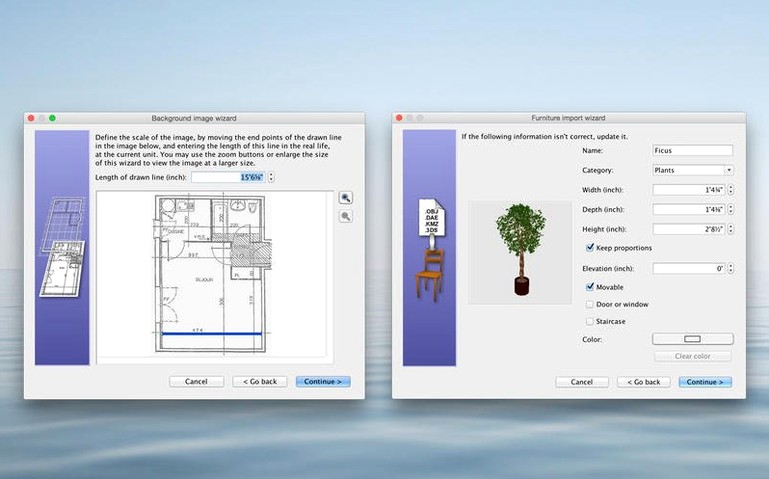
Another common stumble: importing a 3D model at the wrong scale. A sofa downloaded from a model site might arrive the size of a bus. Right-click the object, pick Modify furniture, and check the dimensions immediately — Sweet Home lets you dial in real-world centimeters before you waste time arranging a giant ottoman.
Beginners also overlook levels. The floor you're standing on is level 0, not level 1, and staircases need a hole in the ceiling (drawn with the room tool on the level above) or you'll walk straight into an invisible slab in the 3D view.
SketchUp handles complex roofs and joinery that Sweet Home doesn't touch
SketchUp is the comparison people reach for first. It handles complex geometry, roof pitches, and custom joinery that Sweet Home doesn't touch. But SketchUp's free web version runs in a browser and the desktop app is a different beast entirely — Sweet Home gets you to a furnished room faster if all you need is a floor plan with real furniture. For a kitchen remodel, Sweet Home wins on speed; for a custom shed with angled rafters, SketchUp pulls ahead.
Live Home 3D is a closer competitor — both apps share the 2D-plan-to-3D-walkthrough DNA. Live Home 3D renders more polished materials out of the box, especially glass and metals, and its terrain tools handle sloping lots. Sweet Home counters with a lighter install footprint, Apple Silicon native support, and a furniture catalog that's easier to browse without digging through style packs. If you're on an older Mac or you hate waiting for renders, Sweet Home feels less bloated.
Roomle sits at the simpler end. It's iPad-first, slick for quick mood boards, but you can't export to OBJ, the furniture editing is shallow, and the Mac version feels like an afterthought. Sweet Home gives you real export paths — SVG for a contractor, OBJ for Blender — and that matters when your afternoon doodle becomes a project you actually need to hand off.
Sync issues in the separate 3D view window got squashed, so the perspective now tracks your floor plan changes without stuttering. Underground levels at the same elevation finally render correctly in the 3D view. Also fixed: the Thai interface was missing its fonts — they’re back in place.
- OS X 10.9 or later
- Apple Silicon and Intel 64-bit
Notes from the edit bay · 0
Sign in or get an edit-bay pass to leave a note.
No notes from the edit bay yet. They go up after I read them.