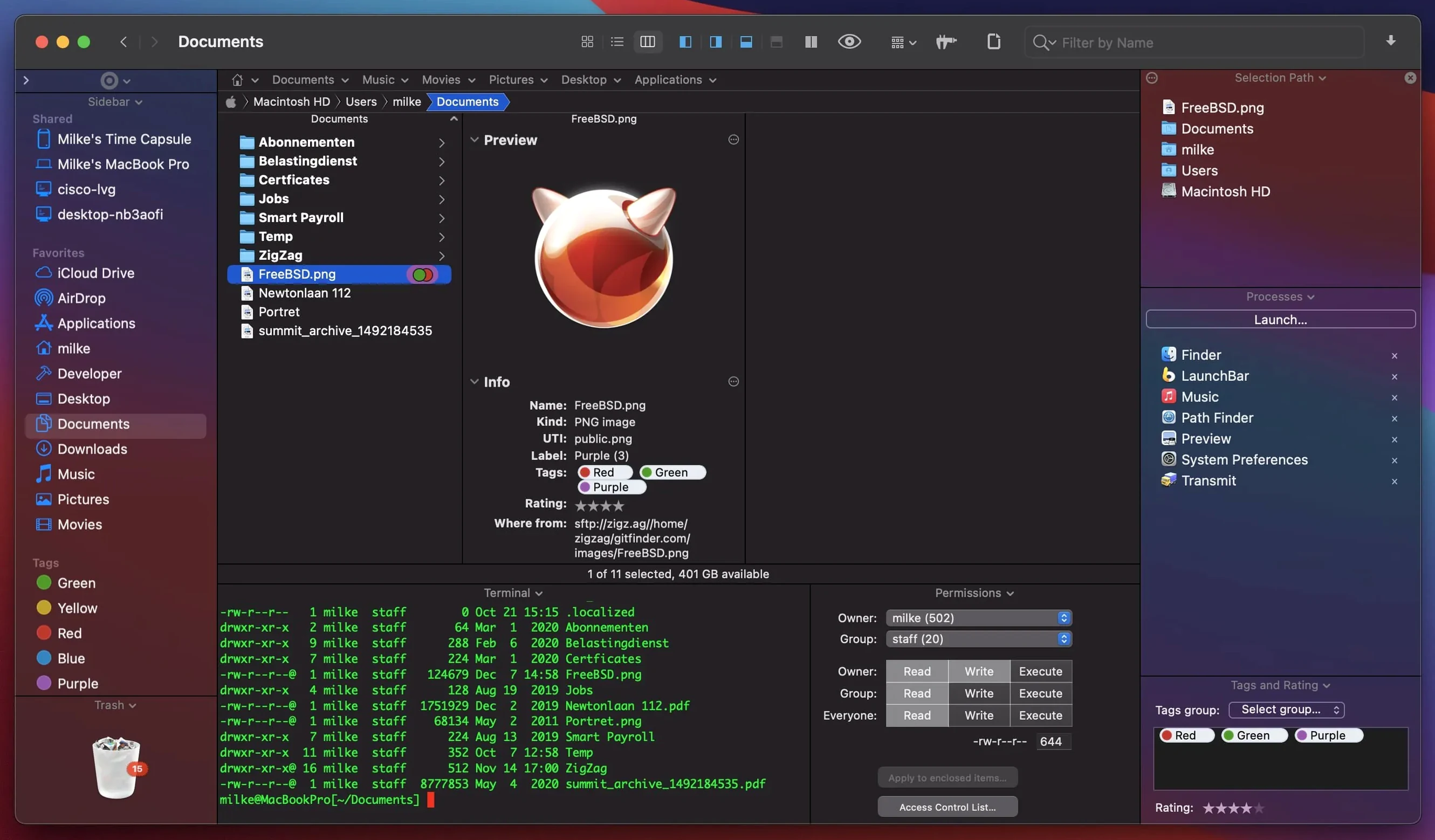
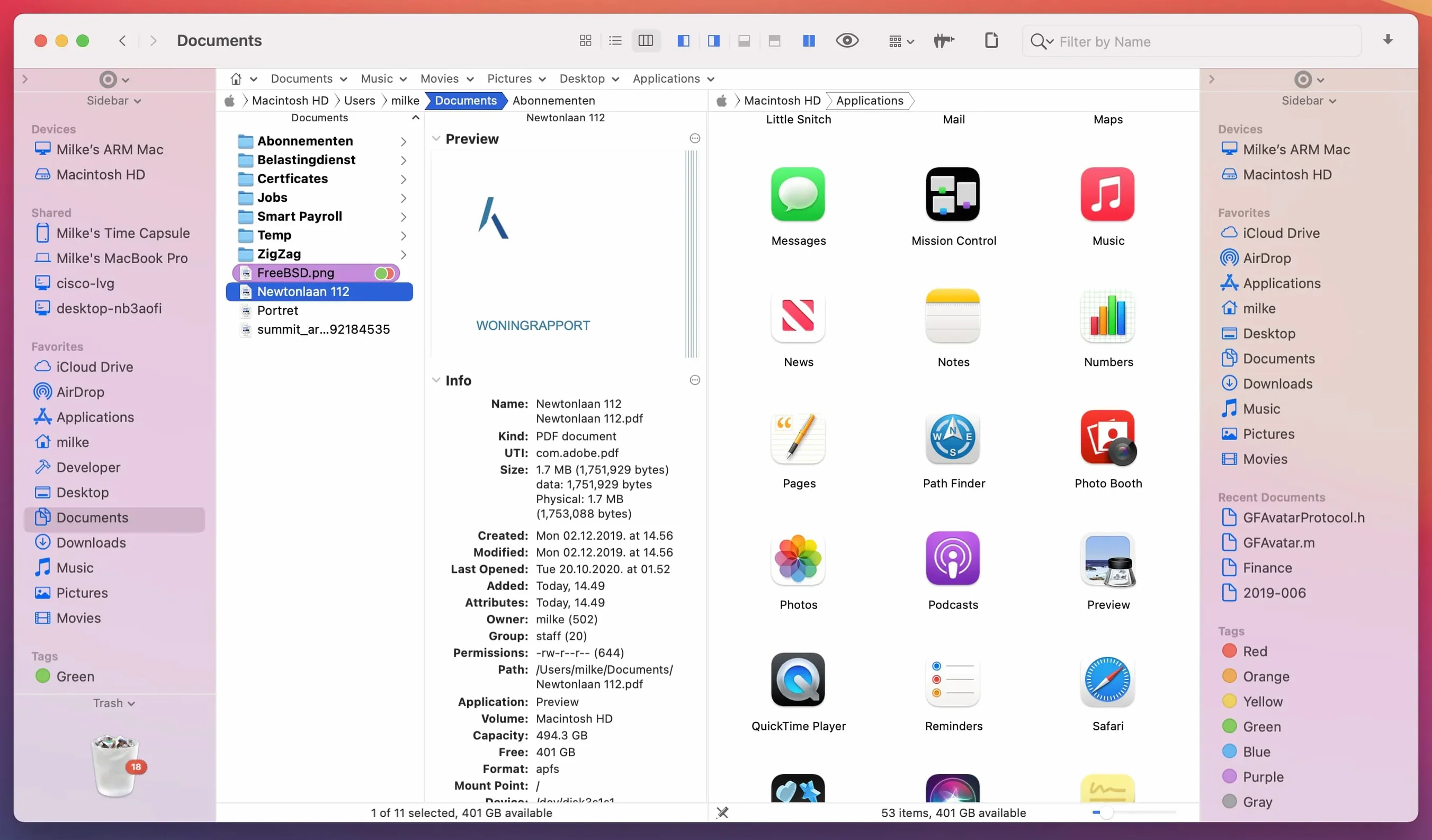
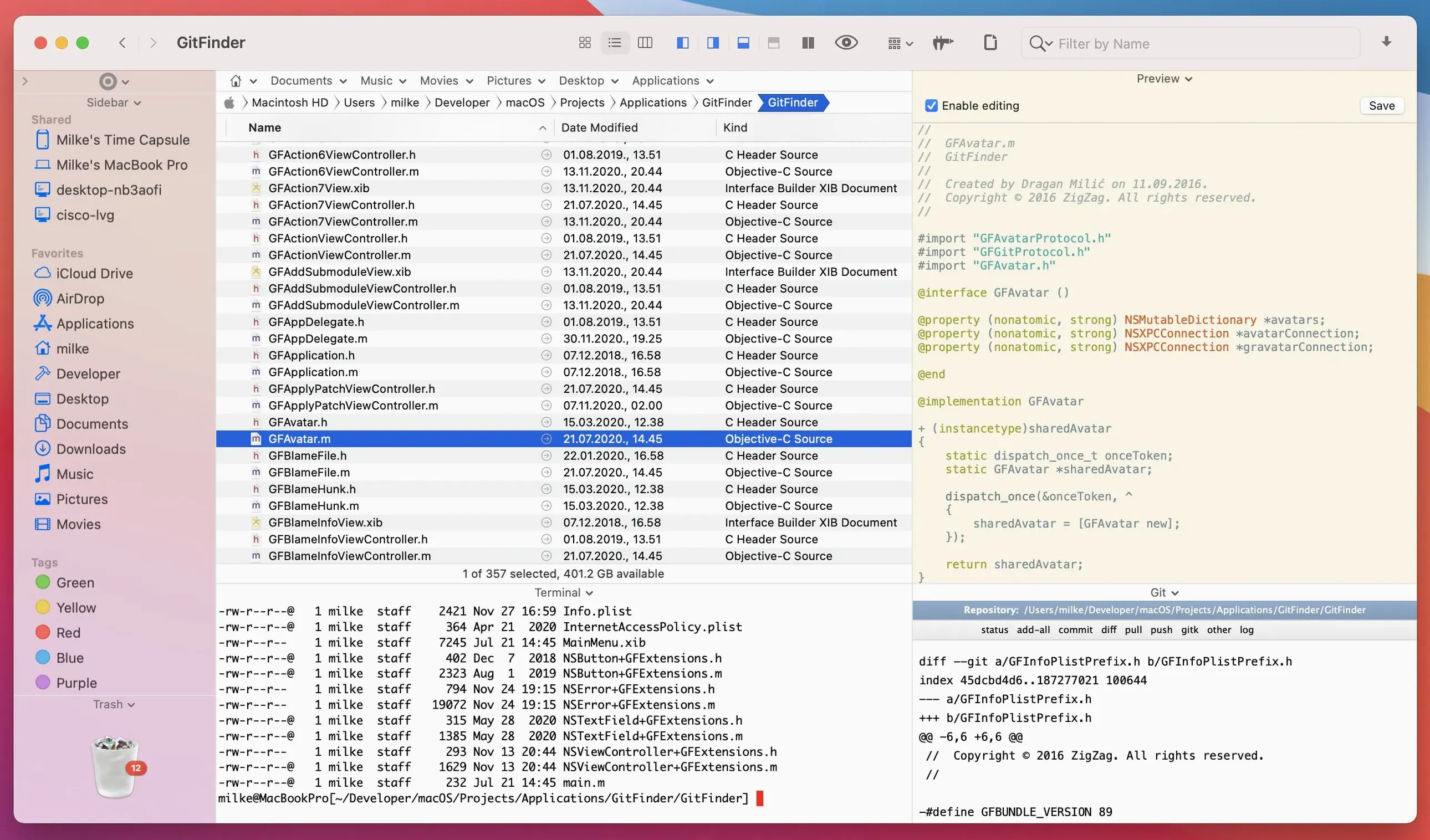
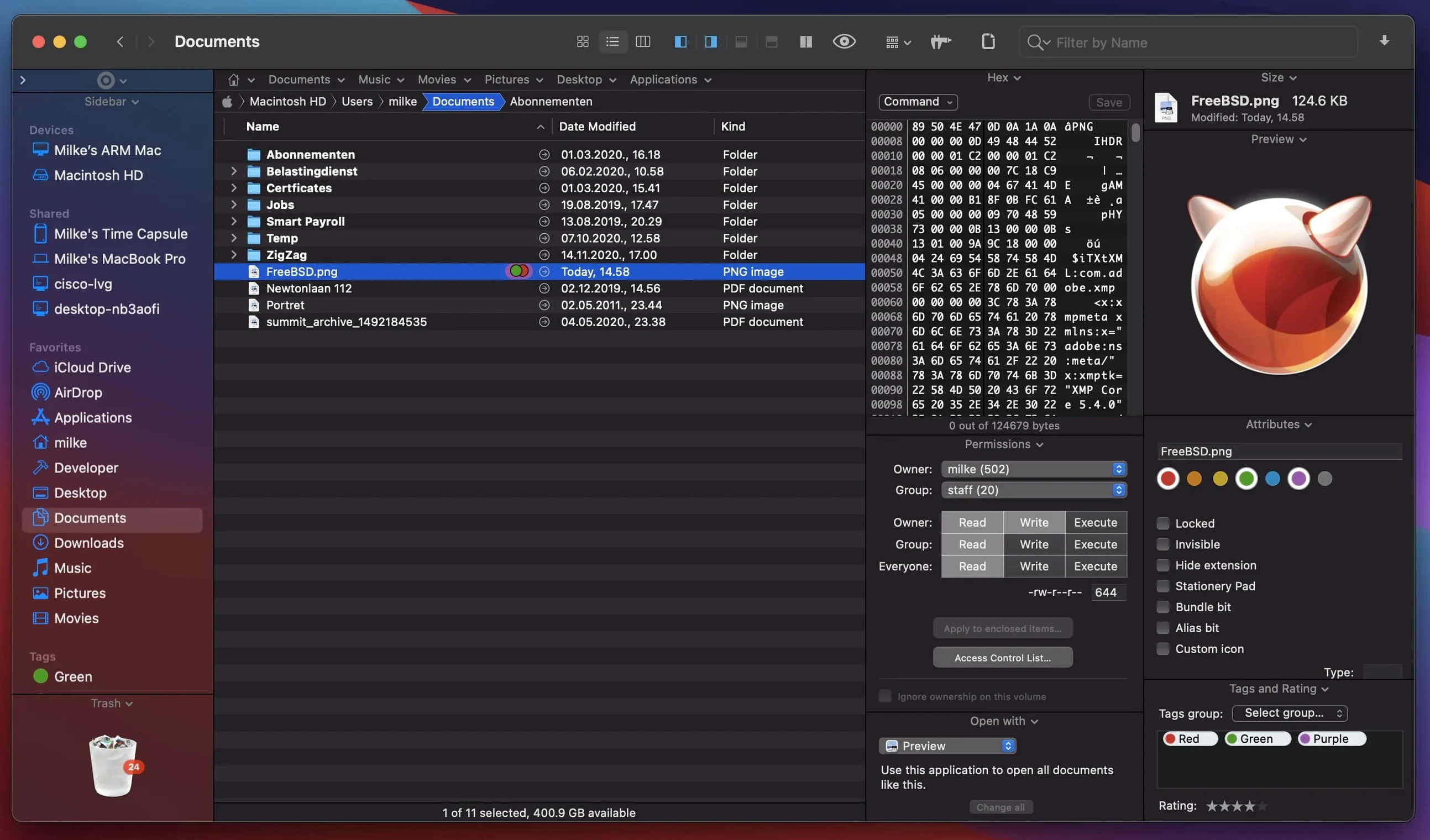
13 archive formats, a built-in FTP client, and one folder you can view three different ways at once. That's the kind of depth that makes a Path Finder torrent worth grabbing for anyone who has outgrown column view.
When Dual Panes and Built-In FTP Stop Being Luxuries
If you organize files by project, not by date, you need dual-pane browsing. If you bounce between local folders and a remote server, you need an internal FTP client that sits in a pane, not a separate window. Path Finder is for the editor who wrangles assets, the dev who manages builds, and anyone who refused to install a third-party Finder until tabs got too cramped.
Where Does the Keyboard Fit?
You can navigate the entire file tree, trigger batch renames, and open previews without touching a mouse. System hotkeys are customizable, so common actions—like toggling hidden files or switching panes—land under your left hand. It turns file management into a typing exercise, which is exactly where speed lives.
What Can You Preview?
Documents, audio, and video all play inline. You can scrub a rough cut or check a mixdown without launching QuickTime. The real time-saver is previewing inside an archive—no need to decompress a zipped asset folder just to confirm what's inside.
Why Bother with Disc Images?
Because 26.1.9 converts CD, DVD, and Blu-ray disc images directly. For anyone pulling old project archives off optical backups, this skips the step of hunting down a separate utility.
Running Path Finder Without Touching Your Existing Finder Setup
Will it mess up my Finder? No. Path Finder runs alongside it. You can switch between them, set it as your default file browser, or launch it only when a project demands dual panes. It does not overwrite system files or hijack Finder's keyboard shortcuts unless you specifically tell it to in Preferences.
Is the learning curve steep? The first ten minutes feel like walking into a cockpit. Then you realize most panels are optional. Turn off what you don't need—file tagging, the shelf, the terminal module—and it shrinks to a tight two-pane layout. Most users settle into a rhythm by the end of their first afternoon session.
Does the FTP client handle SFTP? Yes. It connects via FTP, SFTP, and FTPS. Bookmarks save per-site credentials, so you drag assets from a remote server into a local folder the same way you would between two local panes. That alone changes how you manage uploads and downloads during a delivery crunch.
What about performance on Apple Silicon? The 26.1.9 build runs natively on ARM and Intel. Scrolling through directories with thousands of files stays smooth, and the inline preview engine doesn't beachball when you scrub a long video file. Memory usage sits higher than Finder—that's the trade-off for keeping archive browsing and FTP sessions alive in background tabs.
Wrangling Camera Mags and Dailies in Two Panes on Set
A digital imaging technician arrives on location with two drives to wrangle. The left pane shows yesterday's dailies on an external SSD. The right pane is the camera mag they just pulled. They set Path Finder to list view with file sizes and creation dates visible, then drop into a batch rename to append the scene and take number to every clip. Two keystrokes later, the rename runs across 140 files.
Next, they need to check a compressed archive the sound department handed off. Instead of unpacking it, they select the zip and hit space. The preview pops open with the folder structure intact. They confirm the polywav files match the take list, then drag the whole thing into the dailies folder without ever launching another utility. While that copies, they open an FTP bookmark to the post house and queue the proxy uploads in a background tab. One app, no dock hopping.
Map Hidden Files to Cmd+Shift+Period Before Browsing Anything
Open Preferences before you browse anything. Under General, switch "Show hidden files" to a toggle you will actually remember—I map it to Cmd+Shift+Period to mirror Finder's behavior. Under View, set the default view mode to List or Columns unless you genuinely enjoy icon view. Most power users never go back.
Head to Browser and enable "Open folders in tabs instead of new windows." It sounds small, but after an hour of nested folder diving you will have either a tidy tab bar or a desktop littered with windows. The tab bar wins every time.
In Modules, disable everything you do not plan to use this week. The app launcher, terminal emulator, and hex editor all consume resources even when collapsed. You can turn them back on later. While you are there, set the archive handler to open known formats in preview mode by default—it saves a decompression step for quick peeks.
Finally, under Keyboard, assign shortcuts for "Toggle Dual Pane" and "Focus Opposite Pane." These two commands alone turn file management into something that feels closer to a two-panel code editor than a consumer file browser.
First Week Tips That Stick
Build a bookmarks bar for your current project. Drag your footage folder, your exports folder, and the shared server path onto the shelf or bookmark bar. When you are rendering out versions, you jump between those three locations constantly. Bookmarks cut the click count in half.
Use the filter bar as a search pre-processor. Before hitting the full search index, type .r3d or .wav into the filter field at the top of a pane. Path Finder filters the visible directory in real time, narrowing a messy folder to only the file type you need. It works faster than Spotlight for targeted, per-folder filtering.
Let the archive tool handle .pkg inspections. If a client sends an installer and you want to see what it drops where, right-click and browse the package contents without running it. The built-in archive module unpacks the payload so you can spot stray LaunchAgents before they hit your Library folder.
Color-code your tabs by drive. Right-click any tab and assign a label color—red for client drives, blue for your working SSD, green for the server. When you glance up at a row of twelve tabs, the color tells you where you are before you read the folder name. It is the kind of small optimization that adds up when a deadline is breathing down your neck.
26.1.9 is a stability release that polishes view behavior and macOS 27 Golden Gate compatibility. The headline fix is predictable double-click behavior in List View—clicks now do what your fingers expect. Batch rename got a lift for sets beyond 31 files, and multi-item selection in List View is reliable again.
Also fixed: label and tag color badges, plus iCloud status and download icons, now render correctly across Icons, List, and Columns views. Drag-and-drop selection drawing in Icons View behaves, and the slide-back animation on drag cancellations plays properly in every view type. Menu item icons and a handful of minor UI issues are tidied up for the latest macOS.
- macOS 13 Ventura or later
- Apple Silicon and Intel Macs
Notes from the edit bay · 0
Sign in or get an edit-bay pass to leave a note.
No notes from the edit bay yet. They go up after I read them.