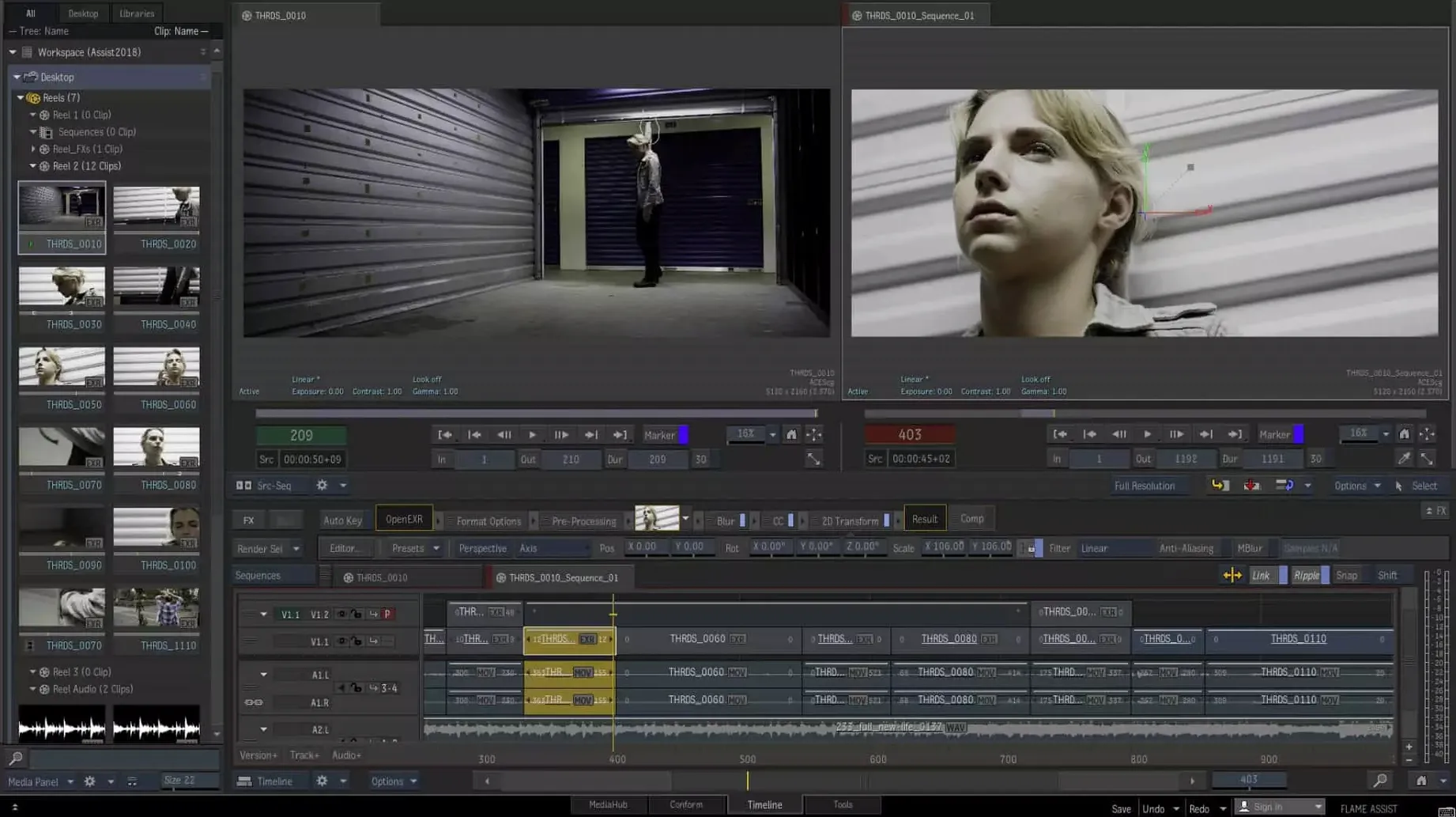
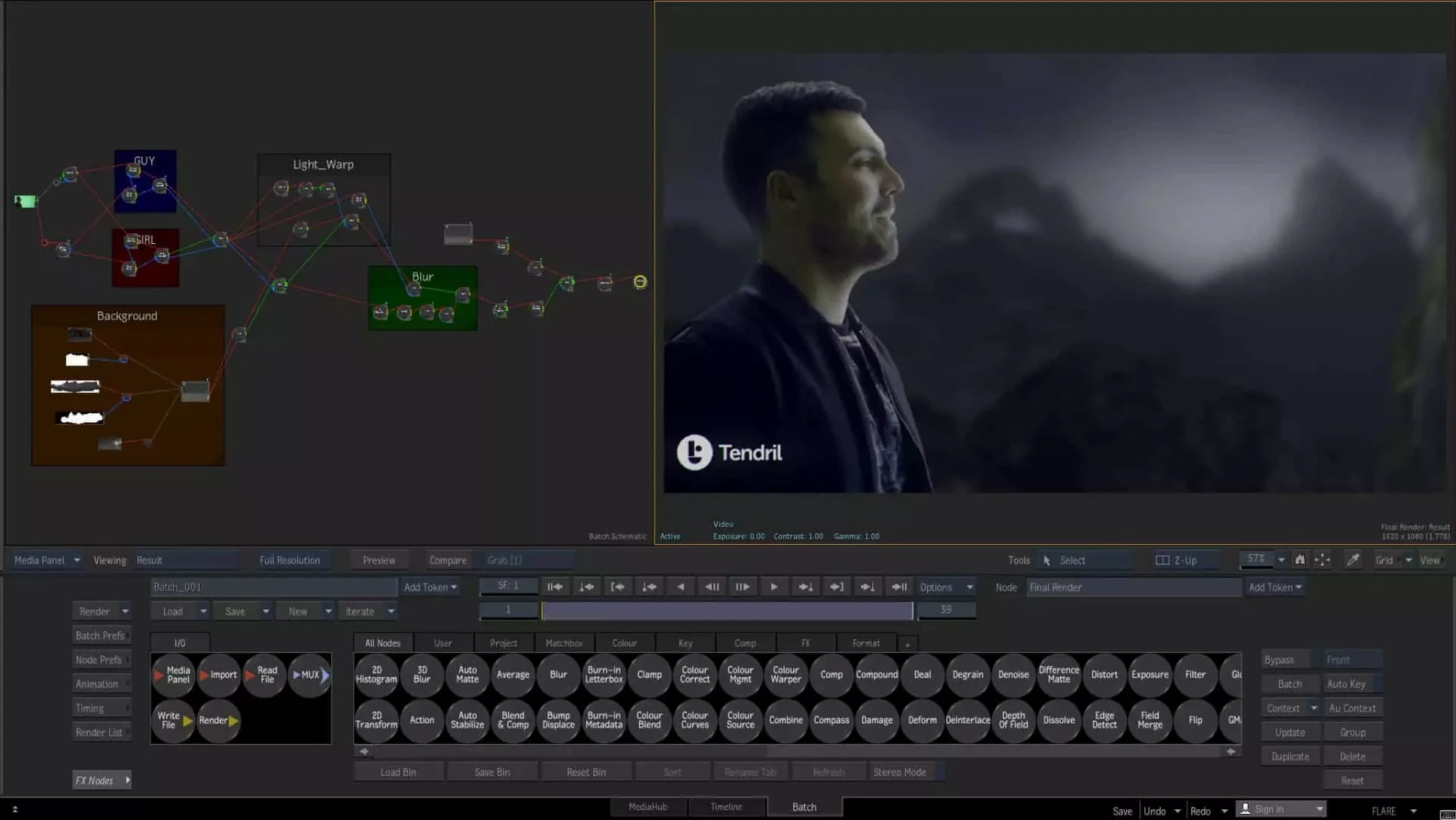
If you've spent a decade in After Effects, stepping into Flame's Batch environment feels like the moment you first understood the node graph—immediately obvious, but orders of magnitude faster for a client session.
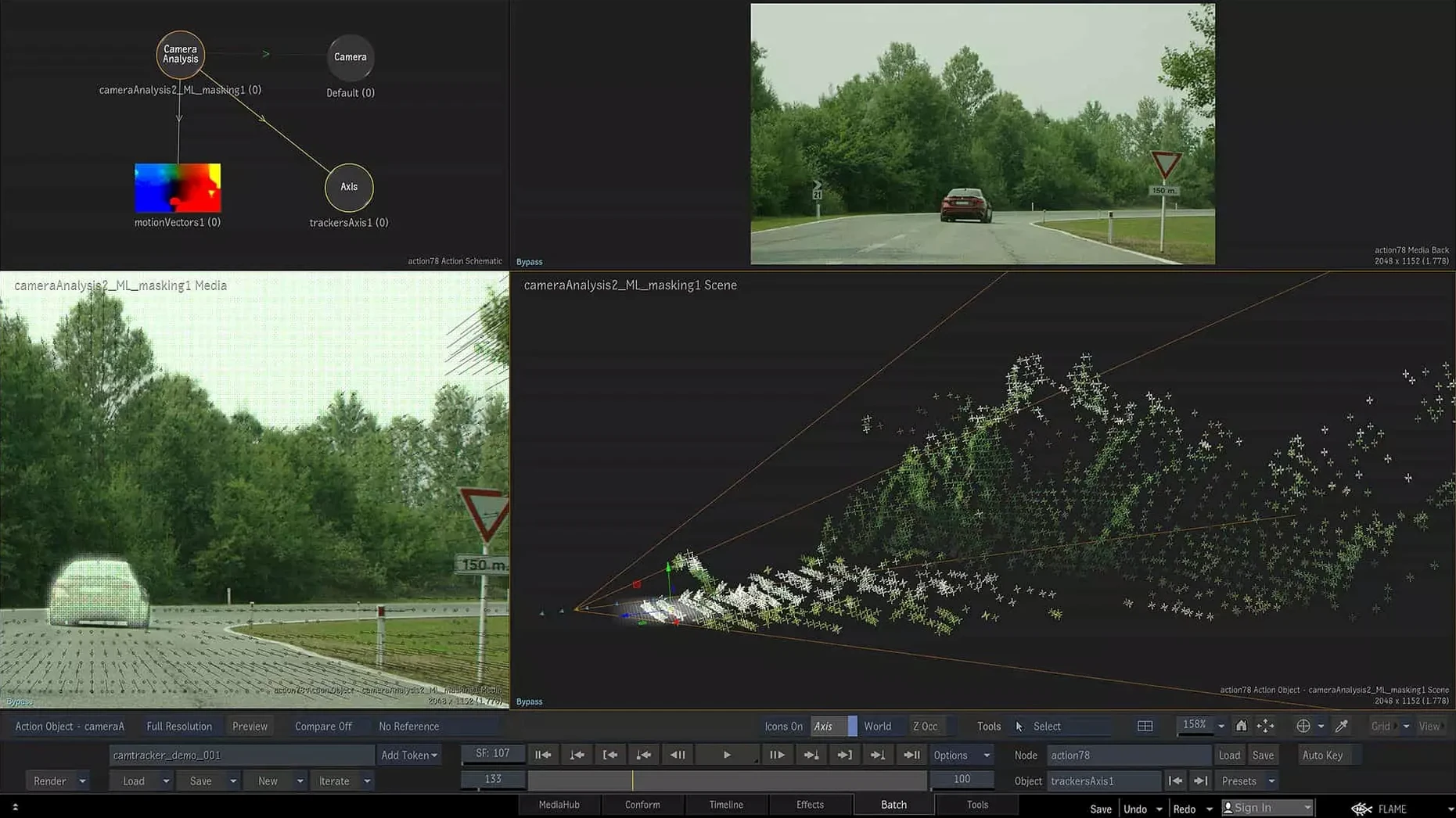
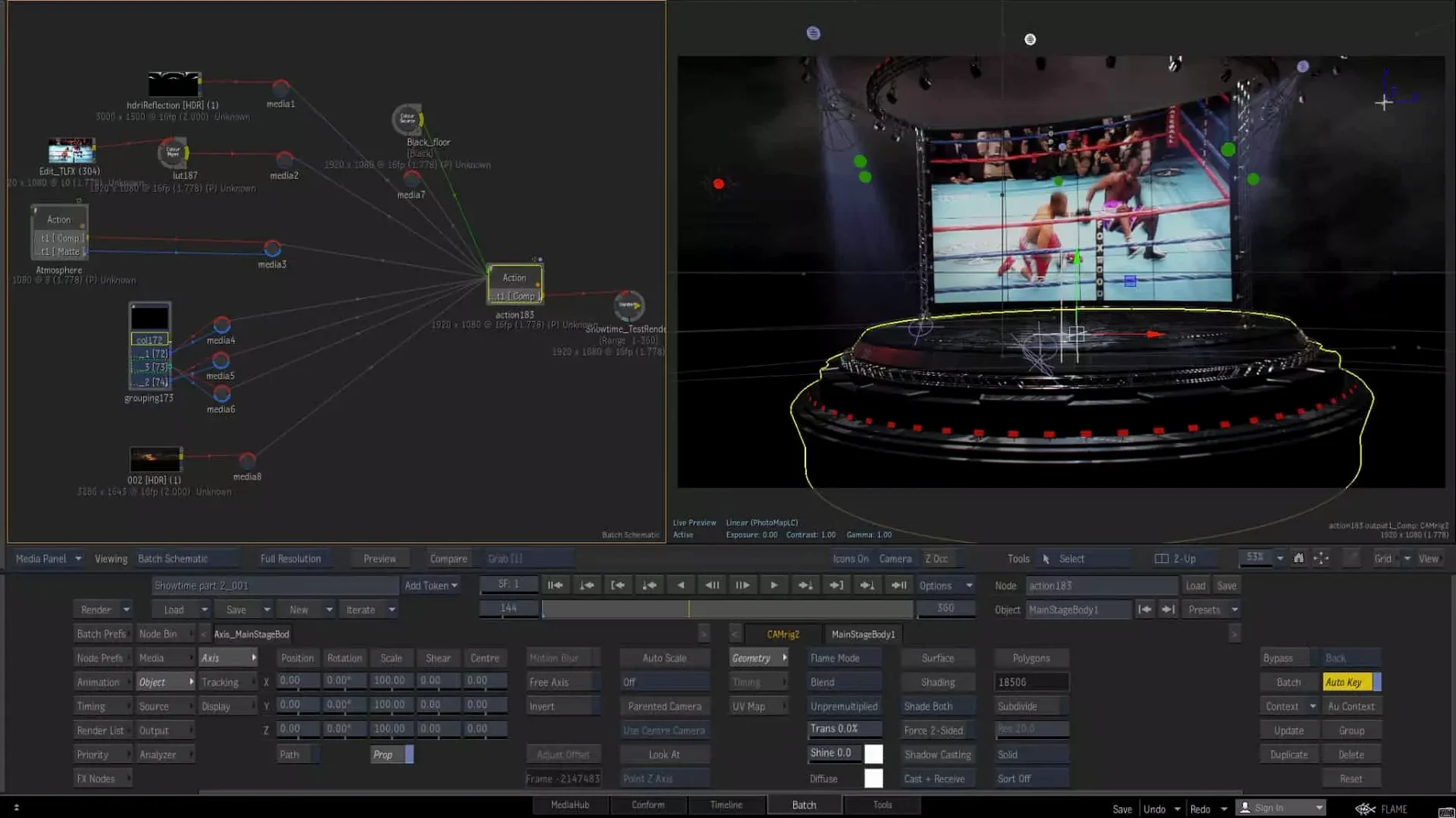
Batch — A procedural, node-based compositing tree. This is where heavy shots get assembled without pre-comp hell, letting you pipe mattes, keys, and 3D renders through a single, logical flow.
Connected Conform — A shared media backbone that tracks timelines, grades, and VFX shots across multiple sequences. One conform drives everything; changes ripple downstream without manual re-syncing.
OpenTimelineIO — A fresh addition that lets you move editorial cuts between Flame and other OTIO-compatible apps without flattening the timeline into a dead EDL.
Isolate tool — An AI-driven extraction that pulls a foreground object from a shot in a few strokes. It's not magic, but it saves the roto artist a half-day of rough-in work.
ProRes RAW in MediaHub — You can now pull camera originals straight into the project without a transcode pass. That cuts a whole conversation with DIT out of the morning.
Where Resolve, Nuke, and After Effects Each Take the Lead
Nobody cross-shops Flame against a single app—it sits at the intersection of three different disciplines, so the comparison is always triangular.
DaVinci Resolve Studio. Resolve eats Flame's lunch on pure color grading—the tracker is faster, the keyer is more intuitive for a colorist, and the pricing makes it ubiquitous. But Resolve's Fusion page, while node-based, chokes on the kind of multi-plate, deep-comp cleanup that Batch handles without rebuilding a comp. Flame's timeline is built for finishing, not editing; Resolve's timeline is an NLE that now grades. If you're doing 400 shots of beauty work with 3D track integration and a client over your shoulder, Flame's interactive responsiveness still edges it out. Resolve wins on the conform-and-grade sprint; Flame wins the marathon where VFX and finishing blur together.
Nuke. Nuke is the undisputed king of compositing pipelines. Its Deep comp tools, particle system, and plugin ecosystem are deeper. But Nuke is a compositor pretending it doesn't need a timeline; Flame is a finishing system that has a full compositor inside. For a solo artist building a CG-heavy shot, Nuke. For a finishing artist who needs to comp a fix, grade it, version it, and show it in context with handles in ten minutes—that's where Flame's bundled approach pays off. Nuke Studio tries to bridge this, but the timeline feels bolted on. Flame's timeline has been integrated for two decades.
After Effects. AE is the sketchbook. Flame is the canvas. After Effects can do almost anything Flame can, given enough time and pre-comps and the Render Queue silently filling a drive with fails. But the moment a job requires real-time playback of a 4K plate with a 3D track and a key, AE hits a wall. Flame's MasterGrade alone—with its video, logarithmic, and linear modes that track color-space per clip—has no native equivalent in After Effects without a stack of LUTs and adjustment layers. The node graph in AE is still an add-on; in Flame it's the default way of thinking.
Small Conveniences You Won't Find in the Manual
Hold Shift while dragging a node's output pipe and you'll branch it without breaking the existing connection—a tiny thing that saves five clicks every time you want to send a matte to two places. The Batch schematic respects middle-mouse pan everywhere, not just in the viewer. And if you're deep in a comp and need to check the original plate without toggling a dozen nodes, Ctrl+Backslash isolates whatever node is selected, hiding everything upstream.
The timeline's jump-to-shot behavior responds to number-pad entry even when the interface looks frozen during a heavy render. Hit the shot number and Flame queues the jump; it executes the moment the render frame finishes. In a supervised session, that buys you a silent beat instead of a stutter.
MediaHub's search field accepts clip metadata tags you didn't know existed—type reel: or scene: followed by a string and it filters before you finish typing. The ProRes RAW support means you can drag an entire camera card folder straight into the project panel and Flame parses the folder structure as bins. No import dialog, no relinking later.
Why Ungrouped Nodes Crush Your First Batch Script
The most common mistake is treating Batch like an After Effects composition and dropping a hundred nodes into a single tree with no organization. Flame rewards grouping early. Select a logical chunk—say, the keyer, the despill, and the edge treatment—and hit Ctrl+G to collapse them into a Group node with labeled inputs and outputs. You can double-click to dive inside. Pros organize a comp like a file system; beginners end up with a plate of spaghetti and an interactive session that crawls because every node recalculates on every parameter tweak.
Another trap: ignoring color-space tracking. Flame tags each clip with its color space and carries that metadata through the node tree, but only if you let it. Beginners often import a log plate, throw a LUT node at the end of the chain, and then wonder why the vectorscope lies. Let the MasterGrade modes handle the transform—video mode expects Rec.709, logarithmic expects log-encoded plates, and linear expects scene-linear EXRs. Flame reads the metadata. Trust it until you have a reason not to.
Finally, new users often disable the Connected Conform workflow because it seems like extra setup. Then they re-conform a cut three times by hand and redo the same beauty fixes from scratch. Connected Conform is not optional infrastructure—it's the reason Flame calls itself a finishing system and not a compositor with a timeline tacked on. Set it up once at
The Isolate tool arrives as the headliner—a quick, brush-based way to pull a subject from a plate before you even build a roto node. Also fixed: MediaHub now digests ProRes RAW clips natively, and the timeline speaks OpenTimelineIO, so roundtripping with editorial just got a lot cleaner.
- macOS 14 Sonoma or later
- Apple Silicon or Intel Mac
- 20 GB free disk space for download and installation
Questions I actually get
Can Flame handle stereoscopic 3D finishing?
Yes, it includes a full toolset for visual effects and finishing in stereoscopic 3D, covering everything from compositing to final review on the timeline.
Does the timeline support grading workflows?
Absolutely. The integrated timeline is built for matching graded and 3D shots, and you can batch-edit grading and animation directly without hopping into a separate module.
Notes from the edit bay · 0
Sign in or get an edit-bay pass to leave a note.
No notes from the edit bay yet. They go up after I read them.