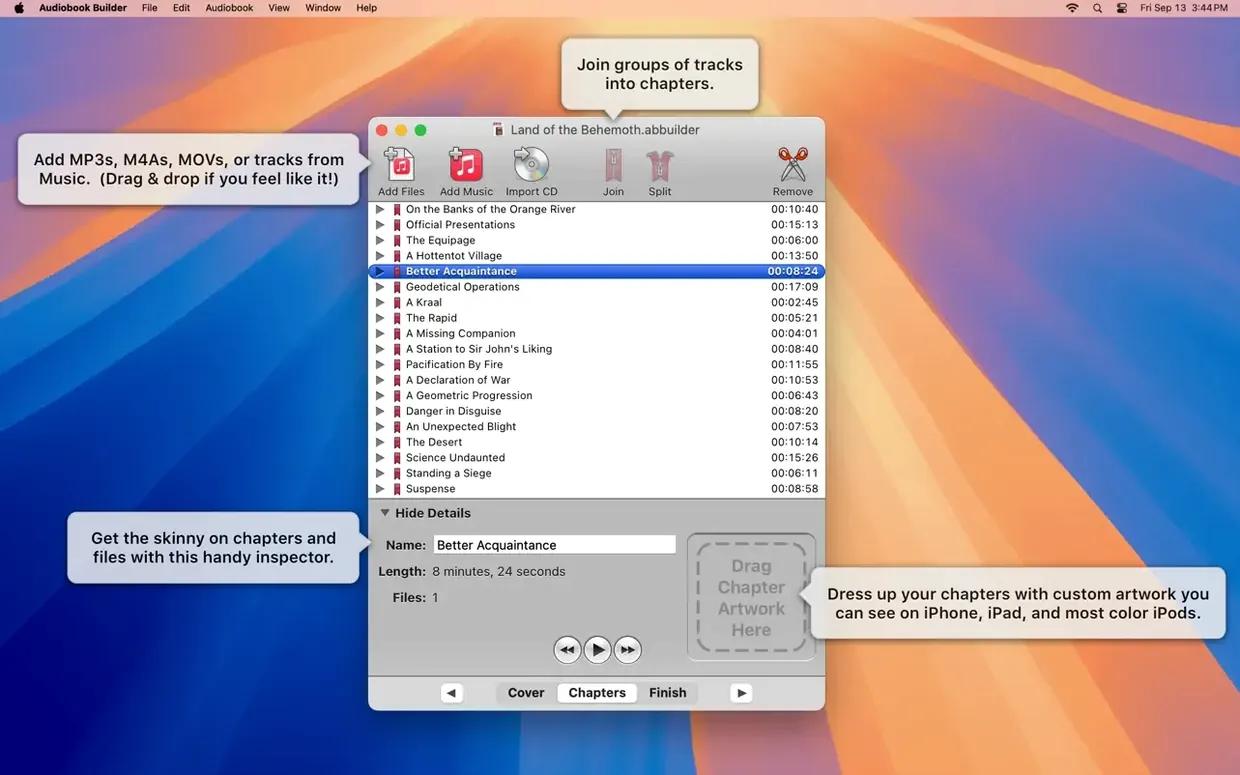
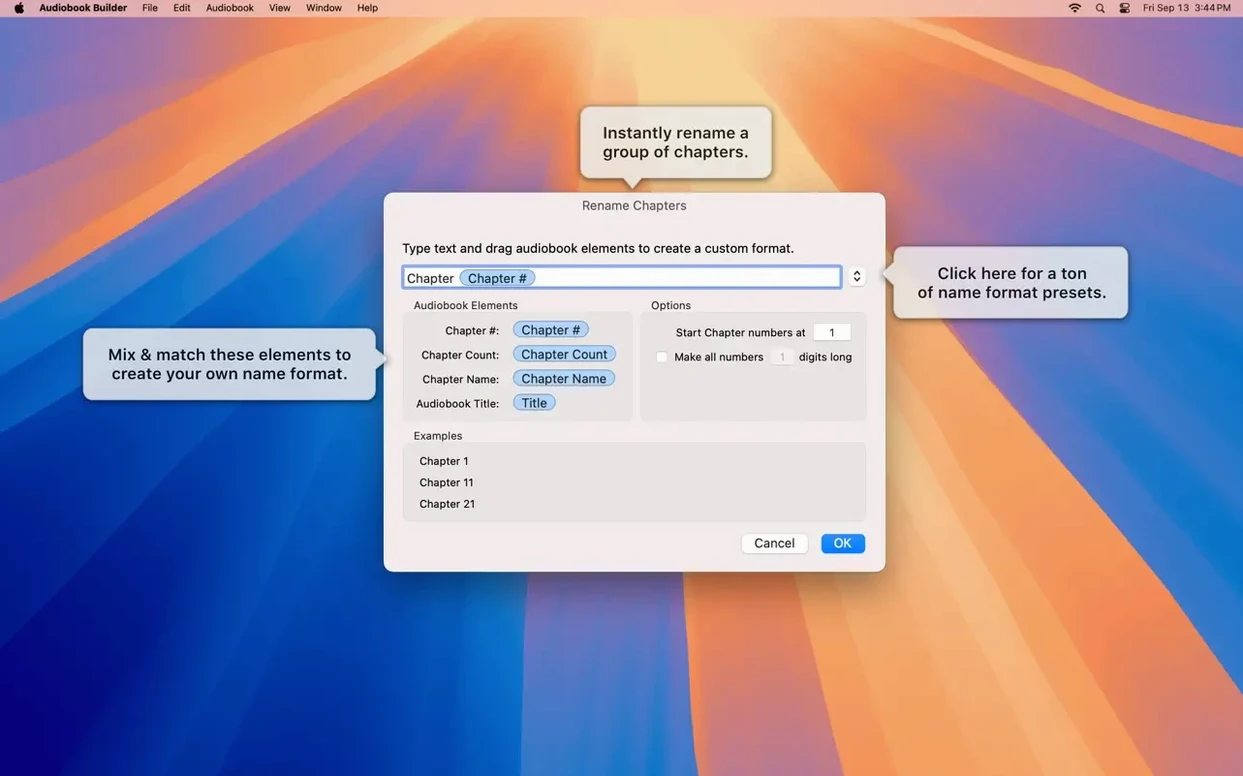
Right-click a chapter and choose "Set Chapter Artwork" — that's the level of granular control Audiobook Builder gives you. Not just one cover for the whole book, but a distinct image per chapter if the project calls for it. I started a build yesterday with a pile of MP3s from a language course. Each lesson was its own file, and I wanted those to land as titled chapters, not one shapeless blob.
Where Does the Project Begin?
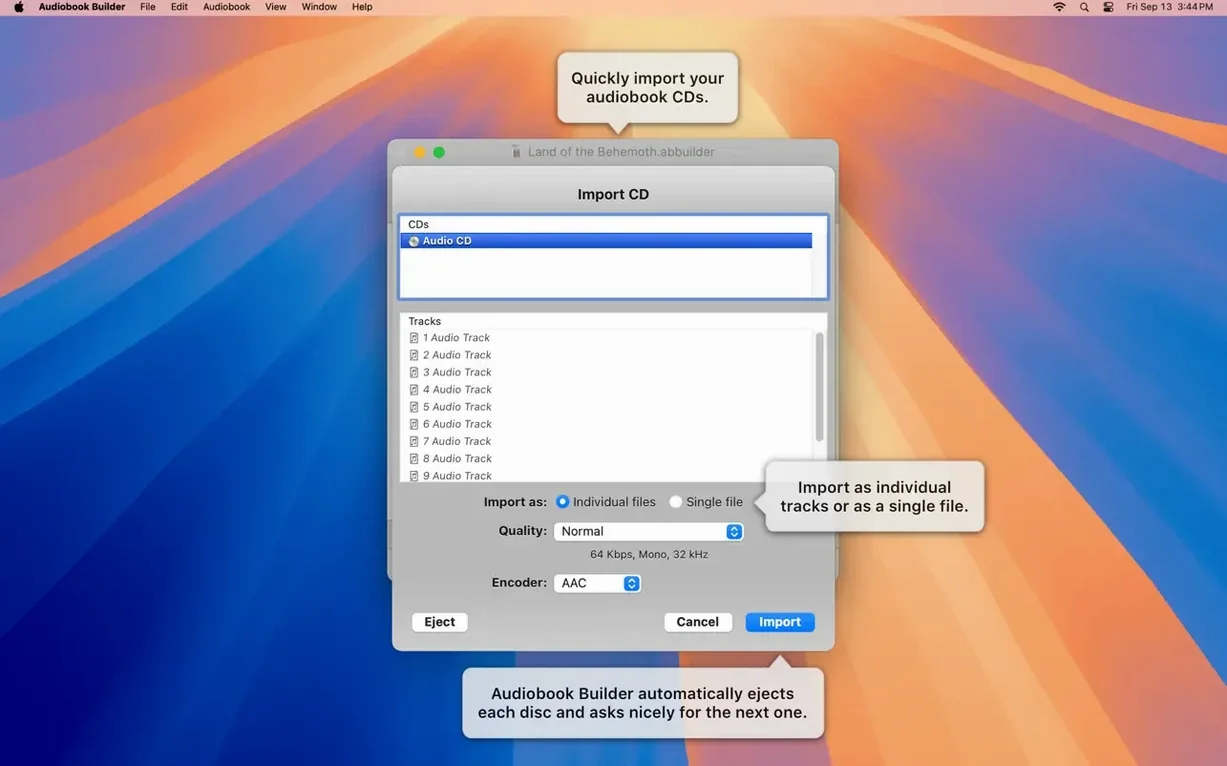
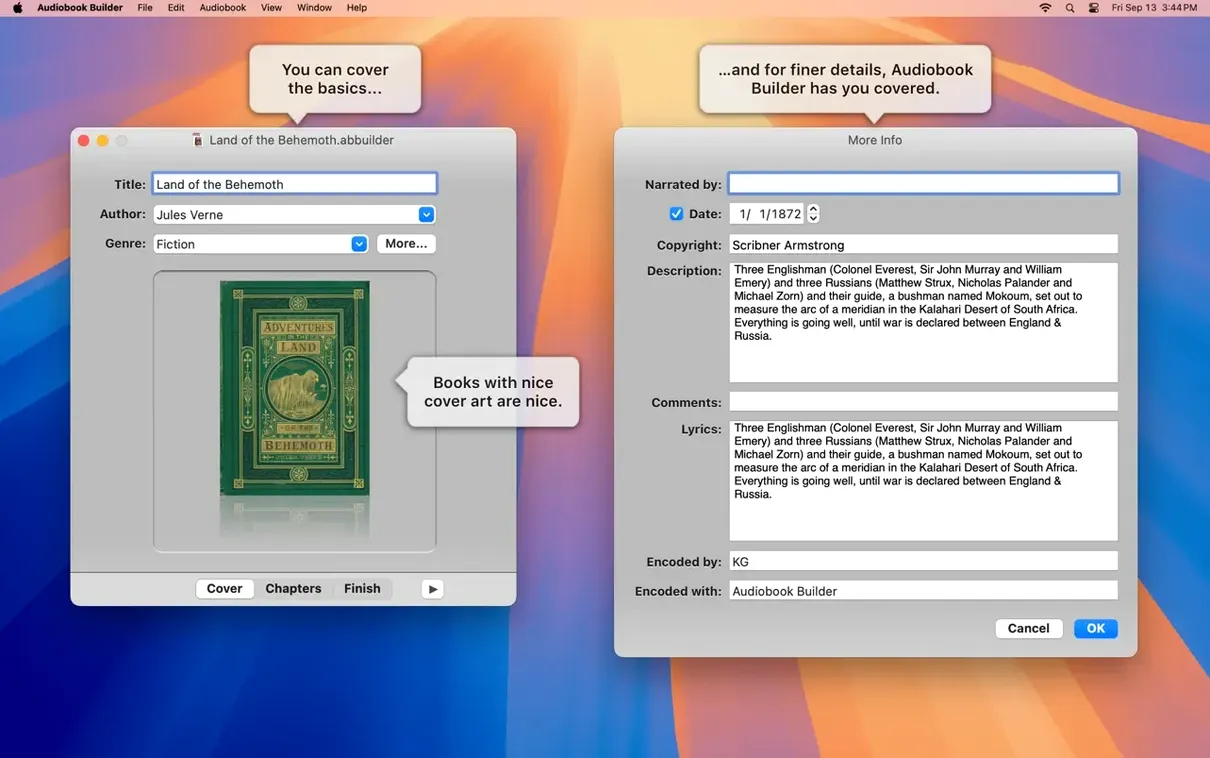
You open the app and give the project a book title and author right away. Drag in your files or pop in a CD. The list fills up, and you can shuffle the order before anything gets baked. Cover art gets dropped into a well on the same screen — no digging through menus.
How Do Chapters Take Shape?
You decide what makes a chapter. A single file can be a chapter, or you can group several audio files under one chapter heading. Each gets a custom title and, if you want, its own image. The manual control means you're not trusting an algorithm to guess where the breaks belong.
One Build Button, Chapter Stops Already Embedded for Apple Books
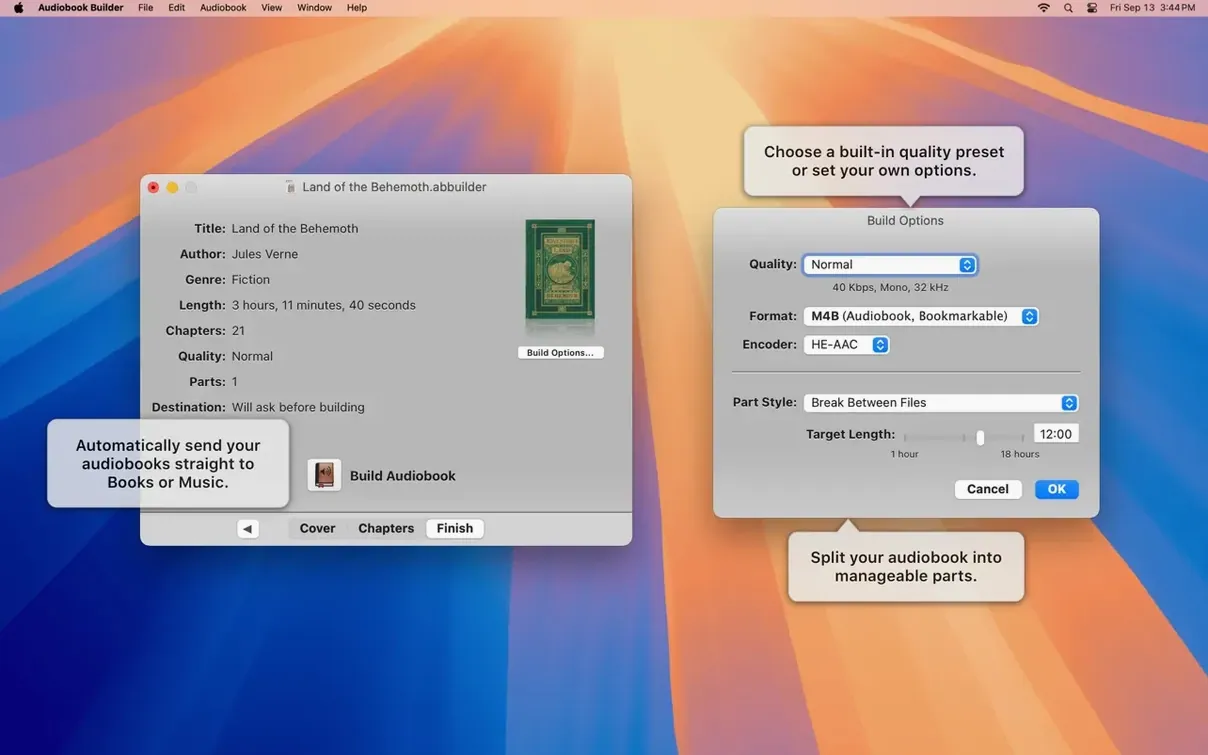
You pick a sound quality preset or dial in your own parameters, then hit Build. The app stitches everything into a single audiobook formatted for Apple devices. The chapter stops are embedded, so the Books app navigates them natively.
Structuring Lesson Tracks, Radio Dramas, or Self-Narrated Chapter Exports
Anyone with multi-file audio that needs structure. Language learners with lesson tracks, people archiving old radio dramas split across CDs, or someone who narrates their own work and exports chapters as separate WAVs.
Merge Files into One Continuous Piece Without an External Editor
The Join button is easy to overlook. Select two or more files in the list before you assign them to a chapter, hit Join, and they become one continuous piece — no intermediate save, no external editor. The split point is nondestructive, so if you later decide that MP3 of chapter 12 should end thirty seconds earlier, drag the divider in the waveform preview and rebuild.
Cover art wells accept a pasted image from the clipboard. No need to save a jpeg first — grab artwork from a browser, copy, and drop it in. Chapter titles auto-populate from file names when you drag a batch in, which saved me a half-hour of typing on a 40-chapter project. Hold Option while dragging to override the default grouping behavior and keep every file as its own chapter in one move.
If you switch between spoken-word and music-heavy projects regularly, save a custom preset instead of re-entering bitrate and sample rate. The preset list lives at the bottom of the quality settings pane — give it a name like "Narration - 64k mono" and it sticks around. Also fixed: the little gear menu next to the chapter list has a "Sort by Name" command that respects numbers, so track 02 comes before track 10.
From a Folder of FLACs to CD-Matched Chapters in a Single Drag
Say you've ripped a seven-CD audiobook and each disc landed as a folder of FLAC files. You want chapters that match the original CD breaks.
Open Audiobook Builder and name the project. Drag the first folder in. The tracks appear in order, file names intact. Select all of them, click "Join," and they fuse into one item. Title it "Chapter 1 — The Arrival." Repeat for each folder. Now you've got seven joined chunks, each named.
Grab the cover art from the web, copy it, and paste it into the artwork well. For chapter images, find a map from the book's front matter, screenshot a section, and paste that into individual chapter wells. Set the quality to "Spoken Audio" and choose mono if the original is a stereo rip of a single narrator — it halves file size with no audible loss. Hit Build, and the finished m4b lands in the Books app with chapter stops intact. Skip through them on an iPhone and the chapter titles show up under the scrubber bar, artwork and all.
Taking Finished Audio from Rippers, Recorders, or DAWs into Apple Books
Audiobook Builder doesn't record or rip — it assumes you already have the audio. That pairs it naturally with CD-ripping tools, field recorders, or any DAW that exports WAV or MP3. After the build, the output sits in Apple's Books app, which syncs to every device on your iCloud account. No separate transfer step.
For Mac users who run a media server, the m4b file lives in the Finder like any other. Point Plex or a network drive at the folder and the chapter metadata carries over to any player that reads the format. I've also dropped finished audiobooks into the Music app as a playlist for car trips — the chapters become tracks, and the cover art displays on the dash screen.
The join-and-split logic inside the app replaces quick audio trimming that you'd otherwise do in QuickTime or Audacity. It's not a full editor, but for the narrow job of grouping and dividing narration, it keeps you from launching a second app. If you use a trap melody builder or any VST-based composer to create chapter intro stings, bounce those as short wavs and drag them in as the first file of each chapter group — they slot right in.
Ready for macOS 15 Sequoia and fixes cover and chapter artwork on macOS 13 Ventura. Also fixed: WAVE files with MP3 data no longer falsely trigger “no audio in file” errors, an error reporting glitch on pre-macOS 11.3 Macs got cleaned up, and the Description tag returns for some classic iPods.
- OS X 10.11 or later
- 64-bit Intel or Apple Silicon Mac
- Interface languages: English, German, Spanish, Portuguese, Russian, Swedish
Questions I actually get
Can I use Audiobook Builder on an M1 or M2 Mac?
Yes, version 2.2.9 runs natively on Apple Silicon and Intel Macs from OS X 10.11 El Capitan through macOS 15 Sequoia.
Does the app pull metadata from CDs automatically?
It lets you enter the book title, author, and cover art manually during setup, which gives you full control over how the finished audiobook gets labeled in your library.
What file types does it handle?
It works with standard audio files and audio CDs. Version 2.2.9 also fixed a false "no audio in file" error that affected WAVE files containing MP3 audio data.
Notes from the edit bay · 0
Sign in or get an edit-bay pass to leave a note.
No notes from the edit bay yet. They go up after I read them.