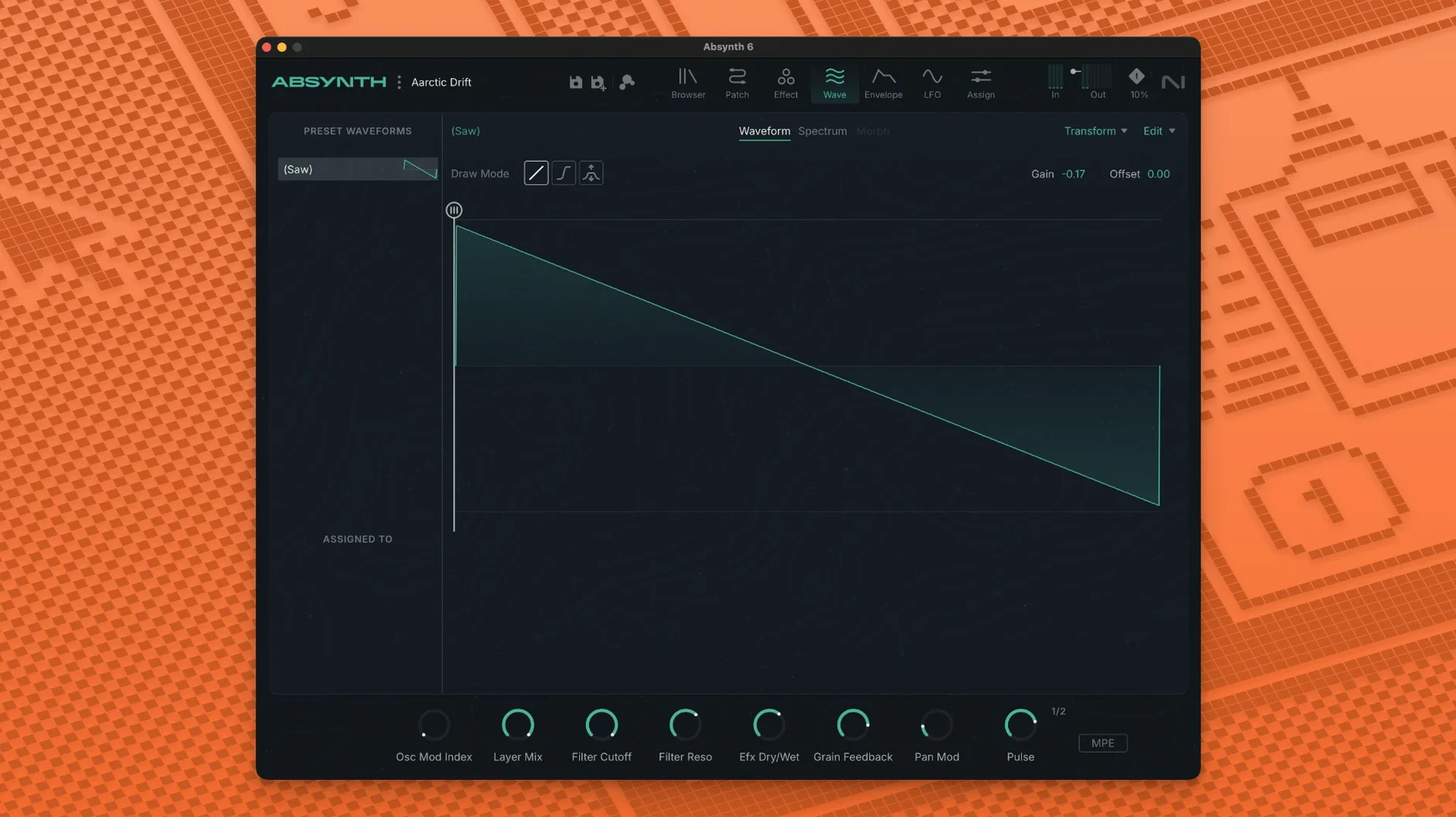
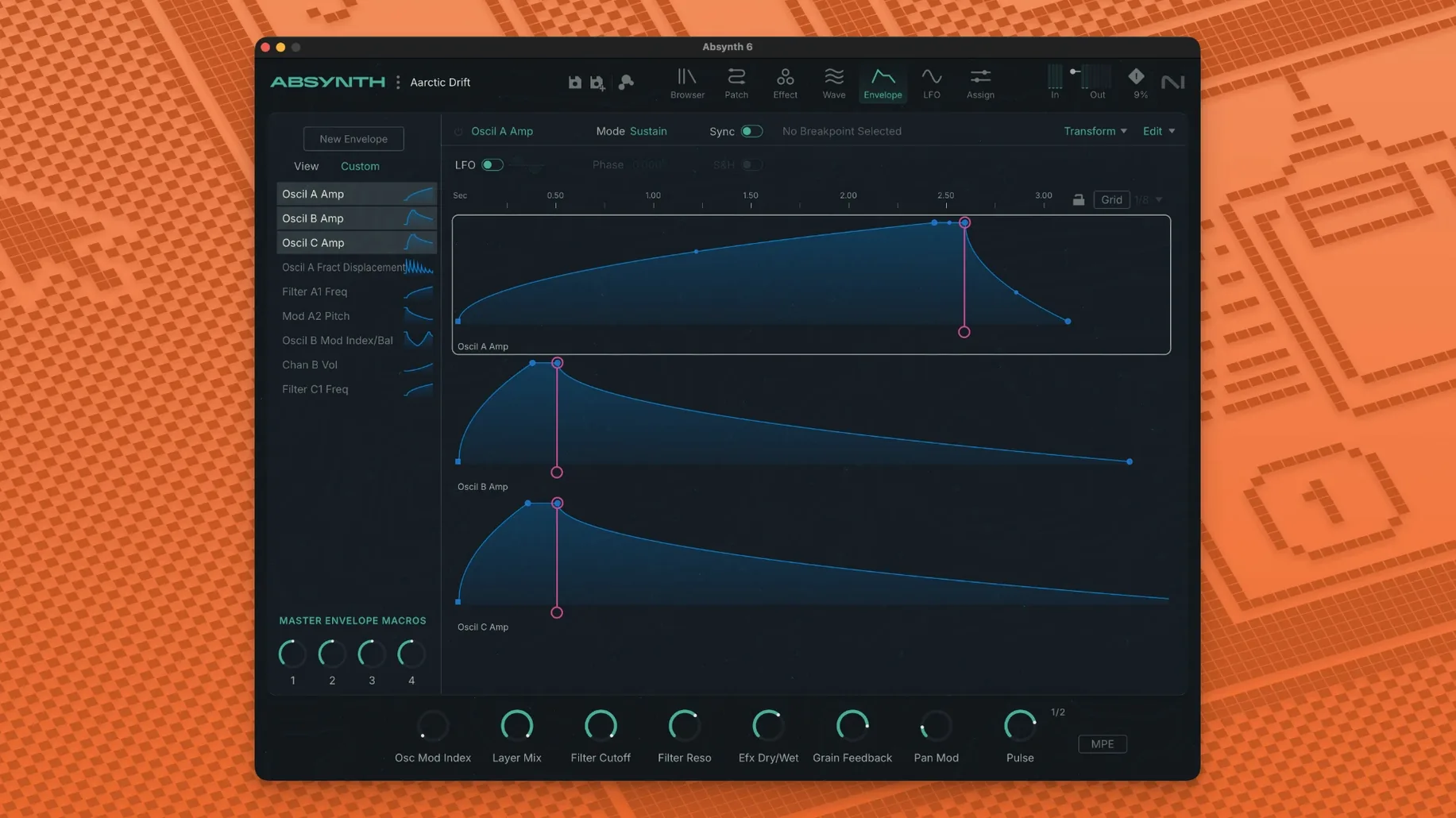
An oscillator phase starts to drift inside a quadraphonic space, and suddenly a preset you’ve heard a hundred times breathes differently. That’s the kind of moment Absynth 6 is built for. It’s not a synth that holds your hand—it pushes you toward the weird edges of a patch and dares you to automate them.
| Fact | Detail |
|---|---|
| Type | Semi-modular synthesizer |
| Plug-in formats | VST3, AU, AAX (64-bit) |
| macOS | macOS 14 or later |
| Architecture | Apple Silicon & Intel |
| Highlights | MPE, 8-channel surround, 250 new presets |
The Semi-Modular Escape Hatch When Subtractive Synths Feel Stuck
If your Mac already runs a DAW, Absynth slots in as the sound design layer you reach for when a subtractive synth feels too predictable. The semi-modular architecture means you’re not wiring from scratch, but you’re also not locked into a fixed signal path. It sits comfortably alongside your existing instrument collection—think of it as the texture machine for drone beds, evolving pads, and percussive hits that need real spatial movement. With full MPE and polyphonic aftertouch, it responds to controllers in a way that makes a Seaboard or Push feel like an extension of the engine, not just a trigger. The eight-channel surround support pushes it beyond stereo into installations or film work, all from a single instance inside your AU or VST3 host.
A Session With Absynth 6
I drop Absynth onto a MIDI track in Logic, call up an init patch from the browser, and start with oscillator A. The wavetable menu is deep—I scroll past glassy bells and land on a grainy vocal formant. A quick flick through the FM modes adds a metallic edge. Oscillator B gets a simple sine, detuned five cents. Already there's movement, a slow beat frequency that shifts as I ride the mod wheel.
Now the fun part. I open the envelope window and draw a 12-second curve for the Cloud Filter cutoff. Absynth's modulation system doesn't complain when you drag a breakpoint four seconds out—it just renders it. The filter opens so gradually you barely notice until the high harmonics are suddenly scratching at the top of the mix. I assign polyphonic aftertouch to oscillator A's wavetable position. On my controller, pressing harder into a key sweeps through the table; lighter pressure pulls it back to the formant. The patch feels alive under my fingers.
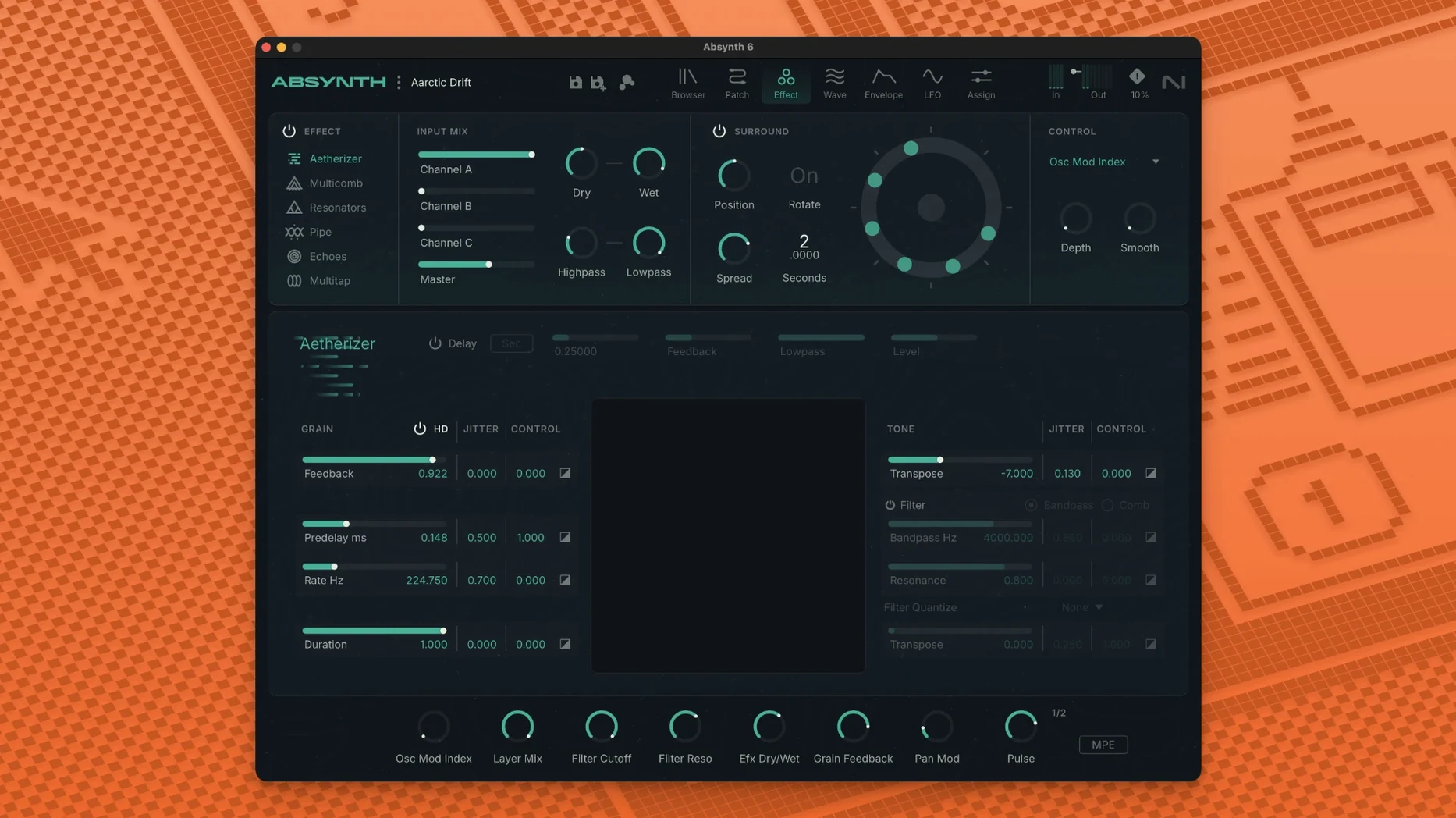
Before I lose the idea, I route oscillator B through the Aetherizer and dial the grain size down to 20 milliseconds. The sine turns into a shimmering cloud that pans in slow arcs across the quadraphonic field. I'm only monitoring in stereo, but the surround panner's visualization shows exactly where each grain lands. When I bounce an eight-channel file for a film cue later that week, the sound designer messages me: "What did you do to that pad?"
Raiding the 250 Presets as Reverse-Engineering Lessons
Absynth buries a lot behind its tabs. Here's what I'd do in the first week if I were installing it fresh.
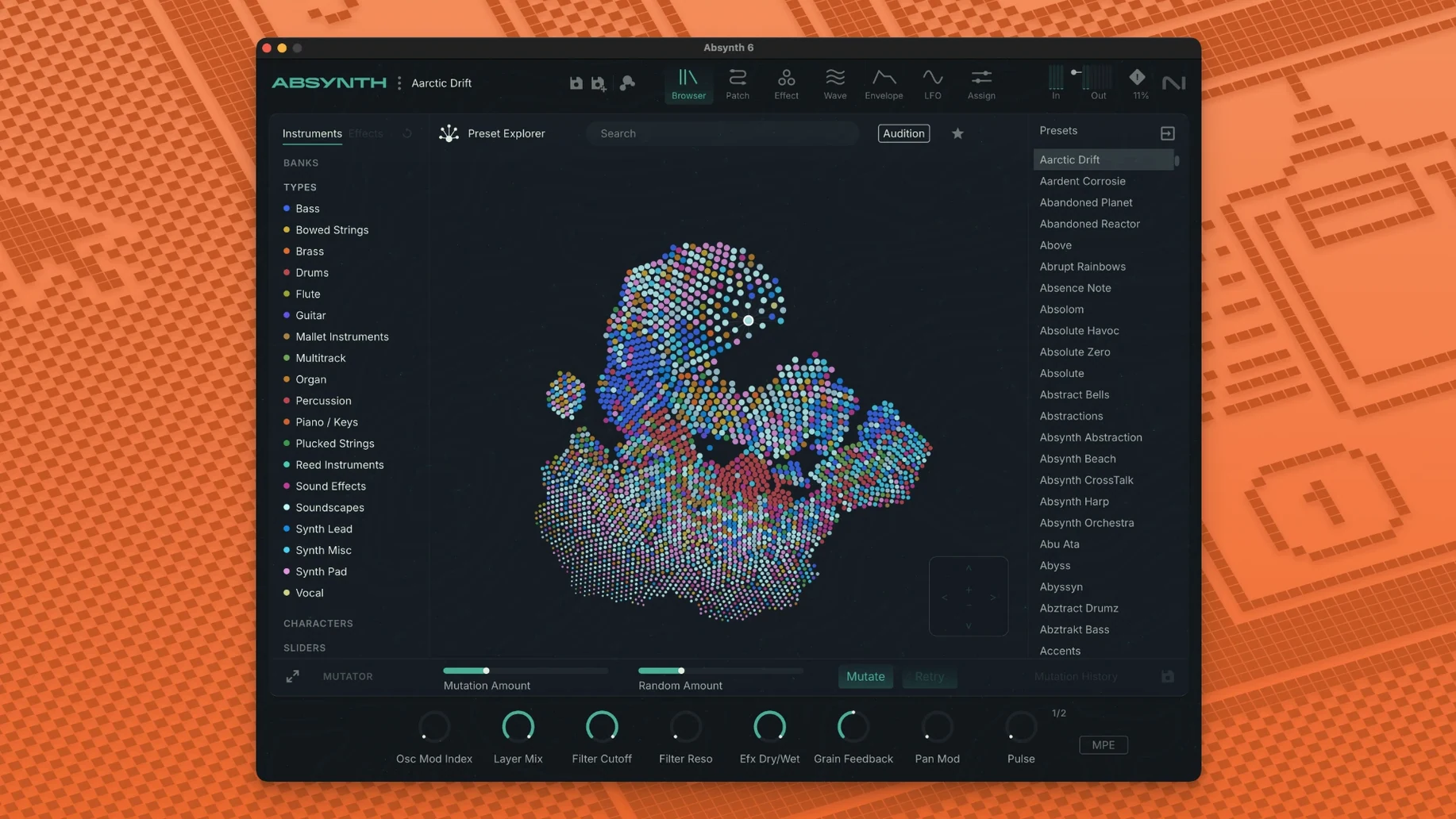
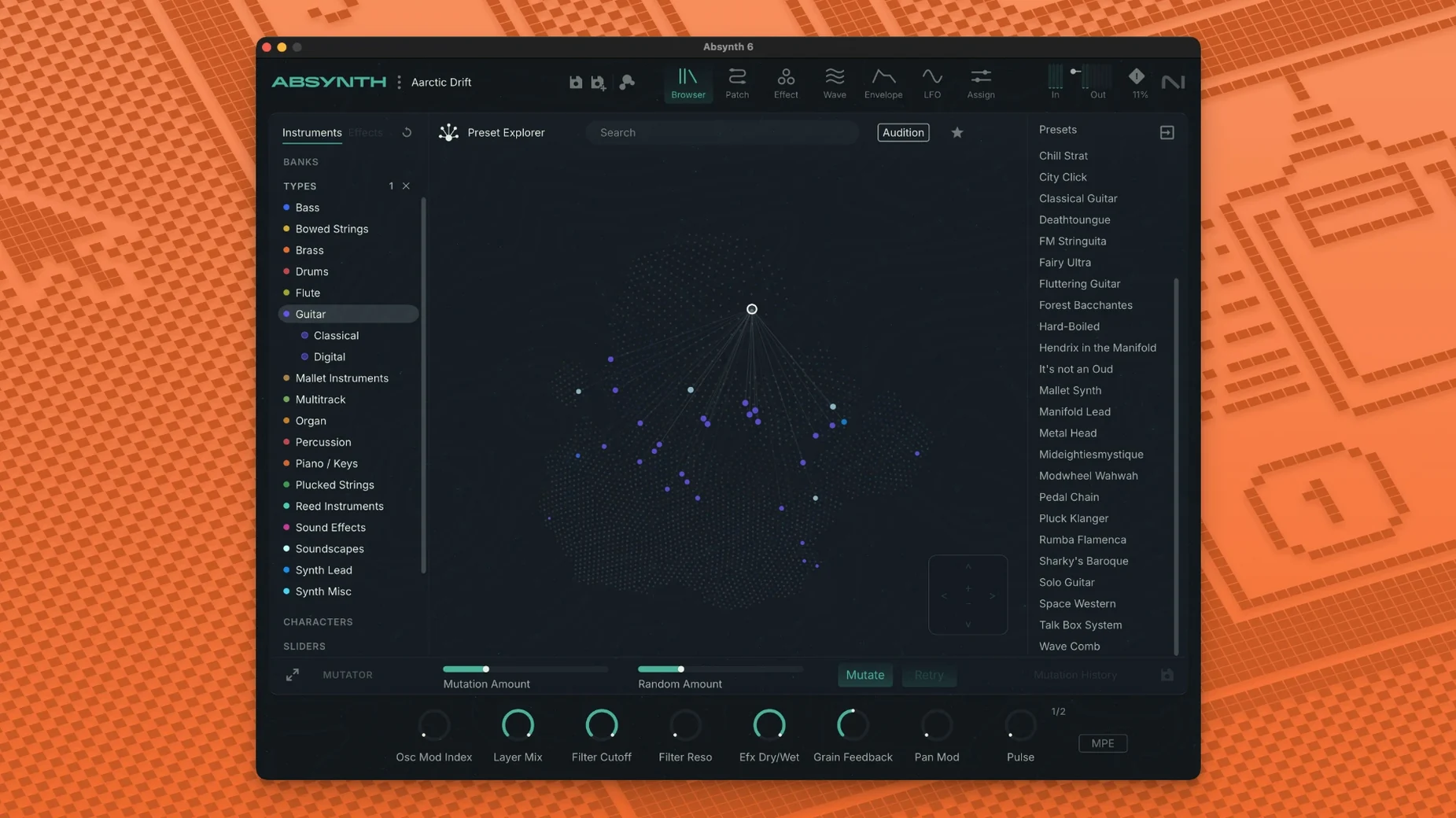
Live in the browser for an hour. The 250 new presets aren't just demo material—they're reverse-engineering lessons. Find a sound you like, open the patch window, and trace the mod routings. Notice how many presets use the Sound Mutator to hybridize two sources. That's a workflow you'll steal.
Build a template perform page. Right-click any parameter and hit "Assign to Perform." Map oscillator blend, filter cutoff, and a grain parameter to three macro knobs. Save it as your default. Every new patch now starts with a control surface you know.
Test your CPU ceiling early. A single Absynth voice isn't heavy, but the Cloud Filter and Supercomb in series with eight-channel output will spike the meter on an older Intel Mac. On Apple Silicon I can stack four or five instances before Logic's performance monitor blinks. Bounce in place when the arrangement locks—don't wait for the mix to remind you.
Feed it something external. The audio input tab is easy to overlook. Route a drum loop in, set the envelope follower to modulate a wavetable, and you've got a rhythmic pad that breathes with your kick pattern. It's the fastest way to make Absynth feel like part of a track, not a preset player.
Absynth 6 Versus The Field
Three synths come up whenever someone searches for an absynth 6 mac torrent: Falcon, Pigments, and Phase Plant. They all do hybrid synthesis, but they aim at different brains.
Falcon is the deeper toolbox. More oscillator types, more effects, a scripting layer for the truly obsessed. But Falcon feels like a laboratory. Absynth feels like an instrument with a mood. I open Falcon when I know exactly what I want to build; I open Absynth when I want to find something I didn't plan. The semi-modular approach means less clicking to wire things up, fewer decisions about which module goes where. For a deadline, that matters.
Pigments wins on visual feedback. Its animated wavetable view and modulation visualization make it the easiest to learn. But Pigments is a stereo synth at heart. Absynth's eight-channel surround and multi-channel panner put it in a different category for post-production and installation work. If you're bouncing stems for a 5.1 mix, Pigments isn't the tool. Absynth is.
Phase Plant is the modular purist's choice—blank canvas, unlimited generators and modulators. It's brilliant for sound designers who want total control. The trade-off? You build everything from scratch. Absynth gives you a structured architecture and then invites you to break it with the Sound Mutator and envelope editor. Less patching, more sculpting. On a day when I need three usable pads before lunch, I pick Absynth.
A Month of Daily Use on M1 Max Without a Single Crash
After a month of daily use on an M1 Max MacBook Pro, Absynth 6.1.0 hasn't crashed once. Not in Logic, not in Ableton Live, not as an AU or VST3. That's not a guarantee—it's just my observation. The plug-in loads in under two seconds from an NVMe drive, and the preset browser responds instantly even with the full library indexed.
RAM use sits around 200 to 400 MB per instance depending on the patch. Complex pads with the Cloud Filter and Supercomb active push toward the higher end. The real resource conversation is CPU. A single Absynth voice with all three oscillators, the Aetherizer, and a surround panner hits about 15% on a performance core. Drop the polyphony to four voices and you're fine. Play a ten-note chord with long release tails and you'll hear the buffer crackle. That's not a flaw—it's physics. Bounce those chords.
Disk space is worth mentioning. The library isn't enormous—the absynth 6 free download crowd often asks about this—but the sample content and wavetables for the granular engine take a few gigabytes. On a 512 GB MacBook, that's manageable. On a 256 GB machine, you'll feel it alongside a full Kontakt library.
One quirk I've noticed: after a host application wakes from sleep, Absynth occasionally loses communication with the MIDI controller until I reload the plug-in. A minor annoyance, fixed in ten seconds. It's been consistent across the absynth 6 rutracker release notes I've seen—no patch for it yet, but it's not a showstopper.
For anyone coming from an older absynth crack or a dusty Absynth 5 install, the jump to native Apple Silicon support alone is worth it. The synth runs cool, renders fast, and doesn't trigger the Rosetta overhead that used to plague earlier Native Instruments ports. Bounce times on complex eight-channel stems are roughly half what they were under emulation. That's real minutes back in a working day.
Absynth 6 marks a full return of the instrument with a modernized feature set. The standout addition is multi-channel surround support—Quadraphonic, 5.1, and Octaphonic formats are all on the table. It also brings full MPE compatibility and polyphonic aftertouch, so every gesture from a compatible controller ripples through the semi-modular architecture.
Also fixed: the preset library has been refreshed with 250 new starting points.
- macOS 14 or later
- Apple Silicon or Intel Core i5 processor
- 4 GB RAM (6 GB recommended)
- 64-bit VST3, AU, or AAX host
Notes from the edit bay · 0
Sign in or get an edit-bay pass to leave a note.
No notes from the edit bay yet. They go up after I read them.