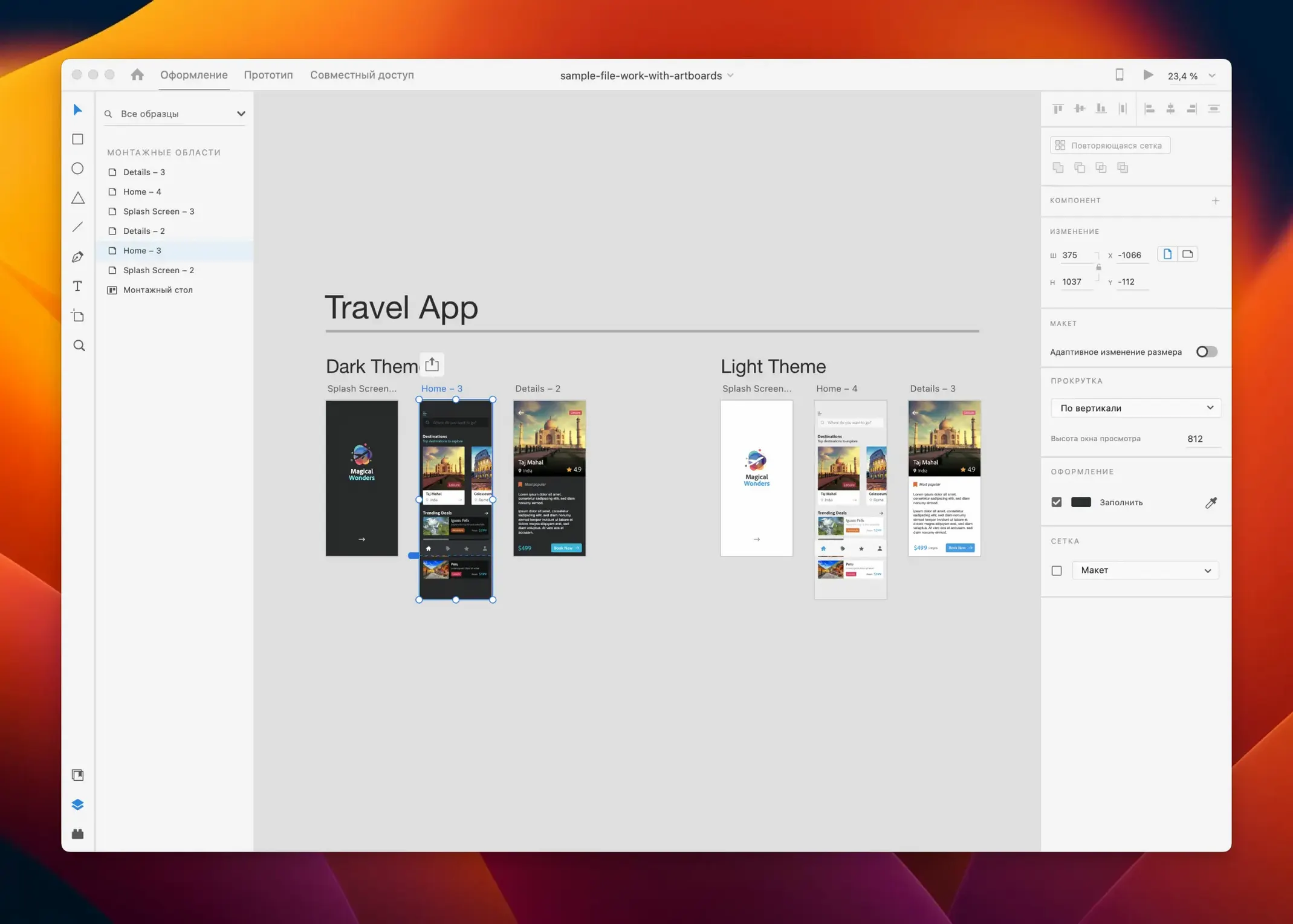
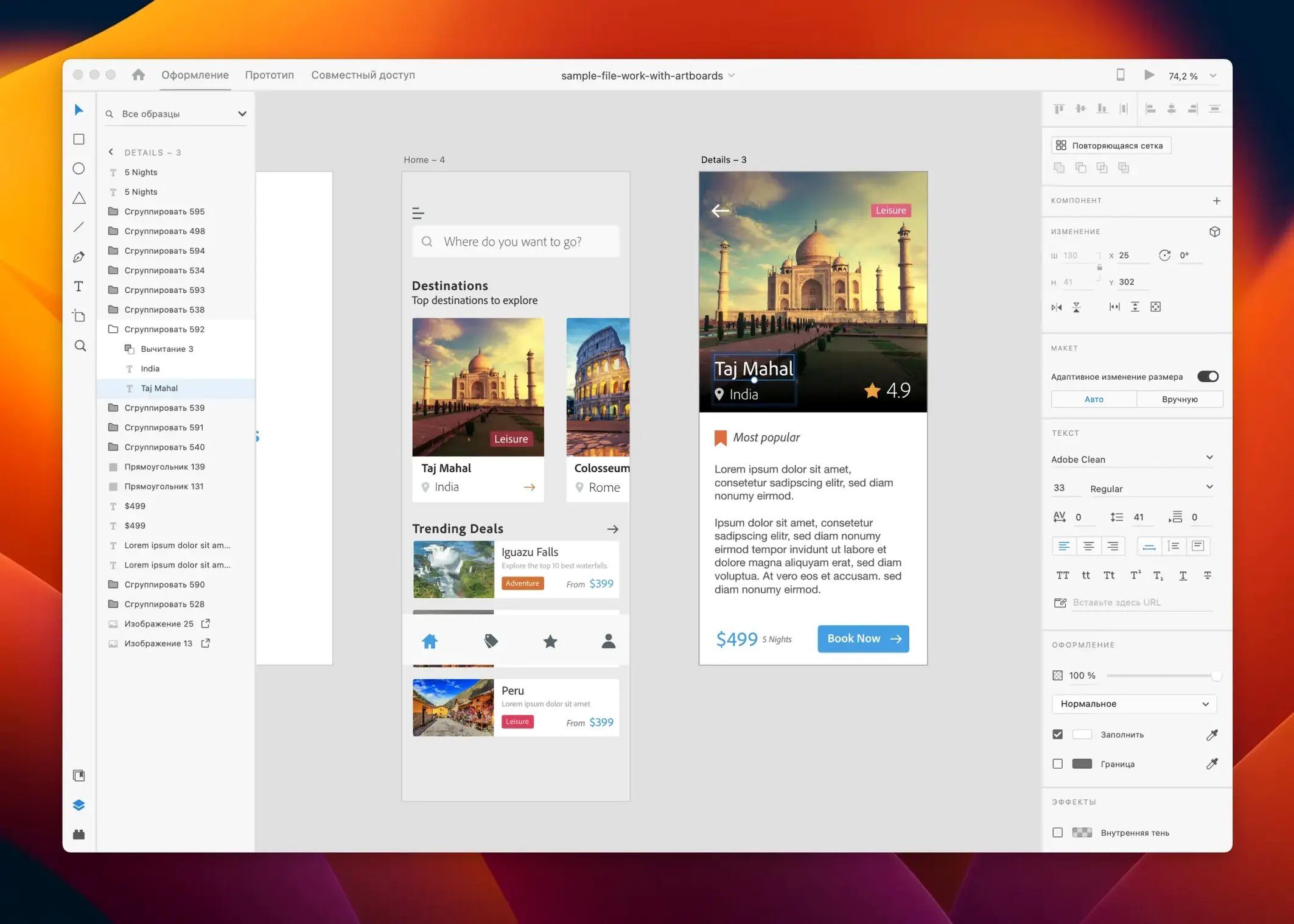
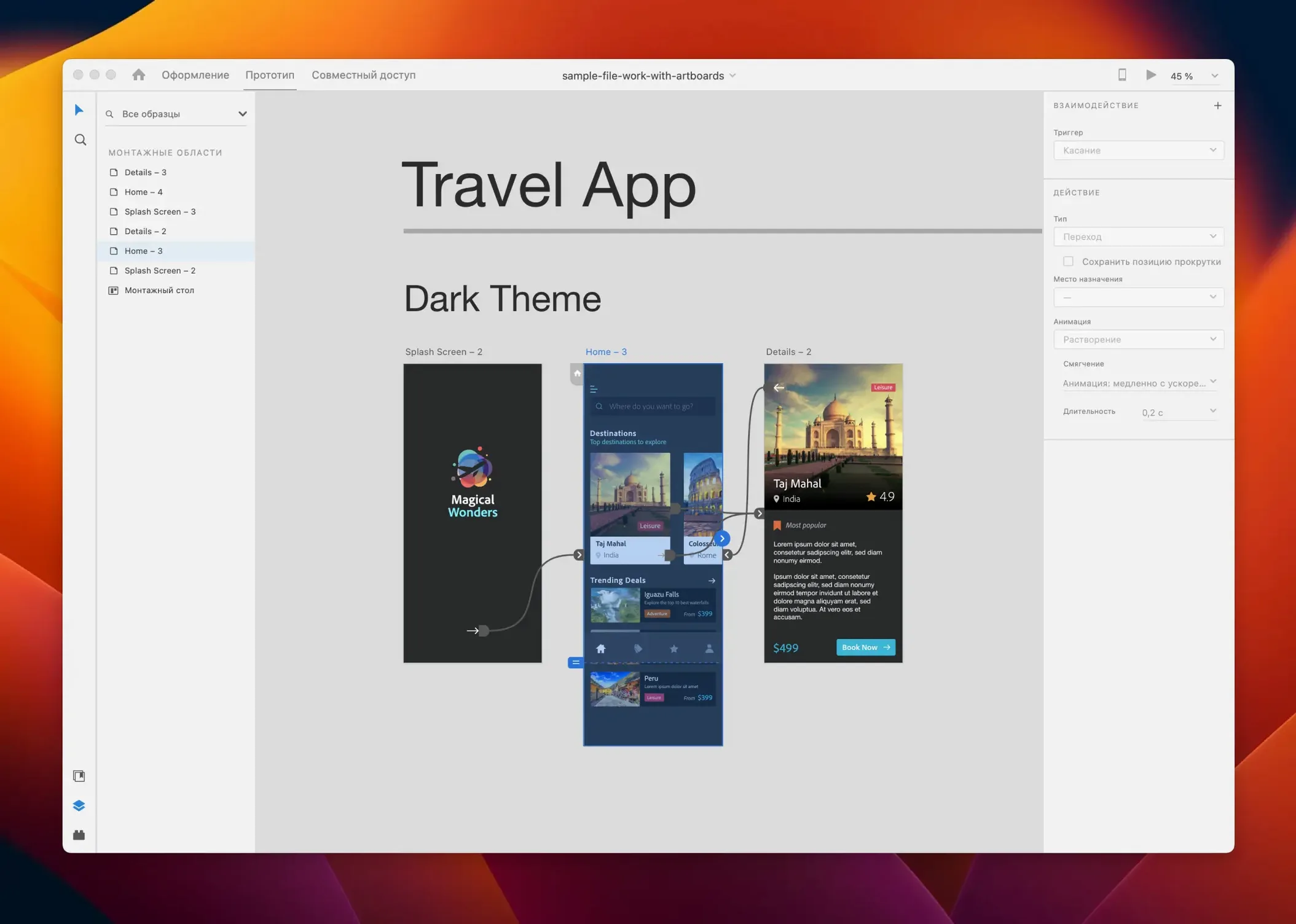
If you’ve spent any time in Photoshop or Illustrator, Adobe XD’s toolbars will feel like a familiar shorthand. The rectangle and type tools are right where you expect them. But XD isn’t a page-layout app wearing a different hat — it’s built to push pixels into a flow. The file format is lightweight, the pasteboard is infinite, and every artboard can become a screen in an interactive prototype without leaving the window.
Five Things to Try Right Away
- Draw an artboard and hit Prototype. Wire two screens together with a tap trigger. It’s the quickest gut-check for how the app thinks.
- Pull a UI kit from Creative Cloud Libraries. iOS, Material Design, and wireframe kits are available. Drop a status bar onto a canvas in two clicks and skip hours of pixel-pushing.
- Repeat Grid. Grab a collection of text layers or images and drag the handle. XD populates a list or gallery instantly — perfect for contact cards or product rows.
- Record a preview video. On macOS, the preview window captures screen and voice. Send a 30-second clip instead of a flat PDF and watch the feedback get more precise.
- Share a development link. Mark elements for export, publish the prototype, and the link gives developers redline specs and CSS snippets without a handoff meeting.
Shortcut from Wireframe to Clickable Prototype
Adobe XD carries a project from wireframe to clickable demo. It pulls color swatches and character styles from Libraries, works with linked Adobe Stock assets, and exports to After Effects when a micro-interaction needs more keyframes. For quick web mockups, app flows, or even voice interface storyboards, it keeps the whole stack in one file that a team can co-edit.
When Repeat Grid Turns into a Crop Jumble
Repeat Grid is a favorite until it isn't. Drop in a mix of images with different aspect ratios and the grid turns into a jumble of crops. The fix: use Mask with Shape on a single image first, set it to Fill or Fit, then build the grid from that masked layer. Every cell inherits the same scaling rule.
Another headache: pasting SVG from Illustrator and finding half the paths ungrouped or missing fills. Before you copy out of Illustrator, run Object > Path > Outline Stroke and flatten any live effects. XD's SVG parser is picky — it likes simple, flat vectors.
Prototype wires going haywire? If a trigger jumps to the wrong artboard, check the Destination dropdown in the Property Inspector. XD sometimes re-links artboards after you reorder them in the layer panel, especially if you drag artboards around the canvas while prototyping mode is active. Re-order first, then wire.
For teams sharing a document, the biggest speed bump is two people editing the same component instance. The cloud document locks don't always warn you fast enough. A quick safeguard: name your components explicitly and color-tag artboards you're actively working on. It's low-tech, but it stops the overwrite panic.
Dial the Nudge Down to 1px for Icon Work
Out of the box, XD nudges objects by 10px with the arrow keys. That's coarse for icon work. Head to Preferences > Interface and drop the nudge amount to 1px. You can still hold Shift for 10px jumps when you need them.
Turn on Snap to Pixel Grid immediately if you're designing for iOS or web. It's off by default, and half-pixel edges make developers twitchy. While you're in the grid settings, set the grid size to 8px — it matches the baseline grid most design systems use, so spacing and alignment decisions get faster.
Under Assets > Colors, switch the default swatch view from list to grid. It shows more colors at a glance, and when you've got a palette with twenty shades of a brand blue, the visual layout matters. Same with Character Styles: name them by function (H1, Body, Caption) not by appearance (Bold 18pt Gray). Your prototype redlines will read cleaner later.
If you're working solo, disable Auto-save to Cloud in Preferences and stick with local saves. The cloud sync queue can lag on large files, and XD's local save format opens faster. When you need to share, publish manually.
UI + Prototyping in One Afternoon
The sweet spot is the designer who touches both UI and prototyping in the same afternoon. If you're bouncing between a vector tool and a clickable-demo tool, XD collapses that handoff into one app. Freelancers building landing pages, SaaS teams iterating on dashboards, and mobile designers who need to demo micro-interactions before writing a line of code — those are the people who'll feel the time savings.
It's also a strong fit for design educators and bootcamp instructors. The shallow learning curve means students prototype by day two, and the share links work on any device, so the whole class views a walkthrough without installing anything. The Creative Cloud tie makes asset distribution painless: drop UI kits into a shared Library once, and everyone pulls from the same source.
Less ideal for: icon designers who live in bezier curves. XD's path editing is functional but sparse — no stroke width profiles, no custom brush shapes, no blend modes beyond the basics. It's not an illustration tool pretending to be a design tool. It's exactly the opposite.
Sketch’s Plugin Depth vs. XD’s All-in-One Flow
Sketch shares a lot of DNA with XD — vector-based, Mac-native, symbol and component systems baked in. Sketch is stronger for pure interface design: its plugin ecosystem is enormous, its artboard-to-artboard linking is more flexible, and its export presets are richer. But Sketch doesn't prototype. You need a third-party tool like Principle or a Craft plugin just to get a clickable demo. XD ships that in the same file, with auto-animate and voice triggers included. For a solo designer who wants to move fast without stitching apps together, XD's all-in-one approach wins. For a team that already has a prototyping tool and just needs a rock-solid design surface, Sketch still pulls weight.
Figma is the obvious comparison and the reason XD feels like it's been in maintenance mode. Figma's browser-first, real-time collaboration is genuinely fast. XD's co-editing works, but it's heavier and more prone to sync conflicts. Where XD holds its own: offline work. Figma's desktop app is a wrapper around a web view — spotty Wi-Fi kills it. XD runs fully native on macOS, and large files with hundreds of artboards scroll and zoom without a hiccup, even on older Intel Macs. If you're often in a coffee shop with bad internet or working on a flight, XD is the more reliable companion.
Penpot is an open-source wildcard that's picked up serious momentum. Its layout system is CSS-flexbox-native, which means developers get inspect values that actually match what ships in the browser. XD's responsive resize and content-aware layout are more visual and less code-accurate. Penpot's prototyping is still young — no auto-animate, fewer trigger types — but for a team prioritizing dev handoff accuracy over designer polish, it's creeping up. XD's advantage here is maturity and the Creative Cloud gravity well. If you already use Adobe fonts, Libraries, and Stock, XD slots in without a new login, a new import pipeline, or a new way of thinking about assets.
The July 2025 update keeps it quiet — a round of bug fixes and a few workflow nudges that make repeat actions feel a little less like housekeeping. Also fixed: rare crashes when dragging large Repeat Grids between artboards.
- macOS 10.15 or later
- Apple Silicon and Intel Macs supported
Questions I actually get
Can I use Adobe XD for voice or game interfaces, not just mobile apps?
Absolutely. The canvas is built for any screen or interaction model — websites, voice interfaces, game HUDs, and email templates all work within the same artboard-based setup.
Notes from the edit bay · 0
Sign in or get an edit-bay pass to leave a note.
No notes from the edit bay yet. They go up after I read them.